
Articles

How to Use the Copy and Paste Buttons in Lightroom 4
In this tutorial, we will go over how to use the Copy and Paste Buttons in Lightrooom 4. The Copy and Paste buttons are extremely useful in batch processing, which will save you a lot of time in post production.

Brooke Shaden Interview Part 3: Post-processing, Posing, and Workshops
In the final part of her interview with SLR Lounge, fine art photographer Brooke Shaden talks about one of her toughest shoots to date, on post-processing workflow, posing, and her workshops. Finally, she gives some helpful advice for photographers looking to follow in her footsteps.

Horseshoe Bend: RAW Processing and Adobe Photoshop Import – From the HDR Photography Workshop Series
In this tutorial, we are back in Lightroom 4, where we will demonstrate how to RAW process our image of Horseshoe Bend, taken in Page, Arizona. In addition, we will export our images into Adobe Photoshop for the blending process.

Getting a Creative Angle on Wedding Ceremony Venue Photos – How We Shot It
Here’s a challenge: How do you capture a perspective from a very high angle, when there is no balcony etc. like you would find at the back of a church? Well, today we answer that question!
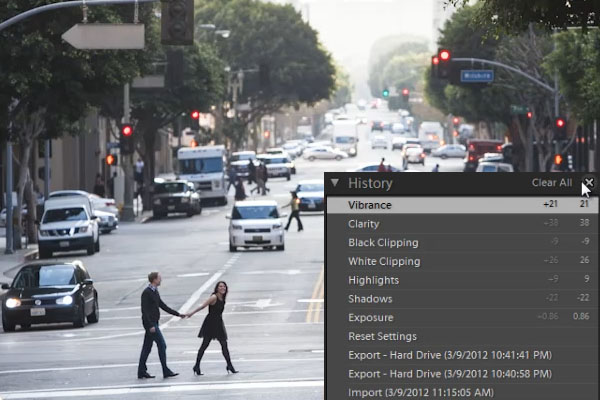
Understanding the History Panel in Lightroom 4
In this article, we will explain the Lightroom 4 History Panel in complete detail. The History Panel records every adjustment made to an image.

Canon 5D mark III Shooting 24fps RAW Video!
In just under a month since they discovered the RAW movie capability in the Canon 5D mark III, the guys at Magic Lantern managed to successfully output a 24fps RAW video. The result? Well, take a look.
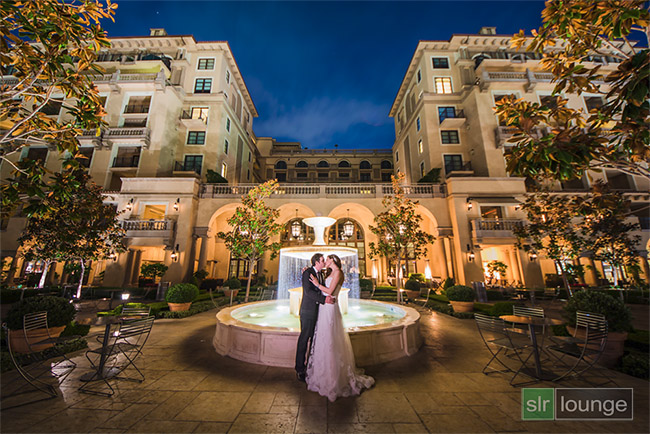
Beverly Hills Montage Wedding Portrait – How We Shot It
In today's episode of How We Shot it we are going to talk about wedding portraits in night-time scenarios, in a dramatic outdoor hotel courtyard setting.

SnapTrack Cinerails Dolly System Official Review- Rapid Gear Review Season 1 Ep 2
In this week's Rapid Review, we take a look at the Snaptrack Cinerails Dolly System. An incredibly portable, cheap, and simple solution to your dolly needs. We love it, and we'll tell you why.

Tips for creating Vertical Panoramas – How We Shot It
Achieving an image such as this may be relatively easy these days, with incredibly sharp ultra-wide lenses and extremely high-resolution DSLRs at our disposal.

Horseshoe Bend: HDR Processing in Photomatix Pro – From the HDR Photography Workshop Series
In this tutorial, we will demonstrate how to HDR process this shot of Horseshoe Bend in Page, Arizona in Photomatix Pro.

Using ND Filters to create Motion Blur in Bright Sun – How We Shot It
In this video, Matthew Saville describes the various methods and options available for creating a slow motion blur during bright sunny conditions. For anyone who knows the "Sunny Sixteen" rule, if your aperture is at f/16 then a perfect exposure at ISO 100 would be 1/100 sec, and a perfect exposure at ISO 400 would be 1/400 sec, and so on. However this image was created at f/13, ISO 100, and 2.0 seconds.

Setting Up Your Own Editing Workstation – Ask SLR Lounge Season 1 Ep 3
An important part of this age of digital photography is producing color accurate photos in a comfortable environment. So where do you start? We will point you towards the right direction in this episode of Ask SLR Lounge!


