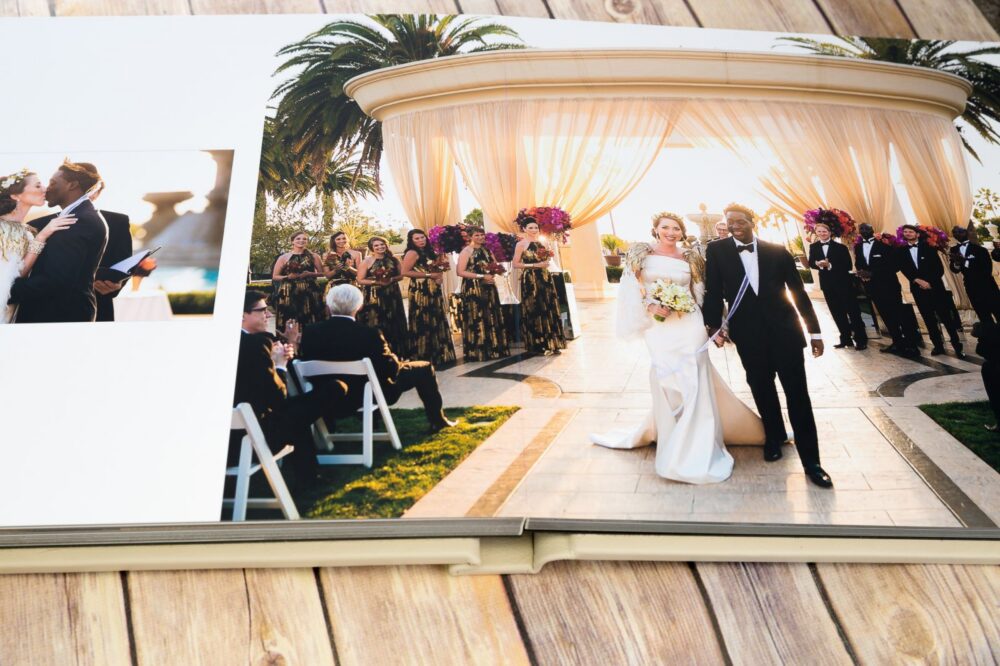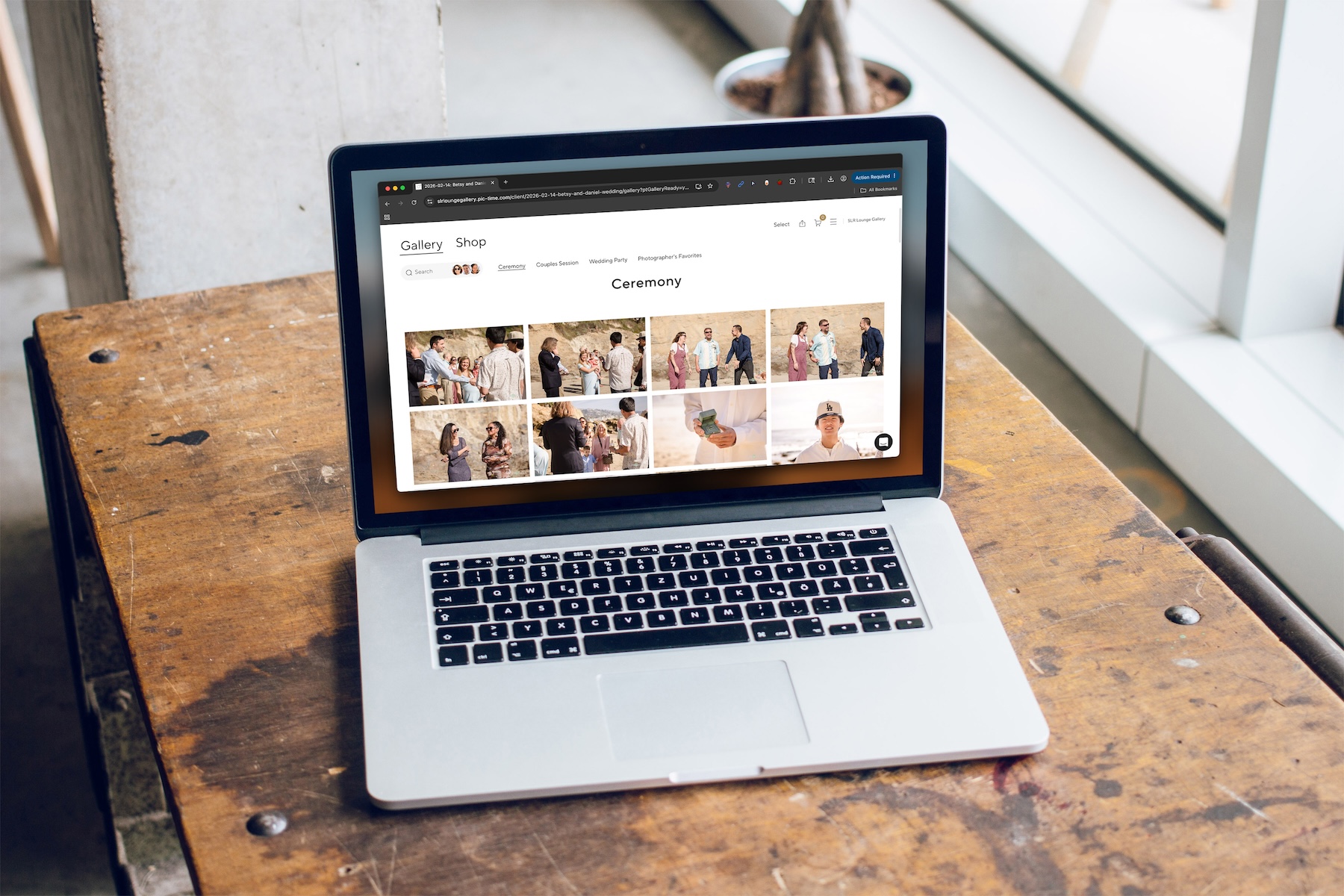
Online gallery platforms have evolved well beyond simple delivery tools. Most working photographers now rely on them to help shape client experience, brand presentation, and revenue generation. The gallery is no longer just where images live; it also serves as more of a final impression a client walks away with.
That’s the context behind Pic-Time 2.0.
With this release, Pic-Time is not making incremental updates. Instead, it is repositioning the gallery itself as a curated, design-driven experience. The idea is straightforward. If you can elevate how the work is presented and experienced, you can influence how clients engage with it and what they ultimately purchase.
The question is whether that shift translates into meaningful results in real-world use.
What Is Pic-Time 2.0?
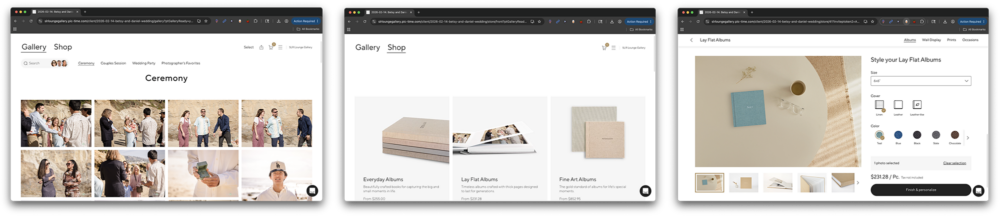
Based on the scope of changes we’re seeing from the original iteration, Pic-Time 2.0 is best understood as a full rebuild rather than a simple update. The gallery, store, and album systems have all been redesigned to shift from utility-first delivery toward a more immersive, editorial-style experience.
If you’ve worked with platforms like Pixieset, you’ll recognize the core workflow. Upload, deliver, and optionally sell. What Pic-Time is attempting here is not to replace that structure, but to reshape how each step feels and how clients move through it.
Design & Customization
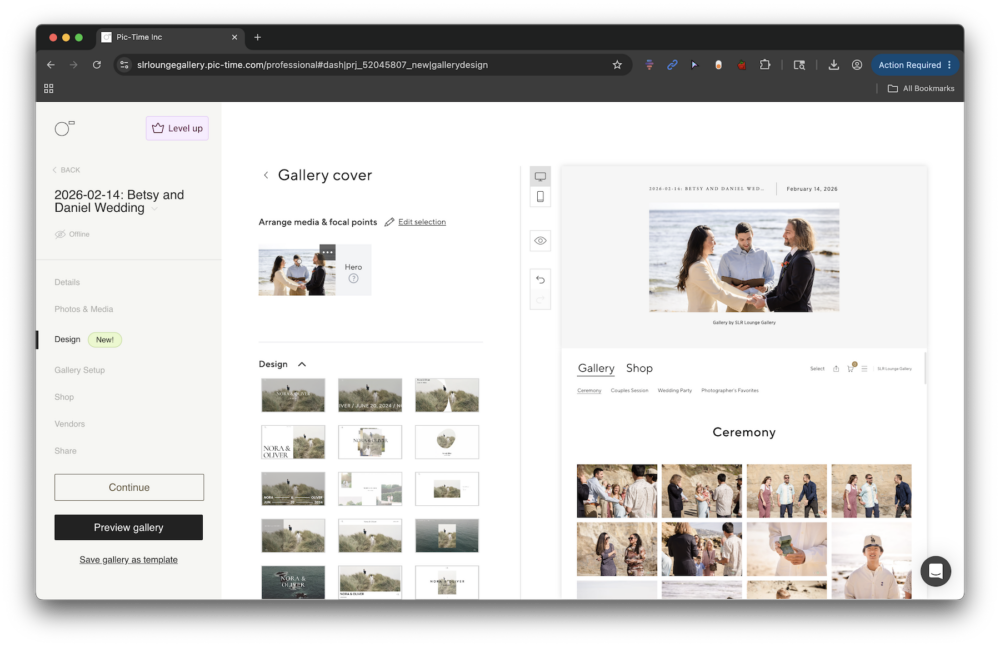
The most noticeable change in Pic-Time 2.0 is its focus on design.
Photographers are given a much deeper level of control over how their galleries look and feel, from cinematic cover layouts to typography and interface elements. The platform introduces a range of visual presets alongside customization options that allow for fine-tuning colors, spacing, and UI behavior.
That control shows up most clearly in a few core areas:
- Cinematic gallery covers, including animated and video-based options
- Curated color palettes and typography systems that carry across the experience
- Adjustable interface elements such as buttons, spacing, and icon styling
- Pre-built themes that unify both gallery and store design
Taken together, these are not just isolated features. Instead, they are designed to work as a system, allowing photographers to present their work in a more cohesive and intentional way. In practice, this means galleries can move beyond a standardized look and start to reflect a brand more distinctly.
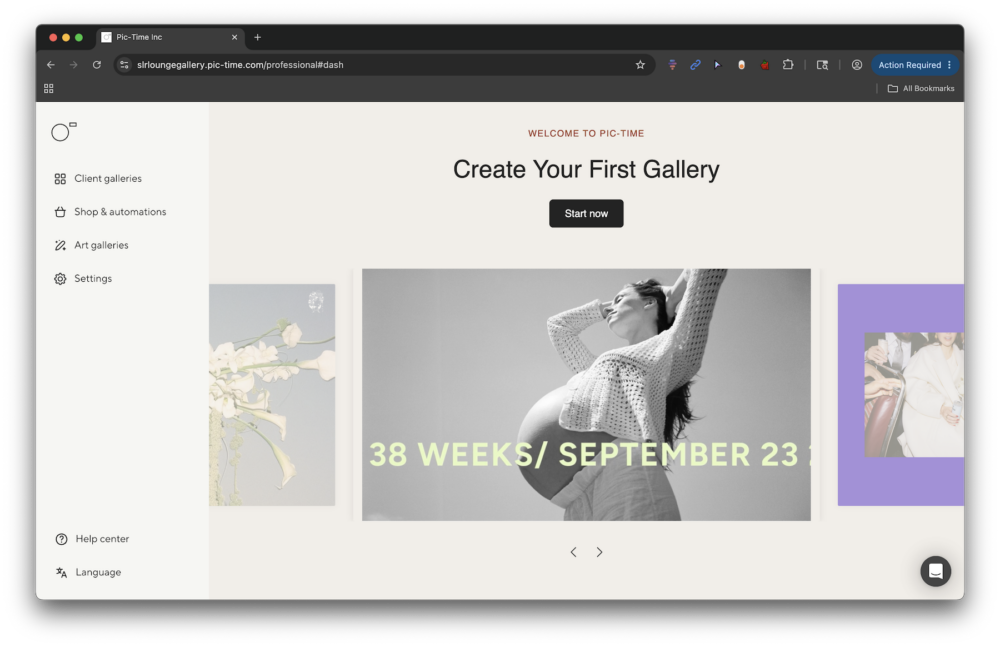
Whether you’re just getting started or you have already established a clear brand identity, you can use these tools to help build from the ground up or match your existing aesthetic. You’ll notice as soon as you sign into your account that it’s easy to start creating and customizing your galleries, setting up your shop with their wizard, and working through the process of sharing your work with clients and vendors.
The tools are intuitive and flexible, even if you’re working on a mobile device. This makes it possible to put Pic-Time to work right away without having to invest too much time setting everything up.
Client Experience & Workflow
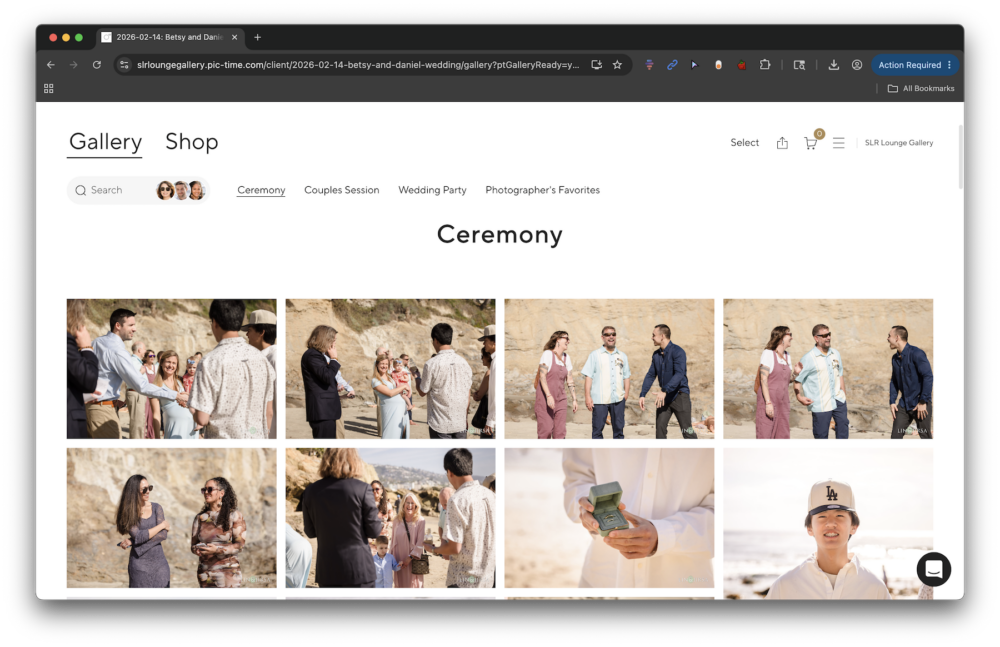
Where Pic-Time 2.0 begins to separate itself more clearly is in how clients interact with galleries.
Most platforms treat galleries as endpoints. Clients open them, browse quickly, and download what they need. Pic-Time reframes this into a more guided experience, one that encourages users to engage with their images before taking action.
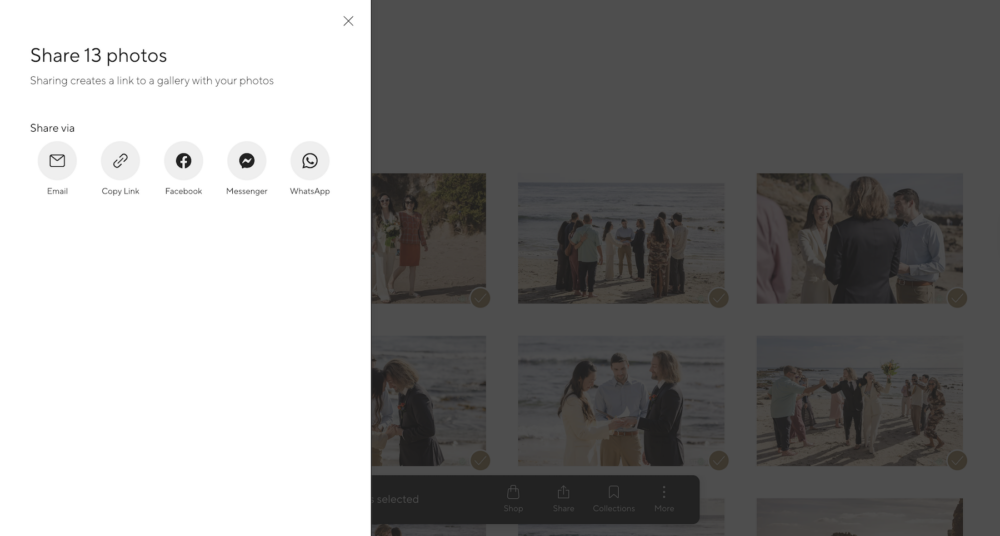
For example, instead of jumping straight to downloads, clients are encouraged to select and curate their favorite images first. They can favorite and share individual images or select a batch of images and share them via a custom link or through a number of different apps.
That simple change shifts the experience from transactional to more intentional. It also creates a natural bridge into sharing, printing, and album creation.
Supporting that shift are a few underlying changes to the workflow:
- A selection-first approach that prioritizes favoriting before downloading or purchasing
- The ability to organize selected images into collections for sharing or product creation
- Improved search functionality that combines facial recognition with keyword filtering
- A mobile-first interface that allows clients to interact with galleries fluidly across devices
These features are not particularly complex on their own, but together they shape how users move through the experience.
Print Store & Sales Experience

The print store is where Pic-Time’s broader strategy becomes more tangible.
In many gallery platforms, the store feels like a separate layer added after the fact. Here, it is integrated directly into the viewing experience. The transition from browsing images to exploring products is designed to feel natural, almost like a continuation rather than a decision point. Clients can literally scroll through their gallery, select their images, and then see how those images will look in the products they can purchase all on the same page. They can do all of this without exiting the gallery to explore the print products your shop offers.
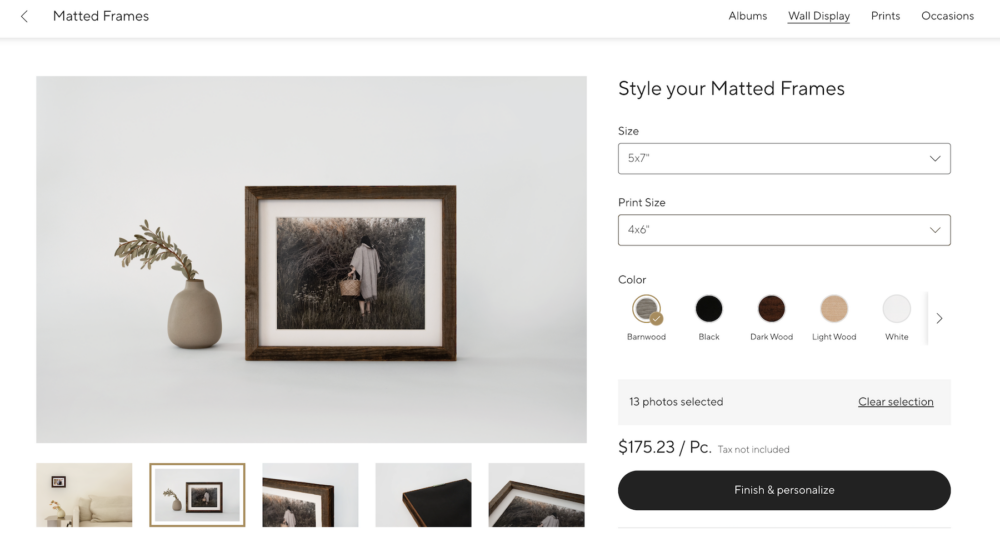
This experience is built around a few key improvements:
- Dynamic previews that place images into realistic product contexts
- A responsive shopping flow that works consistently across devices
- A simplified checkout process that reduces friction
- Expanded product visuals and descriptions to support decision-making
Behind the scenes, the integration with a global network of labs adds another layer of flexibility, allowing photographers to manage fulfillment and pricing across different regions.
AI Album Designer
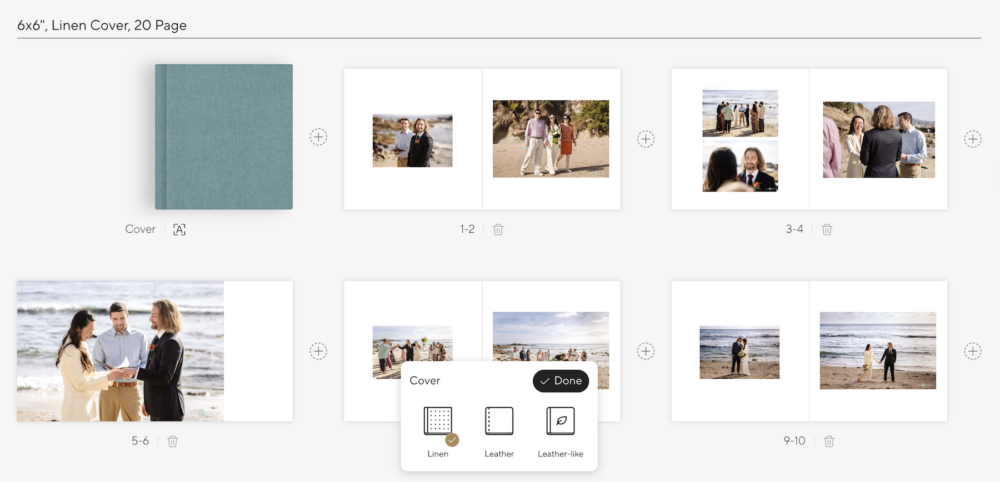
The introduction of AI-driven album design is one of the more practical additions in Pic-Time 2.0.
Album creation has traditionally been one of the more time-intensive parts of a photographer’s workflow. Pic-Time’s approach is to automate the initial layout process by generating album drafts based on selected images.
Rather than relying on rigid templates, the system attempts to arrange images into a narrative structure. This unique approach is important. While the designer’s customization options are somewhat limited in terms of actual layout (resizing and repositioning images, for example), what it offers in terms of shifting images from isolated moments into a collection that tells a fully realized story is invaluable.
Here’s how it works:
Pic-Time 2.0’s album designer provides a guided workflow behind the AI-generated layouts. Instead of simply placing selected images randomly or in strict chronological order, the Album Designer asks a series of questions to shape the overall story and pacing of the album. This allows the final result to feel more personalized to the specific client and purpose of the album itself.

The process is simple. When you design an album, the system allows you to define who the album is for (happy couple, parents or close family, or someone else), prioritize specific people (your “must-include” people), select must-have images, and influence the overall layout style before generation begins; this covers whether the album will be sparsely populated or loaded with the client’s images.
The expectation is not perfection, but a strong starting point that reduces the amount of manual work required. It succeeds without question in this mission. Once a basic layout is established, both photographers and clients can refine the design through a guided editing process. Album proofing is not yet available, but it should be added soon.
Mobile Experience

Pic-Time 2.0 has clearly been designed with mobile usage in mind.
A large percentage of clients will experience galleries primarily through their phones, and any friction in that experience directly impacts engagement and sales. The platform aims to provide a consistent experience across devices, allowing clients to browse, select, and purchase without feeling like they are switching environments. Everything we mentioned above for client experience translates seamlessly to the mobile experience.
The initial goal is continuity. A gallery should feel just as refined on a phone as it does on a larger screen. This extra attention to detail also helps in terms of convenience. Clients will find the same experience on a device they’re most comfortable using, whether they’re just previewing a gallery or choosing favorites and ordering prints or albums from your shop.
Real-World Perspective
Stepping back, Pic-Time 2.0 is not just adding features. It is attempting to change behavior. We touched on this in the section on Client Experience above, but it bears repeating.
Instead of encouraging quick downloads, the platform encourages clients to spend more time with their images. To revisit them, curate them, and interact with them in a way that builds emotional investment before any transaction occurs. If we lead by encouraging quick sales first, we lose the real value that our photos provide.
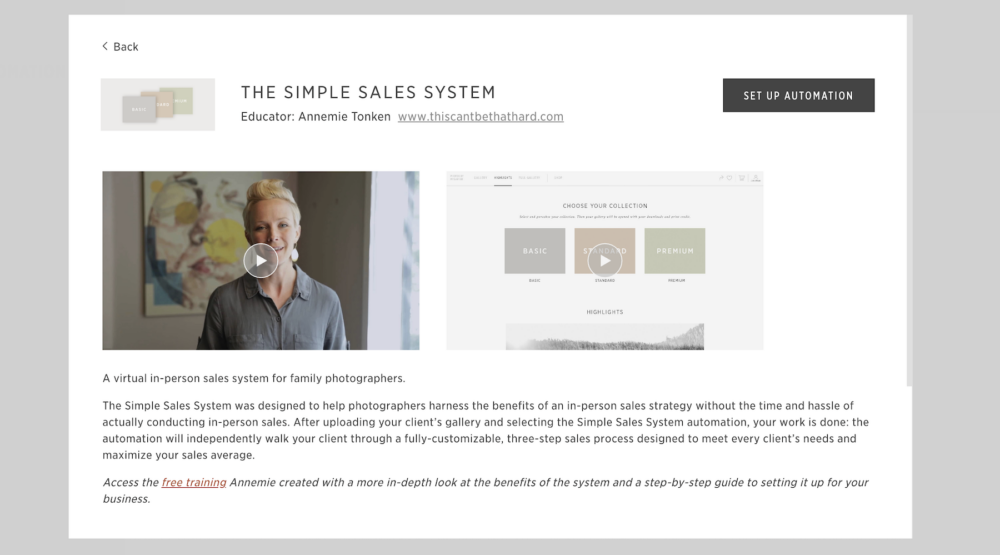
More engagement can serve our photography business in several ways; it can lead to creating stronger connections, building better brand perception, and potentially delivering higher sales. On the backend of the site, you can set up different automated campaigns to help keep your clients engaged with their photos, and Pic-Time provides quick and easy-to-follow tutorials on how to do this.
What Makes Pic-Time Different?
Compared to other platforms, many of which prioritize efficiency and ease of use (which is understandable), Pic-Time also leans more heavily into design and storytelling. That distinction is important. Some photographers will value speed and simplicity above all else, but the end product can feel too limited and the overall experience can suffer. Others, particularly those working in higher-end markets, may see value in a more curated experience that reinforces their brand at every step.
Pic-Time 2.0 strikes a nice balance between the two ends of the spectrum. It provides a flexible, feature-rich collection of tools that are easy for both photographers and their clients to use, and which have been designed to provide a clean, cohesive experience.
Pros & Cons
At the end of the day, Pic-Time 2.0 stands out for its emphasis on presentation and experience. The design tools offer a level of control that goes beyond what most gallery platforms provide, and the integration between galleries, store, and albums feels intentional rather than segmented. The addition of AI tools also introduces the possibility of meaningful time savings, particularly in album design.
Not all of Pic-Time’s stable of features from version 1.0 are currently available in 2.0, but they are being added.
Conclusion
Pic-Time 2.0 represents a clear shift in how gallery platforms are evolving. It moves beyond simple delivery and toward a more complete client experience, one that blends presentation, interaction, and commerce into a single system. The concept is compelling. A more thoughtful and engaging gallery experience has the potential to elevate both brand perception and revenue. For now, Pic-Time 2.0 positions itself as one of the more ambitious updates in this space, and one that is clearly aiming to set a new standard.
The next step for you, the photographer, is to put it to work and see how it holds up for your business where it matters most.