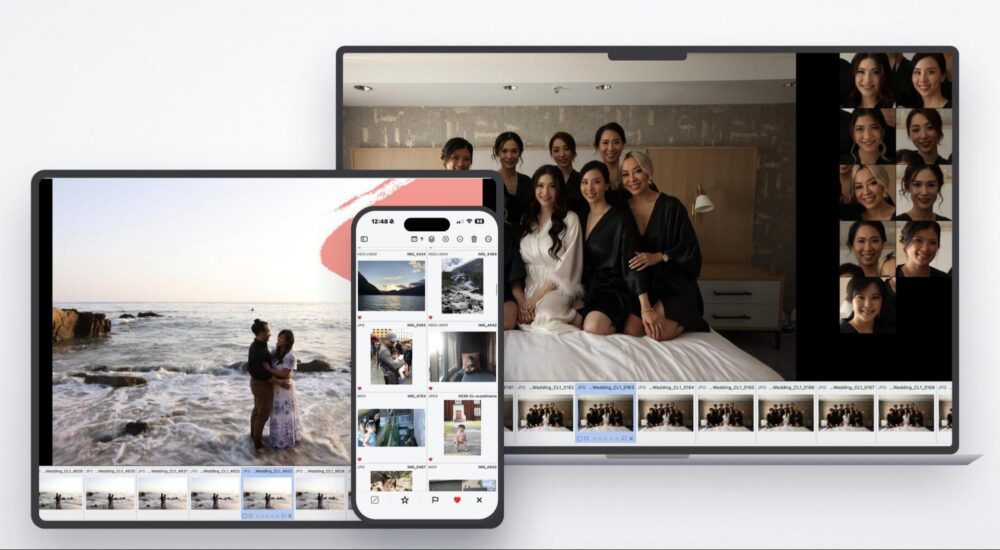
If you shoot video with any regularity, you have almost certainly ended up with clips you were not fully happy with. A wedding reception shot at ISO 6400. Handheld travel footage that came out softer than expected. Drone clips that look great on a laptop but fall apart on a 4K display. These are not edge cases. For most videographers and hybrid shooters, they are just part of the job.
AI-powered video enhancement has been improving quickly, and Aiarty Video Enhancer is one of the more capable desktop tools in that space right now. It handles denoising, deblurring, upscaling, and color correction, all locally on your machine, without requiring cloud uploads or a subscription. To mark their anniversary, Aiarty is currently offering up to 36% off, plus an extra $5 off with the coupon code “ANNIVERSARY” at checkout. The lifetime license deal runs through June 14th, so there is a real deadline here.
More on the pricing below. First, let’s look at what the tool actually does.
What Aiarty Video Enhancer Is (and Is Not)
Aiarty Video Enhancer is a dedicated desktop application for both Windows and Mac computers. It is not a non-linear editor and it is not a color grading suite. Think of it more as a focused restoration pass; you bring in footage with a specific problem, choose the right AI model, and export a cleaner version. The workflow is genuinely simple, which makes it approachable for photographers who are comfortable in Lightroom but less so in Premiere or DaVinci Resolve.
The fact that it runs locally is worth emphasizing. Processing happens on your GPU, which means no files leaving your machine and no waiting on a cloud queue. For client work, that matters.
What It Can Fix: A Look at the Core Features
AI Denoising for Low-Light and High-ISO Footage

This is probably where most photographers will find the most immediate value. Aiarty’s denoising model targets both luminance and chroma noise while trying to hold onto texture, skin tone, and fine detail rather than smoothing everything into mush. The result is not always perfect, but it is meaningfully better than what you get from basic noise reduction in most NLEs.
Denoise demo:
Low-light improvement demo:
Wedding receptions are probably the most common scenario where this matters. In these settings, we’re often shooting in a dimly lit venue, and it’s tough to control the light. Still, we need usable footage regardless of what the ISO climbs to. The same applies to other indoor events in venues where flash is not an option. Night street footage also presents a similar challenge, where the dim light rarely plays nicely with a camera sensor. In any of these situations, the noise you bring home is not always a result of bad technique. It is just the limitations of the situation, and having a tool that can clean it up without turning faces into watercolor paintings is genuinely useful.
Deblur and Sharpening
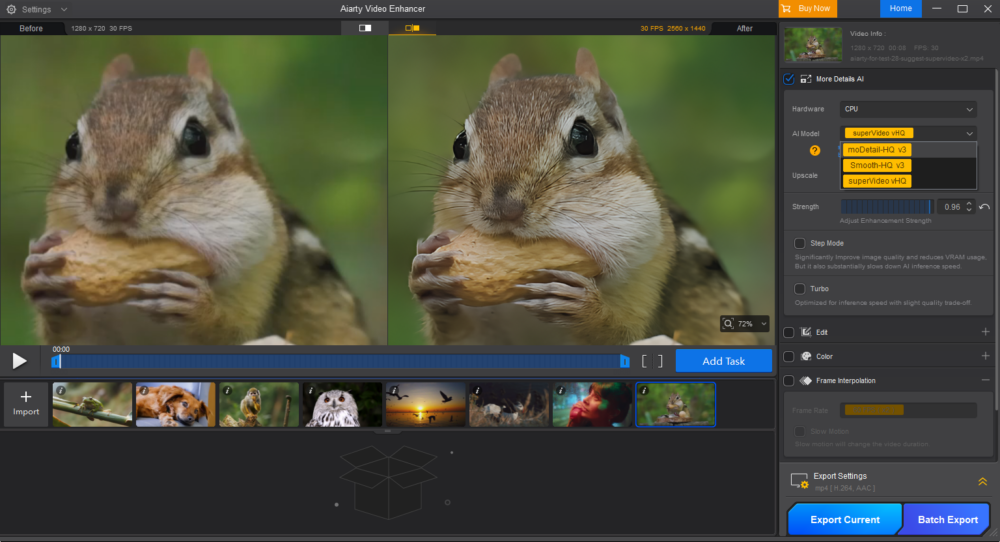
Slightly soft footage from handheld shooting or a minor focus miss is a common headache. Aiarty’s sharpening and deblur tools aim to recover edge clarity without introducing the harsh, artificial crunchiness that often comes with aggressive sharpening. The key word there is “slightly” soft. This is not a tool for salvaging footage that is completely out of focus, but for the kind of mild softness that shows up regularly in real-world shooting, it can make a noticeable difference.
Deblur demo:
You can read more about the deblur and clarity tools here.
4K Upscaling for Older or Lower-Resolution Clips
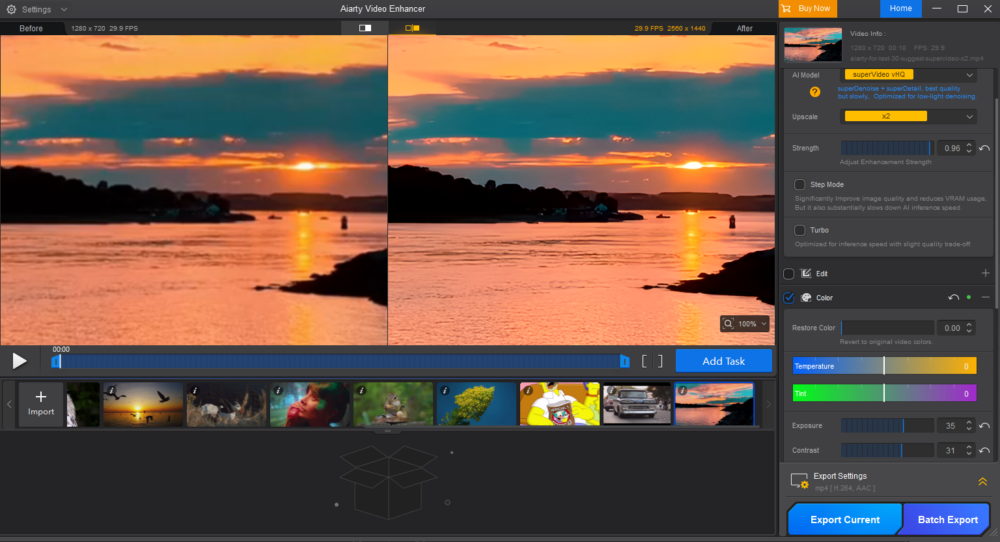
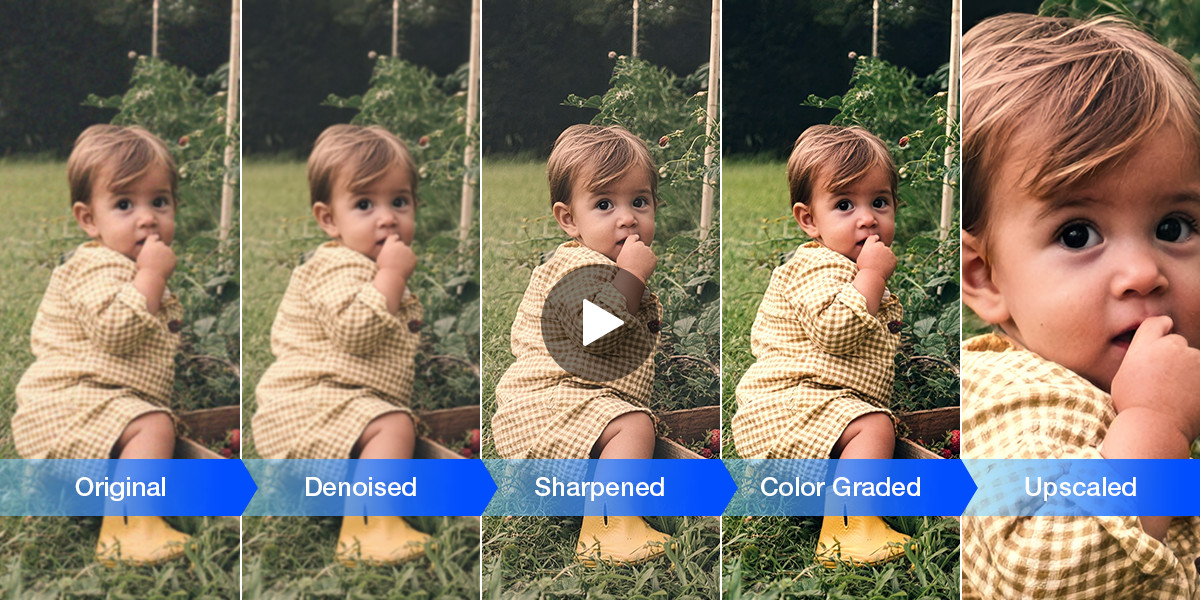
Got 1080p footage from a few years back that you want to reuse on a 4K timeline, or old archival clips that need a new life? The AI upscaling engine works to reconstruct detail rather than just stretch pixels, which tends to produce a cleaner result than simple interpolation.
4K upscaling demo:
Even though most DSLRs were already capable of shooting 4K dating back to the mid-to-late 2010s, a large number of us still chose to record, export, or deliver at 1080p to save storage, keep editing systems from bogging down, and so on. Unfortunately, that footage now looks noticeably soft on modern 4K displays and timelines. AI upscaling can help get those clips close enough to hold their own without a reshoot.
Restore Demo:
Don’t miss the old footage restoration demo above!
Color and Tone Enhancement
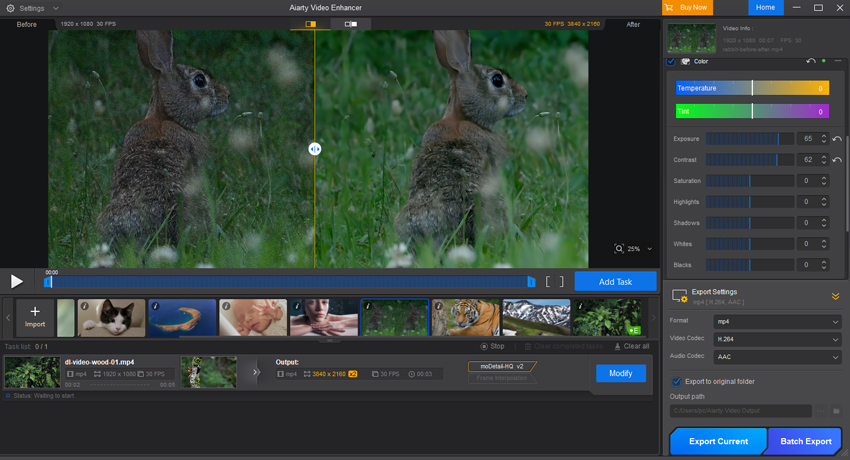
Beyond technical restoration, Aiarty includes AI-assisted color and tone tools for adjusting white balance, exposure, contrast, saturation, and brightness. There is also HDR intensity control for dialing in how aggressive the enhancement is. This is not a full-on replacement for proper color grading, but for footage that looks flat or inconsistent, it offers a quick way to bring things closer to a balanced baseline.
Frame Interpolation and Audio Noise Reduction
Two additional tools round out the feature set. Frame interpolation smooths out motion in fast-moving or lower frame rate footage, and audio noise reduction cleans up dialogue and ambient sound. Both are more specialized, but useful when the situation calls for them.
Batch Processing
For anyone dealing with large amounts of footage, the ability to queue multiple clips and process them in a single workflow is a genuine time saver. Combined with local GPU acceleration, it keeps turnaround reasonable even on longer projects.
The Workflow
One of the many things Aiarty gets right is keeping the process straightforward. There is no steep learning curve. Here’s a quick look at a basic workflow that you can follow to get started:
- Import your footage
- Choose the AI model that matches your footage type and problem
- Select your output resolution
- Adjust enhancement settings if needed
- Preview the result and export
For photographers accustomed to batch-editing in Lightroom, this will feel familiar. You are not building a complex effects chain. You are telling the tool what is wrong and letting it do the work.
Who Is This For?
Aiarty Video Enhancer will help a wide range of shooters, but it is likely best suited for the following:
- Hybrid shooters and wedding photographers who regularly deal with high-ISO reception footage or mixed lighting conditions
- Travel and lifestyle content creators wanting to bring older clips up to a standard that holds on modern displays
- Drone and action camera users dealing with compressed footage that loses detail on large screens
- Anyone with archival footage that they want to clean up and reuse
Please note: We’re not saying that this is not a replacement for full post-production. That said, it definitely fills a useful gap as a focused restoration tool that does not require advanced video editing skills.
The Anniversary Offer: Up to 36% Off, Plus an Extra $5 Off with the Coupon Code
Aiarty’s anniversary promotion is running through June 14th, and the discount is significant:
- Lifetime License (3 computers, lifetime updates): $144, down from $235
- 1-Year License (1 computer, 1-year updates): $64, down from $99
To get the additional $5 off either tier, enter the coupon code “ANNIVERSARY” at checkout and click Refresh to apply it.
The lifetime license in particular is a reasonable deal for a tool you are likely to reach for regularly. One-time payment, no subscription, updates included. You can find the full anniversary offer details here.
Final Thoughts
AI video restoration tools have matured enough that the results are actually useful in real workflows, not just impressive in demos. Aiarty Video Enhancer sits in a practical middle ground: not the most powerful or complex tool available, but approachable, local, and capable enough to rescue footage that would otherwise be unusable or require significant manual work in a dedicated editor.
If you have been sitting on clips you were never fully happy with, or you regularly deal with low-light or compressed footage, it is worth a look. The anniversary promotion makes the entry cost easier to justify, especially on the lifetime plan.