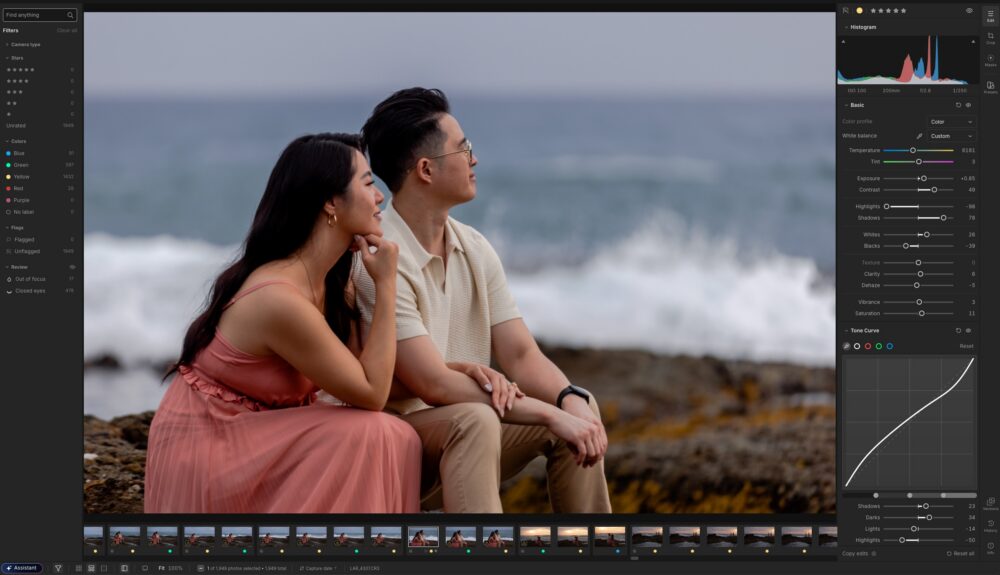
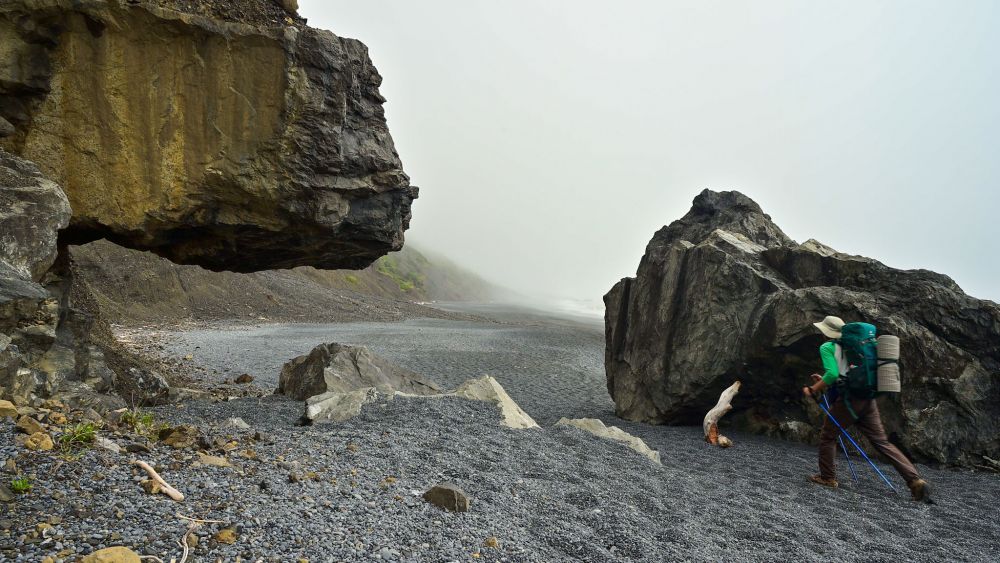
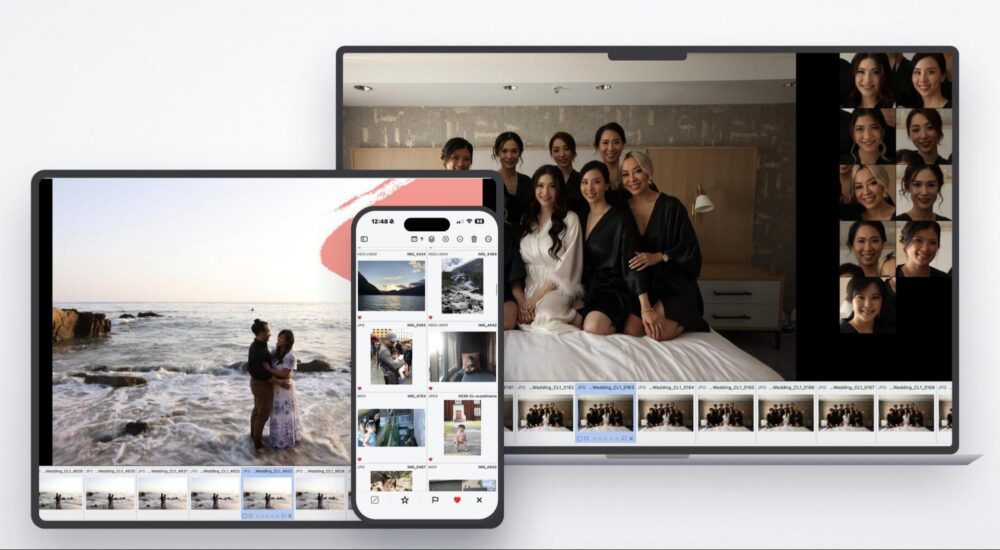
Aftershoot started as an AI culling tool. Then it added AI editing. Then AI retouching. Each step moved it closer to something more ambitious, a single platform where photographers could handle more of their workflow without bouncing between apps. With their latest update, they’ve essentially fulfilled that vision. Aftershoot is shipping its largest update ever across all of its core products simultaneously, including a brand-new client gallery platform. The result is a one-app workflow that now covers the entire pipeline from first selects to final delivery and print sales.
For photographers who have been stitching together Aftershoot, Lightroom, and a separate gallery platform, there is now a real case for consolidating.
Here is what is new across the board.
Culling: Smarter Handling of Similar Frames
Anyone who shoots in bursts or intentionally captures wide and tight compositions of the same moment knows the frustration of culling software that does not quite understand what it is looking at. Aftershoot’s updated culling AI addresses this with improved duplicate grouping logic that distinguishes between two genuinely different scenarios.
True duplicates, like burst frames with minor expression differences, are now grouped together and resolved to a single best frame. Intentional compositional variations, like a wide shot and a tighter crop of the same scene, are recognized as distinct creative decisions and treated separately so the best of each is preserved. The practical result is a culling output that is roughly 20% tighter, with less manual cleanup required while still respecting the variety a photographer intended to capture.
The UI has also been cleaned up in two ways. The two AI culling modes, automated and assisted, now have clearer visual indicators and better explanations so new users understand the difference upfront. And the Customize AI Cull menu has been simplified. They’ve reduced the number of sliders and made it easier to dial in preferences without feeling overwhelmed.
Learn more about Aftershoot’s AI Culling here.
Editing: RAW Editing Inside Aftershoot and Better White Balance Consistency

Some updates here too, and the bigger one is significant. Aftershoot now includes full in-app RAW editing for any adjustments needed after the AI edits, with manual controls covering white balance, exposure, HSL, color grading, detail, and more. You’ll also find crop and straighten tools, subject masking, and direct export to JPEG, TIFF, or the original file format. Edits can be synced across images, saved as presets, or applied after an AI edit for refinement.
For photographers who have been using Aftershoot for AI culling and AI editing but are still jumping into Lightroom or Capture One for final adjustments and export, this closes that loop. The workflow is now genuinely end to end within a single application.
Next is white balance consistency, which Aftershoot identifies as a high-impact improvement. The updated models work at the scene level to deliver more consistent tones across images shot in similar conditions, reducing the post-edit correction that has long been one of the more tedious parts of reviewing AI-edited work. This applies across custom profiles, instant profiles, and marketplace profiles.
Their cropping and straightening modes too have been enhanced to ensure tighter, more intentional crops and higher accuracy in complex scenes.
Retouching: Raw Retouching, Custom Background for Headshots, and Feature Improvements

Retouching now supports RAW retouching, which means photographers can move from editing to retouching within Aftershoot without losing their work or switching tools. That alone removes a notable friction point from the workflow.
Beyond that, several targeted quality improvements have landed across the most common retouching tasks:
- Acne, freckle, blemish removal, and stray hair removal is more accurate and better at preserving skin texture without smudging or over-smoothing. Detection has improved, and the results hold up more consistently across varied skin tones and lighting conditions. Curly hair and facial hair are handled more reliably and no longer leave pixelation artifacts. Performance has also improved on backlit images, which is particularly relevant for wedding and senior portrait work.
- Custom Backgrounds for Headshots is launching in beta, allowing photographers to swap out distracting or unusable backgrounds with preset or custom backdrops. Controls for fill, zoom, pan, and opacity blending give flexibility in how the new background integrates, and edge refinement tools help with subject separation. It’s currently optimized for single-subject shots, with group shot support coming in a future update. For sports, school, headshot, portrait, and maternity photographers, this one is worth keeping a close eye on.
- Cloth Dewrinkle is a new slider-based tool that reduces wrinkles in clothing while preserving texture, embroidery, pleats, and natural folds. The control is intentional: it removes what should be removed without flattening the fabric into something that looks artificial.
Galleries: A Brand New Product
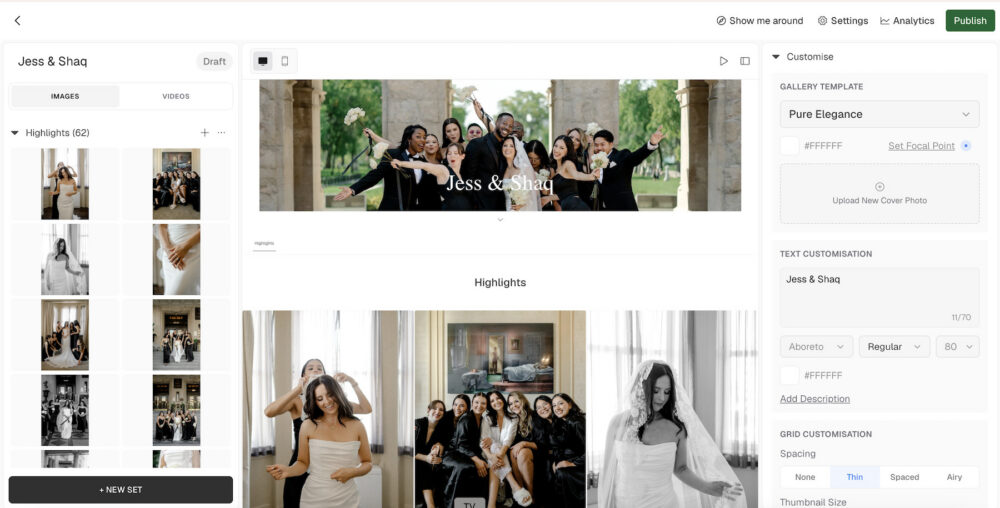
This is the piece that makes Aftershoot feel genuinely complete. Aftershoot Galleries is a new client gallery platform built into the Aftershoot ecosystem, covering delivery, proofing, sharing, and sales in one place. Galleries can be created directly from within Aftershoot after editing, which is intended to keep the handoff from editing to delivery as seamless as the rest of the workflow. It’s also worth noting that during beta, Aftershoot is offering 100 GB of free gallery storage, which should provide you with plenty of space to feature and share your photos.
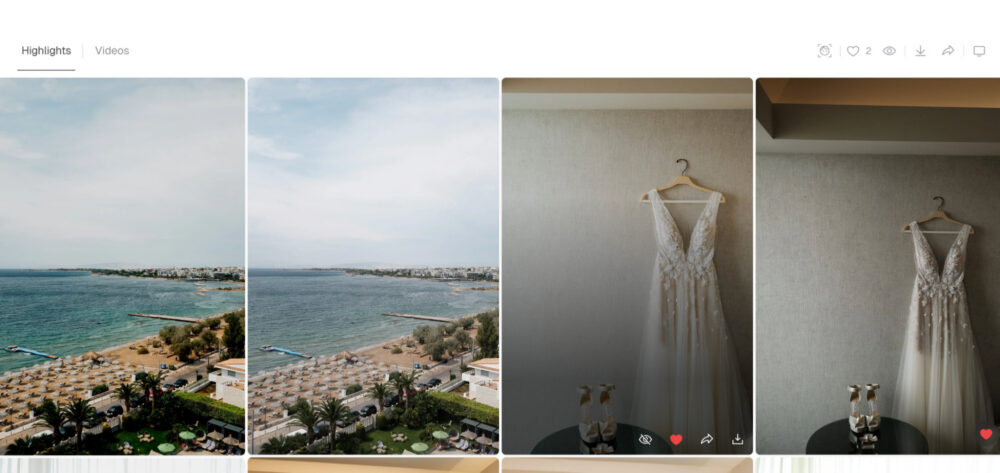
On the delivery side, galleries are responsive across web and mobile and support both photos and video up to 4K. Hybrid shooters who deliver mixed media have the option to embed external video links from YouTube or Vimeo.
Inside the gallery, clients can quickly favorite images to flag their selections and leave comments directly on specific photos. They can also download individual images or grab the full gallery.
At the same time, photographers get a centralized dashboard to manage everything and keep tabs on client activity including views, downloads, and engagement. For wedding or portrait photographers managing selection rounds or waiting on approvals, having all of that feedback in one place beats chasing people down over email or text.
The AI features are where it gets particularly useful for photographers delivering large galleries:

- Face scanning and filtering allows clients to search for images by person, which is a genuine time saver for weddings and events where guests want to find photos of themselves without scrolling through hundreds of images.
- Face gating adds a privacy layer by controlling access to images based on detected faces, useful for large multi-client deliveries where not every image is meant for every viewer.
- Keyword search lets clients locate specific moments or scenes quickly without manual browsing.
The monetization side of Galleries is equally well thought out:
- Print store integration connects directly with WHCC, Bay Photo, and Atkins Pro Labs, allowing clients to order prints and products straight from the gallery.
- Packages and coupons give photographers structured ways to bundle offerings and create promotional pricing.
- Self-fulfillment is available for photographers who prefer to manage their own print orders rather than routing through a lab.
- Branding controls including logo, watermark, and password protection keep the presentation professional and on-brand without requiring a separate platform.
New Pricing Structure
Alongside the platform updates, Aftershoot is introducing simpler, flexible pricing that lets photographers subscribe to only the products they actually use. Previously, culling was bundled into every plan regardless of whether a photographer needed it. The new structure breaks that out.
Get the complete workflow for $45/month with Aftershoot Complete. Or pick just what you need. AI culling at $10, AI editing at $30, and AI retouching at $20.
A few things worth noting for current users: existing subscribers will not see a forced price increase. If your current plan has an equivalent in the new structure that would cost more, you stay on your existing plan. Retouching, which was previously free for all users, will now be a paid tier under the new structure.
Final Thoughts
For a while now, Aftershoot has been one of the more capable AI tools in a photographer’s stack, but it still required other tools to complete the job. With this update, that argument is harder to make. Culling, editing, retouching, and now client delivery and print sales all live in one place, with a workflow designed to move naturally from one stage to the next.
Whether it fully replaces your current setup depends on your specific workflow, but for photographers who have been evaluating whether to consolidate, this is the update that makes that conversation worth having. You can learn more and explore the new features at aftershoot.com.