We all have images that we wish we could save, whether we captured them or not. It might be a family photo from an old album or a great shot that is just a bit soft. Restoring images like this used to mean you were in for a slow, tedious process, or otherwise accepting results from early AI tools that often looked overly processed. That gap between convenience and believable results is what Aiarty is trying to narrow with the latest Aiarty Image Enhancer 3.11 update.
Available for both Windows and Mac, Aiarty Image Enhancer uses locally run AI models to sharpen, denoise, restore faces, remove distractions, and upscale images up to 32K. But version 3.11 leans even further into practical photo restoration, adding several refinements designed to make results look more natural while smoothing out the editing workflow itself.
Aiarty is also pairing the release with a 49% off lifetime license offer, which brings the software to $79 with unlimited updates and no subscription. Between now and June 8th, you can use the coupon code “ANNIVERSARY” at checkout to receive additional savings. The cross-platform offer can be found here.
What’s New in Version 3.11
While some updates focus on output quality, others are about making the process itself feel less fragmented.
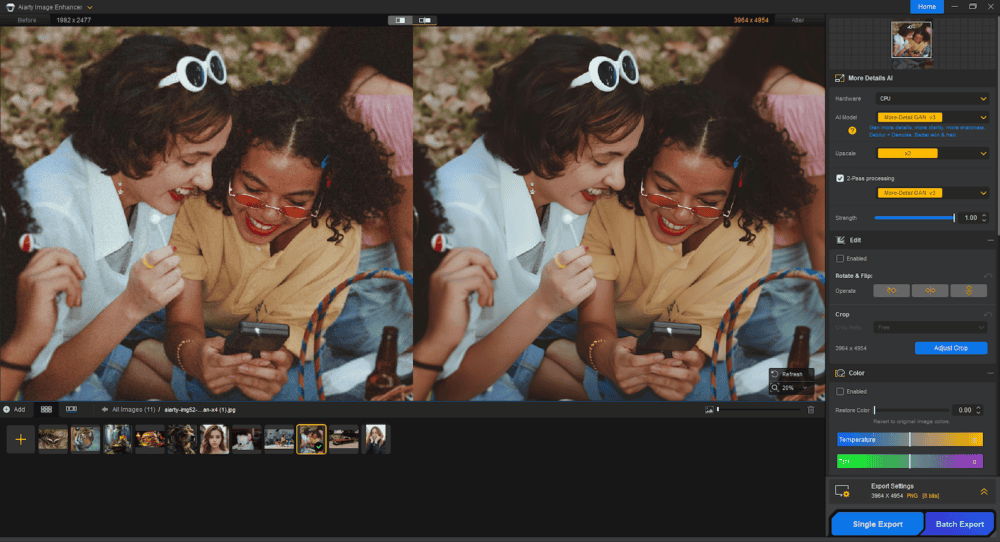
One of the more notable additions is new Color Modes (30% and 100%), which give users more control over enhancement intensity. Rather than leaning too hard into aggressive corrections, these modes seem designed to help strike a better balance between restoration and realism.
Version 3.11 also introduces Quick Editing Tools, including crop, rotate, and flip. These are small additions, but practical ones. Who doesn’t want improved quality of life for using software? For users doing light restoration work, it reduces the need to bounce between apps just to make basic adjustments.
Another significant update is enhanced HDR output, paired with TIFF and DNG export support. For anyone preparing restored photos for print or archival use, higher bit-depth export and improved tonal handling are meaningful additions.
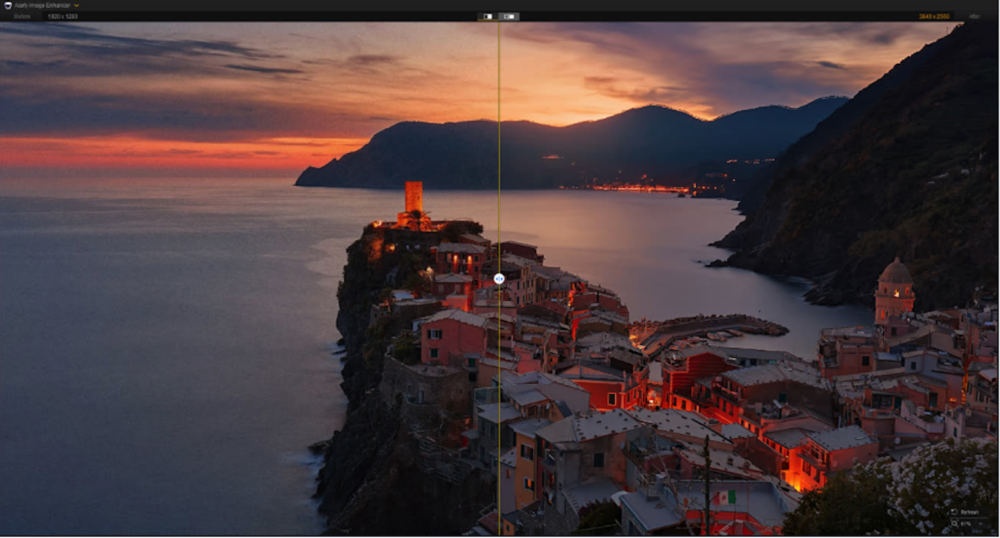
There’s also improved RAW processing support and upgraded HDR tone mapping, which aims for more natural highlight and shadow transitions. This can prove particularly useful for faded or low-contrast originals.
Collectively, the update feels less about flashy new tools and more about making restoration results more believable.
Restoring Faces Without Overdoing It
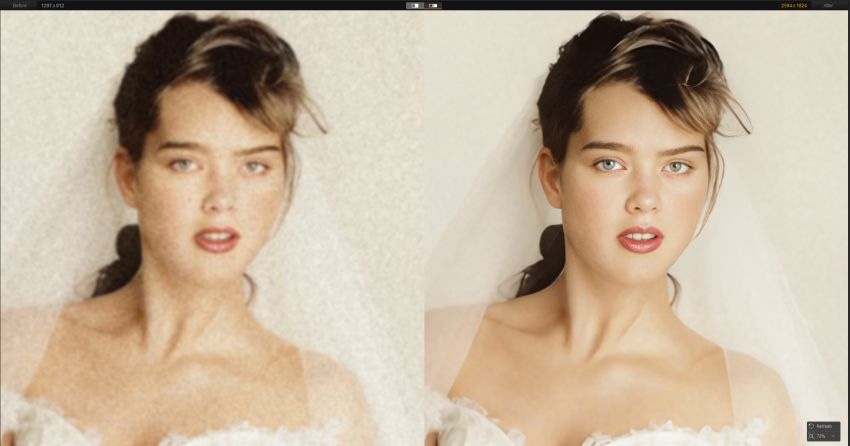
One of Aiarty’s strongest features remains Face Restoration, and it’s central to the software’s appeal for older images. Using AI trained for portrait detail, the tool can reconstruct facial features, including eyes, contours, and skin texture, all while avoiding the waxy or artificial look that often plagues automated restorations.
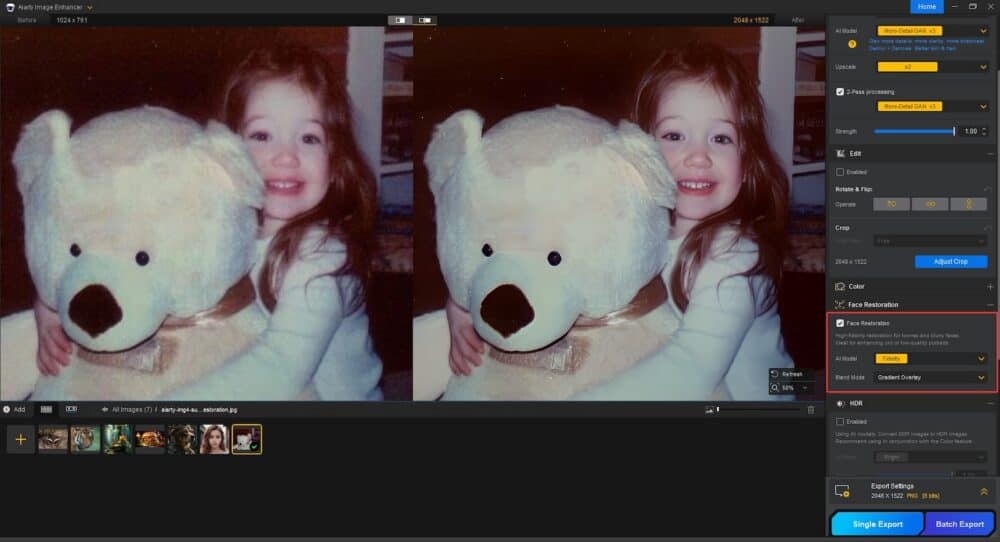
For old family photos or soft-focus portraits, the dedicated face enhancement tools are especially relevant. Readers interested in that specific workflow can see more here. What stands out is that the goal doesn’t seem to be inventing detail, but recovering what is likely already there.
Beyond Restoration: Noise Reduction, Upscaling, and Object Removal

Old photos often come with more than blur. There’s grain, dust, scratches, and sometimes very limited resolution. That’s where Aiarty’s broader toolset comes in. Its intelligent noise reduction is designed to clean up scans or low-light images while retaining texture in hair, fabric, or skin. AI upscaling remains a major part of the platform too, allowing users to enlarge files dramatically while preserving believable detail.
For photographers wanting to repurpose smaller legacy files for modern displays or print, this is a core strength. You can learn more on the software’s upscaling tools here.
It’s worth noting, Version 3.11 also continues support for AI Object Removal. This is useful for cleaning scratches, dust, or unwanted distractions without resorting to more complex retouching tools. And for larger restoration projects like digitizing old family prints, batch processing makes it practical to process groups of images at once.
Three AI Models for Different Image Types
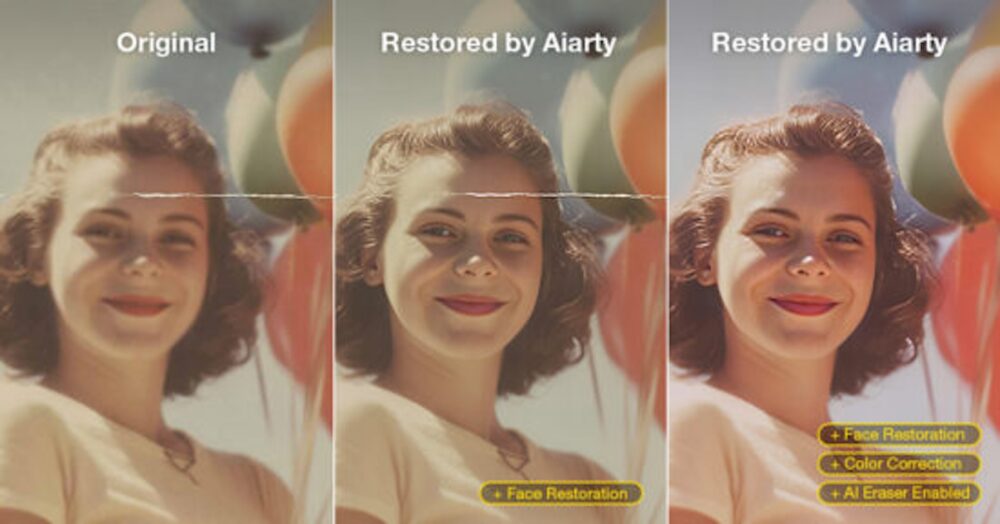
Rather than relying on one generic enhancement engine, Aiarty includes different AI models depending on what you’re restoring:
- More-Detail GAN v3 focuses on generating additional clarity in skin, hair, fabric, plants, and architectural detail.
- Real-Photo v3 leans toward faithful restoration with balanced detail and natural rendering.
- AIGCsmooth v3 is aimed more at digital artifacts, anime, or AI-generated imagery.
That separation is useful because old scans, portraits, and synthetic images rarely benefit from identical treatment.
A Simple Workflow That Stays Out of the Way
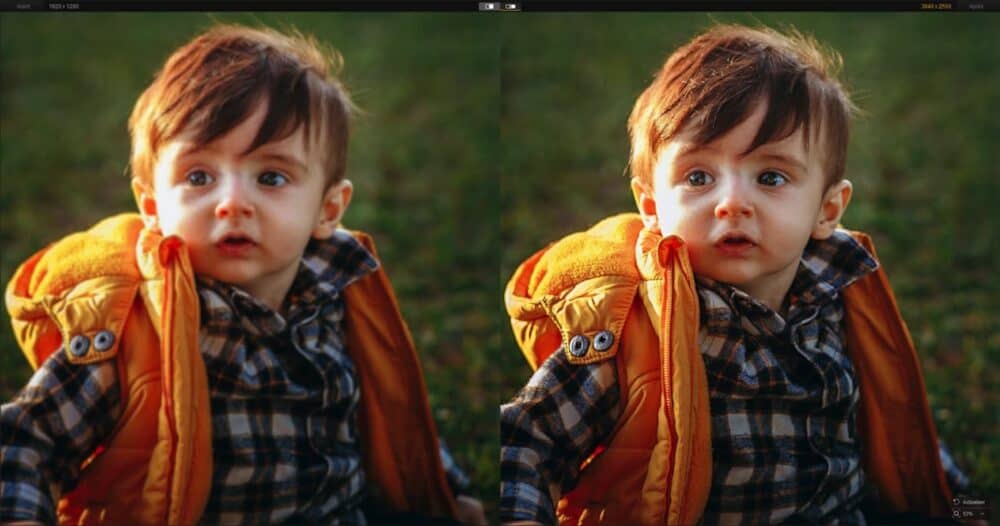
Another thing Aiarty does well is keep the workflow approachable.
Import an image, choose an AI model, adjust enhancement strength, preview the results, and export. That’s essentially the process. For photographers used to spending significant time masking, denoising, and sharpening in separate steps, that simplicity is part of the appeal. Because processing happens locally rather than through cloud rendering, there’s also the privacy and speed advantage that many photographers increasingly care about.
Who Is It For?
The obvious audience is photographers restoring personal archives or older client work, but the tool feels broader than that.
It could be useful for:
- Photographers digitizing family or film archives
- Content creators cleaning up low-res assets
- Designers repurposing older imagery
- Everyday users who just want to rescue imperfect photos without learning advanced retouching
And because the software runs on both Intel and Apple Silicon Macs, it’s clearly aimed in part at Mac-based creative workflows.
Final Thoughts
Aiarty Image Enhancer 3.11 feels less like a dramatic reinvention and more like a thoughtful refinement of an already useful tool. The improvements to tone mapping, RAW handling, quick edits, and restoration controls all point toward a more polished workflow, especially for users focused on old or imperfect photographs. For photographers who’ve been curious whether AI can help restore images without making them look artificial, this update makes a stronger case than earlier generations of these tools.

With the current 49% off lifetime license offer, it may be a good time to experiment. Also, as a reminder, you can enter the coupon code “ANNIVERSARY” at checkout to receive additional savings:
- $5 off for single-product purchases (Aiarty Image Enhancer Lifetime License is available at $74 only)
- $10 off for bundle purchases
The coupon is valid until June 8th!