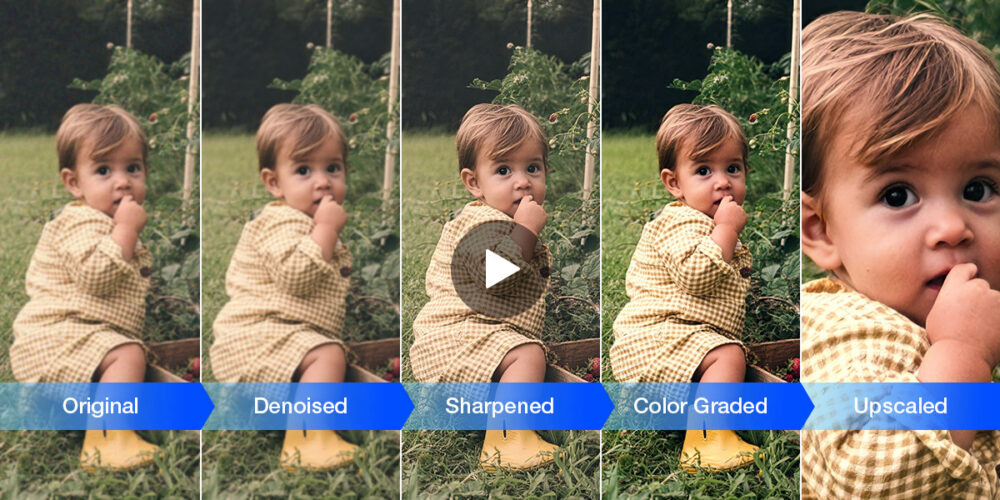
Luminar Neo is now entering its fourth year as a comprehensive photo editing and workflow tool. With major upgrades and new features recently released, we thought we would give this imaging software a fresh review!
If you are new to Luminar Neo, you’re going to want to check out their 4th anniversary sale, which offers up to 74% off their lifetime license bundles. Read on to find out why we like Luminar Neo, what concerns we think you might have, and how the latest features are changing the way we look at our imagery!
What Is Luminar Neo?

This software was born from a desire to reinvent the photo editing process itself. To perform dramatic edits that break the boundaries of what even defines “a photograph”, and to do it more easily than ever before. Indeed, even before Luminar Neo, the folks at Skylum have been all about enabling artists to achieve “impossible” goals with their creativity.
With Luminar Neo, we have seen the continual delivery of ground-breaking features. Many have been unprecedented, cutting edge tools, some of which are still un-matched by other software even today. Beyond its ability to effortlessly replace an empty sky with a dramatic one, we have seen so much more from Luminar Neo, especially in recent years with the advancements in AI.
Simply put, whatever AI training Luminar Neo has put “under the hood”, the tools are incredible: the software recognizes almost everything about your photos, from the subjects, the sky, other objects, even the actual depth of the image. But, we’re getting ahead of ourselves!
(Also, it works offline, giving you full privacy with your photos and flexibility with where and when you can edit, unlike many AI editing apps! More on this later…)
Combine this advanced toolset with a solid yet simple overall workflow interface that allows you to view, cull, and organize your photos, and what you have with Luminar Neo is indeed a comprehensive photo editing solution. Furthermore, with this software entering its fourth year, we’re confident that it’s here to stay; if you buy the software today, you own it for life, and you can rest assured that future updates will continue to impress… (You’ll get free updates for a year, BTW.) With that said, let’s dive into this Luminar Neo review.
Luminar Neo Review | 2026 Pros & Cons
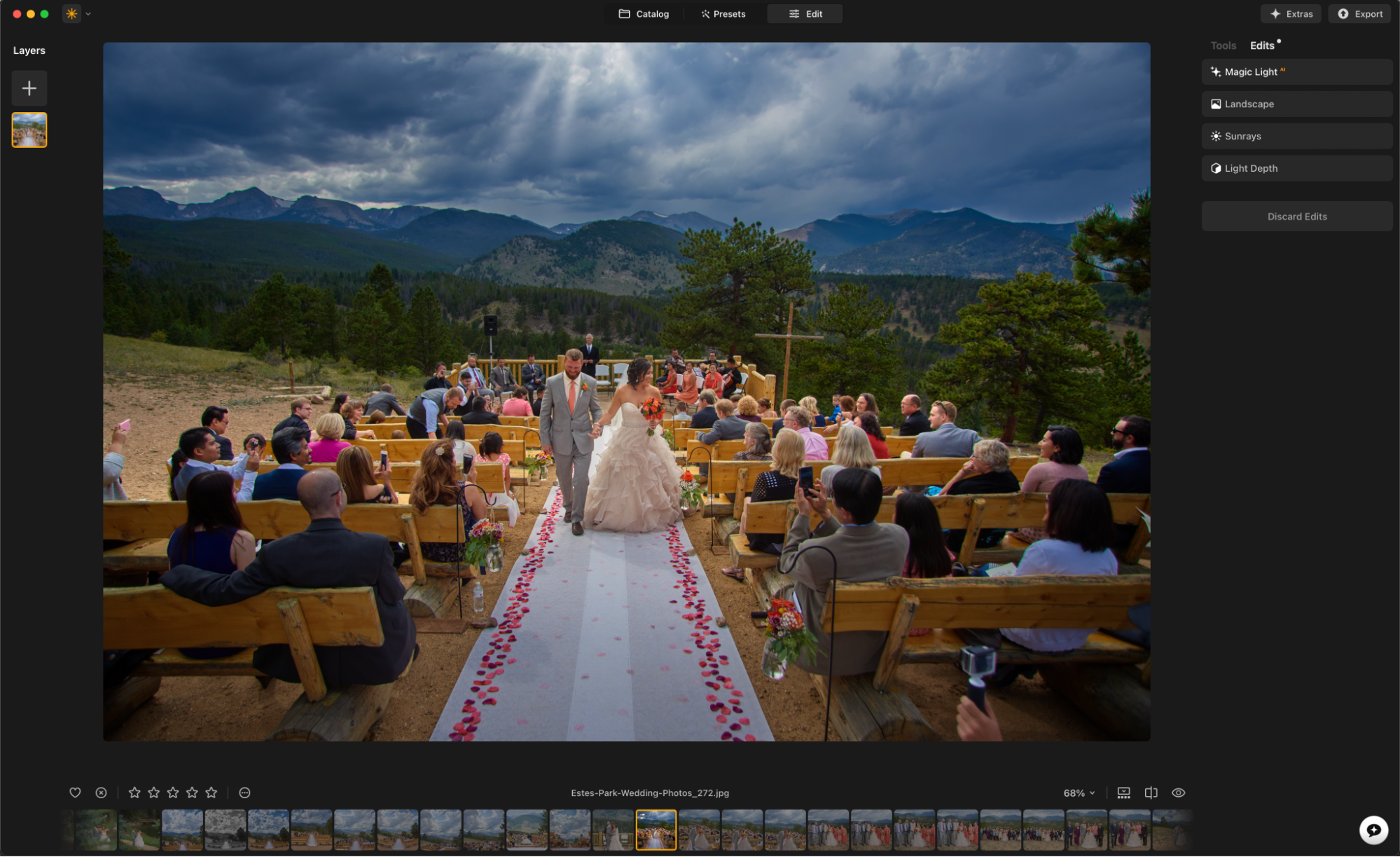
There are two main advantages or “pros” found in the latest version of Luminar Neo, and they’re consistent with the philosophy behind the software up to this point: First, the image results are very impressive; they speak for themselves. We’ll talk more about the subtleties of fine detail in images and where things might require more advanced, manual editing, but for the user who is looking to achieve stunning results through an efficient, intuitive interface, Luminar Neo is it.
Secondly, the other main advantage has to do with the sheer value you receive, in multiple ways. Not just is the pricing itself excellent, but what does that investment actually buy you? Time saved, and new potential unlocked.
In other words, the tools and tricks you already know, such as how to create a layer mask for a sky? Luminar Neo cuts down that work to a tiny fraction of the time.
Then, other tasks that might have previously been impossible are now possible, with ease! New features like Light Depth are achieving results that, quite honestly, even the most talented photo editors would have struggled to match with many hours of work.
The only drawback related to your imagery and the final results is, potentially, this: with so much automation, there’s a chance something might not go perfectly according to your creative vision. Then, the tools for refining that little detail, or just doing the advanced task manually, could derail your creative process.
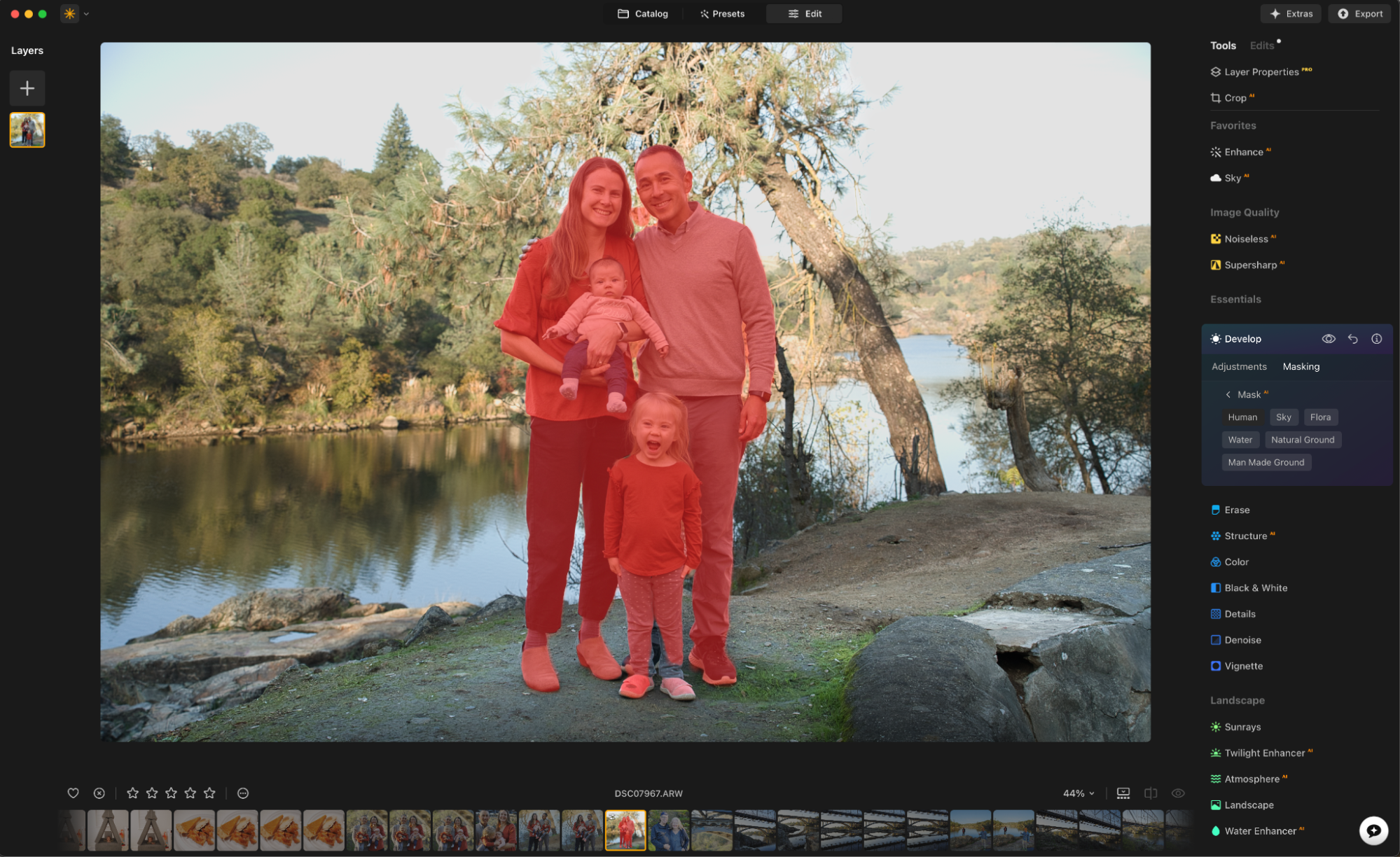
For example, if you’re creating a mask for the sky against a complex foreground of in-focus and out-of-focus subjects with lots of fine detail, the mask might not be perfect every fime. If this happens, (it seems extremely rare in our general experience, mind you) …the process of manually fine-tuning that mask can be frustrating.
However, it is important to keep in mind that this perceived drawback or “con” is still a minor frustration compared to having to do the entire process manually every time. To have to select, feather, and create innumerable layer masks yourself will easily consume innumerable hours of your time for just a few portfolio-worthy images. So, in reality, we’re staying way ahead of the game.
Luminar Neo’s Newest Features
By turning 4 years old this month, the creators of Luminar Neo are continuing to strongly answer one of the only complaints about previous software from Skylum, which is this: Now, you don’t have to compare and decide between two totally different software applications. You don’t have to worry about the software you buy getting “orphaned” in favor of something new.
For us, as photographers with decades of work to our credit, this is one of the most important (yet hard to quantify) features that we like about Luminar Neo: It’s familiar, its features and its power are ever-increasing, and therefore, it’s a solid long-term investment.
With that said, what’s the latest news, and why should you check out Luminar Neo in 2026? Simply put, we’ve been blown away by the results from the new Light Depth tool, and we’re happy to see the additional new tools such as Photo Restoration and an AI Assistant.
Light Depth
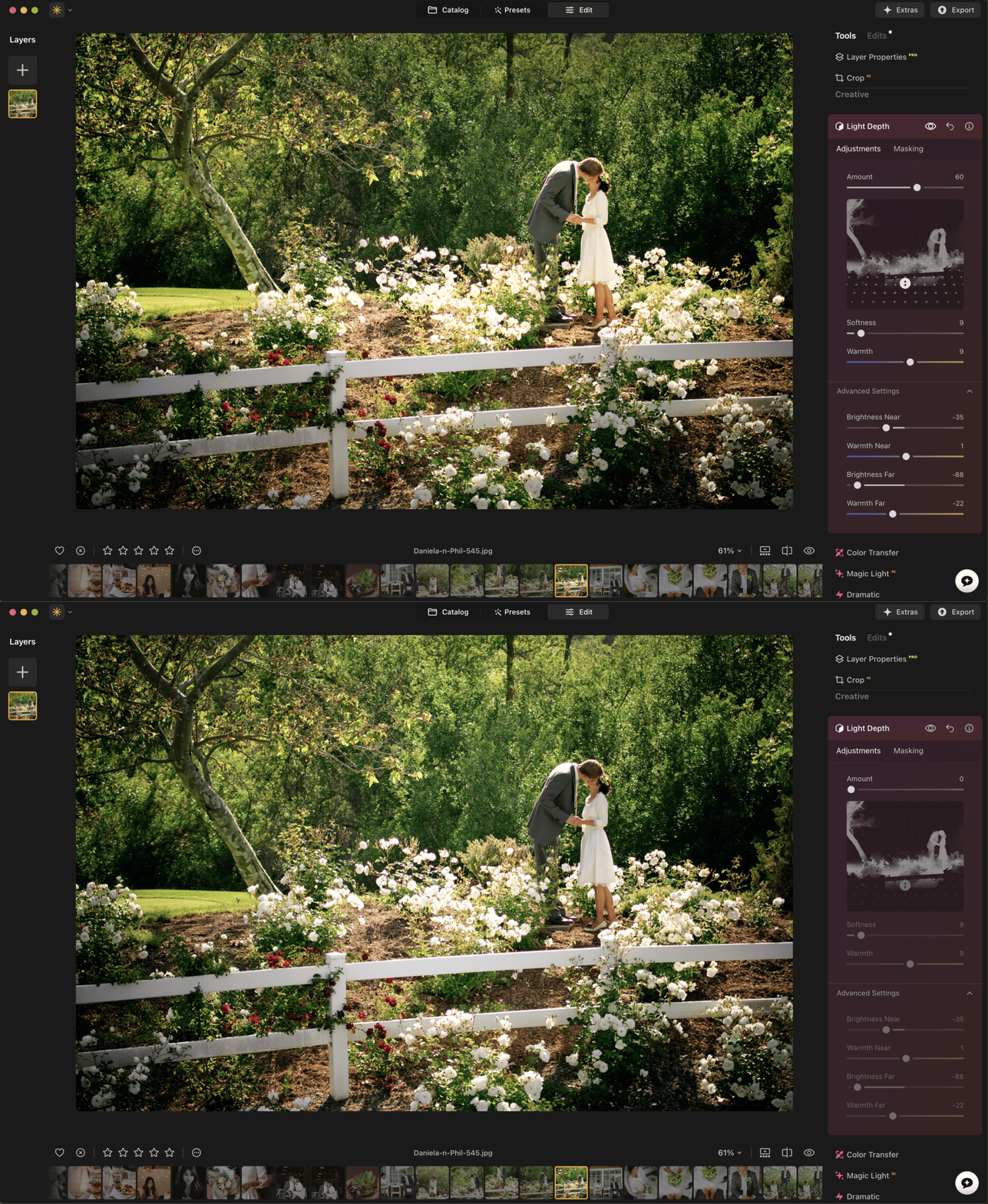
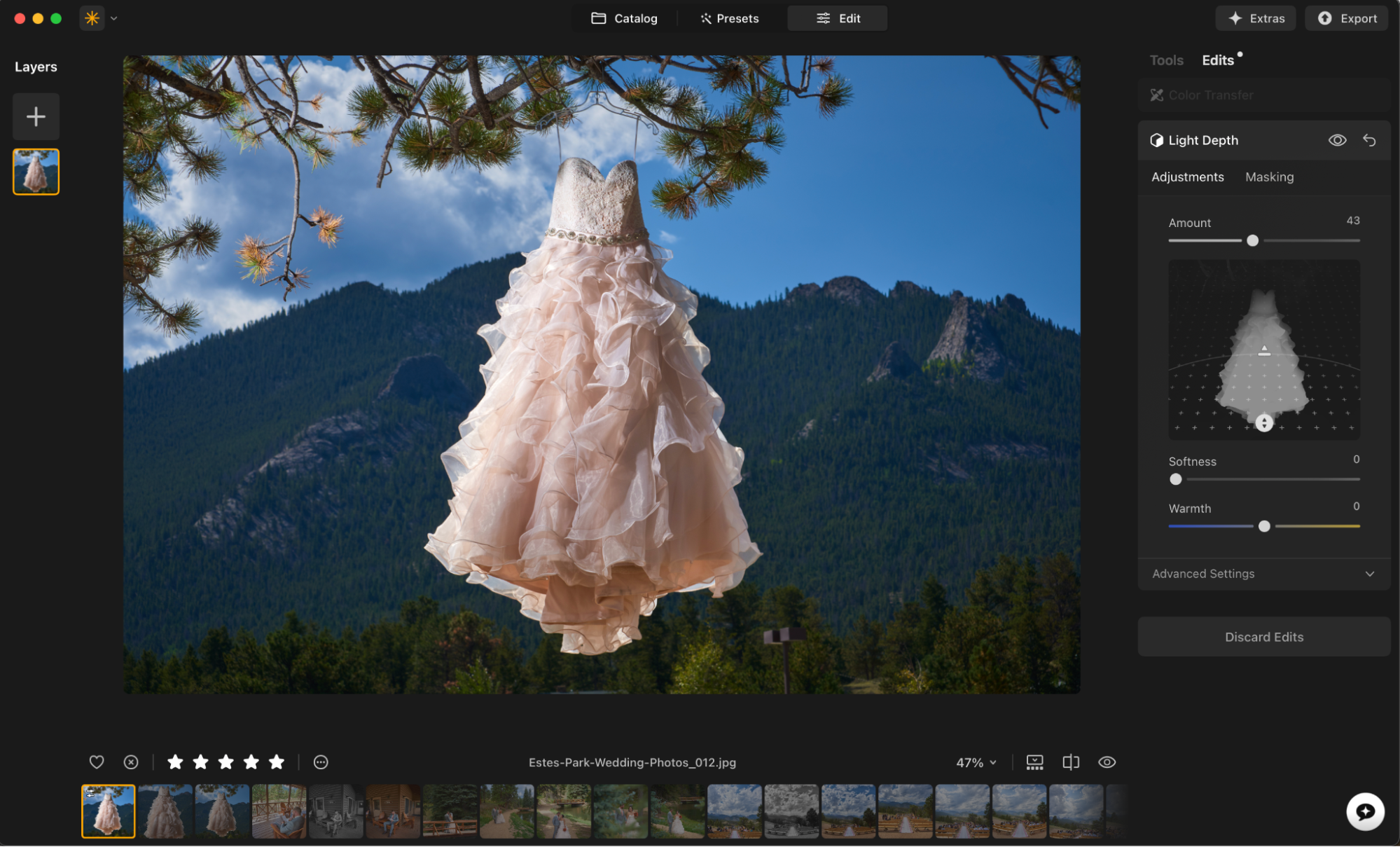
As photographers, one of the things we love most about photo editing is what was once simply referred to as “burning & dodging”. A time-honored craft, even back in the days of single film exposures, controlling the shadows, the highlights, and the contrast of every tone, every “zone”, …that was both an incredibly fun, creative process, and also a tedious, frustrating task.
Today, the “Light Depth” tool in Luminar Neo is by far the most cutting-edge version of this classic technique that we have seen. In fact, it’s the perfect example of what we mean when we talk about eliminating hours of mundane work, giving the artist more time and far better control over their creative flow!

At its core, we could still categorize the Light Depth tool as burning and dodging. However, with the use of Luminar Neo’s ability to analyze everything in a photo and identify the literal depth of the scene, it has become so much more! Sure, we still love to capture “dramatic light” in our original, un-edited images. That will never change for us as artists who describe ourselves photographers. However, now, the enhancement of good light is light years beyond what was ever possible.
Combined with the Studio Light tool which we already know and love from previous versions, there is no photo editing software more powerful than Luminar Neo when it comes to complete tonal control over an entire image.
Photo Restoration

For those of us who have very old photos, especially scans of old film prints, this new feature is another significant leap forward in restoration technology. Without the tedious cloning, healing, or other retouching tools that require great skill and many hours of labor, you can now fully restore old photographs.
The skills required to do this task manually were exactly what we disliked most about photo editing: it’s a tedious, high-skill task yet without much creativity involved. For Luminar Neo to virtually eliminate both the learning curve and the hours of time that each image would cost, …the software is invaluable.
Using AI To Save Time And Unlock New Creativity (Not To Be Lazy!)
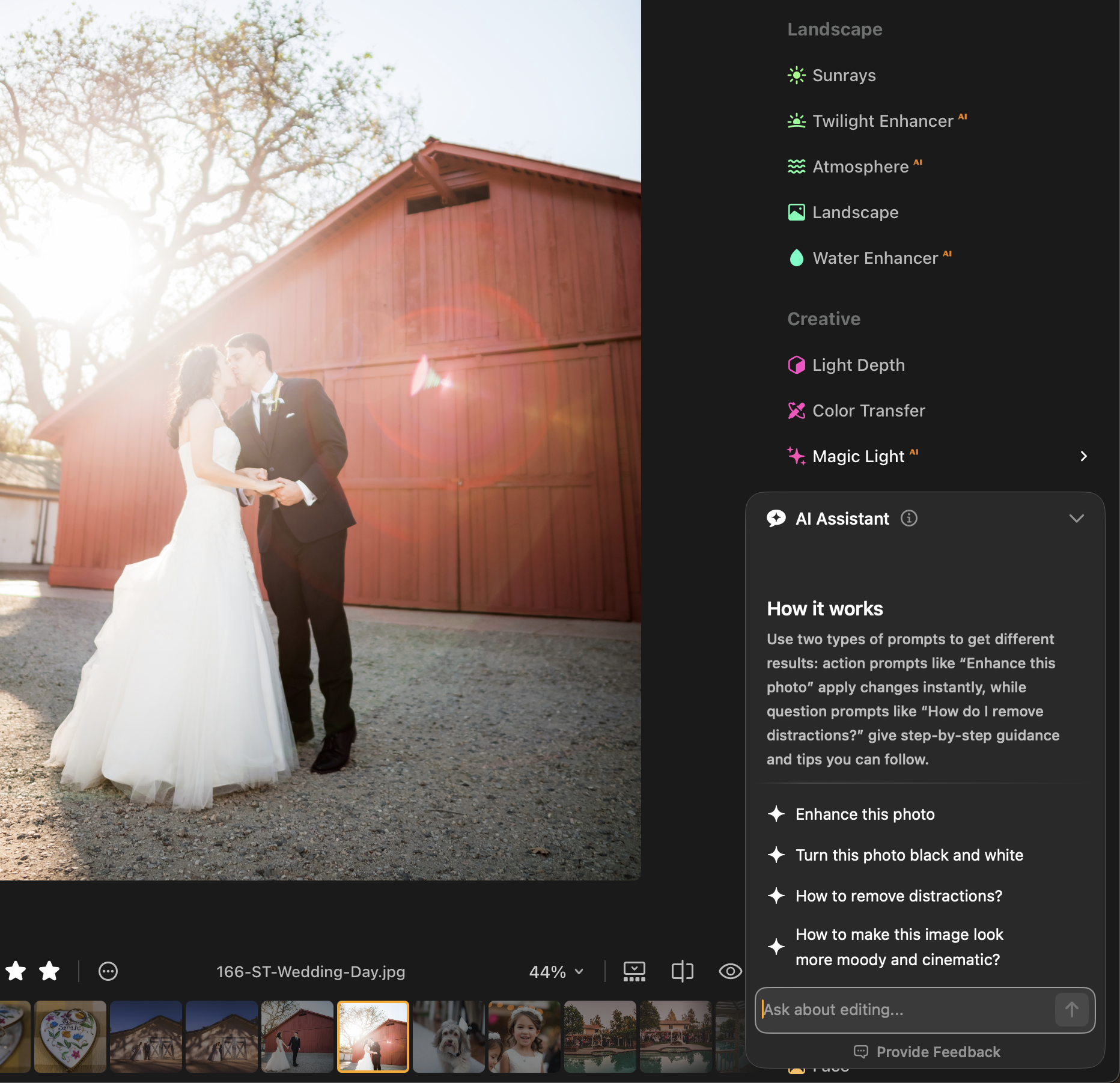
One of the biggest tech controversies of our time has been AI, and how it’s affecting artists of all types. My attitude towards AI has remained the same this whole time: It’s a fantastic tool, if what I’m using it for is specifically to eliminate or reduce complicated, redundant, monotonous tasks from my workflow. Which is exactly where we consistently see Luminar Neo adding AI features…
In the latest version of Luminar Neo, we’re seeing exactly this, and more! Many of the tools are powered by AI, from things like noise reduction and cropping and more traditional enhancements such as “Structure AI”, …to special effects such as Twilight Enhancer AI, Atmosphere AI, and Magic Light AI, just to name a few. (NOTE: The new, impressive Light Depth tool does not have the little orange “AI” badge next to it in our version of Luminar Neo, however, we are assuming that under the hood, a lot of Luminar’s machine learning algorithms have played a role in just how impressive this tool is at recognizing everything in your image and mapping out the depth!
Luminar Neo AI Assistant
Now in 2026, Luminar Neo has added another new feature, an AI assistant. For the younger artist who might already be accustomed to chatting with an AI to get various things done, Luminar Neo has you covered! This will allow you to edit your photos in a more conversational manner, or just ask questions about the tools within Luminar Neo. It might feel like having a mentor with you at all times, for questions such as, “what is the best way to enhance this part of the image in this way, while enhancing that other part of the image in a different way?”
This goes back to the other thing we like about using AI, which is, eliminating or reducing a learning curve, which previously required many hours of tedious work. Now, if you’re brand-new to Luminar Neo, you can just ask the AI Assistant to show you how to use the optimal tools for your image!
Indeed, as with all AI tools, we recommend learning how to actually use the tools, instead of just, “ask the AI to do it for you.” We think it is very important to emphasize leaving the actual creative artistry up to the photographer or digital artist.
In other words, I’m simply asking the AI for tools that allow me to focus on my own creative vision. This is worth its weight in gold, in my opinion, especially in today’s day and age where time and energy are so valuable.
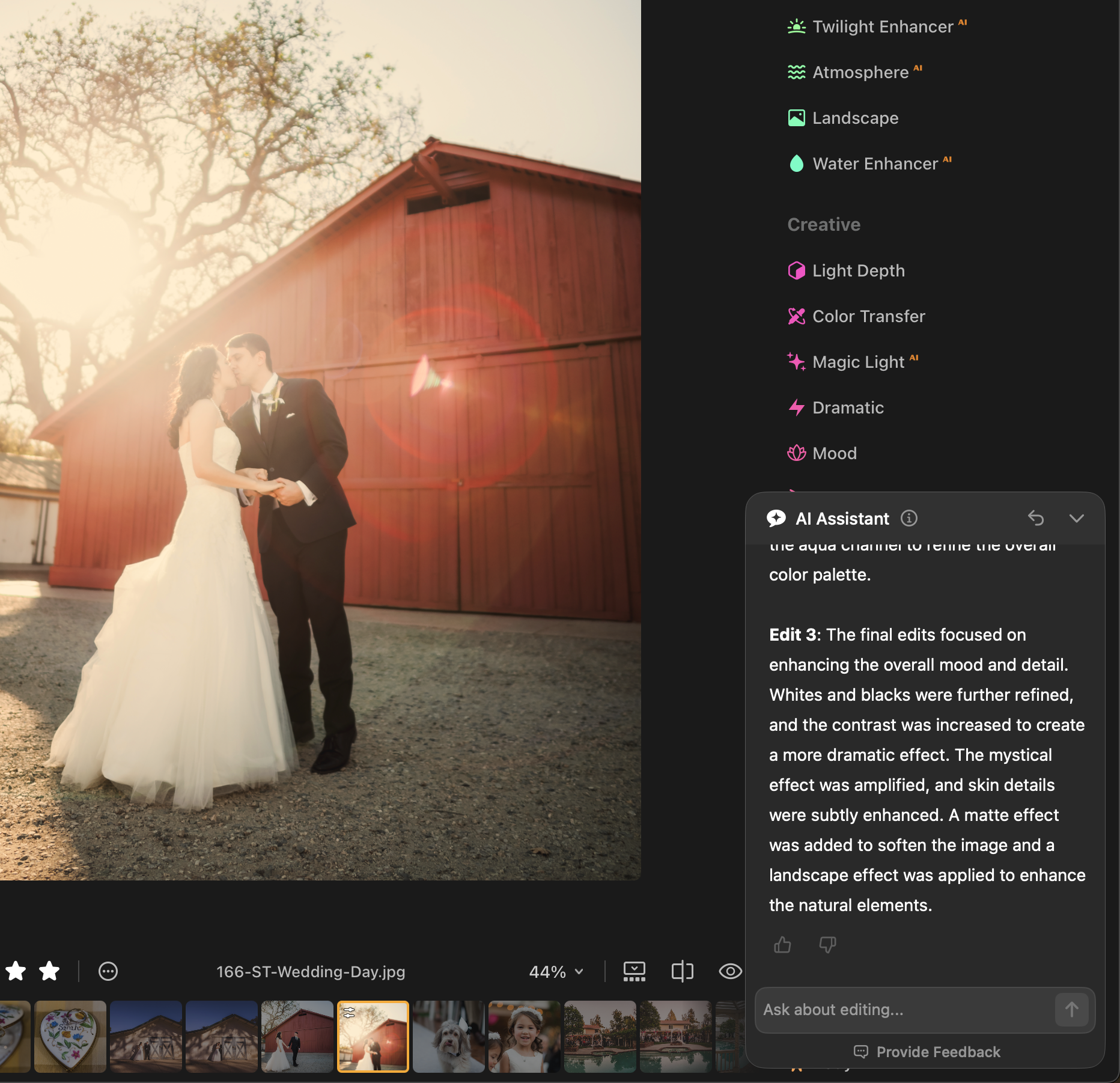
It is important to note that, while the rest of the Luminar Neo tools will operate “offline”, this AI Assistant does require an active internet connection. Personally, since we’ve been editing photos for 20+ years, and considering the controversy around modern behemoth data centers, we probably won’t be using this feature very much. Partly because we’re just oldschool and we actually like learning about all the sliders and tools, but also, we’re waiting until “we” (society in general) know more about AI and sustainability, renewable energy, etc.
We do wish there was easier access to privacy information surrounding the AI Assistant, or a quick disclaimer about what exactly is happening when you use the AI Assistant. (This is consistent with our attitude towards all AI assistants these days, not just Luminar Neo.)
Luminar Neo Seamless Integration with Lightroom & Photoshop
For those who use the industry-ubiquitous Lightroom for their cataloging and color correction etc needs, Luminar Neo does seamlessly integrate with both Lightroom and Photoshop. Basically, at any time the advanced tools of Luminar Neo are just a right-click away.
Lifetime Access to Luminar Neo
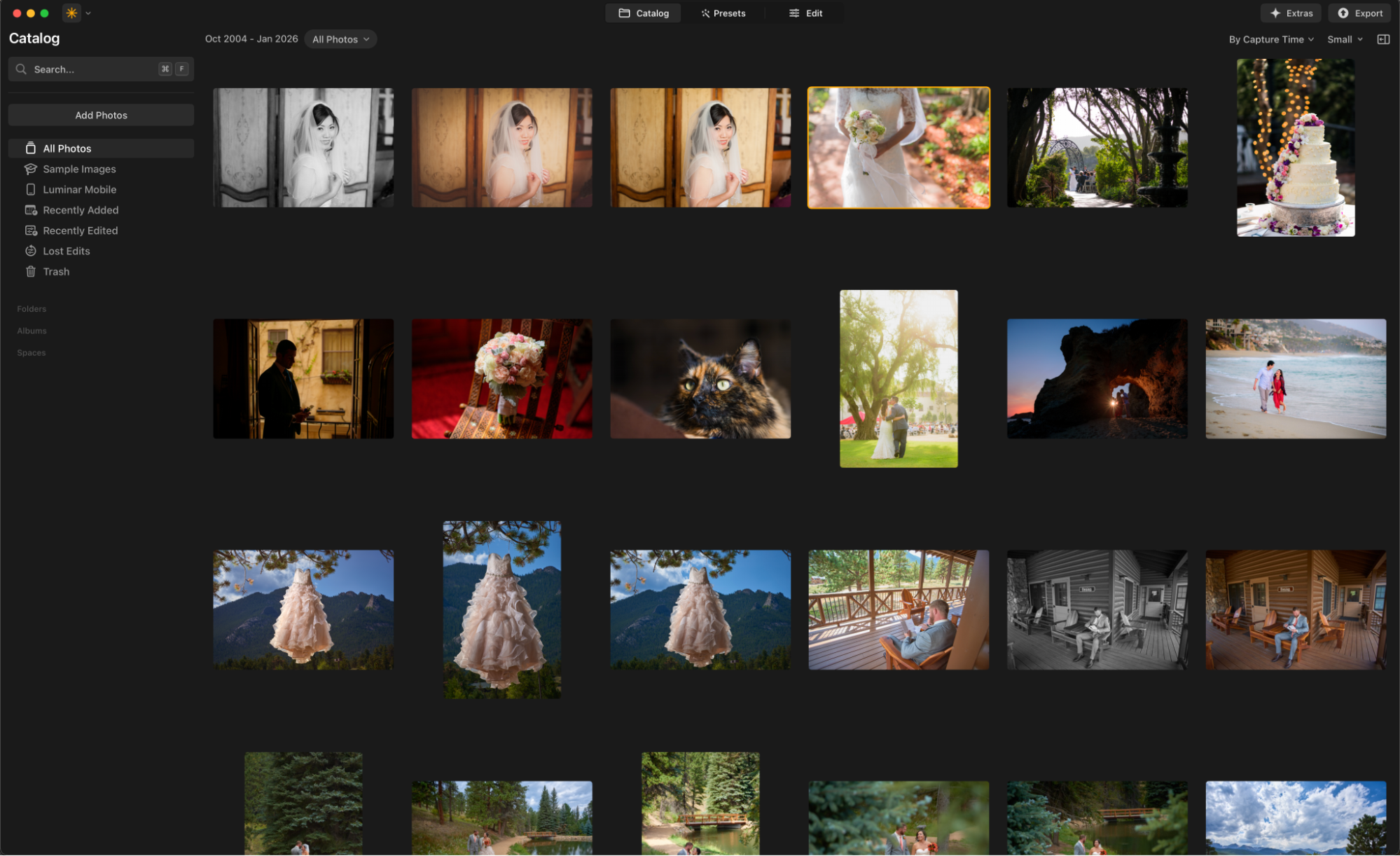
With the popularity of subscription-based business models today, and SAAS in particular, we always dig into this detail for all of our software reviews: When you “buy” this app, what do you really get? With Luminar Neo, you do, in fact, own the app forever. That’s not hyperbole; they literally use the words “own” and “forever” on their website.
This has been a consistently refreshing, important aspect of any software that we recommend. Your photos are never “held hostage”. You don’t lose access to viewing/editing your photos if you don’t pay a monthly bill.
Honestly, this is extremely important to us, after so many years as photographers and videographers. We have thousands (tens of thousands, hundreds of thousands…) of images. We want to be able to at least view and organize them without forever being at the mercy of a software subscription. Of course, it’s also very important to be able to go back and edit some old photos with modern tools, too.
Whether you’re restoring an 100-year-old film print from your great-grandparents, or you’re simply revisiting a raw landscape photo you captured “just” a decade ago, either way you’ll have Luminar Neo’s latest powerful tools at your fingertips, for life.
Of course, we may pay for an upgrade in later years, if new features come out that we really want. That’s how it’s always been, and it incentivizes the software maker to actually provide meaningful updates.
In 2025-2026, Luminar Neo has indeed taken such valuable leaps forward that we think it’s totally worth it. Not just for new users, but also for those of you who are considering upgrading from an older version of Luminar Neo, too.
Conclusion | Cutting Edge Image-Making Software
Luminar Neo has an incredible offer for new users, if you act quick! For a very limited time, you can still get a Lifetime License for just $119, including some “creative gifts” and a 40% off discount coupon for all digital assets. Or, if you use both desktop and mobile devices, you can get a Cross-Device Lifetime License (plus the aforementioned perks) for just $159. Lastly, to get all of this including Creative Library access, it’s just $179. Again, this is for new users. Also, you heard correctly, that’s a LIFETIME license you’re getting for those prices!
For more information about the various plans, visit the Luminar Neo page. (Here’s the fine print: When buying a perpetual license, you get the software forever, plus one year of free updates. After one year, if you want to access even newer versions, you’ll look at their upgrade pricing; see below.)
For existing users, you can still access the deep discount (40% off) for either the Ecosystem Pass ($79) or the Upgrade Pass ($59). Considering what many creatives pay every single month in subscription fees for big brand software, we think this is an incredible deal! Again, however, you’ll have to act fast to get this particular deal.