
As 2025 comes to a close, Digiarty Software is offering a compelling holiday promotion on its AI-powered video/image suite, Winxvideo AI. For a limited time, the company is bundling its lifetime license with three bonus tools, with no subscriptions and no recurring fees, as part of a Buy 1 Get 3 Free Christmas special. The offer targets creators looking for a fast, offline-friendly solution to enhance, convert, and compress video using hardware-accelerated AI.
Designed for both casual users and working professionals, Winxvideo AI blends deep learning tools into a streamlined desktop package. Its goal is simple: make traditionally complex video workflows (like upscaling, frame interpolation, or compression) accessible to anyone, even without a background in video editing.
New in Winxvideo AI: Support for Faster Speed and Smarter AI
The newly released Version 4.5 brings two notable upgrades that make a meaningful difference in real-world performance.
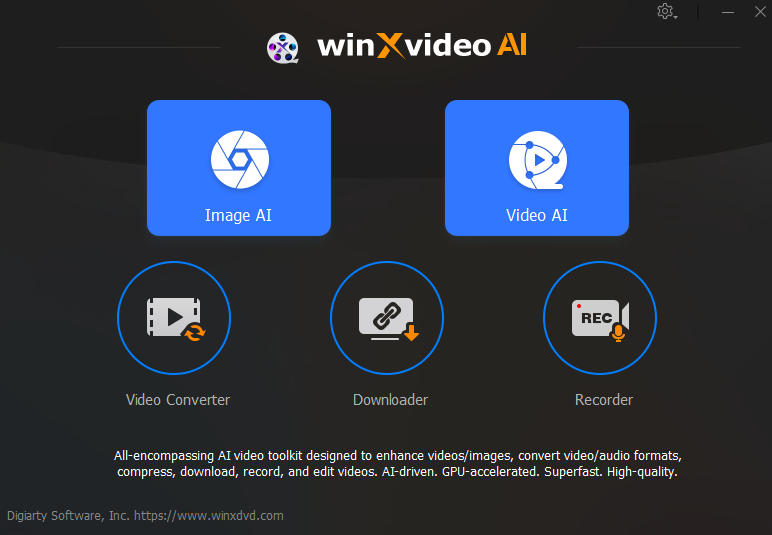
The first is the integration of new AI models—Gen Detail V3 and Real Smooth V3— into its core video and image Super Resolution engine, and the full support of both NIVIDA and AMD GPU acceleration. This delivers a 40-80% increase in upscaling speed while preserving exceptional detail, clarity, and sharpness. The result is a faster, high-quality workflow for all creators, from professionals restoring archives to casual users enhancing personal videos.
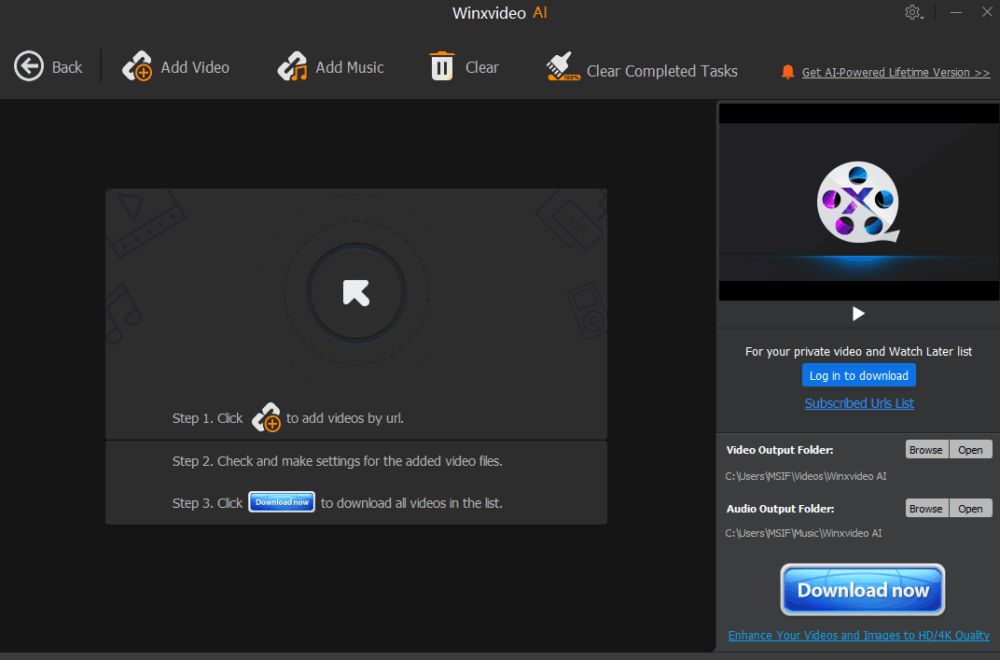
The second major improvement overhauls the built-in Downloader. Users can now enter multiple URLs at once and download videos or audio tracks simultaneously across supported platforms. This is especially useful for creators managing reference footage, tutorials, or multi-part projects sourced from online content libraries.
By combining optimized AI models with Tensor Core acceleration and smarter resource handling, version 4.5 bridges the performance gap between consumer-grade software and professional video workflows, without the usual learning curve.
Key Features of Winxvideo AI at a Glance

Whether you’re refining old camcorder footage, compressing a YouTube upload, or enhancing scanned family videos, Winxvideo AI offers a focused set of tools:
- AI Super-Resolution: Upscale 480p, 720p, or 1080p videos to 4K and beyond. The AI engine sharpens fine details while minimizing noise, compression artifacts, and motion blur. For creators working with archival material, especially old DV footage or YouTube rips, the difference is immediately noticeable.
- AI Video Stabilization: Automatically detects and corrects shaky footage from handheld cameras, drones, or action cams. No manual keyframes or plugins required.
- AI Frame Interpolation: Transform choppy, low-FPS video into buttery-smooth playback by generating realistic intermediate frames. This is particularly effective for older footage shot at 24 or 30fps, allowing it to be reworked into 60fps or even 120fps clips suitable for modern platforms. Ideal for sports footage, slow motion, or archival clips.
- AI Image Enhancer: Upscale and restore images, especially useful for legacy photo scans or AI-generated art. Users can revive faded images, restore facial details, and colorize black-and-white photos with a single click.
- Batch Downloader: Grab multiple videos or audio tracks from various platforms simultaneously. Great for compiling educational content, reference material, or playlists for offline use.
- Accelerated Transcoding & Compression: Convert and compress 4K footage at speeds up to 47× faster than real-time, using hardware-accelerated encoding (HEVC, AV1, H.264). Maintain quality while reducing file size for sharing or storage. The recent compression engine update also adds more granularity, giving creators control over bitrate, resolution, and format, which is ideal for platforms with strict upload requirements or for managing storage.
- Screen Recording & Editing Tools: Record your screen with audio and perform basic edits, including trim, crop, rotate, subtitle, and applying simple effects, without leaving the app.
These features combine into a lightweight, desktop-based platform with no cloud dependency. It’s fast, secure, and streamlined for creators who want results without having to master post-production suites.
Who It’s For

Winxvideo AI is best suited for the following users:
- Photographers and videographers digitizing archives or client videos.
- YouTubers and educators compressing and enhancing lecture or tutorial content.
- Hobbyists restoring old footage or upscaling family videos for modern displays.
- Anyone looking to avoid cloud-based AI tools and work entirely offline.
With its one-time license model and accelerated local processing, Winxvideo AI offers a compelling alternative to cloud-reliant platforms or bloated editing suites.
Holiday Promotion: Buy 1 Get 3 Free

As we mentioned at the top, as part of its Christmas deal, Digiarty is offering the Winxvideo AI suite with a Buy 1 Get 3 Free deal, which includes lifetime access and bonus utilities with no subscriptions and no recurring fees. It’s a limited-time offer, and it provides a great value for anyone looking to integrate AI into their video workflow without ongoing costs.
Final Thoughts
For under $40, Winxvideo AI offers a useful set of AI-driven video tools in a streamlined package. Whether you’re fixing shaky footage, compressing 4K for sharing, or upscaling clips for better playback, it’s a time-saving asset that earns its place quickly, especially at its current holiday rate.
Learn more and grab the offer here.