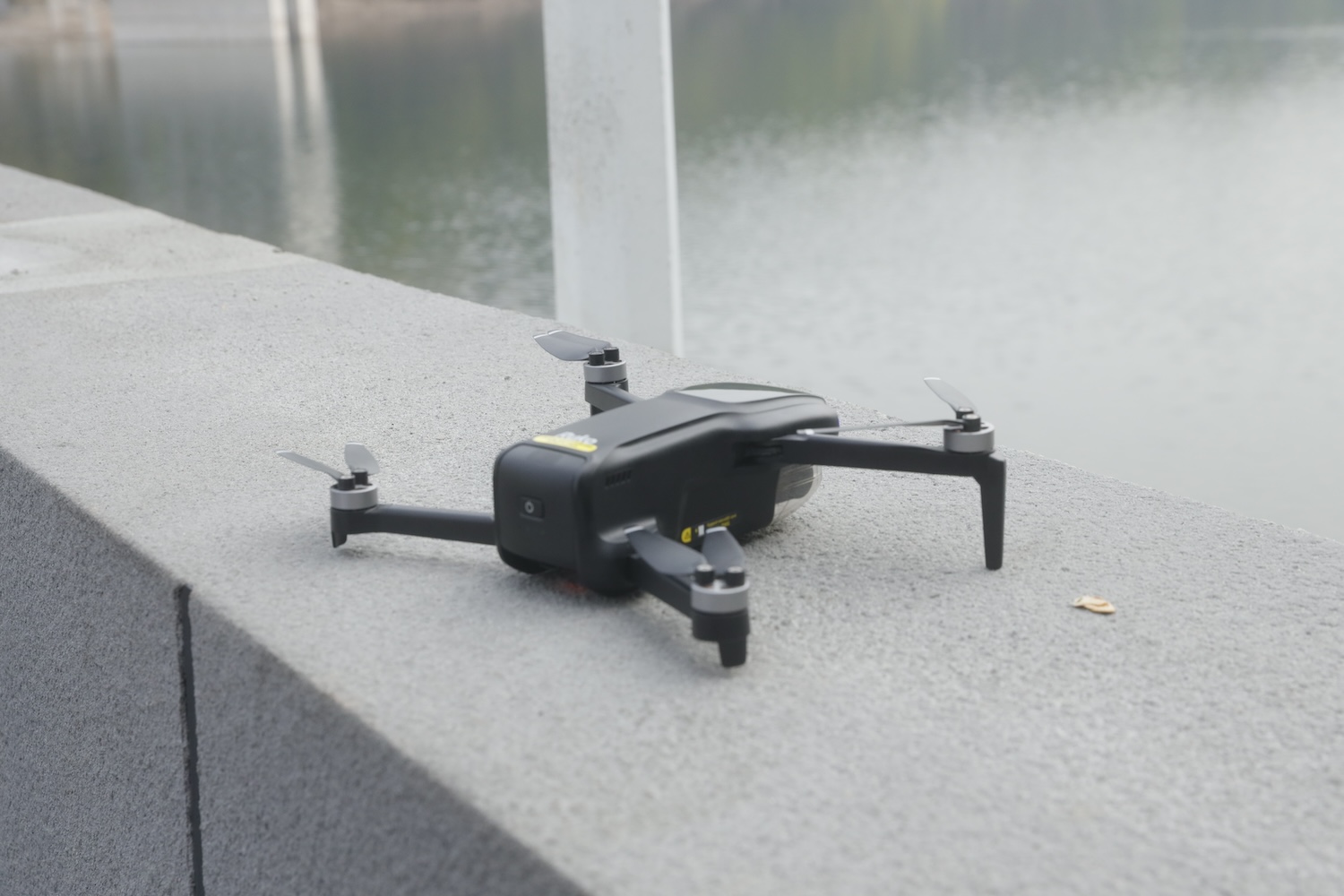
The bottom line: The Ruko U11MINI 4K RC3 delivers usable 4K video, a 3-axis gimbal, and 96 minutes of flight time across three batteries, all under 249g and under $500. It’s not a DJI killer, but it’s a legitimately good first drone for photographers testing aerial content without the regulatory headaches or financial commitment of higher-end options. The RC3 controller with its built-in screen eliminates the most common frustration beginners face: phone connectivity issues.
Video Intro
Why the 249g Number Actually Matters
That sub-250g weight isn’t just marketing fluff. It’s a regulatory threshold that changes everything about how you can use this drone.
In the United States, recreational drones under 250g don’t require FAA registration. In Australia, it sidesteps the strictest CASA licensing requirements for recreational users. Similar exemptions exist across Europe and other markets. The practical result: you can buy this drone, charge the batteries, and be flying legally within an hour.
The physics behind this threshold is straightforward. Research from Canadian aviation authorities determined that a 249g drone falling from 50 meters (accounting for air resistance, spinning propellers, and real-world drag) delivers roughly 80 joules of impact energy. That’s enough to hurt, but unlikely to cause serious injury. Above that threshold, the math gets uglier.
For photographers who want to experiment with aerial shots without jumping through regulatory hoops, filing paperwork, or paying registration fees, this weight class is the entry point. It’s also why you’ll see virtually every major drone manufacturer offering a sub-250g option. This is where the barrier to entry is lowest.
What You’re Actually Getting in the Box
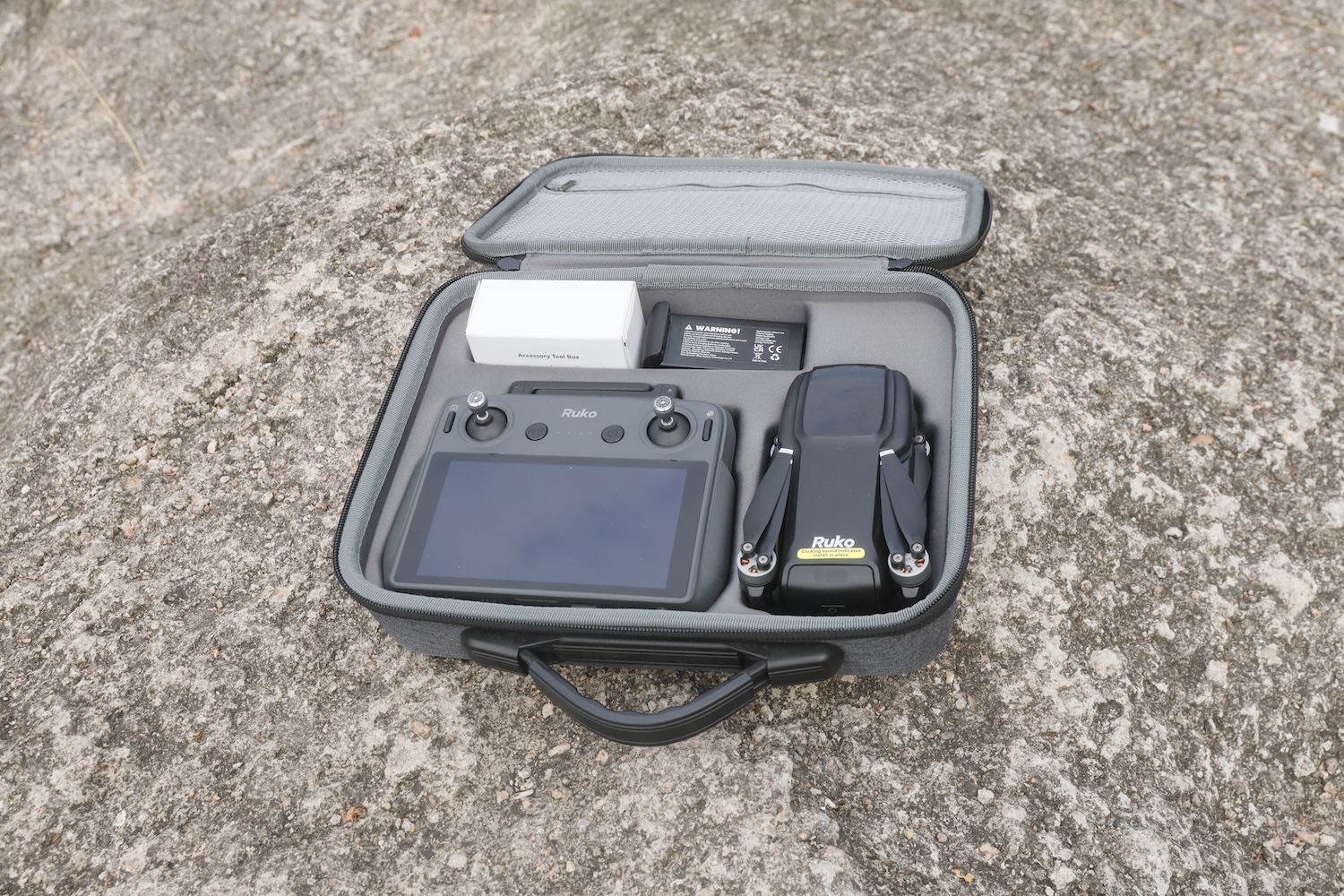
The three-battery kit includes everything you need to start flying immediately:
- Ruko U11MINI 4K drone
- RC3 remote controller with built-in 5.5-inch touchscreen display
- Three 2200mAh batteries (96 minutes total rated flight time)
- Carry case that fits everything
- Three USB-C charging cables (one for each battery simultaneously)
- Eight spare propellers
- Landing pad for rough surfaces
Camera specifications:
- 48MP stills (8000×6000 pixels) via 1/2″ CMOS sensor
- Sony lens with f/1.8 aperture
- 4K video at 30fps / 1080p at 60fps saved to SD card
- 720p video simultaneously saved to phone for quick social sharing
- 3-axis brushless gimbal with electronic image stabilization
- 5x digital zoom (though I wouldn’t recommend using it)
- JPEG only, no Raw capture
- Supports microSD cards up to 256GB
Flight specifications:
- 20,000ft (6km) transmission range in ideal conditions
- 32 minutes rated flight time per battery
- Level 5 wind resistance (up to 24mph)
- Maximum altitude of 3,000 meters
- GPS + GLONASS dual satellite positioning
- Optical flow and TOF positioning for indoor/GPS-denied flight
- Horizontal hovering accuracy of ±0.3m (advertised)
- Vertical hovering accuracy of ±0.5m (advertised)
The RC3 Controller: No Phone Required
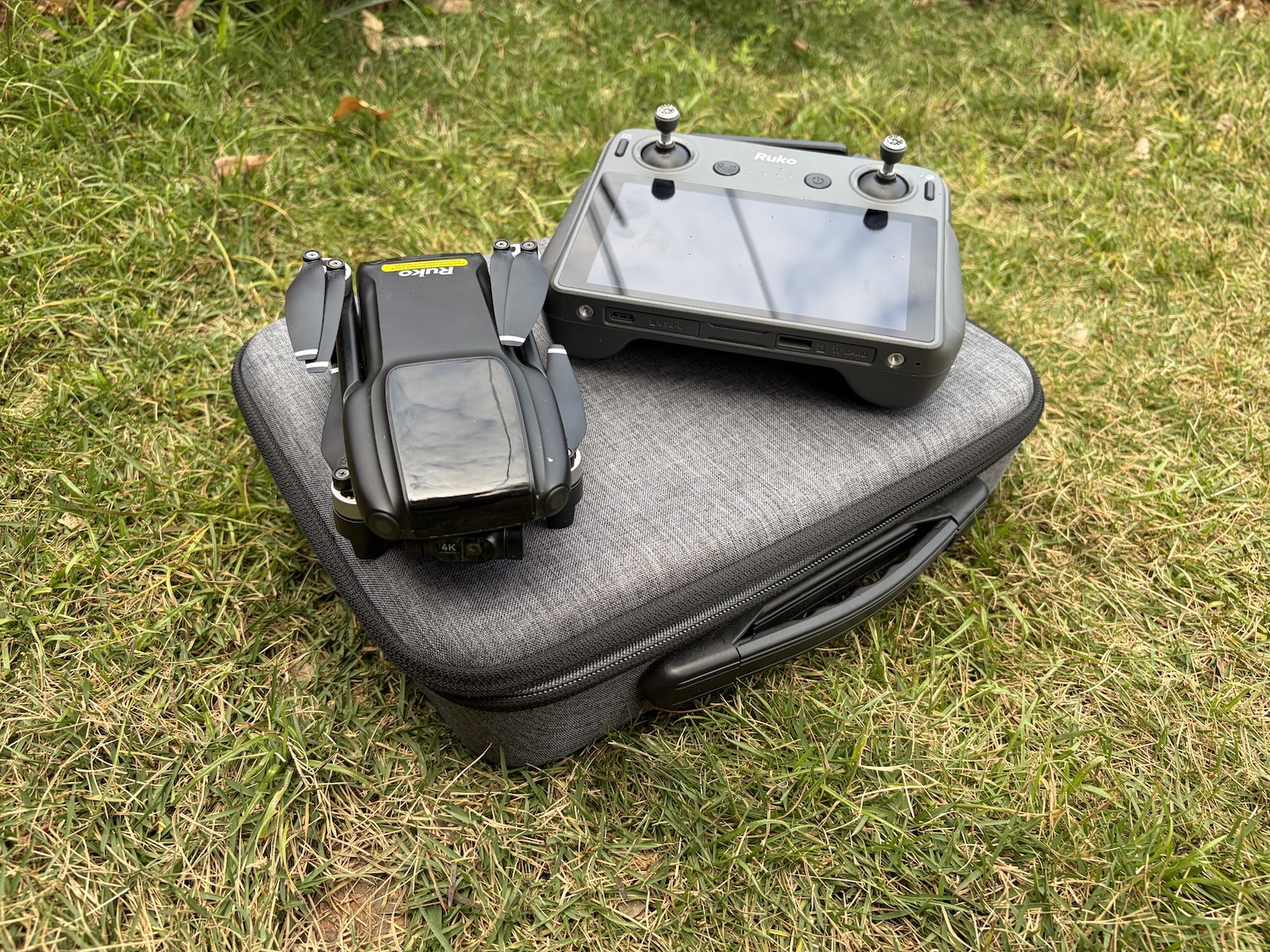
This is where the U11MINI 4K RC3 version differentiates itself from both the standard U11MINI 4K and much of the budget drone competition.
Most entry-level drones require you to mount your smartphone, connect via cable or Wi-Fi, and use an app as your primary viewfinder and control interface. This works, but it introduces friction: phone compatibility issues, cable connection failures, battery drain on your device, overheating during long sessions, and the general annoyance of dedicating your phone to drone duty.
The RC3 controller eliminates all of that. It features a built-in 5.5-inch touchscreen display with its own processing system and power supply. Power on the controller, power on the drone, and they auto-connect. No phone mounting, no cable fumbling, no app crashes mid-flight.
Key advantages of the RC3:
- Auto-connection on power-on. The controller and drone pair automatically when both are powered on. No Bluetooth pairing steps, no Wi-Fi network selection, no “searching for device” delays.
- No smartphone dependency. Your phone stays in your pocket (or can be used for something else). No worries about phone battery drain, overheating in direct sunlight, or lag from older devices.
- Built-in display. The 5.5-inch touchscreen provides a dedicated viewfinder with flight telemetry, camera controls, and all intelligent flight modes accessible directly on the controller.
- More portable overall. Without needing to mount and cable-connect a phone, the setup is faster and more streamlined. Ideal for travel or situations where you want to get airborne quickly.
- Up to 2,000ft live video transmission range. Plenty of range for most recreational and creative applications.
- Ergonomic all-in-one design. The integrated screen and controls create a comfortable grip for longer flying sessions.
For beginners especially, the RC3 removes one of the most common sources of frustration. Phone-related connection issues are the number one complaint in budget drone forums and reviews. By building the screen into the controller, Ruko sidesteps that problem entirely.
Setup and First Flight Experience

One of the U11MINI 4K RC3‘s genuine strengths is how quickly you can go from unboxing to airborne. The process is genuinely beginner-friendly:
- Charge the batteries and controller (about 3-4 hours from empty)
- Unfold the drone arms
- Remove the gimbal cover (held on with surprisingly sticky tape)
- Power on the controller, then the drone. They connect automatically.
- Wait for GPS lock (usually 30-60 seconds outdoors)
- Take off
Total time from opening the box to first flight: under 10 minutes if your batteries arrive with some charge. Ruko provides a setup video that walks through everything clearly.
Notice what’s missing from that list: no app download, no phone mounting, no cable connection, no pairing process. The RC3’s auto-connection feature means you’re ready to fly as soon as both devices power on. For photographers who want to grab quick aerial shots without a multi-step setup ritual, this is a meaningful improvement over phone-dependent systems.
The joysticks unscrew and store in the bottom of the controller for transport, a nice touch that reduces the risk of damage.
Beginner mode is actually useful. By default, the drone limits your flight range to 30 meters. This sounds restrictive, but for your first few flights, it’s exactly what you want. You can practice takeoffs, landings, and basic maneuvers without worrying about the drone disappearing over a treeline. Once you’re comfortable, disable it and the full range opens up.
Real-World Flight Performance
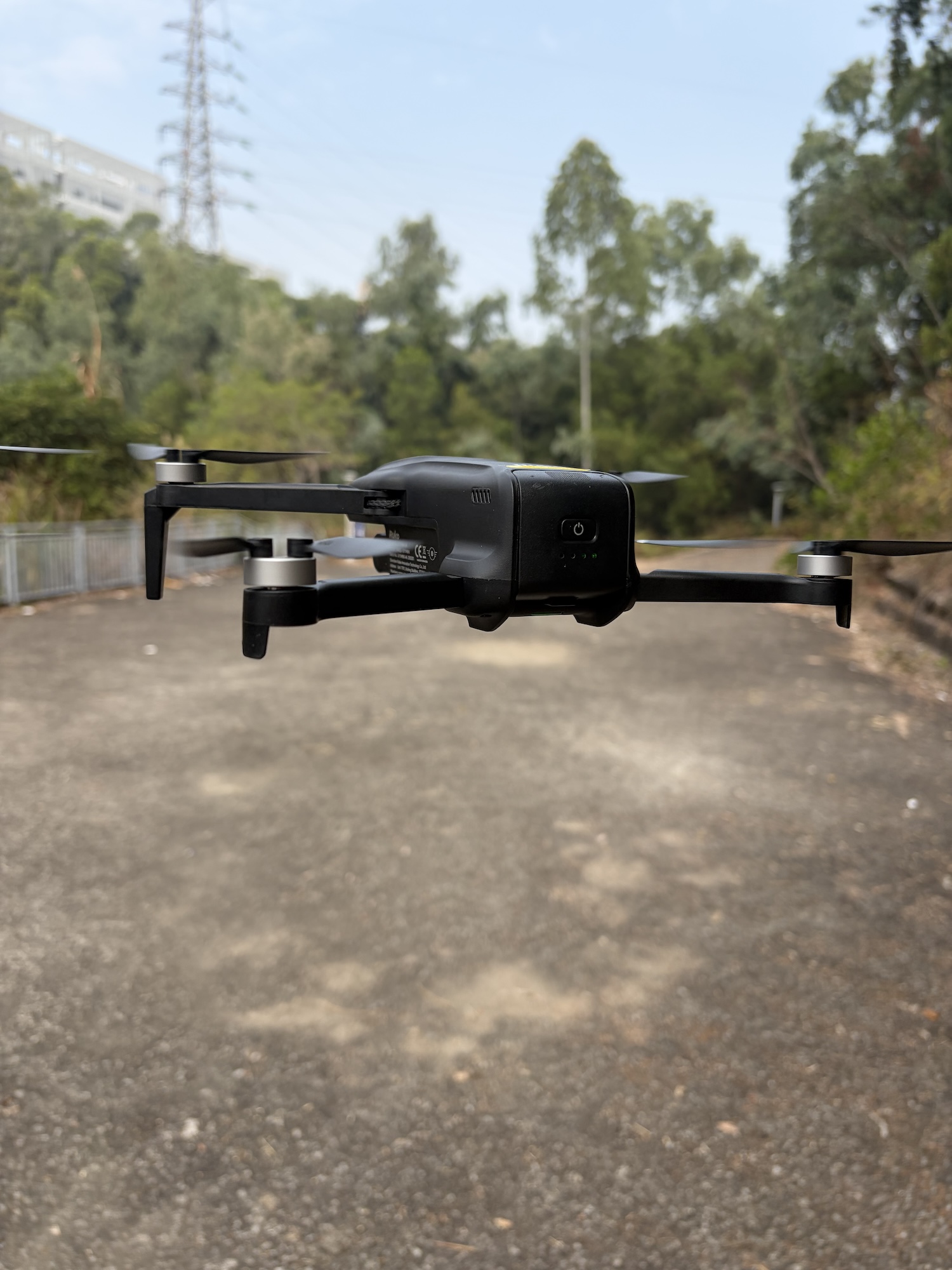
I tested the U11MINI 4K RC3 across multiple sessions in varying conditions: calm mornings, gusty afternoons, open fields, and tighter spaces near trees and buildings.
The good news: The drone flies smoothly and responds predictably to control inputs. The three speed modes (Cine, Normal, and Sport) offer meaningful differences. Cine mode feels almost sluggish, but that’s the point. Slow, deliberate movements produce smoother footage. Sport mode is surprisingly quick for a sub-250g drone, reaching 12 m/s horizontal speed.
The 3-axis gimbal does its job well. Even in moderate wind, footage comes back smooth and stable. This is a significant upgrade over cheaper 2-axis alternatives or drones relying solely on electronic stabilization.
The less good news: Hover drift is real and noticeable. Despite the quad positioning system (GPS, barometric hold, optical flow, TOF), the drone wanders within roughly a meter-square area while hovering. In open spaces, this is barely noticeable. Near trees, fences, or buildings, it’s a problem.
The solution is simple: don’t hover near obstacles. Give yourself buffer room and you’ll be fine.
Battery life reality check: Ruko rates each battery at 32 minutes, giving 96 minutes total with the three-battery kit. Real-world performance was closer to 20-25 minutes per battery in moderate conditions, as gusty wind drains batteries faster. Still, 60-75 minutes of actual flight time across three batteries is plenty for most shooting sessions.
Return-to-home works reliably. I tested RTH multiple times, including both manual activation and simulated signal loss. The drone climbs to its preset altitude (default 20 meters, adjustable up to 120 meters), flies back to the takeoff point, and lands within about 1.5 meters of where it started. Not pinpoint accurate, but close enough.
Camera and Image Quality: Honest Assessment
Let’s be realistic about what a sub-$500 drone can deliver.
Video quality is the stronger suit here. 4K footage at 30fps looks genuinely good in favorable conditions: bright daylight, sun behind or beside the drone, minimal shadows. The 3-axis gimbal keeps things smooth even when your piloting isn’t. For social media content, YouTube B-roll, or real estate walk-throughs, the quality is absolutely usable.
The drone simultaneously saves 720p video to your phone, which is convenient for quick social posts but not much else.
Photo quality is decent but limited. The 48MP sensor captures plenty of resolution, but dynamic range is narrow compared to higher-end drones or dedicated cameras. Shadows block up quickly, highlights blow out in high-contrast scenes. Center sharpness is good; edges show noticeable softness.
The bigger limitation is JPEG-only capture. No Raw files means limited post-processing flexibility. What you capture is essentially what you get, with minimal room for exposure correction or color grading in post.
Camera controls are basic. You can adjust EV compensation, white balance, and sharpening. That’s about it. No manual ISO, no shutter speed control, no aperture adjustment (the f/1.8 is fixed anyway). For photographers accustomed to full manual control, this feels restrictive.
Low light performance is limited. The automatic exposure system pushes ISO aggressively in dim conditions, resulting in noisy, heavily processed images. This is primarily a daylight drone.
Intelligent Flight Modes: What Actually Works
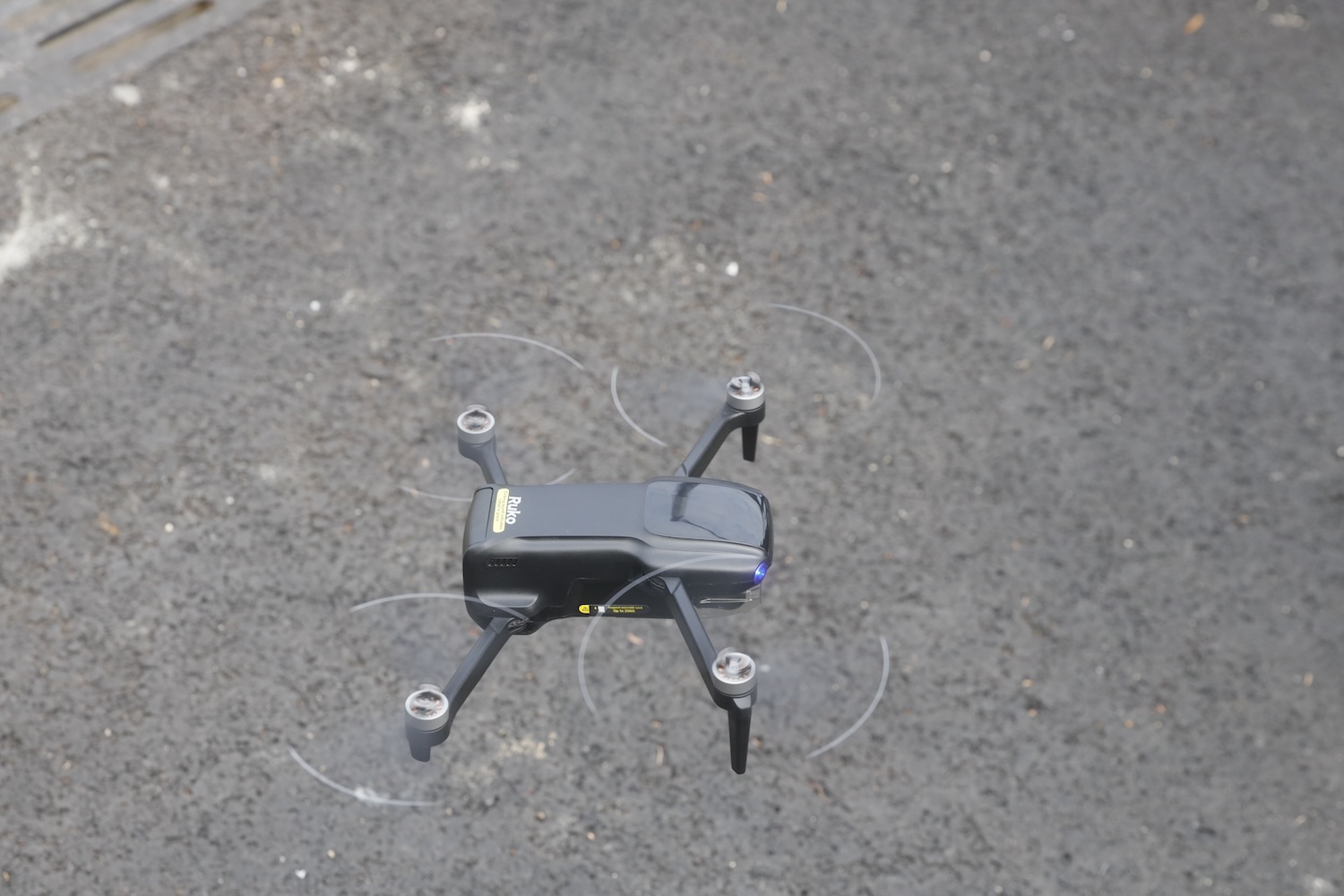
The U11MINI 4K includes several automated flight features, all accessible directly from the RC3’s touchscreen:
- GPS Follow Me: The drone tracks your position and follows as you move
- Image Follow: Tracks a subject within the frame
- Point of Interest: Orbits a set location at a specified distance
- Waypoint Planning: Pre-program a flight path with up to 16 points
- Cruise Control: Lock in a speed and direction for hands-off flying
- Gesture Control: Trigger photos or video recording with hand signals
Honest assessment: These features work, but they’re basic implementations. GPS Follow tracks your phone’s position, not your actual body, so there’s inherent lag. Image Follow loses the subject frequently, especially if you’re closer than 30 meters or moving unpredictably. Point of Interest orbits reliably but doesn’t keep the subject perfectly centered.
For simple follow shots or establishing orbit moves, they’re useful. For anything requiring precise tracking (sports, action, fast-moving subjects), look elsewhere.
For Photographers: Practical Use Cases
Real estate and architecture: This is where the U11MINI 4K RC3 makes the most sense for working photographers. Exterior establishing shots, neighborhood context, property overview footage: all achievable with this drone. The 4K video is plenty sharp for web listings, and the gimbal keeps footage professional-looking. The quick setup with the RC3 controller means you can grab aerial shots between interior shoots without burning time on phone connections.
Wedding and event B-roll: Venue aerials, outdoor ceremony establishing shots, reception location context. The quiet motors and small size make it relatively unobtrusive. Don’t expect to capture ceremony footage from the air. This is supplementary content, not primary coverage.
Content creation: YouTube intros, social media content, behind-the-scenes footage. The barrier to entry is low enough that you can experiment without significant financial risk.
Travel and landscape: Lightweight and packable for trips. The carry case fits easily in a camera bag. The RC3’s phone-free operation is especially valuable when traveling, since there’s no need to worry about international SIM cards, roaming data, or phone compatibility issues. Just research local drone regulations before flying internationally.
What it won’t do: Replace a proper camera for detail shots. Capture usable footage in challenging light. Track fast-moving subjects reliably. Shoot Raw files for serious post-processing.
Pros and Cons Summary
Pros:
- Sub-250g weight avoids registration requirements
- RC3 controller with built-in screen eliminates phone connectivity issues
- Auto-connection on power-on for faster setup
- Genuinely beginner-friendly controls
- 3-axis gimbal produces smooth, stable footage
- Three-battery kit offers substantial flight time
- Competitive pricing for the feature set
- Reliable return-to-home function
- Decent 4K video quality in good light
- 24/7 customer support from Ruko
Cons:
- Noticeable hover drift near obstacles
- JPEG-only photo capture (no Raw)
- Limited manual camera controls
- Basic subject tracking performance
- Narrow dynamic range in photos
- Limited low-light performance
- Edge softness in images
The Competition
DJI Mini 4K ($465 with Fly More bundle): Better build quality, Raw photo capture, more refined flight performance, superior subject tracking. The DJI ecosystem is also more mature. If budget allows, this is the better drone, but it requires phone connection.
Potensic Atom 2 ($495 Fly More Combo): More advanced tracking features, similar camera specs, competitive flight performance. Another strong alternative at a slightly higher price.
DJI Neo ($199): Smaller, simpler, with innovative palm takeoff and better tracking for its size. But no controller included and more limited range.
At $499 for the RC3 version, the U11MINI 4K is competitively priced while offering the significant advantage of phone-free operation. You’re trading some performance and features for a simpler, more streamlined flying experience.
Final Verdict
The Ruko U11MINI 4K RC3 is exactly what it claims to be: a beginner-friendly drone that captures legitimate 4K footage without requiring pilot certification, FAA registration, or a four-figure investment. The hover drift and JPEG-only capture are real limitations, but for photographers who want to test whether aerial content fits their workflow, this is a low-risk way to find out.
The RC3 controller is the real differentiator here. By eliminating phone dependency, Ruko has removed the single biggest source of beginner frustration. Power on, connect automatically, fly. That’s it.
It won’t replace your primary camera. It won’t deliver cinema-grade footage. But for establishing shots, B-roll, social content, and creative experimentation, it delivers genuine value at a reasonable price.
If you’ve been drone-curious but hesitant to commit serious money, or frustrated by phone connectivity issues on previous drones, the U11MINI 4K RC3 removes most of the excuses.