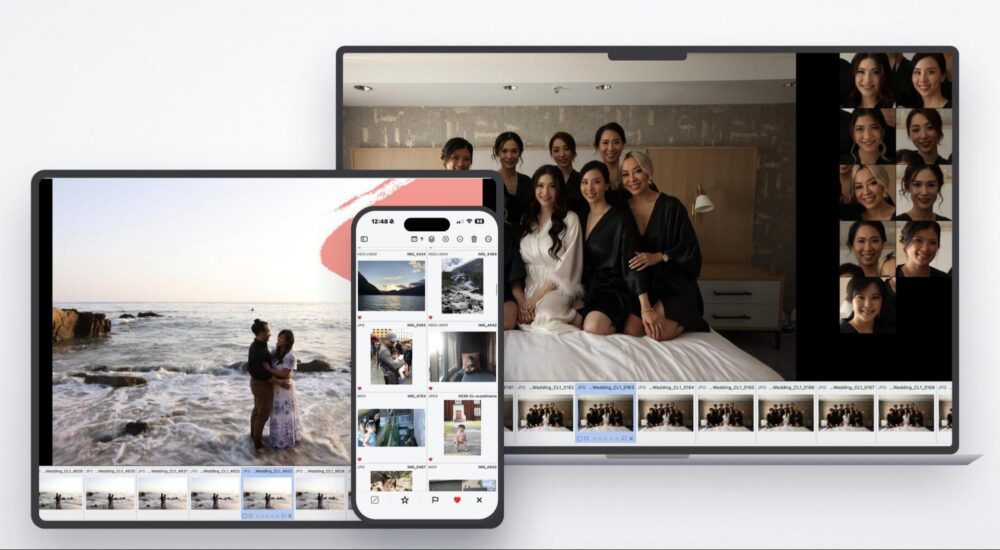
At Lin & Jirsa, we photograph well over 100 weddings a year. That scale changes how we think about editing. It isn’t just about saving time on a single gallery. It’s about consistency across thousands of images, multiple photographers, and a team that has to deliver the same look every single time. A typical wedding for us runs 3,000 to 6,000 images, so across a full season the math gets serious fast. Even 20 minutes saved per wedding turns into days of reclaimed time over a year. Because of that, we pay close attention when a new smart editing tool shows up.
So when Pixieset released Photo Editor, its new cull-to-delivery editing tool, we were interested for a specific reason that we’ll get to. The company faces fierce and growing competition from the likes of Imagen AI, Aftershoot and Impossible Things. So based on our initial test, here are our thoughts.
Why we cared: our workflow already lives in Pixieset
We’ve used Pixieset Galleries as our client delivery platform for years. More recently we’ve also leaned on the website builder for lead generation and Facebook ad traffic. So a large part of our business already runs inside Pixieset before a single photo gets edited.
To put a traditional pipeline in plain terms, it looks like this:
- Memory cards come in from the shoot
- Culling
- Lightroom for editing
- Pixieset for the gallery
- Client delivery
Steps 3 and 4 are a handoff: edit in one application, then move finished files into another for delivery. Photo Editor’s pitch is that it can collapse steps 2, 3, and 4 into one continuous flow. That’s what we wanted to pressure-test, because for any large volume studio, every handoff removed is multiplied by more than a hundred weddings.
Personal AI Styles: your look, trained from work you’ve already delivered
If you’ve built Lightroom presets, the concept here is familiar. You define a look once and apply it broadly. Photo Editor’s Personal AI Styles work in that spirit, with one difference that genuinely surprised us.
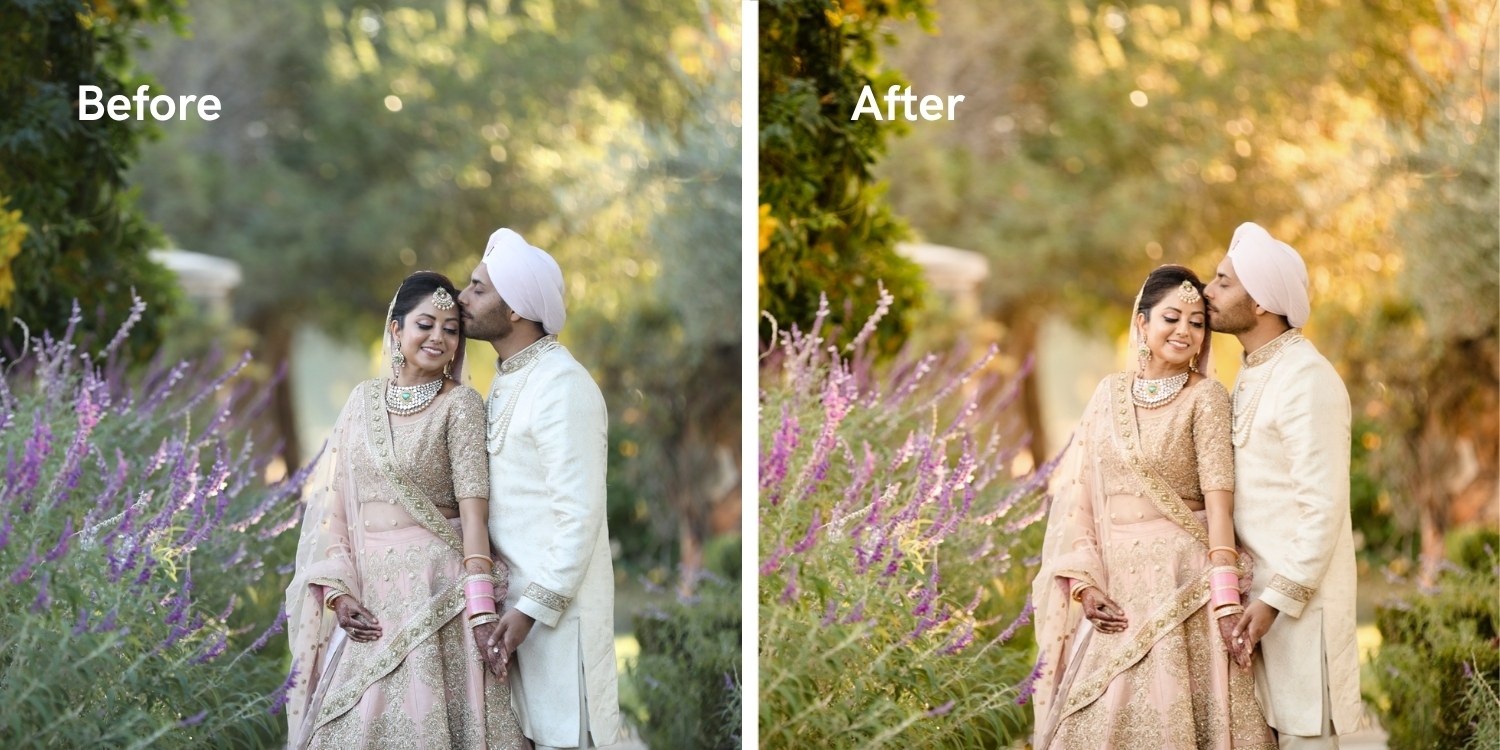
We assumed training an AI style would mean exporting Lightroom catalogs or hunting across drives to assemble a sample set. It didn’t. Because our delivered galleries already live inside Pixieset, we pointed Photo Editor at an existing gallery and it built a style from our real, finished edits in a few minutes. No import step, no catalog wrangling. For a team that has years of delivered work sitting in Pixieset already, that’s a meaningfully shorter path to a usable style than expected.

You’re not stuck with learned styles either. Photo Editor ships with predefined AI Styles as a starting point, and it keeps refining as you make final adjustments, moving closer to your look over time. Apply a style across a full gallery as a first pass, then finish image by image. The first pass gets you most of the way; the last mile stays yours.
A full editing toolkit, not a one-click filter
This is where a lot of AI-forward tools disappoint, and where Photo Editor held up. Applying a style is the start, not the finish, because underneath it sits a complete professional editing panel.
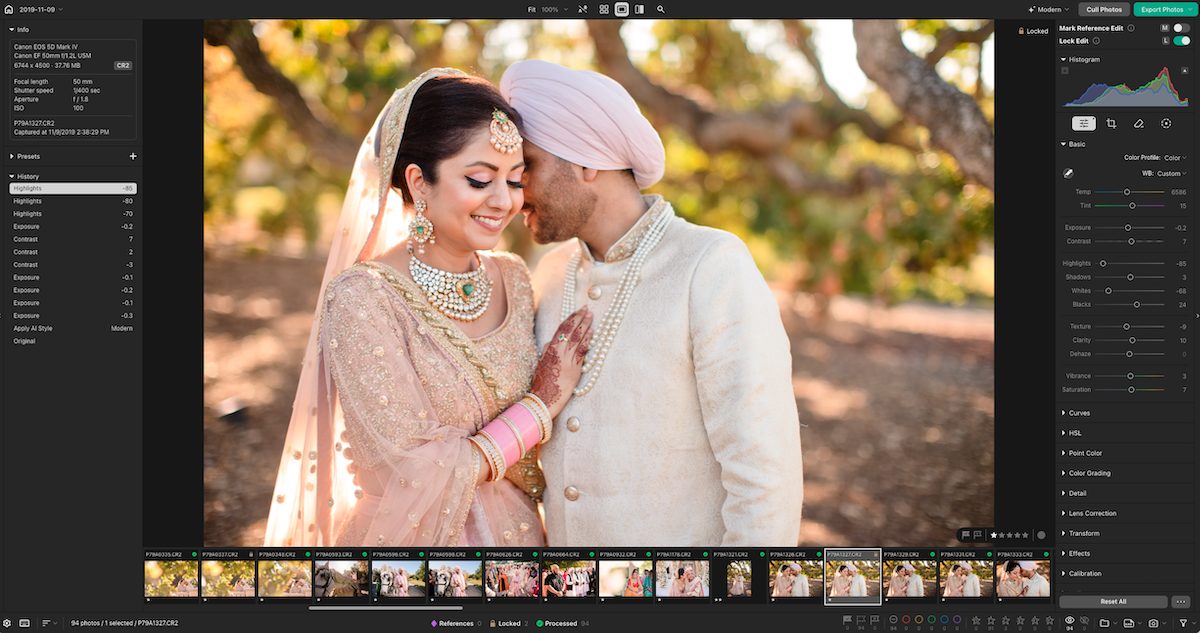
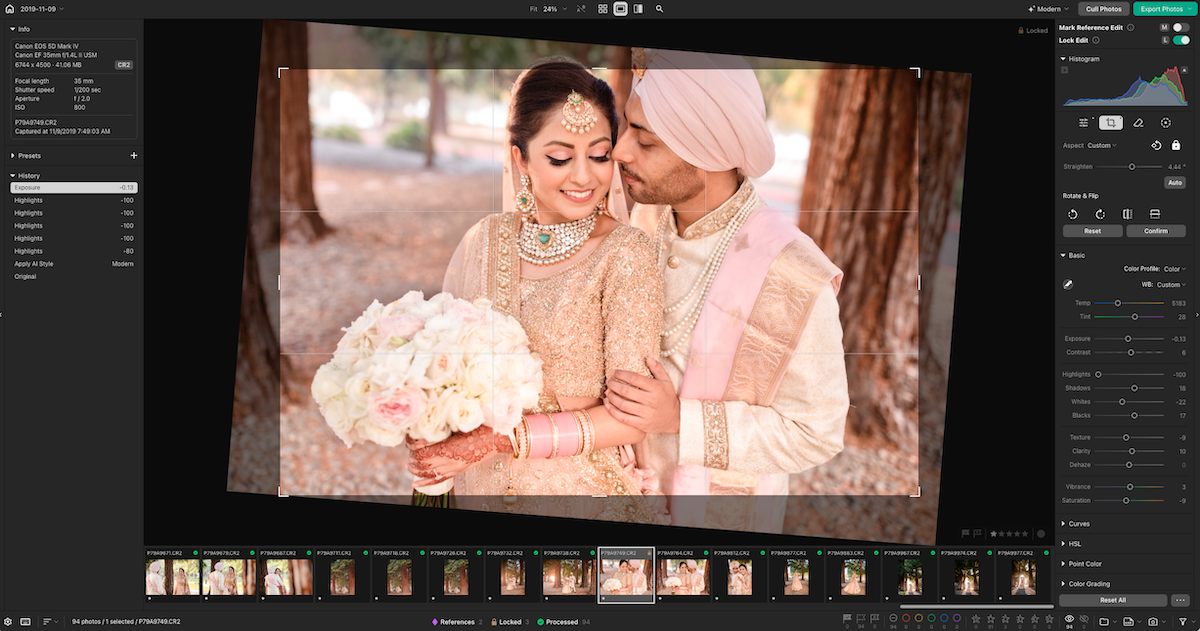
You get the controls you’d expect from serious raw software: exposure and lighting, temperature and color, HSL, tone curves, detail and sharpening, noise reduction, vignetting, and crop tools for straightening, rotating, and flipping. The AI-assisted tools are useful rather than decorative:
- Adaptive masking that selects subjects, backgrounds, and skies automatically, while still supporting linear and radial masks by hand.
- Smart straightening and cropping that corrects alignment and perspective and learns how you tend to frame.
- Erase, heal, and generative tools for pulling distractions out of a scene and cleaning up small imperfections.
- Reference photo syncing so an edit you like transfers across similar frames, or locks when you want a specific image left alone.
Two practical points for professional work. Photo Editor handles both RAW and JPEG, with real raw processing rather than a bolted-on afterthought, and it supports a wide range of formats including ARW, CR2, CR3, DNG, HEIC, NEF, ORF, RAF, and RW2. When a project needs something beyond gallery delivery, you can export TIFF or PSD straight to your computer, so you’re not boxed in.
One note for anyone cautious about AI and client images: the key AI features, batch editing and culling, run locally on your own device. Your photos aren’t shipped to a cloud server to be processed, and Pixieset states your images and editing style are never used to train large generative models. For a business built on client trust, that stance matters.
Culling but still your call
Culling is the other place hours vanish, and at 3,000 to 6,000 frames per wedding it’s where our team feels the pain most. In our experience, culling has been the weakest feature of all of the AI solutions we’ve tested, and this is an area where Pixieset Photo Editor, along with all of its competitors, could use more work.
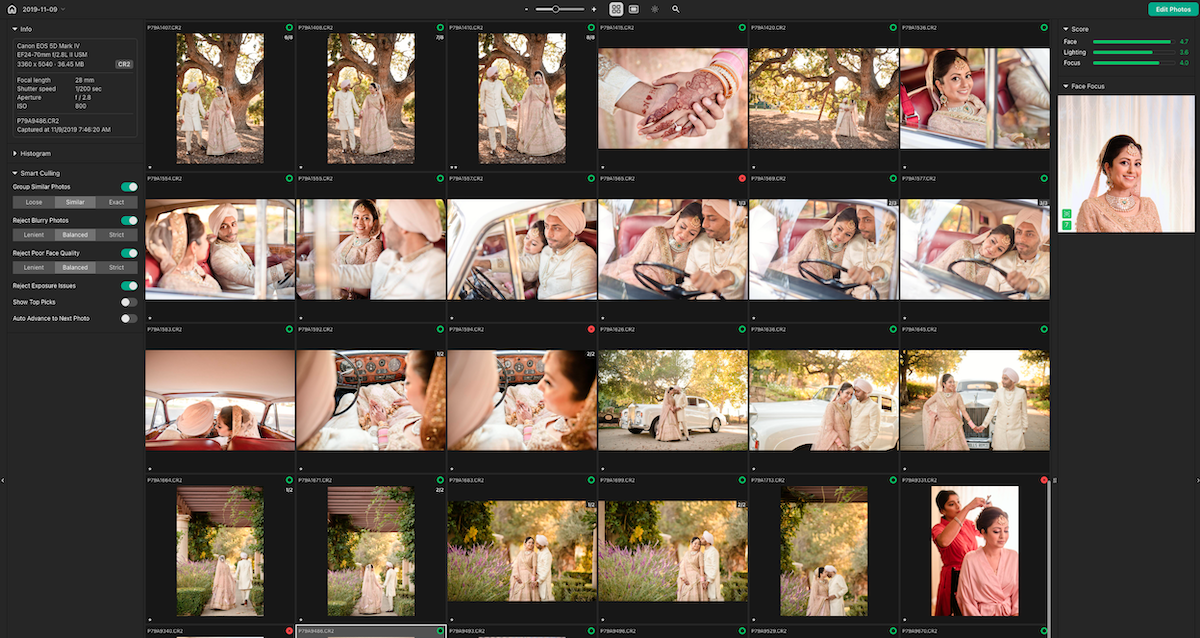
How it works is, you point it at a shoot and it analyzes the images in seconds, groups duplicates and near-identical frames, and scores photos on the things you’d check anyway, focus and blur, lighting, facial expressions, closed eyes. It surfaces its top picks and flags obvious rejects so you move quickly through the bulk of a set. You control how aggressive it is, set how strict or lenient the selections should be, and layer on your own star ratings and color labels. What stays, what gets cut, and what moves into editing is your decision. The AI is doing triage, not making final selections for you.
As with all of our testing of AI culling, we still needed significant work after the initial cull. While it saves you time, you’ll still need to use your judgement and do a manual check. I suspect that this will be the case for all culling solutions for a while in the photo industry, as culling is just too subjective for AI to get right with high accuracy. Bottom line is, use it as an initial tool, never as the final pass.
Where it clicks: the Pixieset ecosystem
For a studio already running Pixieset, this is the part that separates Photo Editor from a standalone editor you’d bolt onto your process. The friction points that usually surround editing mostly disappear:
- Training a style takes an existing gallery, nothing more. Your delivered work already lives in Pixieset, so creating a Personal AI Style means picking a gallery, not exporting a folder of samples.
- Publishing skips the export-reimport shuffle. When edits are done, you publish finished images directly to a Pixieset gallery, choose your settings, and deliver right away or schedule delivery for later.
- Proofing closes the loop. If you deliver through client proofing, you can import a client’s Favorites list into Photo Editor, edit just those selected images, and publish the finished set back to the gallery for download.
End to end, it’s one continuous path: upload, cull, edit in your style, deliver. Unlike Imagen AI, Pixieset isn’t trying to replace Lightroom. It’s trying to reduce the number of times you have to leave the Pixieset ecosystem at all. For us, that continuity is the strongest argument here.
Where it’s not a no-brainer
Photo Editor is still in beta, which for Pixieset means it’s fully functional and in daily use while more features roll out. That said, there are areas we’d like to see mature, particularly retouching and some of the deeper workflow tools. Pixieset has already put several of these on their public roadmap, including retouching, denoising enhancement, and further workflow integrations, so it’ll be worth watching how the platform evolves.
We’d also be straight about fit. If you’re deeply invested in an existing Lightroom-based AI workflow and you don’t use Pixieset for delivery, switching probably isn’t obvious. The value proposition changes depending on where the rest of your business already lives. The biggest payoff comes when you’re already using Pixieset throughout your process, which is exactly why it lands for a studio like ours.
Who Pixieset Photo Editor is best for
| If this is you… | Photo Editor is… |
|---|---|
| You already deliver galleries through Pixieset | A strong fit. It removes the export/import handoff and keeps culling, editing, and delivery in one place. |
| You run high volume and need consistency across a team | Worth a serious trial. Styles built from your delivered work help hold a look across many galleries. |
| You’re committed to Lightroom and happy with an existing AI plugin | A maybe. The win is smaller unless you also move delivery into Pixieset. |
| You want the deepest retouching tools available today | Not yet. It’s capable and improving, but some advanced tools are still on the roadmap. |
| You shoot lower volume and just want faster edits | Fine, but the ecosystem advantage that makes it special matters less at small scale. |
Pricing and availability
Every account includes 100 export credits to start, and even after those are used the culling and editing tools stay available, so you can run the full workflow before committing. Unlimited exports come with a flat subscription at $12/month billed annually (or $18 month to month), with no per-image charges, which is a notable model for high-volume shooters.
Our take
For our team, the biggest takeaway wasn’t that Photo Editor can edit faster. Every AI platform claims that, and most of them deliver on it to some degree. What stood out was how naturally it fits into a workflow we already run every day. Eliminating exports, imports, and unnecessary handoffs doesn’t sound exciting, but across an entire wedding season those small efficiencies compound into real time, and they do it without taking the creative decisions out of our hands.
If your business already lives in Pixieset, that’s the reason to try it on a real shoot rather than a test folder. You can learn more and try Pixieset Photo Editor here.