Finding the right Studio Management Software is critical for photography and videography businesses of all sizes and genres. The right software will help you do the following:
- Keep your leads organized
- Automate critical tasks, reminders, and emails
- Avoid double bookings
- Provide payment options
- Generate invoices and useful reports for performance tracking and taxes
- Much more
This article (updated annually) is your guide to finding the right one for your creative photography studio.
Photography Studio Management Software: At a Glance
This guide covers everything you need to choose the best CRM for your photography business, from what features to look for to an in-depth breakdown of the top options on the market.
- What to Look For – Key features and requirements to evaluate
- Software Comparison – Detailed breakdown of all major options
- Other Solutions to Consider – Additional candidates worth exploring
- Additional Metrics – Domain authority and other business health indicators
- Our Recommendations – Who should use which software
What to Look for in Photography Studio Management Software
The catalyst for writing this article was the extensive research we did when finding the right studio management software for our own studio.
In 2016, we were using a hodgepodge of apps and services to make our business run that included Google Calendar for scheduling, Google Docs/Sheets for information sharing, ShootQ for client booking, Mailchimp for newsletters, HelloSign for contracts, and a myriad of others. We knew that we needed to clean this all up and find a solution to make everything more streamlined, consistent, and efficient.
Here were our basic studio management software requirements:
- Website Best Practices – Mobile friendly, fast load times, robust search, and a friendly user interface.
- Scheduling for multiple photographers/videographers – The ability to manage schedules for multiple leads, 2nd and 3rd photographers.
- Syncing and Integrations – The ability to sync/integrate with our website (on WordPress) and Google Calendar.
- Exporting Data – The ability to export all analytics to Excel (referrals, bookings, sales and pricing, financials).
- Automated Workflows (Sales Funnel) – The ability to have certain actions trigger certain events, such as sending automated emails on specific days or marking a lead as “dead” after a period of inactivity.
- Communication Tracking – The ability to document and see all of the communication with a client quickly without having to search through multiple email chains.
- Client Notes – An area to document communication with each client so that everyone on the team is fully aware of all client notes and potential concerns.
- Access Restrictions – The ability to set access restrictions for team members, each with their own account.
- Support of multiple photography brands – The ability to use one system for all of our photography brands.
- Support of multi-day events – The ability to accommodate multi-day weddings, a common need for Indian and other cultural weddings.
HoneyBook vs 17Hats vs VSCO Workspace vs Pixifi vs Dubsado vs Sprout vs ShootQ vs Iris Works vs Bloom vs Studio Ninja
In our hunt, we researched the following studio management software companies, creating trial accounts with many and even contacting the owners of a few.
HoneyBook
Website: Click Here
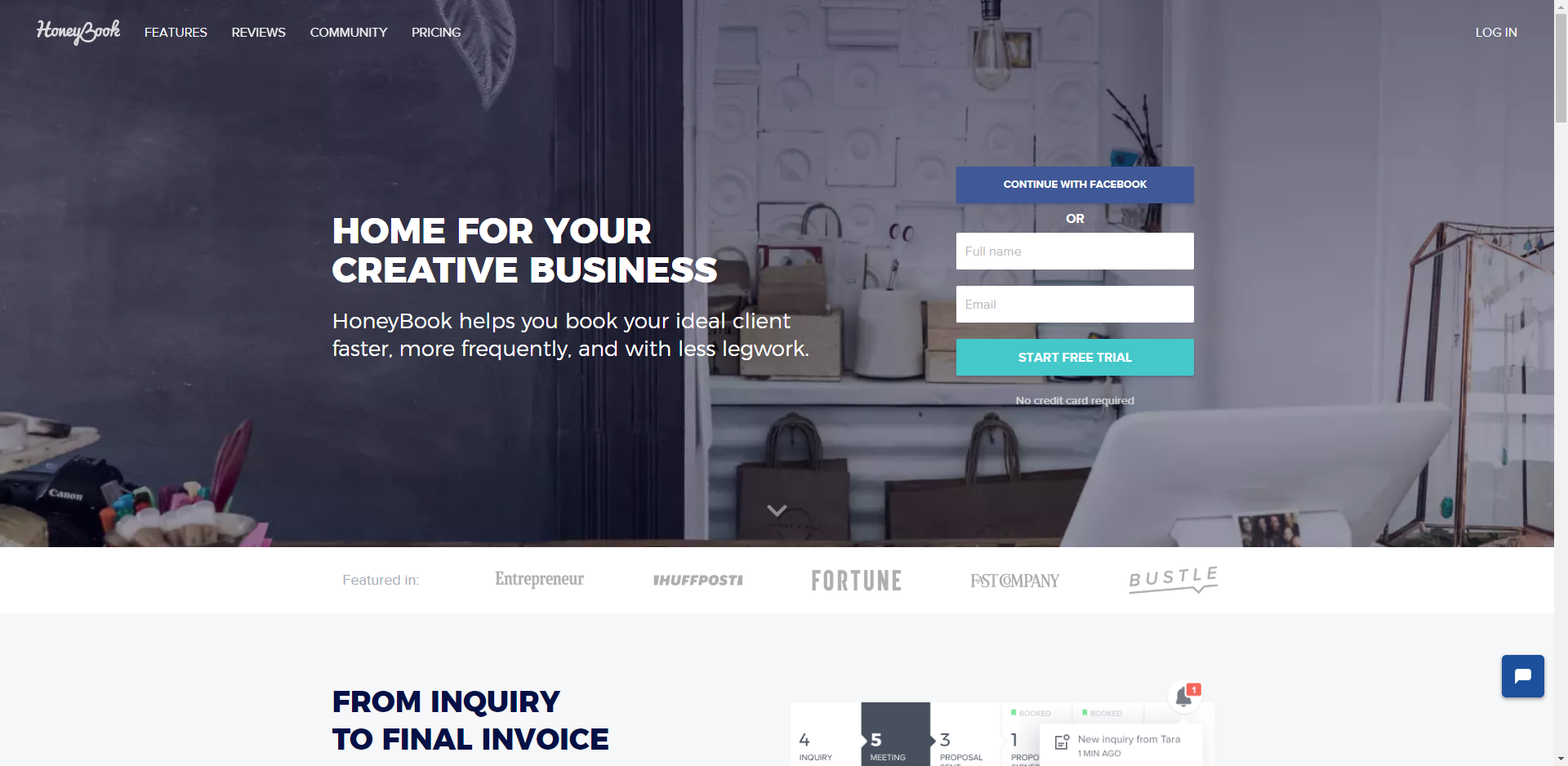
As a large, well-funded company, HoneyBook develops new features quickly and has integrated AI-powered tools to help photographers identify trends and automate client communication. It is also easy to collaborate with other shooters, vendors, etc. (all of which will have access to an event feed where questions can be asked and answered).
The UI/UX is clean, and the software is responsive and mobile friendly with a dedicated app. On-boarding is quick and easy, and you can also network through their community to find second shooters, models, and more. If you run a studio that encompasses multiple brands, you can set up multiple businesses under a single account.
The software accommodates all types of businesses, so it’s not particularly specialized for the photography industry. It’s also worth noting that HoneyBook is only available in the United States and Canada. The platform raised its prices in early 2025, which has been a point of frustration for some long-time users.
Starting Price: $36/month with a free trial and additional savings when paid annually
Partner Discount: 50% off your first-year subscription (see our partners page)
Bloom.io

Website: Click Here
As a newer platform, Bloom is open to feedback and actively developing features that meet their clients’ needs. The user experience is pleasant and the interface is easy to navigate. Because the core features (setting up and processing payments, signing contracts, etc.) are well-implemented, they’re also easy to set up and use.
The automation and analytics are not as in-depth as some of the other CRMs featured in this article, so photographers who need complex workflow triggers may find it limiting. That said, Bloom is particularly well-suited for smaller studios and freelancers who want a clean, approachable platform without a steep learning curve.
Starting Price: $9/month with a free 14-day trial and additional savings if paid annually.
Picsello

Picsello helps photographers manage, market, and run their business under one roof. It includes a client booking system where users can create and view sessions and events right from a calendar, as well as promote upcoming events from a public profile. Integrated email supports communicating with clients from initial leads through to post-shoot follow-ups. The self-guided client booking system walks clients through the entire process so they can view availability and proposals, sign contracts, and submit payments for each booking on their own.
Their Studio Manager was designed to help convert more leads and book more clients, with prewritten emails, booking, invoicing, contracts, and an inbox serving as an all-access client communication hub. Payment processing runs through Stripe, and a partnership with WHCC supports high-quality gallery product orders, allowing photographers to keep 100% of their profits.
Pricing: $35 per month
VSCO Workspace (formerly Táve)

Website: Click Here
Táve was acquired by VSCO in May 2025 and officially relaunched as VSCO Workspace in August 2025. The full Táve team joined VSCO in the transition, and the platform’s core capabilities remain intact. VSCO has also doubled the size of the Workspace team, which signals an accelerated roadmap for new features including SMS text messaging and additional automation tools.
VSCO Workspace now serves multiple professions, but it started with photography and has stayed true to the field. Although it takes time to set up initially, it’s for good reason: the system can become highly automated. Once configured, it saves significant time by removing many day-to-day tasks. The platform provides in-depth lead automation to help funnel and track leads through various stages, and its data tracking and reporting remain among the best of any option in this list.
The UI/UX is logical, if not the most visually flashy, and customer service is handled through a quick and convenient messaging system. If you are not concerned with setting up detailed automations, the setup process may feel more complex than your needs require. That said, photographers who want deep workflow control and scalability from a single-shooter studio to a multi-person operation will find VSCO Workspace one of the most powerful options available.
We currently use this photography studio management software for Lin and Jirsa and Rise 8 Media.
Starting Price: $22.49/month with a free 14-day trial.
Pixifi

Website: Click Here
This software was created by photographers for photographers (and other event professionals), with granular customization that addresses the specific needs of our industry. Support response time is quick and most issues are resolved promptly. Analytics options are also great, and a wide variety of data is available. For example, you can see your lead shooting hours vs. second shooting hours for a particular client, how much revenue has been generated by each type of booking, and more.
If your studio does “Mini Sessions,” this is the best software we found to accommodate those needs, giving you options to sell and book specific time slots. There is room for improvement in the UI/UX, and onboarding staff can be time-consuming, but once you get the hang of it, the features and functionality deliver strong results. Overall, Pixifi is a great solution for smaller, single-shooter studios, and it is the software we use for our family photography brand, Line and Roots.
Starting Price: $24.99/month with a free trial and additional savings when paid annually.
SLR Lounge Discount: 60 days free, 10% off 3+ months subscription when paid upfront (see the partners page)
Dubsado

Website: Click Here
Dubsado brings a great look and design to the CRM space and checks off a wide number of features from our requirements list. One of its standout features is how well integrated it is with other services (e.g., Google Calendar, PayPal, Stripe, etc.). After reviewing Dubsado, we placed it as our second choice, tied with Sprout Studio. It is also one of the most cost-effective CRM options that still offers robust functionality, including custom CSS styling for client-facing documents.
One downside we found is that Dubsado’s workflow customizations are somewhat limited, such as not being able to assign leads to specific sales team members. We also found it difficult to track multi-day events with this software. However, we recognize that these may be uncommon problems specific to our studio’s setup.
Starting Price: $20/month with a no-time-limit free trial (good for three leads) | You can save money by paying annually.
Partner Discount: 20% off your first-year subscription (see our partners page).
Sprout Studio

Website: Click Here
Our Thoughts: Sprout Studio is easy to use and created by photographers, specifically for photographers. It features great integration across contracts, billing, sales galleries, and photo proofing, and the UI/UX is polished. What sets Sprout Studio apart from most other CRMs in this list is that it also includes built-in online galleries, email marketing, and album proofing, meaning photographers can potentially consolidate even more tools under a single subscription.
While the many integrations are great, they can also be a downside: if you prefer using outside apps for certain tasks, the deeply connected nature of the platform means a change in one area can have ripple effects elsewhere. Nevertheless, Sprout Studio is probably the best all-in-one option for a single-shooter studio or small team of up to five shooters.
Starting Price: $19/month with a free 30-day trial.
17Hats

Website: Click Here
As an all-in-one solution, 17Hats is loaded with features covering everything from lead generation forms to online payment collection and bookkeeping. The software syncs with Google Calendar and offers a variety of other integrated tools and automated workflow options.
While the software appeals to a variety of professionals, the lack of specialization for photographers leaves it wanting in terms of detailed automation and analytics. As its name suggests, 17Hats caters to a wide audience, from photographers to accountants and beyond. This all-inclusive approach brings with it a number of pros and cons, and photographers with industry-specific needs may find the more photography-focused CRMs in this list a better fit.
Starting Price: $199/year with a 30-day money-back guarantee.
Partner Discount: 15% Off (see the partners page)
ShootQ

Website: Click Here
ShootQ is one of the originals in the photography CRM space, and it works well enough to help scale small businesses into bigger operations. ShootQ was bought by Pictage and later sold to a newer owner. New features have been added and old ones modified, and the platform has shown signs of a comeback after a period of relative stagnation.
At one time, ShootQ was the market leader but became somewhat outdated as new competition emerged. With new ownership and updated software versions, it may be worth evaluating for photographers who valued its earlier workflow capabilities.
Starting Price: $29/month with a free 1-month trial | $24/month when paid annually.
Iris Works

Website: Click Here
Iris Works covers basic automation (with emails, contracts, etc.) and is integrated with several services, including ShootProof for image galleries, QuickBooks for accounting, and Square or PayPal for collecting payments. Customer service is helpful and very quick to respond.
We passed on Iris Works because it didn’t have enough automations at the time of our testing. For example, it lacked automated invoicing. Photographers who need only basic workflow automation and prioritize a simple setup may find it a reasonable fit, but those who want more hands-off automation will likely want to look elsewhere.
Starting Price: $25/month with a free 30-day trial (and you can save 10% when you pay annually).
Studio Ninja
Website: Click Here
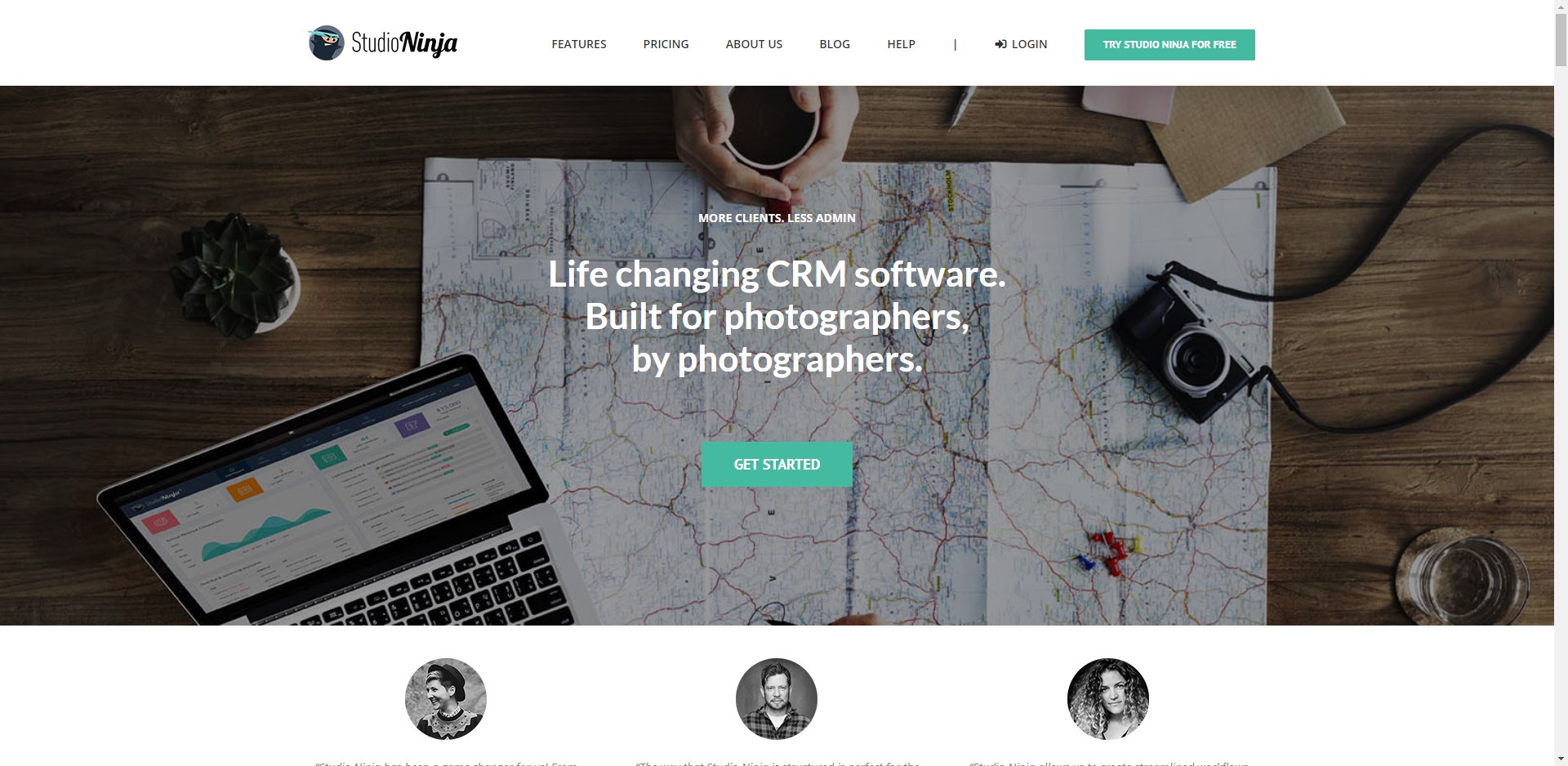
This is one of the easiest CRMs to use; the features are plentiful and the user interface is intuitive and logical. If you need assistance setting up your workflows, you can book a one-on-one call for a demo or account audit. You can also customize many features, including emails, contracts, and more.
At our time of testing, we found that Studio Ninja would occasionally load slowly when running multiple tasks, such as filtering and updating leads. Automation is also limited for email and other advanced workflow funnels. That said, the features and overall functionality make it a great fit for smaller studios, and the ease of entry is hard to beat for photographers new to CRM software.
Starting Price: $21.95/month with a free 30-day trial | $17.95/month when paid annually.
SLR Lounge Discount: 35% Off (see the partners page)
Other Studio Management Solutions to Consider
Here is a list of other candidates that we were unable to test out ourselves.
- Shootzilla
- fotoClient
- Light Blue Software
- StudioPlus: myStratus
- Picspotr
- StudioCloud
Additional Metrics
Moz Domain Authority
Another useful metric is Moz.com’s Domain Authority. According to the Moz website, “Domain Authority (DA) is a search engine ranking score developed by Moz that predicts how well a website will rank on search engine result pages (SERPs). A Domain Authority score ranges from one to 100, with higher scores corresponding to a greater ability to rank.” One of the primary factors in DA is the quality and quantity of backlinks to the site. In general, a higher DA means that more people, blogs, magazines, and businesses are referencing and talking about that website online. Again, this is just one of many metrics we look at to determine the health of a web-based business.
Moz DA as of 12.08.2020 (note: these figures are several years old and scores will have changed):
- HoneyBook – 56
- Bloom – 49
- Sprout Studio – 39
- 17Hats – 48
- VSCO Workspace (formerly Táve) – 38
- Dubsado – 38
- Studio Ninja – 38
- Pixifi – 34
- Iris Works – 32
Other Metrics to Check
While not critical to your decision making, here are other stats that might help you gauge the health of a business and the overall service it provides.
Social Media Stats and Facebook Group Activity – Is the company engaging with their community and providing a place for its members to ask questions and collaborate?
BBB Complaints (or other rating directories) – Does the business have any complaints? If so, are any of them red flags?
Frequently Asked Questions About Photography Studio Management Software
What is the best CRM for a solo photography business?
For solo photographers or small studios, Sprout Studio and Dubsado consistently rank as top choices because they balance strong automation, a polished client-facing experience, and competitive pricing. Bloom.io is also worth considering if you prefer an even simpler, more approachable interface and don’t need heavy automation right away.
What happened to Táve Studio Manager?
Táve was acquired by VSCO in May 2025 and officially relaunched as VSCO Workspace in August 2025. The entire Táve team joined VSCO, and the core platform features remain intact. Existing Táve users were transitioned to the new platform without data loss, and VSCO has stated there are no pricing increases planned for existing subscribers. You can access it at workspace.vsco.co.
How much does photography studio management software typically cost?
Pricing varies widely depending on the platform and your studio’s size. Entry-level options like Bloom.io start around $9/month, while mid-range CRMs like VSCO Workspace, Dubsado, and Sprout Studio range from $19 to $30/month. HoneyBook is currently the most expensive starting option among dedicated photography CRMs at $36/month. Most platforms offer a discount of 10-20% for annual billing, and many include free trials ranging from 14 to 30 days.
Do I need a specialized photography CRM, or will a general business CRM work?
General-purpose CRMs like 17Hats or HubSpot can cover the basics, but photography-specific platforms like VSCO Workspace, Sprout Studio, or Pixifi offer features tailored to how photography businesses actually operate, including shoot type tracking, mini session booking, gallery integrations, and multi-day event support. If those features matter to your workflow, a photography-focused CRM will save you significant workaround time.
Can I manage multiple photography brands under one CRM account?
Several CRMs support multiple brands under a single account. VSCO Workspace, HoneyBook (Premium plan), Pixifi, and Sprout Studio all offer some level of multi-brand support, though the number of brands and users included varies by plan and pricing tier. If running multiple brands is a core requirement, it’s worth checking each platform’s specific plan details before committing.
Our Recommendations
After reviewing all of the CRMs featured in this article, we have concluded that certain CRMs are clearly better suited for larger studios while others have been tailored to suit the needs of smaller studios.
That said, we recommend VSCO Workspace for studios who employ more than five team members and Sprout Studio for smaller studios.
You’ll find that the level of difficulty for setting up the workflow for each CRM varies greatly, but the more complex the automation, the more work that will be taken off your plate moving forward. In a sense, the results are subjective. It all comes down to what tools you need to maximize efficiency within your given situation. Although many of these CRMs aim to be all-in-one solutions, there is no one-size-fits-all CRM.