If you’ve ever wished your AI editing tool could just get your style without endless tweaking, Impossible Things’ latest update might be worth checking out.
The Lightroom plugin, from the same team behind DVLOP, just added a feature called “Learn From My Edits” (currently in beta), which you can find and test here. The concept is pretty straightforward: you edit your photos like you normally would, and the AI watches, learns, and adapts to match your personal style going forward.
No complicated training workflows. No uploading dozens of reference images. You’re just editing, and the system’s learning in the background.
The Basic Process
Here’s how it actually works in practice:

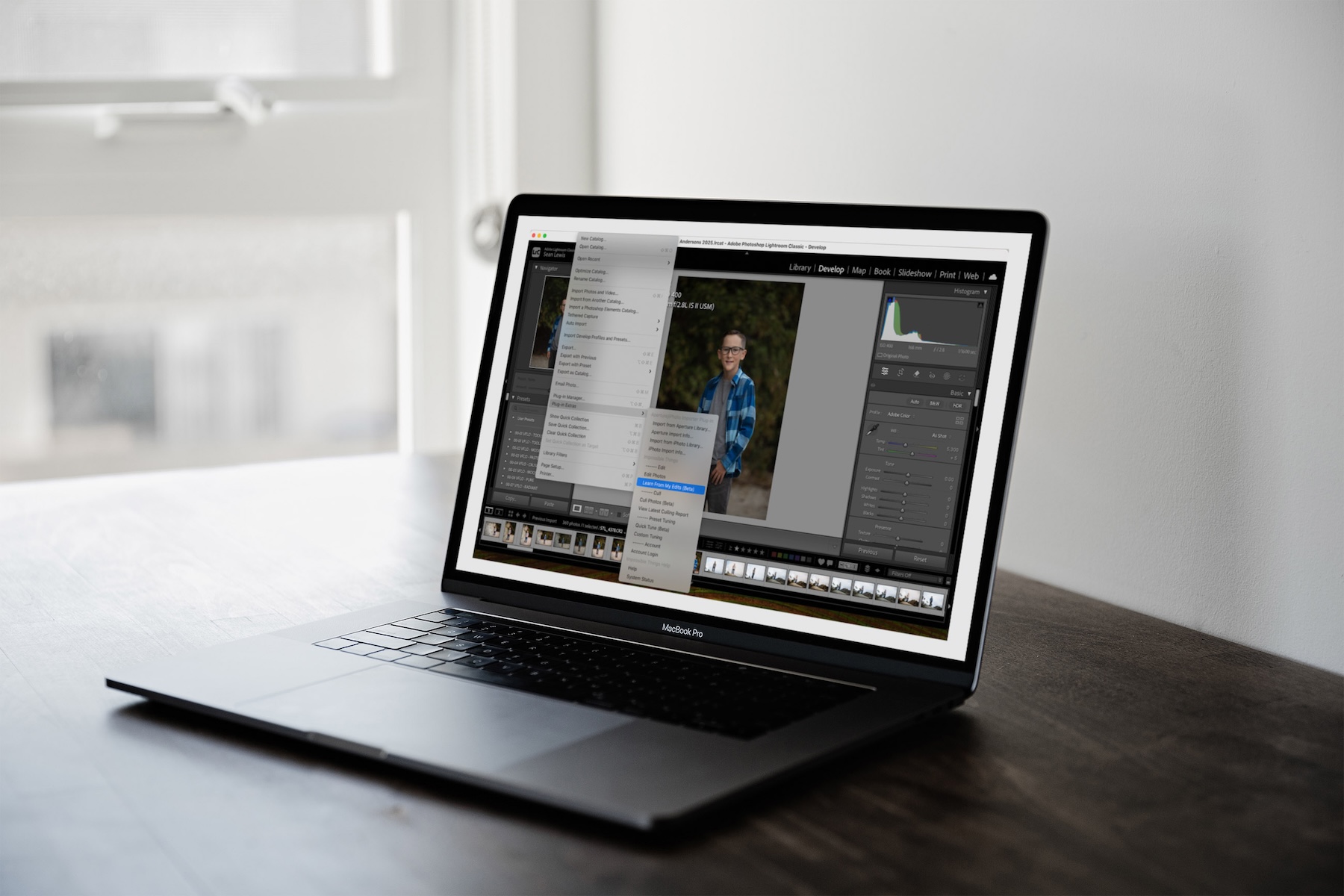
Run your images through Impossible Things like usual, then finish them off in Lightroom with your standard adjustments, tweaking exposure, color, contrast, whatever your look requires. Once you’re happy with your final selects, keep them highlighted and head to File > Plug-in Extras > Impossible Things > Learn From My Edits (Beta).

That’s it. The plugin analyzes the changes you made and updates its model accordingly. Next time you process similar images, it’ll pull from what it learned about your preferences.
A few things worth noting: your learned style syncs across devices (tied to your account, not just one machine), and you don’t need a massive library of images to start. The learning model applies globally across all presets, not just individual ones.
Fine-Tuning Individual Presets
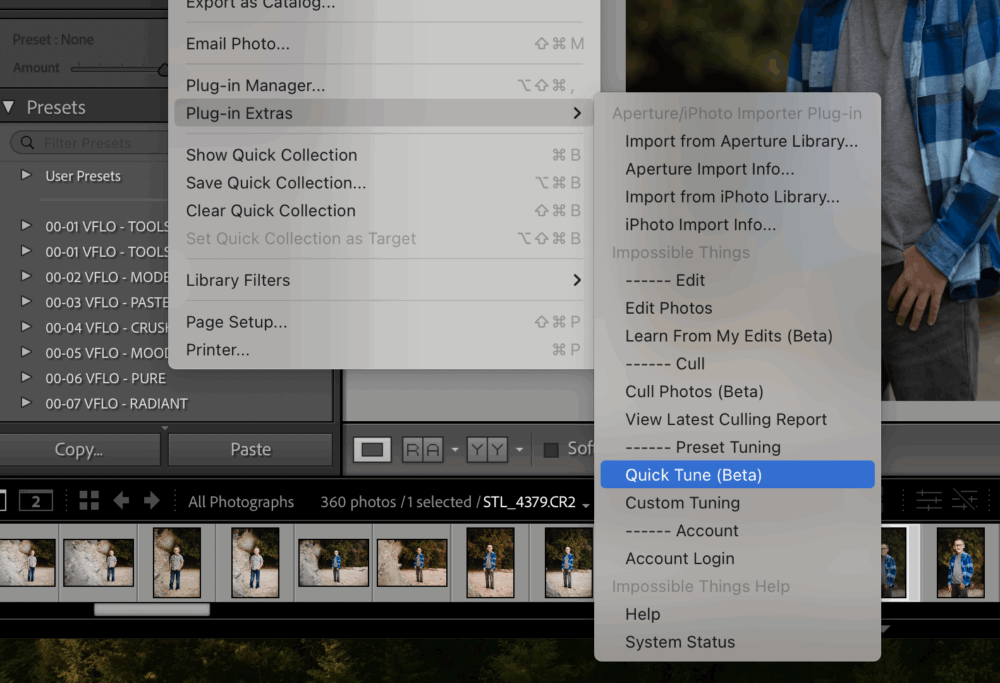
If a particular preset isn’t quite landing the way you want, Impossible Things gives you a few options:
- Quick Tune (Beta) – Uses a single image to adapt a preset. Fast and efficient.
- Auto-Tune – Adjusts based on your learned editing pattern
- Custom Tuning – Manual control if you want to dial things in yourself
Getting the Best Results
To help the AI learn accurately, the team recommends starting with 10–20 finished images, then building from there. Just make sure you’re running images through the plugin first, then making your manual edits after. The system only learns from images that were originally processed with Impossible Things—and only counts images you’ve selected for learning.
Also, don’t re-run learning on the same image unless you’ve actually re-edited it. Otherwise, you’re just feeding it redundant data.
Why This Matters for Real-World Workflow
For photographers dealing with high volume (weddings, events, commercial shoots), speed matters. But not at the expense of your signature look. That’s always been the challenge with AI editing tools: they’re fast, but they don’t inherently know your style.
This feature seems aimed at closing that gap. You get the efficiency of AI processing, but with results that increasingly reflect how you actually edit.
The feature requires plugin version 1.92 or later (earlier versions had some learning accuracy issues, so updating is recommended). It’s still in beta, so expect some refinement as it rolls out.
If you’re already using Impossible Things, it’s worth experimenting with. If you’ve been on the fence about AI-assisted editing because you weren’t sure it could match your style, this might change the equation.
You can grab the latest version and test it out here.