Even with today’s advanced cameras, photographers still run into situations where a great image needs a little extra help. Whether you’re shooting with a Sony A7C II, Fujifilm X-T50, Nikon Z50, Canon EOS R, or a high-resolution Sony A7R body, challenges like high ISO noise, heavy crops, limited resolution, and aggressive processing can affect the final result.
Sponsored Post
This post contains sponsored content. We only partner with brands and products we believe in, and all opinions expressed remain our own.
Aiarty Image Enhancer is designed to help with these situations. It uses AI models for tasks such as noise reduction, upscaling, and improving image clarity while helping preserve important textures. The goal is to enhance your photos without losing their original details.
Common Photo Quality Challenges Aiarty Helps Solve
Most photographers already have a favorite RAW editor, Lightroom, Capture One, or something else. Those tools do an excellent job with exposure, color, and creative editing. But when images are affected by noise, heavy cropping, or limited resolution, an additional enhancement step can help refine the final result while keeping the original look intact.
That’s where Aiarty Image Enhancer fits in. Rather than replacing the software you already use, it provides a dedicated way to handle tasks such as noise reduction, upscaling, and image enhancement when needed.
It can help you:
- Enhance overall photo quality while preserving important details.
- Reduce high ISO noise without making fine textures overly smooth.
- Upscale images for large prints or improve clarity in heavily cropped photos.
- Improve older or lower-quality photos with better clarity and balance.
At the time of publication, Aiarty is offering an exclusive deal for SLR Lounge readers – 49% off the lifetime license, including the following benefits:
- One-Time Payment: Pay once and enjoy full access without recurring subscription fees.
- Lifetime Free Upgrades: Receive future software updates and new AI model improvements at no additional cost.
- 3-Device Coverage: Activate Aiarty on up to three PCs or Macs, making it easy to use across multiple devices.
If you’re looking for a powerful AI image enhancement solution without another monthly or yearly subscription, this limited-time offer is worth checking out.
Enhance Camera Photos with Natural Details
Maintaining natural textures is an important part of many photographers’ editing workflows. When reviewing images at 100%, small issues can become more noticeable: slight softness, compression artifacts, or reduced micro-contrast that affect the overall look of the image.
Photographers usually want to avoid overly aggressive smoothing that can make skin and textures appear unnatural. They aren’t looking to completely rewrite the photo, but to maintain elements such as hair texture, fabric patterns, and subtle tonal transitions.
One thing I appreciate about Aiarty is how it handles fine details. Rather than relying only on sharpening, it focuses on improving clarity while maintaining a natural appearance in areas such as hair, fabric, and foliage. Depending on the image, models like Real-Photo v3 or More-Detail GAN v3 provide different approaches for balancing clarity and realism.
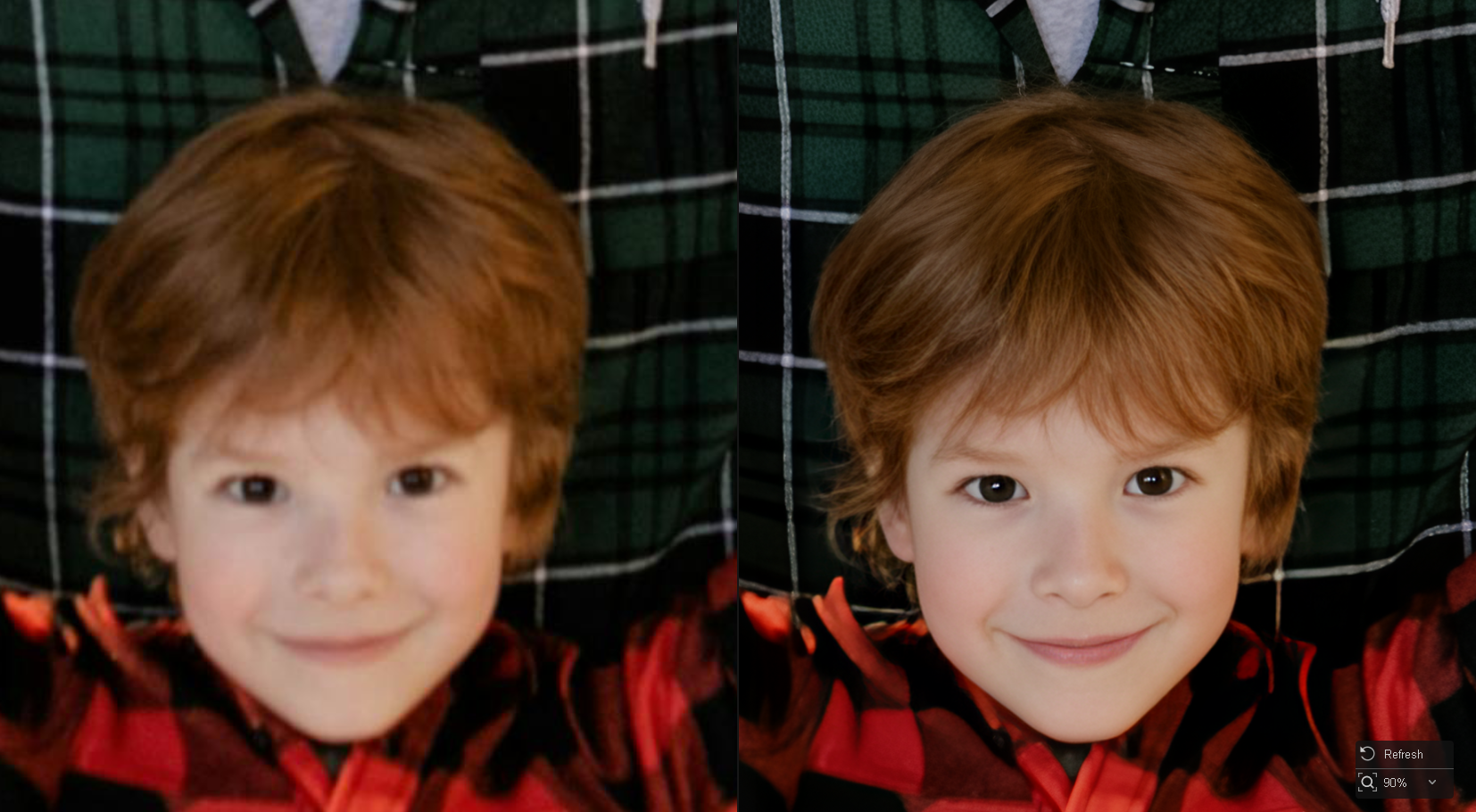
It plays nice with your actual files. You can drag and drop raw files from your Sony, Fujifilm, Canon, or Nikon cameras without wasting time on additional DNG conversions. It keeps the workflow simple and avoids unnecessary conversion steps.
Rescue Low-Light, High-ISO Photos
Noise is probably one of the most common problems photographers run into. Wedding receptions are a great example. In these settings, we’re often shooting in a dimly lit venue, and it’s tough to control the light. Still, we need to capture usable images even when ISO settings have to be pushed higher. You grab that quick, candid moment on the dance floor, check the back of your camera, and realize the shadows are full of heavy grain and color noise.

The same headache hits out in the field when you’re tackling specialized super-telephoto work. If you’re using ultra-zoom bridge cameras like the Nikon P950 or P1000 to catch distant wildlife or birds in fading evening light, pushing those tiny sensors introduces heavy noise that can obscure fine textures and edges.
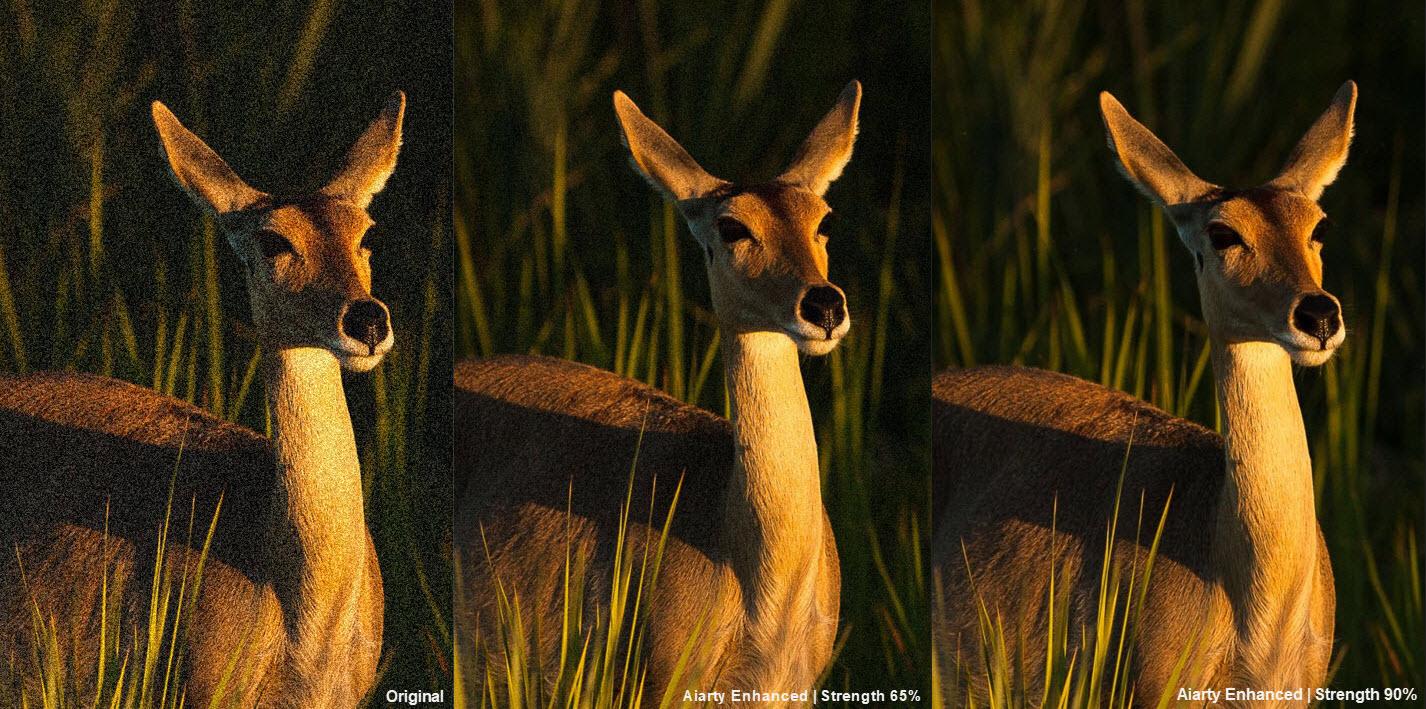
Aiarty Image Enhancer effectively cleans up high ISO noise without sacrificing the fine textures you worked hard to capture. By distinguishing between unwanted grain and actual image structure, it reduces noise while keeping the natural look of the photo intact.
Using the strength slider, you get more control over the final output: lower the intensity to keep the original textures for portraits or street shots, or push it up for an ultra-clean finish when prepping client galleries and prints.
Upscale Photos for Large-Format Prints and Professional Delivery
A wedding image may end up as a large wall print, a landscape shot might be headed for a gallery display, or a commercial image may need a higher-resolution version for a client project.
However, not every file starts out with the pixels needed for large-format output. For these photos, standard resizing methods may result in softer edges or reduced clarity.
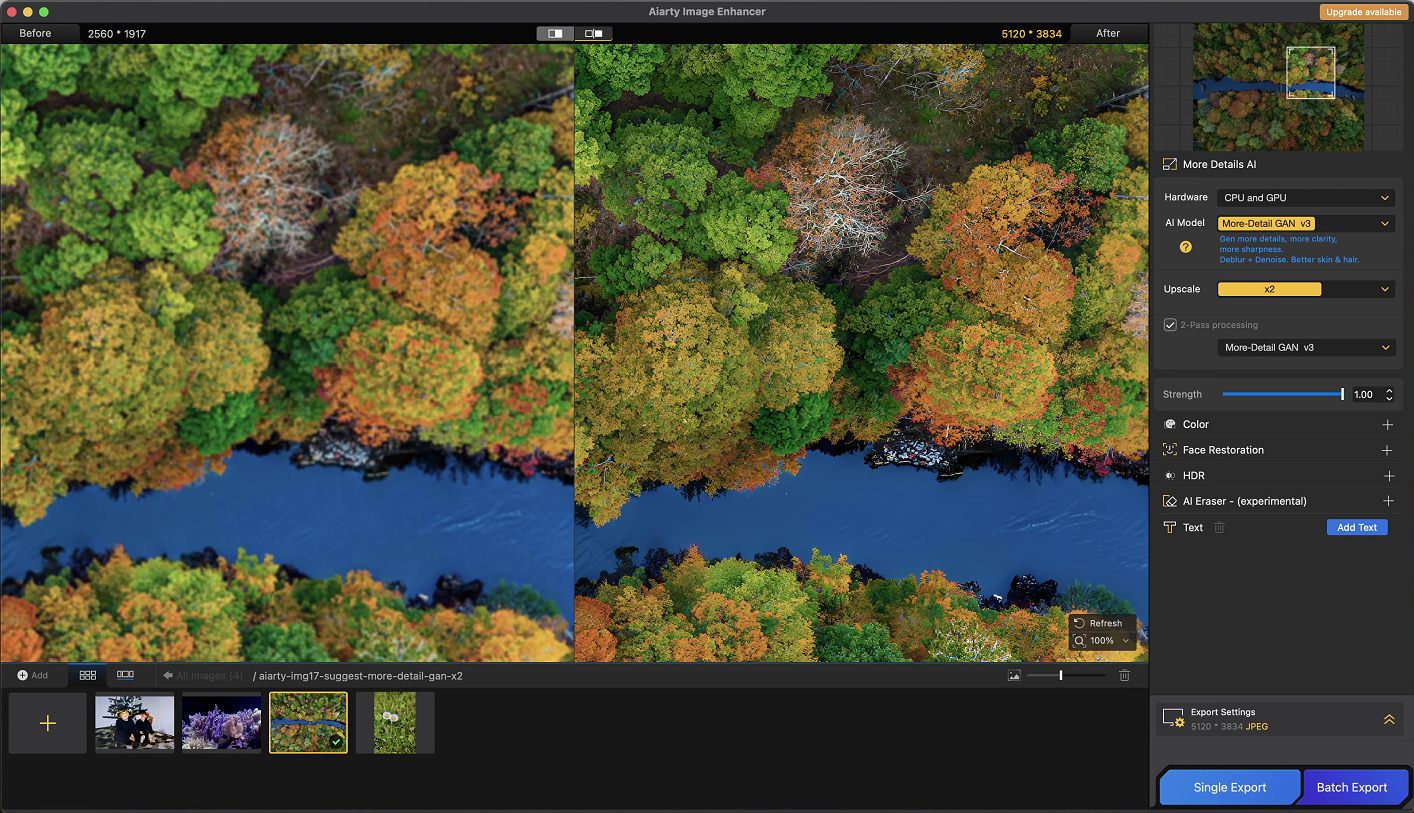
Aiarty Image Enhancer helps bring these photos up to a larger size while preserving clarity and fine details. It can upscale photos to 4K and beyond (up to 32K when needed). Rather than simply enlarging pixels, it is designed to maintain a more natural balance between resolution, texture, and image quality. So your crops and lower-resolution captures can become more suitable for larger prints.

If I’m making a really big print, I’ll usually upscale in stages, namely, 2x first, then another 2x, rather than jumping straight to the final size. This often produces a much cleaner, more organic result than forcing a single massive jump.
When preparing upscaled photos for print, you can choose a specific DPI to match the print size. For digital delivery, you can also adjust compression settings—such as JPG quality or PNG compression level—to find the right balance between image quality and file size.
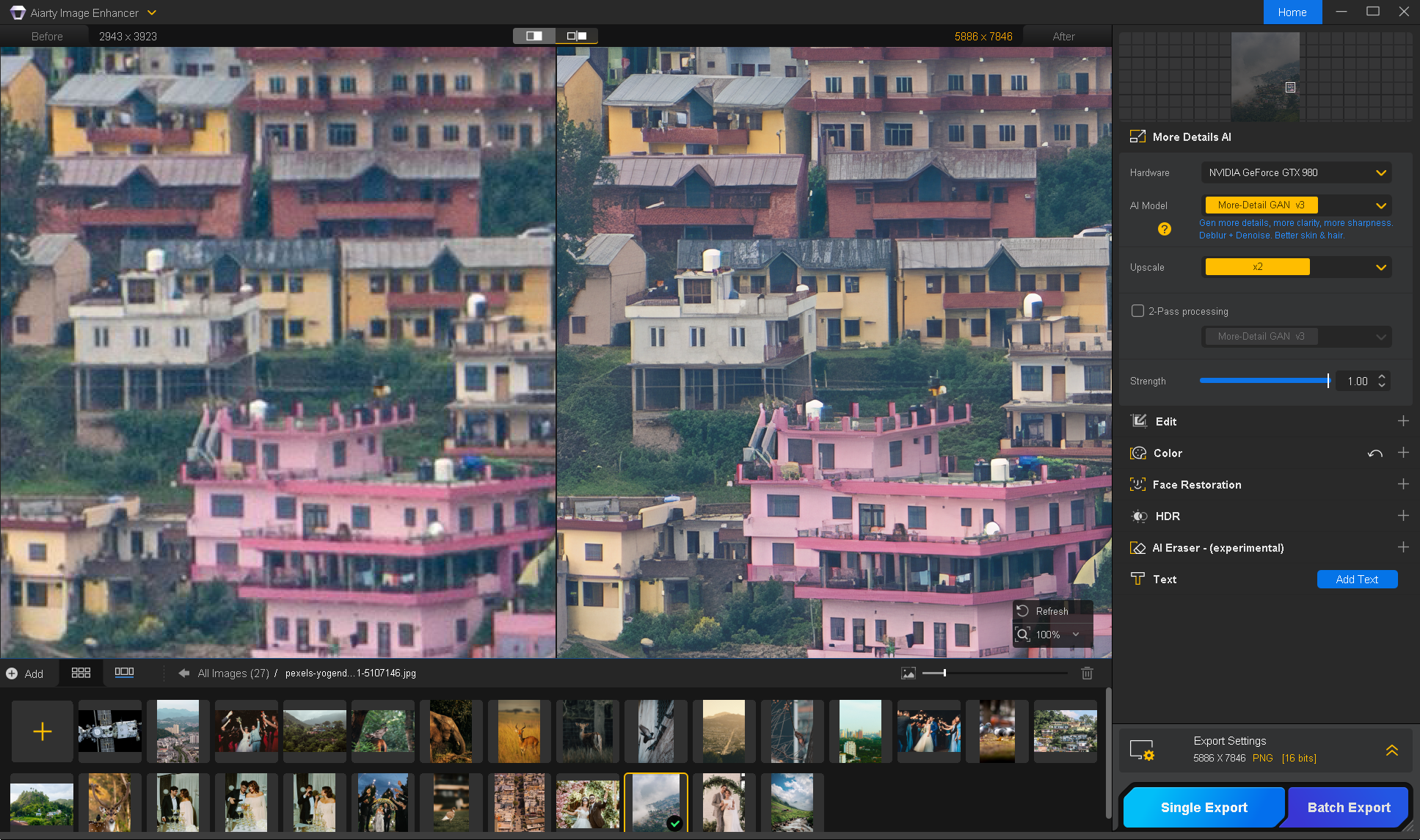
Restore Old Photos and Digital Archives
Many photographers eventually find themselves revisiting older images. It might be a family print, scanned negative, archived client image, or old JPEG that simply doesn’t look good on today’s high-resolution screens or in print. The challenge isn’t just making these photos bigger, it’s cleaning up noise, blur, and compression artifacts while keeping them looking natural.
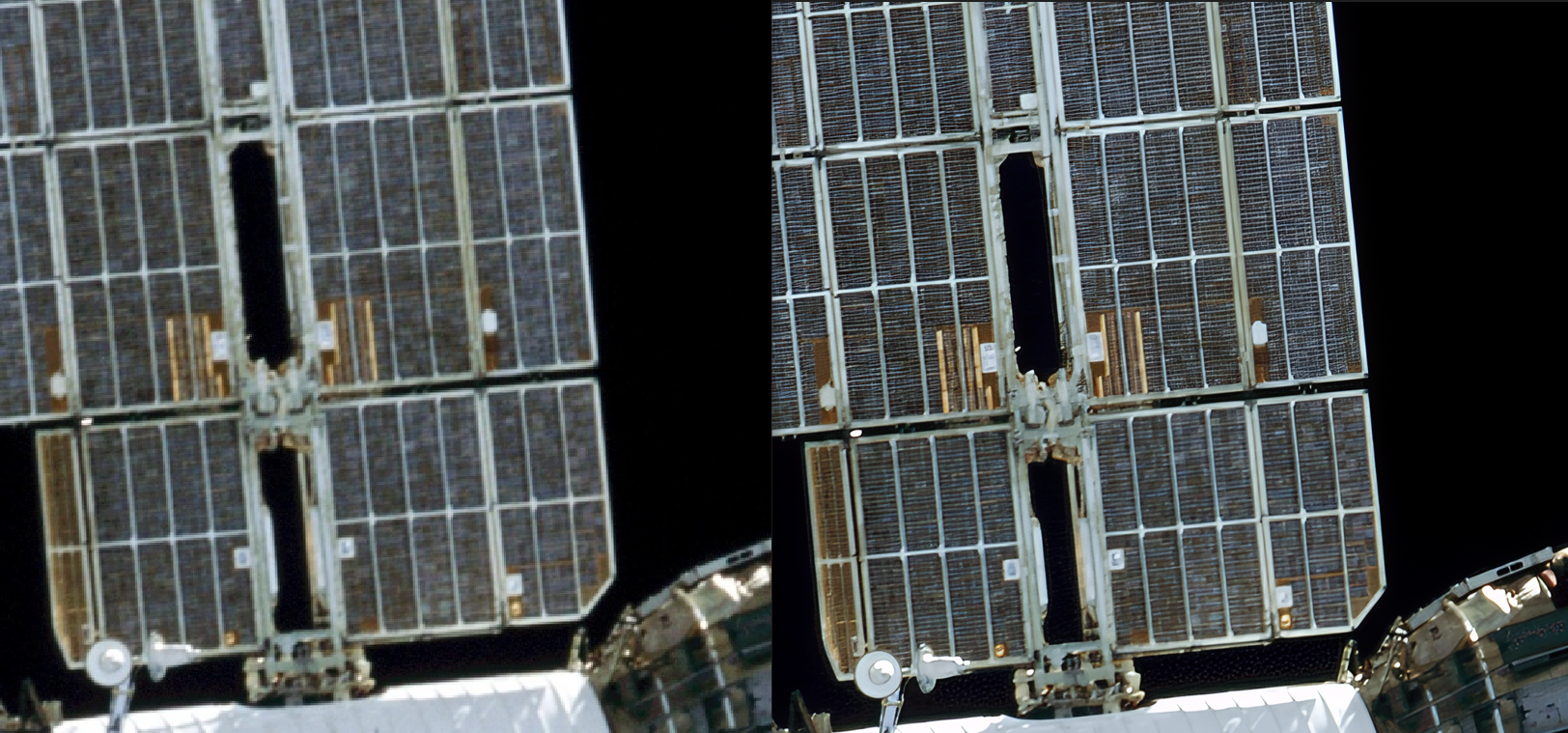
Aiarty Image Enhancer can help improve older shots by reducing common image quality issues and improving overall clarity without changing the original feel of the photo.
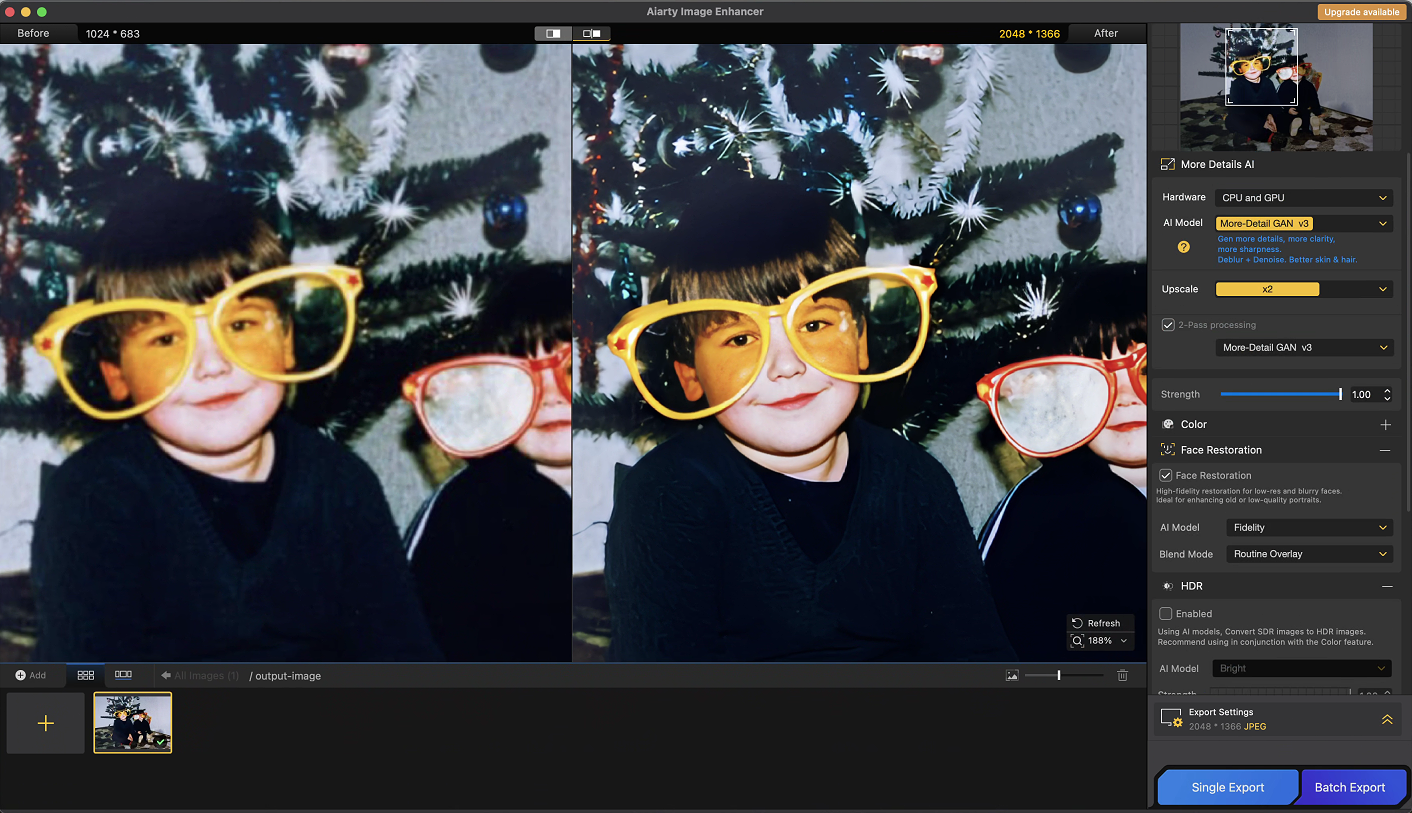
A small workflow tip I found useful: turn on 2-Pass Processing for heavily degraded images. It helps reduce noise and compression artifacts before increasing the resolution. For vintage portraits, turning on the Face Enhancement feature can help improve facial clarity.
Additional tools like Color Adjustment and AI Eraser are also useful for quick finishing touches, such as fine-tuning the overall look or removing small distractions before export. They’re convenient for simple adjustments, but for more advanced color grading, I’d still rely on dedicated editors like Lightroom, Capture One, or Photoshop.
How Aiarty Fits Into Your Workflow
One advantage of Aiarty is that it doesn’t require you to change your existing workflow. It’s not designed to replace tools like Lightroom, Capture One, or Photoshop. Instead, it steps in when you need extra help with noise reduction, sharpening, or upscaling.
A typical workflow might look something like this:
Capture → RAW Processing (Lightroom, Capture One, etc.) → Aiarty Image Enhancer → Final Editing → Export or Print
You can add Aiarty to your workflow when a specific image requires enhancement or upscaling. For example, it can be useful when processing a noisy wedding gallery, improving cropped images, or preparing files for larger prints. Just run those images through Aiarty, finish your RAW adjustments first, let it handle enhancement or upscaling, then jump back into Lightroom, Capture One, Photoshop, or even DaVinci Resolve for the final touches.
One consideration is that Aiarty is a desktop application focused on local processing. It does not currently offer cloud-based collaboration or co-editing features.
Where Aiarty Fits in a Larger Workflow
If your workflow also involves mixed images like compressed web graphics, user-generated content, or random archives, heavy editing suites just slow you down. Aiarty handles these files directly through:
- Batch Processing for High-Volume Work: Aiarty can process large batches of photos at once. This can save a lot of time after weddings, events, sports shoots, or commercial projects where you may have hundreds of images to review.
- Local Processing: Images are processed locally on your computer rather than uploaded to the cloud, which can provide more control when working with sensitive client files.
- Performance and Hardware Scaling: Aiarty runs well on mid-range PCs, and lets you enhance or upscale images without slowing down the rest of your workflow.
However, while Aiarty can run on systems without a dedicated GPU, processing will be slower. For larger batches or higher-resolution upscaling, having a supported GPU can make a noticeable difference in speed.
Final Thoughts
Aiarty Image Enhancer isn’t trying to replace the tools photographers already use. Instead, it serves as an additional step for tasks such as noise reduction, image enhancement, and upscaling.
For photographers who prefer a one-time purchase option, definitely check out the 49% off lifetime license deal. You get full access with a lifetime license, lifetime free upgrades, and coverage for up to 3 devices.
This post contains sponsored content. All opinions expressed are our own.