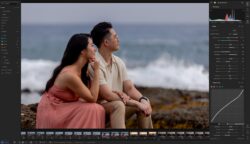
When I was a full-time post-production editor for Lin & Jirsa, editing literally millions of photos per year, I used to time myself to see how long it would take to fully edit an engagement session or a wedding. I knew, on average, exactly how many minutes it would take to cull a job, measured in 500-photo increments. I knew how many minutes it would take to color-correct the keeper images. I was rather proud of my “blazing fast speed”, …and yet, somehow, I would always consume way more time than my optimal test speed. Why? I can partly blame severe ADHD, admittedly, but also because it simply isn’t realistic to clock yourself getting everything done in a single pass of either culling or color correction.
Inevitably, we find ourselves going back and forth between culling, basic edits, and advanced retouches. We routinely discover that a group portrait with a bunch of faces has one or two people blinking. Or the focus is slightly off on another photo, or there was a bit of blur from camera shake, etc.
Then, of course, we might gradually realize that our 2nd photographer’s images are all a bit darker or brighter than our camera, or their white balance is a bit warmer or colder, or maybe they just used a different camera and the raw files react a little differently to the way we manage a high-contrast scene.
Either way, this is how a job that ought to take just a few hours can end up taking days, or an entire week if we’re not careful.
This painful dilemma, which has frustrated us for decades, is exactly what makes Imagen Intelligent Studio, their newest software version, so interesting.

Imagen just introduced Intelligent Studio, which resides within the Imagen app that you’ve already heard about. Intelligent Studio is a brand-new post-production workspace built around the way photographers actually work. (The frustrations of which I described above!)
Rather than making futile attempts to cull an entire job in just one pass, and then edit every keeper in one pass, this new Imagen experience enables you to effortlessly move back and forth within the major workflow steps.
To be clear: one of the main secrets under the hood is Imagen’s use of AI. Trained and optimized to understand your workflow needs, as well as learning your personal creative style, Imagen makes it clear that they’re using AI for good: It’s not replacing your creativity as an artist; it offers streamlined tools that allow your creativity to flourish!
With Imagen Intelligent Studio, you can cull, then edit, and then seamlessly go back and cull one set of images a little differently. You can apply an AI profile (learned from your own style) to a particular scene or group of photos. Lastly, here’s one of the most groundbreaking new tools: you can use plain-language prompts to find and edit specific types of photos.
As a full-time photo editor, I have spent innumerable hours going back to find just the images with my 24-70mm to make slight adjustments, …but I never had a tool THIS powerful at my disposal.
Perhaps most importantly, as I mentioned, this isn’t a new product. Intelligent Studio lives inside the existing Imagen experience, with newer versions rolling out continually starting on September 29th.
So, now let’s dive into your questions: what exactly has changed? What’s new? How can the workflow save me time?
Imagen Intelligent Studio | Features & How It Works
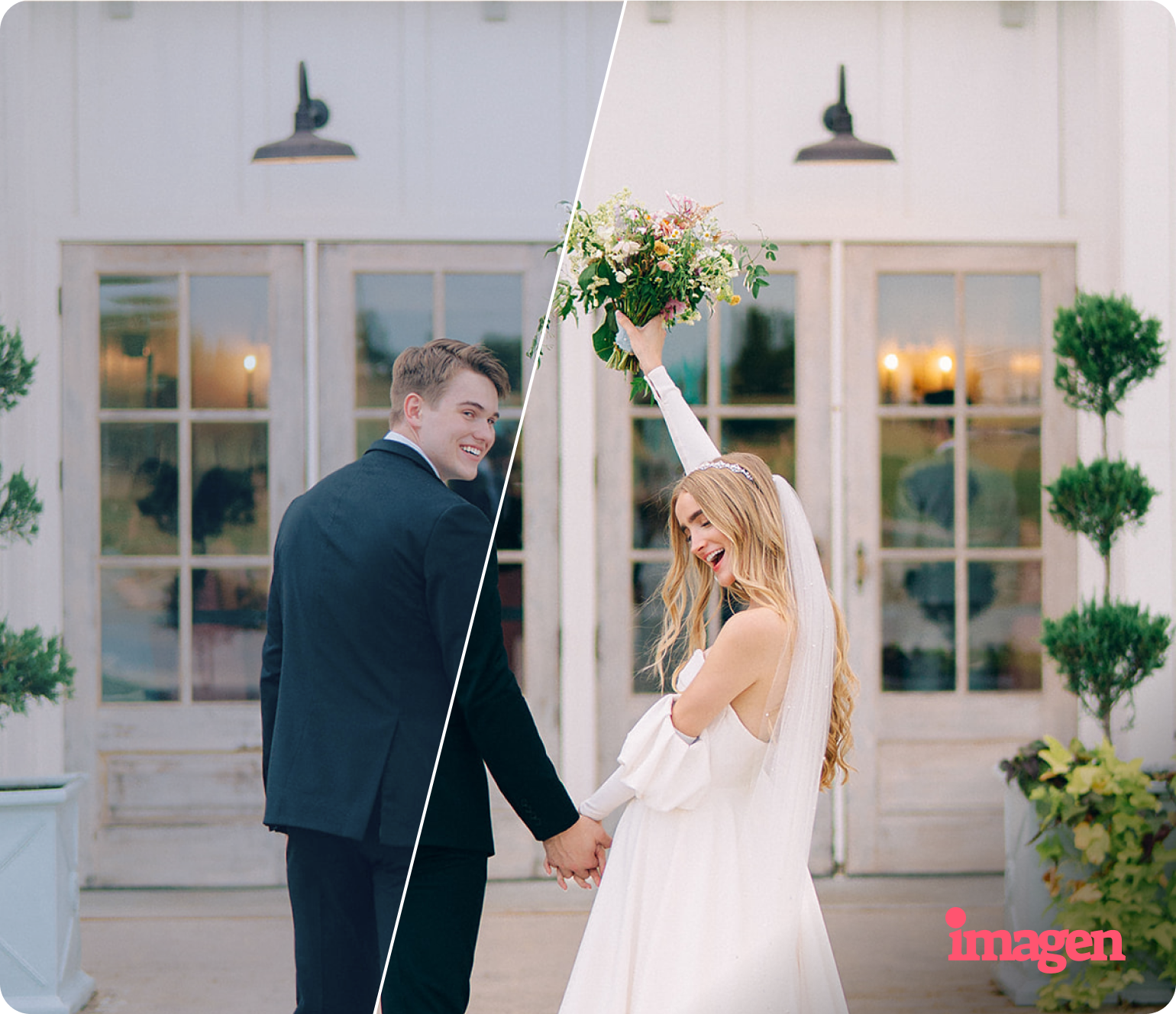
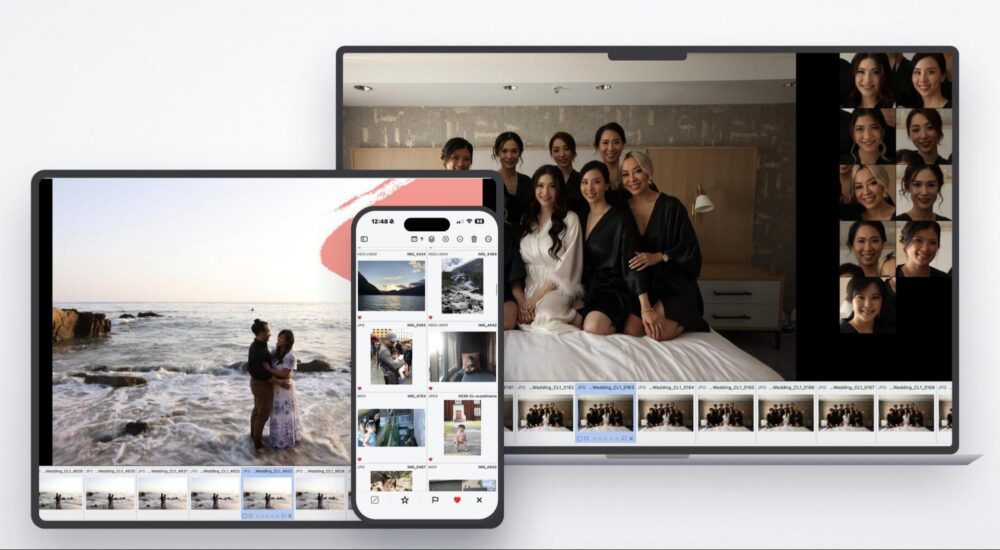
The basic concept behind Imagen hasn’t changed: the photographer retains maximum creative control, while Imagen’s AI works as a toolkit, an assistant. It learns your editing style(s) and helps you rapidly work through large volumes of photos, from initial culling to final export.
What has changed is the way the tools fit together, plus, of course, the ground-breaking new tools within this workflow.
As I described, Imagen’s newest experience is designed around the truth of what really goes on behind the scenes when we edit a portrait session or wedding… And it’s not just 1-2 hours spent culling, and then a few hours spent doing color correction, and then suddenly an entire job is completely done in just 4-8 hours with zero “reworks” needed. In reality, as we know, photographers move back and forth through the process. Sometimes the reasons are technical, sometimes creative. Either way, now we have an AI to help us, and it’s going to noticeably shift our workflow; simply put, we’ll be saving time overall, yet having more time to invest in our creativity!
A Full Photo Editor, Built Right Into Imagen
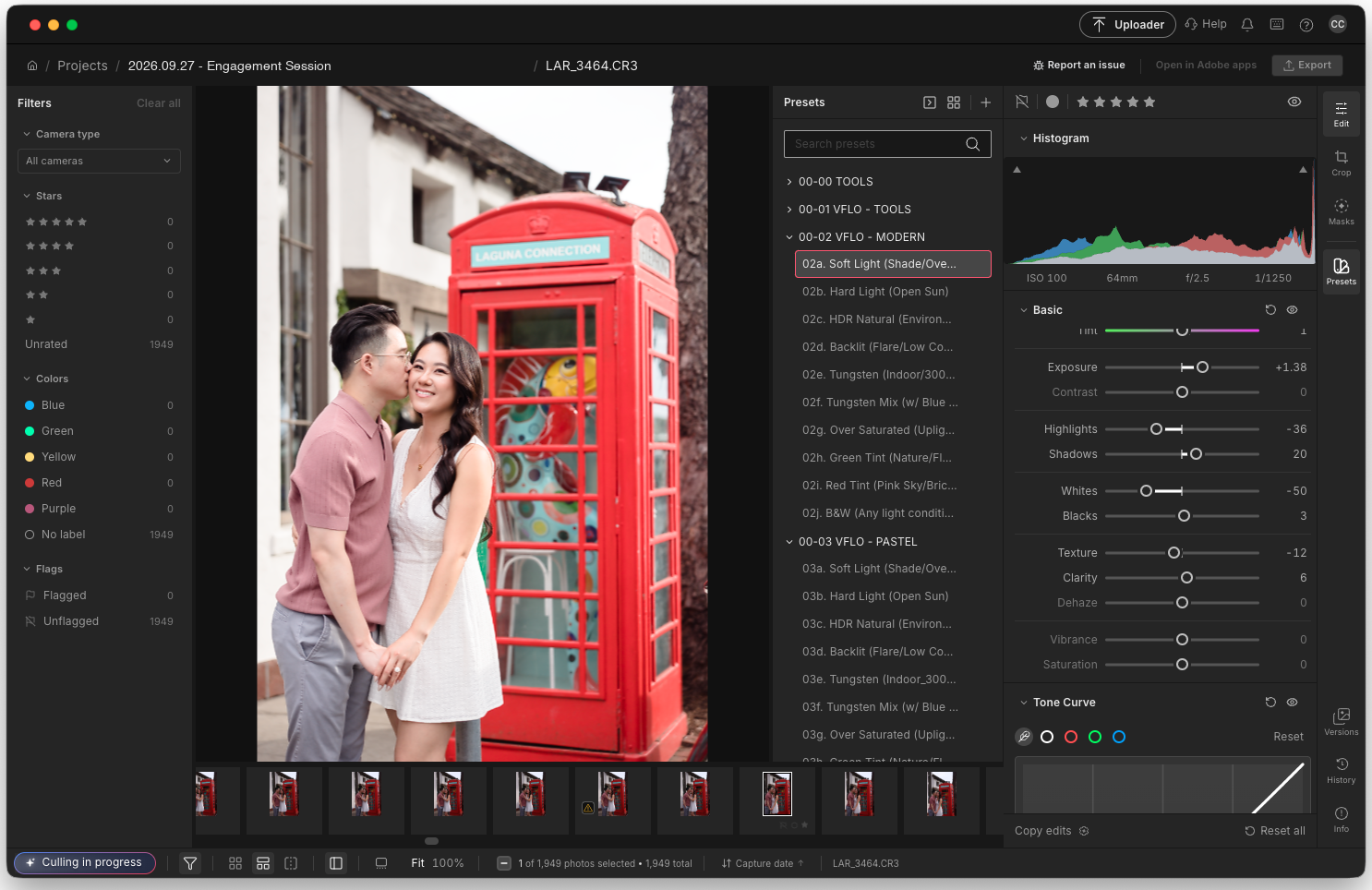
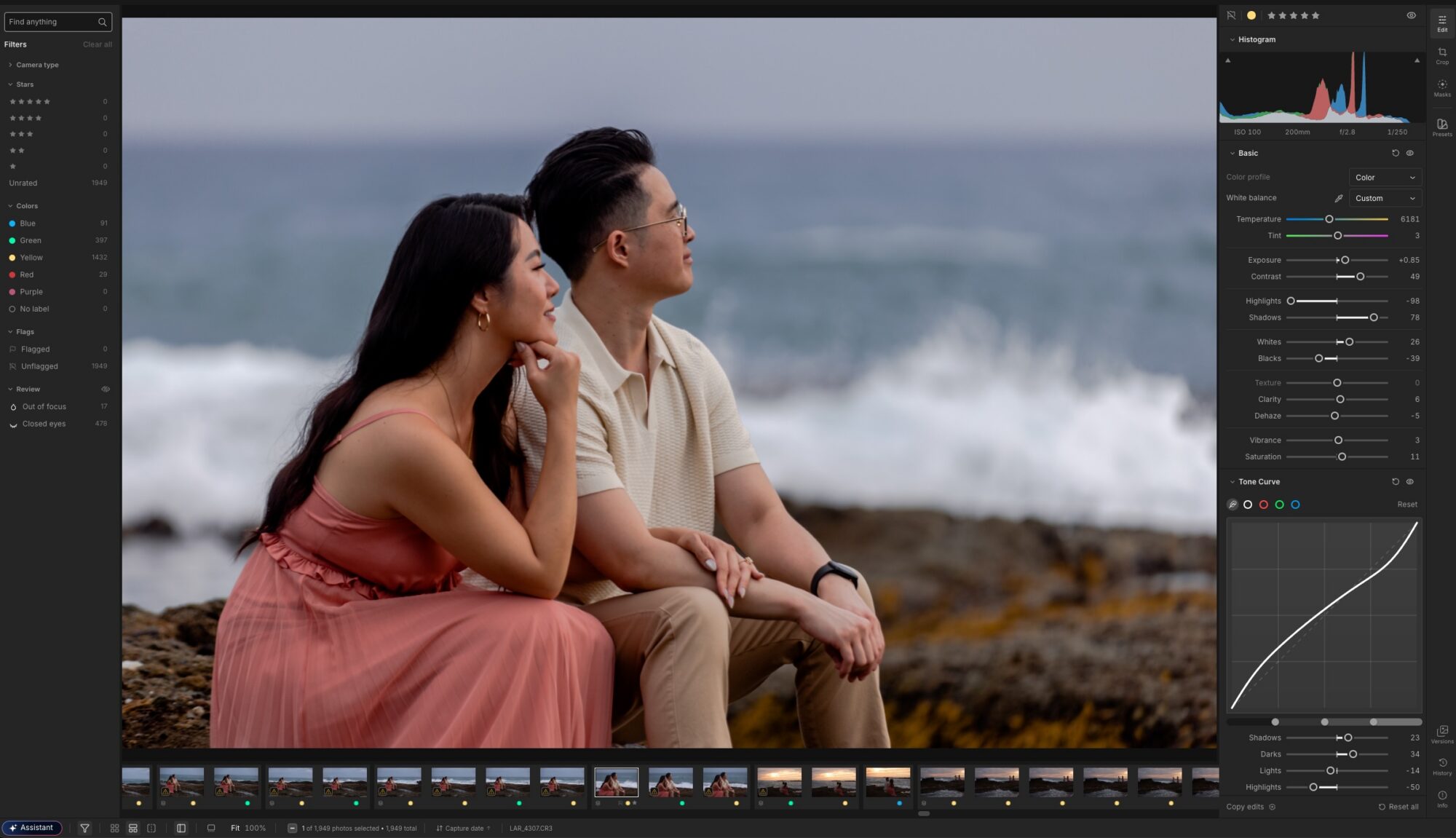
A CR3 raw file open inside Imagen’s built-in editor, with the Presets panel, Basic adjustments, and Tone Curve all on hand without ever leaving the app.
Perhaps the biggest addition is also the most obvious one: Imagen now has a comprehensive photo editor built right in. For the first time, you can work directly on your RAW (and JPG) files inside Imagen, with manual controls including adjustments, masks, presets, and retouching tools. (The retouching tools are still a yet-unreleased update, but they should be available within the next couple months. At present, AI masking is the main “retouching” tool already available; we use it for things like applying negative texture/clarity to skin, etc. We’ll keep you updated about future improvements!)
You can keep your existing Lightroom workflow, too. If you want to use Imagen to cull, and then use Lightroom to fine-tune the color correction of your images, the Imagen AI Profile will still be there for you. An Imagen AI Profile uses your existing Lightroom edits to train its AI on your personal style, and it can be updated (“continue learning”) as your own personal style evolves. Note, however, that if you do decide to use Imagen’s Intelligent Studio to do manual fine-tuning within Imagen, those particular edits do not get converted into Lightroom-compatible raw edits. You’ll want to export final or “proof” images from Imagen.
So, what adjustments are available in the Imagen Intelligent Studio editor? Everything you need for almost any photo edit, including the must-have controls for white balance, exposure, contrast, highlights, shadows, texture, clarity, vibrance, and saturation. Plus, you’ll have advanced edits at your fingertips, such as curves, HSL, point color, color grading, sharpening, noise reduction, lens corrections, geometry, effects, and lens calibration.
Again, all of these controls are accessible from the built-in AI profile, and also manually adjustable, within Imagen. Either way, the goal isn’t for an AI to make creative decisions for you. Instead, Imagen gives you the ability to use AI when it saves you time, yet always jump in and take creative control
Imagen Intelligent Studio Assistant | Just Tell It What You Want
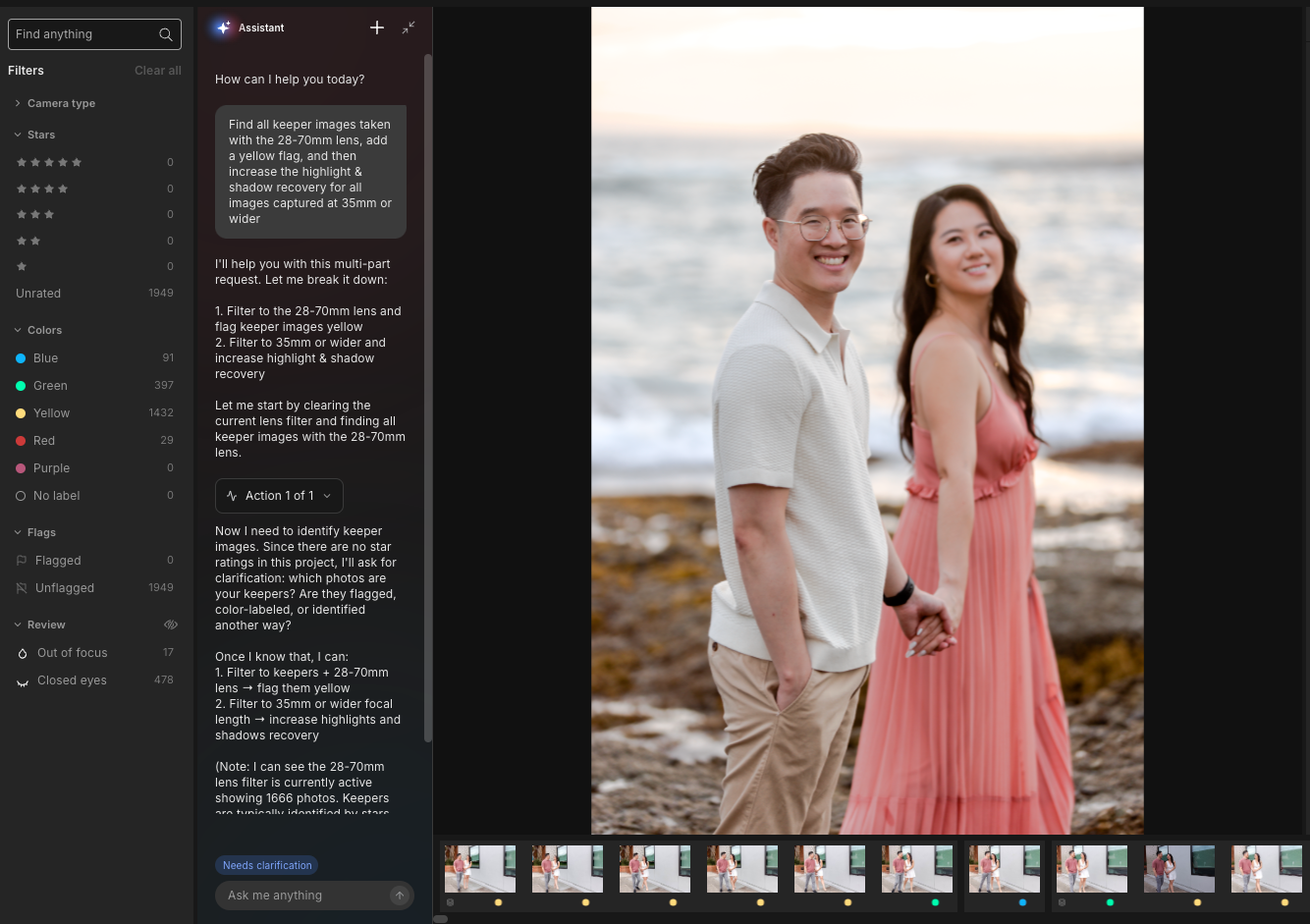
A multi-part request in plain English, parsed into steps. When the Assistant needs to know something it can’t infer — here, how I mark my keepers — it asks instead of guessing.
Here is, to be honest, one of the most exciting parts of the new experience. We’ve all gotten familiar with prompt-based AI usage by now. So, why haven’t prompts been widely available as an assistant within a photo editor, let alone an entire workflow system?
Imagen’s Assistant allows photographers to interact with the software using plain-language requests, instead of manually digging through panels, filters, and repeating similar steps over and over during the fine-tuning process.
For example, you can ask Imagen to:
- “Find all keeper images taken with the 28-70mm lens, add a yellow flag, and then increase the highlight & shadow recovery for all images captured at 35mm or wider”
- “Look for blurry or soft photos captured at apertures f/1.4 or faster, and mark them with a red flag”
- “Find the sharper photos captured at f/1.2, and mark them all with a green flag”
- “Find all the telephoto pictures of singular faces, and apply a little negative clarity / negative texture”
- “Create black & white virtual copies of just this one scene of the bride and/or groom’s individual portraits”
- “Add denoise to all keeper images above ISO 3200”
- “Add a faint color grading to the entire job that mainly warms up image highlights”
…As you can imagine, this is where AI becomes incredibly useful in a professional workflow. Simple technical tasks that would have routinely caused great frustration are now resolved in the relatively low-stress conversational manner of chat prompts.
Think about this: With a single prompt, you can, 1.) filter your images in a way previously nigh-impossible with traditional metadata-based filters, 2.) perform adjustments to those photos, and/or 3.) apply ratings, labels, etc to those images.
It’s important to reiterate that the photographer is still deciding what their creative vision looks like. The AI is simply speeding up the process of achieving your vision… (Of course, it’s also important to realistically keep in mind that no AI is infallible, and from time to time you’ll need to manually double-check the results of the Assistant’s searching capability.)
AI Filters | Find the Photos You Actually Want

The Out of Focus filter, applied. Instead of hunting for soft frames one at a time, Imagen surfaces them in a single click.
Another way in which AI will revolutionize your culling and proofing process is by applying the same concept to filtering. Before, filters were limited to EXIF data written in the image files. Camera, lens, exposure information, keywords (which you must manually add), etc.
Now, you can use the AI of the Intelligent Studio to “hunt down” virtually any type of image, such as images from a wedding ceremony, or all underexposed images… Once again, the efficiency is obvious, and the smooth workflow still leaves the artists’ eye in complete control of the end result.
The Biggest Change: You Don’t Have To Follow a Fixed Workflow
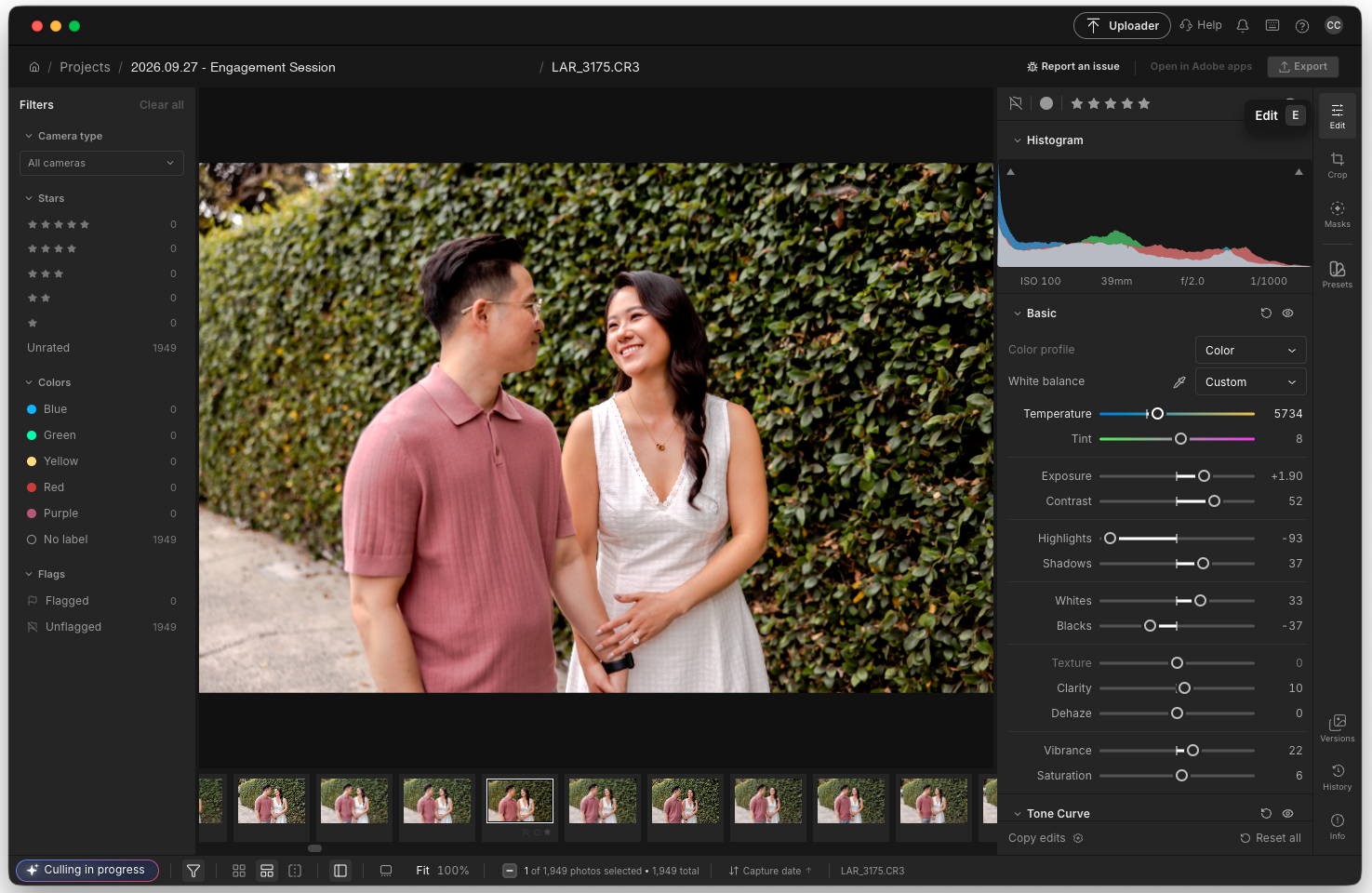
Culling and editing in the same workspace: the filmstrip and cull filters stay put while I fine-tune a raw file. No round trip, no re-importing.
This is really the heart of the new Imagen experience. The individual features are going to be a huge help, of course, but the bigger picture is still the star of this new Imagen release and its subsequent updates. Which is; culling and editing no longer have to happen in a rigid order.
Which is exactly how I’ll use the Imagen Intelligent Studio in real life: To erase the frustrations of having to go back and forth in cumbersome, time-consuming ways. To be clear, I will still go back and forth, inevitably, between culling, color-correcting, fine-tuning, and then back to culling keepers a little differently. Now, however, the whole process will likely take a fraction of the time.
Imagen Intelligent Studio + Lightroom | You Still Have a Choice
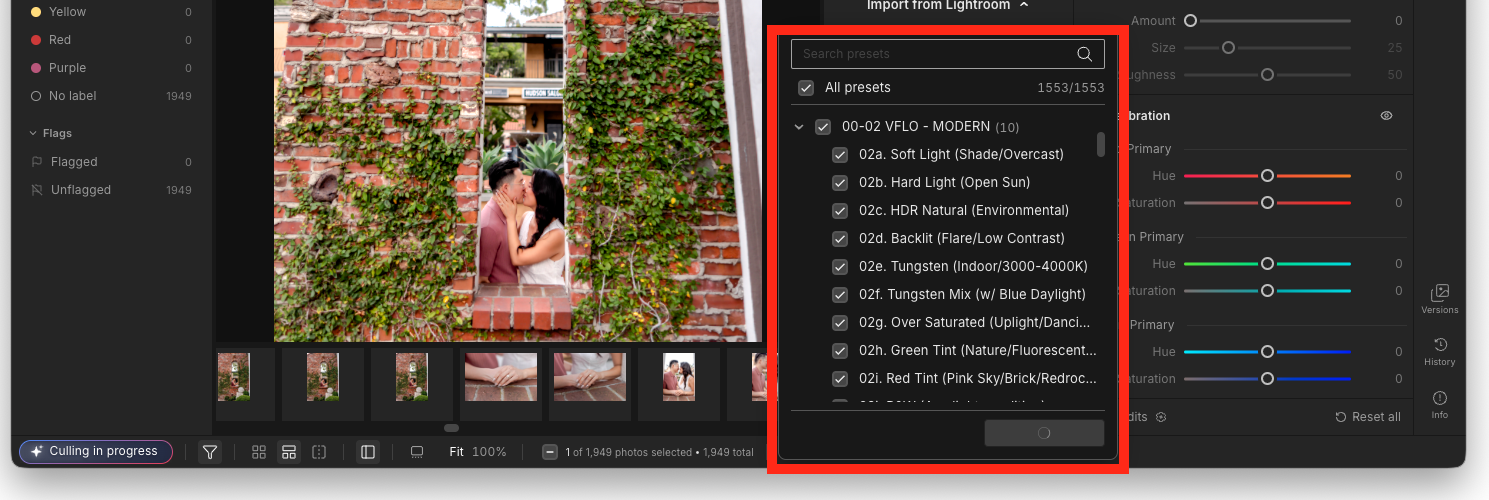
Bringing an existing Lightroom preset library straight into Imagen, over 1,500 presets in one pass. Lightroom stays part of the workflow if you want it to.
I touched on this a bit already, but one thing I want to reaffirm is that Imagen’s newest experience is not necessarily a replacement for Lightroom.
Lightroom’s catalog system can still be an important part of your workflow, whether for organization or archival purposes. When using Imagen for more and more of your workflow, you can and likely will continue using LR or LR Classic.
Alternatively, you now have more choices. If you want to complete an entire project inside Imagen, from culling raws to exporting JPGs, you can now do that too.
NOTE: Your AI Profile adjustments that you apply within Imagen will appear in LR if you add those files to a Catalog; however, any manual adjustments you make within Imagen are going to be proprietary; that is, only visible within Intelligent Studio.
Imagen AI Profiles | AI That Learns Your Style, Anticipates Your Needs
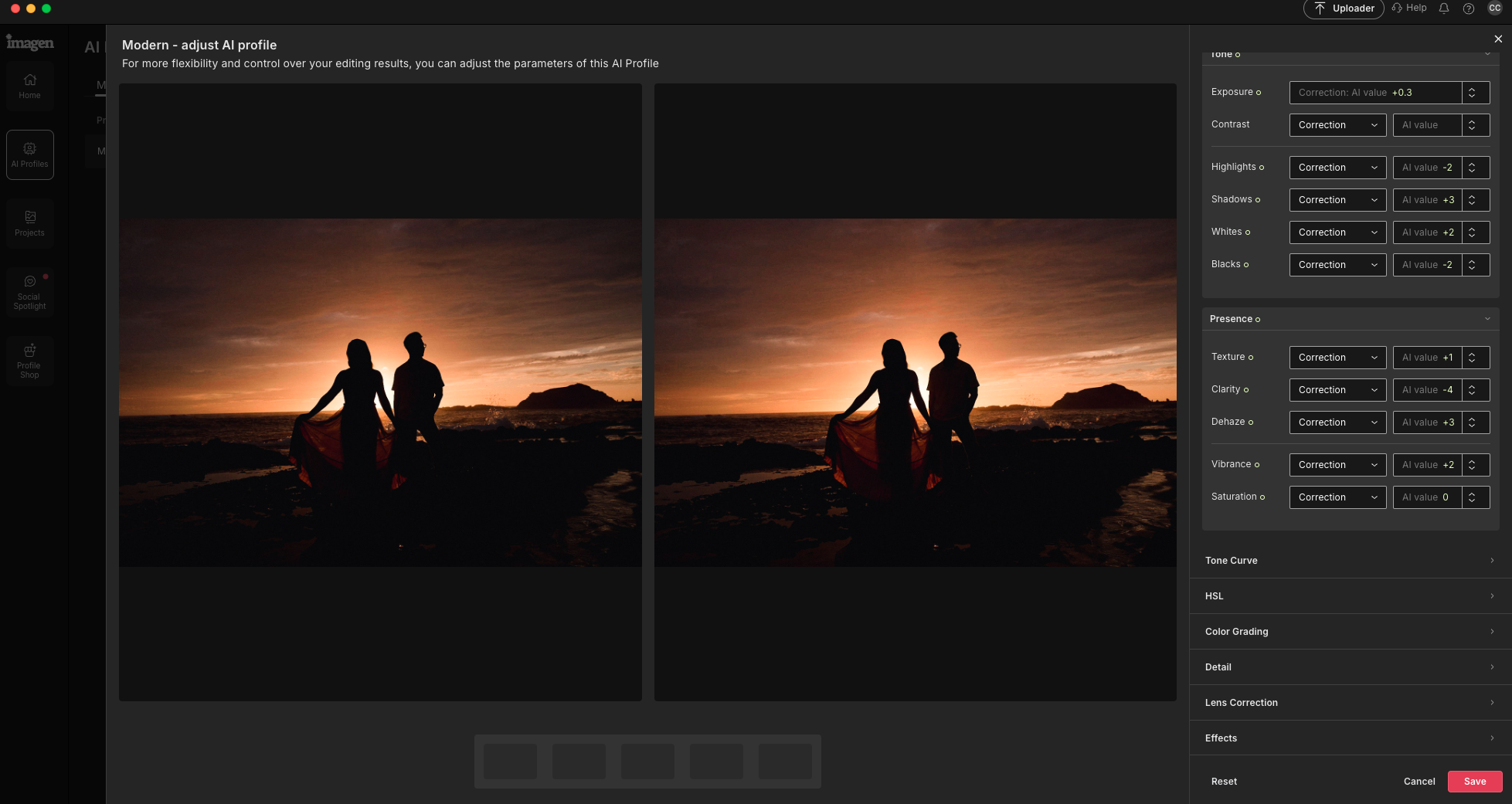
Tuning a trained AI Profile: every correction the profile applies stays adjustable, from tone and presence through HSL, color grading and lens correction.
One of the things that makes Imagen different from most generic AI editing tools is its emphasis on learning YOUR style. You train your own AI Profile, using your own edited photos. This flagship feature has already saved Imagen users countless hours.
Besides what is already available, we also have more to look forward to, as per their public development path: future capabilities such as recognizing recurring patterns in the way you work, remembering personal, creative decisions… Understanding the difference between your general editing style, and the specific choices you make on an individual basis. Simply put, this is truly exciting, to say the least!
Let’s say, for example, that you routinely create a particular kind of sneak peek of a select few images for each client you photograph. The system should eventually be able to recognize that pattern and offer to repeat it.
NOTE: As with the inherent ever-improving nature of training an AI itself, Imagen’s Intelligent Studio is, in some ways, an evolving work in progress. Many AI Assistant and Intelligent Studio features are already available, but other advanced tools such as workflow pattern recognition are yet-unreleased.
Imagen Intelligent Studio Review | Who Is It For?
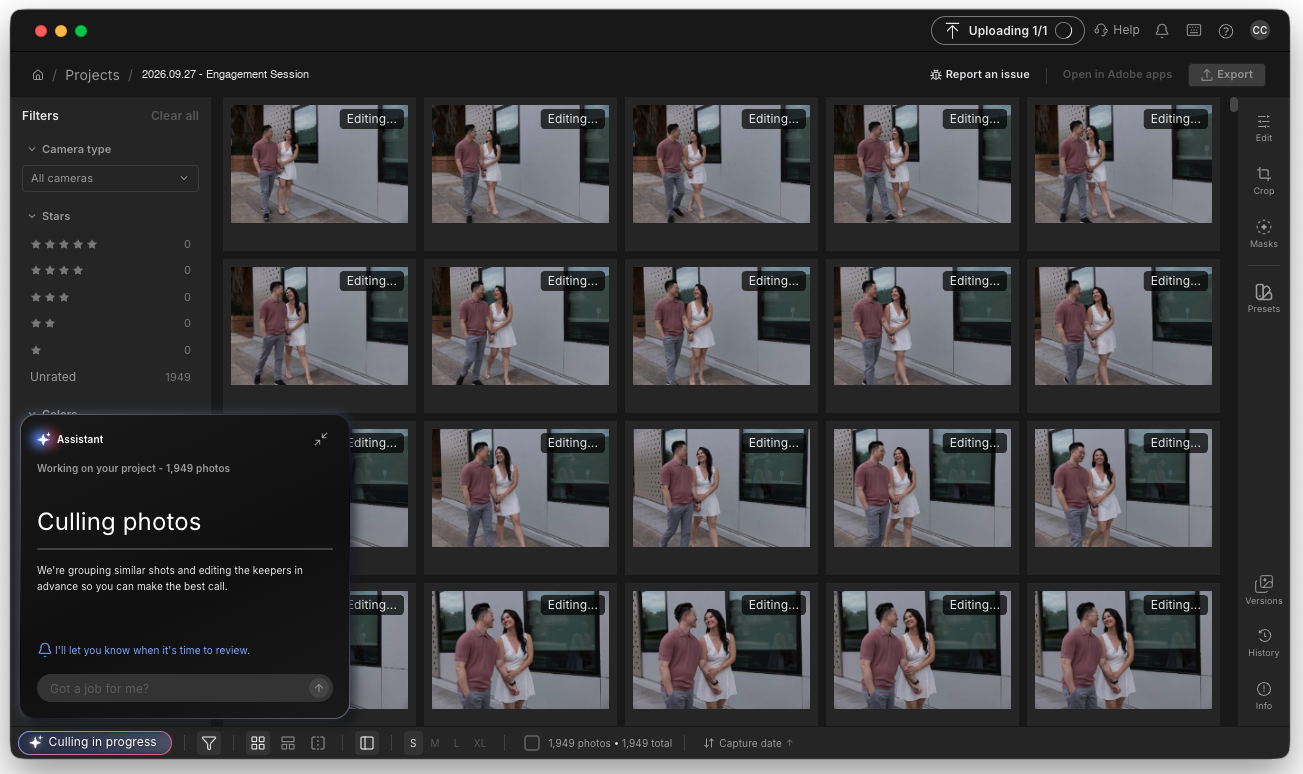
A single engagement session at 1,949 frames. For wedding and portrait shooters this is an ordinary week, and it’s exactly where the time savings compound.
As full-time wedding photographers, the allure here is immediate. We are working with thousands of images even on a “slow” month, and tens of thousands of photos on a busy month! For any professional photographer in a similar situation, improvements your workflow such as Intelligent Studio can add up to enormous amounts of saved time every week, indeed every single day!
Portrait, commercial, and real estate photographers can also benefit from having AI-assisted culling, AI Profiles, and the brand-new editing tools, all working together in one ecosystem.
Lastly, I think there is another group who will find Intelligent Studio uniquely interesting: all photographers who have (so far) felt that AI editing was too restrictive.
If you didn’t want an AI system making decisions for you, the idea of handing over your entire workflow could understandably be uncomfortable. However, as outlined, Imagen’s approach is different.
Imagen Intelligent Studio | Pros & Cons

Culling, filtering, editing and AI tools in one window. That consolidation is the single strongest argument in Intelligent Studio’s favor.
There is an obvious advantage to having culling, AI editing, manual editing, and over-arching workflow tools such as AI searching, filtering, and refinement, all living in the same workspace; that advantage, clearly, is fewer interruptions in a swift, streamlined workflow.
The main pros are plentiful and make Imagen more than worth the investment; let’s itemize them now:
- Starting with AI culling alone is worth the price of admission
- AI Profile color correction & photo editing, for a full-time photographer, is virtually priceless
- Intelligent Studio further refines (for many, revolutionizes) a photographer’s workflow in immensely time-saving ways
- Growing, expanding feature set looks very promising for a competitive future
- Robust roadmap of additional ground-breaking features soon to come
A few cons do come up for us, however, it’s important to note that we’re also likely to see most of these “complaints” get resolved as Intelligent Studio receives additional updates…
- No AI is infallible; the Assistant Search can’t guarantee it will “dig up” every single photo within your requests
- Similarly, the AI Filter may not guarantee perfect results every time
- Also, AI Filters currently only provide two key features: closed-eye and blurry photo filtering
- Going with the per-image pricing structure requires monitoring your workload and modestly dynamic budgeting for your business
Imagen Intelligent Studio | Price & Value
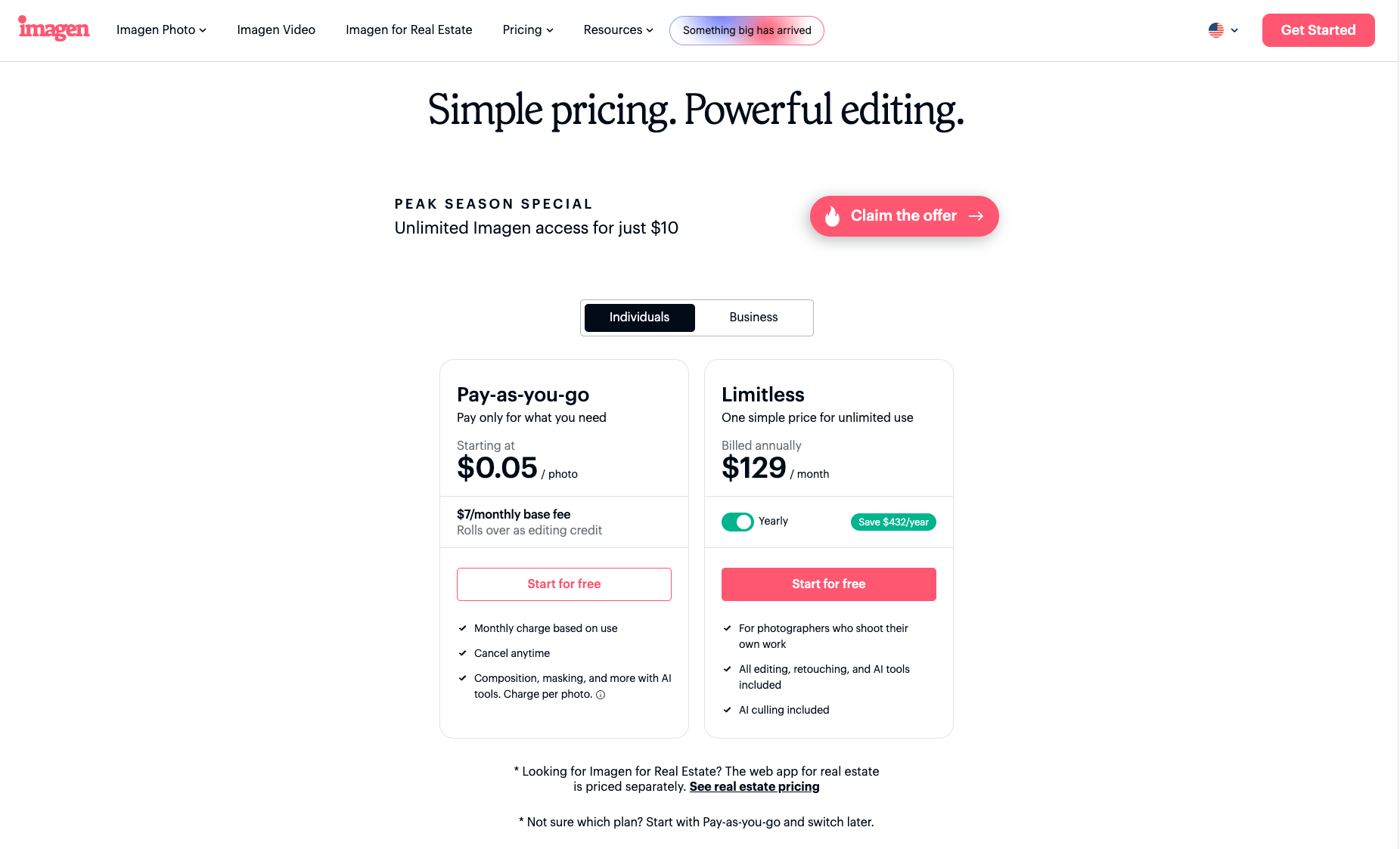
Imagen’s two plans: Pay-as-you-go starting at 5 cents per exported photo, or Limitless at $129/month billed annually. Pricing as of September 2026.
Last but not least, we must talk about the investment and its true worth for a photographer. Imagen offers two main pricing structures: an all-inclusive price for unlimited access to all of Imagen’s features, or a monthly payment option for a pay-by-the-image plan.
Imagen is redefining the latter, by the way: You don’t pay to use the AI in a “token” type way, which is common nowadays with AIs. You only pay if you actually export an image: Exports start at 5 cents per photo, on top of a $7 monthly base fee that rolls over as editing credit; special AI edits such as cropping portraits or leveling horizons, or whitening teeth, will cost 0.5-1¢ extra, and highly advanced, in-depth AI edits such as perspective correction and HDR merging will run 2-5¢, respectively.
For a photographer who exports 1000-2000 photos per month, the pay-as-you-go option is a great deal, whereas full-time, high-volume pros who export far more photos, some months, should opt for the unlimited option. ($129/month when billed annually, or $165/month in a month-to-month plan).
Imagen Intelligent Studio | Conclusion
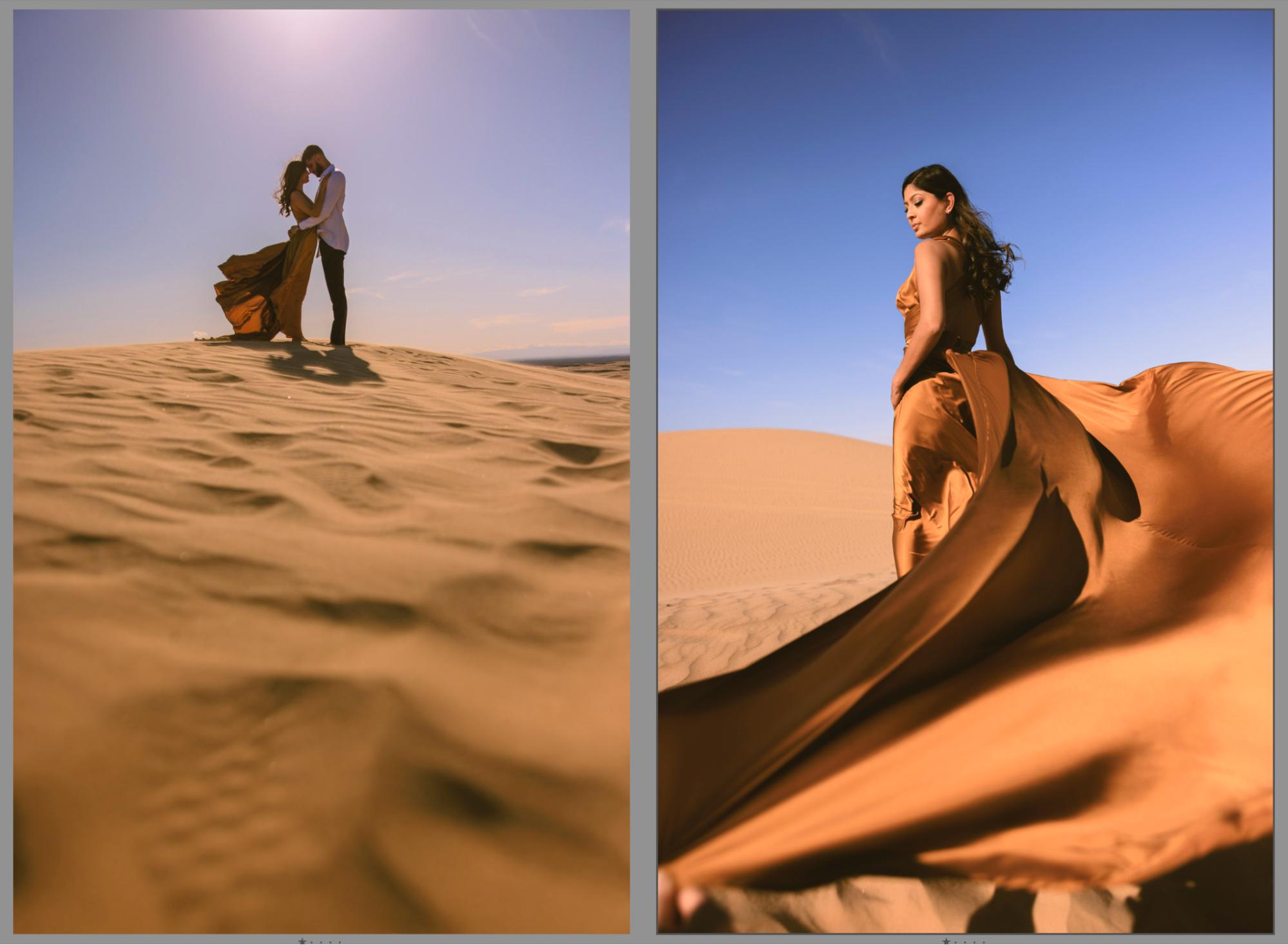
I’ve always believed that the best photography technology is that which gives photographers more time to be creative, and more time to just enjoy their life in general. That’s why Imagen’s newest iteration is so exciting; time will be reclaimed, whilst creativity also flourishes. Such milestones in a photo editing workflow are increasingly rare, and always welcome.
Each of the individual features of Intelligent Studio, such as manual editing, AI Filters & profiles, culling, and the Assistant’s plain-language commands,are all useful on their own. Together, in a single workspace, the big picture becomes highly compelling for aspiring photographers and full-time pros alike.
You don’t necessarily have to cull everything before you edit. You don’t have to leave Imagen every time you want to make manual adjustments to a few select images. You are no longer limited by cumbersome search & filter tools when sorting through thousands of photos to find a particular moment or a specific set of images.
Yet, perhaps most importantly, you won’t hand over creative control to an AI just to save time.
Instead, Imagen is building an intelligent assistant around the photographer’s existing creative process. Now, Imagen Intelligent Studio has totally “remixed” that process itself!
Intelligent Studio is rolling out in stages, as of September 29, and while a few of its ambitious personalization features are still “roadmap” features, the foundation we have been introduced to already represents a significant evolution of the photo editing experience for all Imagen users.
For photographers who routinely find themselves buried under thousands of images, the promise is pretty simple: Spend less time managing your workflow, including the nitty-gritty back-and-forth of the real-world process.
To check out Imagen and learn more about Intelligent Studio, click here.