There are many ways in which photographers are already using AI, sometimes without even knowing it. If your camera is relatively new, then it’s probably using AI (or Machine Learning) in the autofocus system to recognize various subjects such as humans, animals, autos, and planes! AI is also being used in Photoshop and Lightroom to help with difficult tasks such as masking a subject very carefully for editing purposes such as burning & dodging or retouching. Lastly, photo editing workflow apps such as Aftershoot are harnessing AI throughout the entire post-production process.
So, we understand that AI will play a role in our future. The question is, how do we use it “for good”? Well, for us as photographers, the answer is simple: One of the biggest ways to harness AI in a healthy way has to do with photo editing. AI can save us time by eliminating or reducing tedious tasks. It increases our consistency, and ensures that we don’t lose sight of our own creative eye across many thousands of photos. All in all, this allows us to conserve our energy for the things we’re passionate about in life, plain and simple.
In this article, we are going to dive deeper into how AI is being used by photographers. We’ll discuss the photo creation process, the post-processing workflow, and even the business side of things. The common theme, you’ll find, is that when used intentionally and ethically, AI is helping to create a brighter future for photographers.
AI In Photography | Photo Capture & Workflow
Indeed, before you even click a photo, there is probably some form of AI helping your photos turn out better. Some cameras have dedicated AI processors for autofocus, while others have integrated AI into their existing AF system/algorithm.
This means your camera doesn’t just have the ability to detect (and focus on) faces and eyes, it’s actually smart enough to track a subject’s head if they turn away from the camera and then look back. Modern AF systems can recognize the entire human body, and keep it in focus even in high-action scenarios such as action sports, dance, etc. Of course, the same thing applies for wildlife photographers of all different types; from mammals to birds, and even bugs! Last but not least, many AF systems have integrated AI that recognizes things like bicycles/motorcycles, cars, trains, and planes.
Overall, this has led to more consistent results right out of the camera. You’ll have more in-focus, tack-sharp images to work with once you get to post-production.
Of course, moving on to post-production, AI can get even more useful, with potentially massive time savings!
AI Photo Culling In Aftershoot
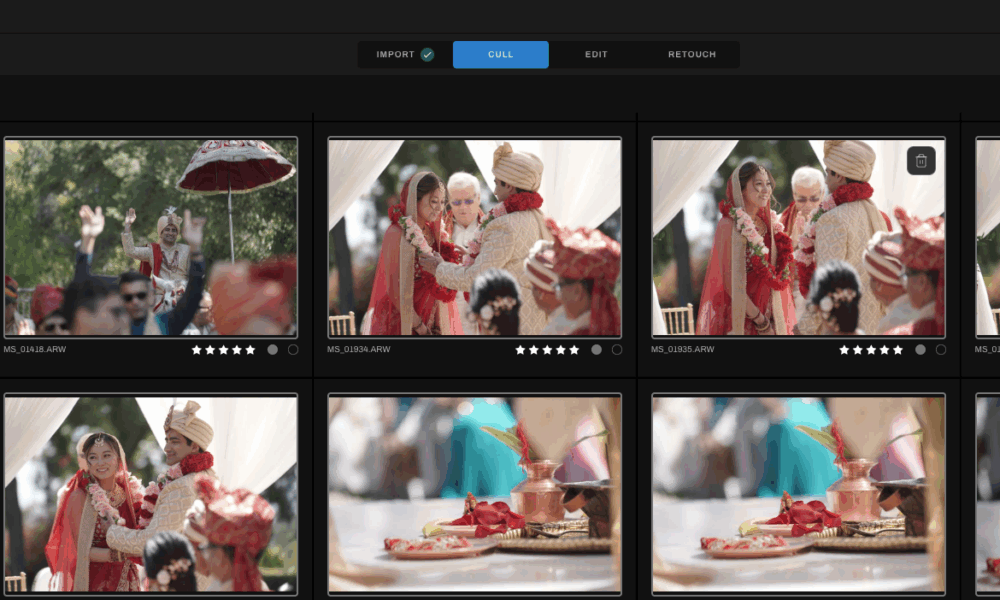
One of the biggest barriers to a photographer’s creativity is the daunting task of simply sorting through all the photos they’ve captured. Even among hobbyists, this can be a huge challenge; professionals are under even more pressure to deliver the “keeper” images to their clients in a timely manner!
This is where AI can help in a big way. Culling is a relatively un-creative task, in fact many will describe it as downright tedious and discouraging. So, there is no better job to hand off to an AI, indeed!
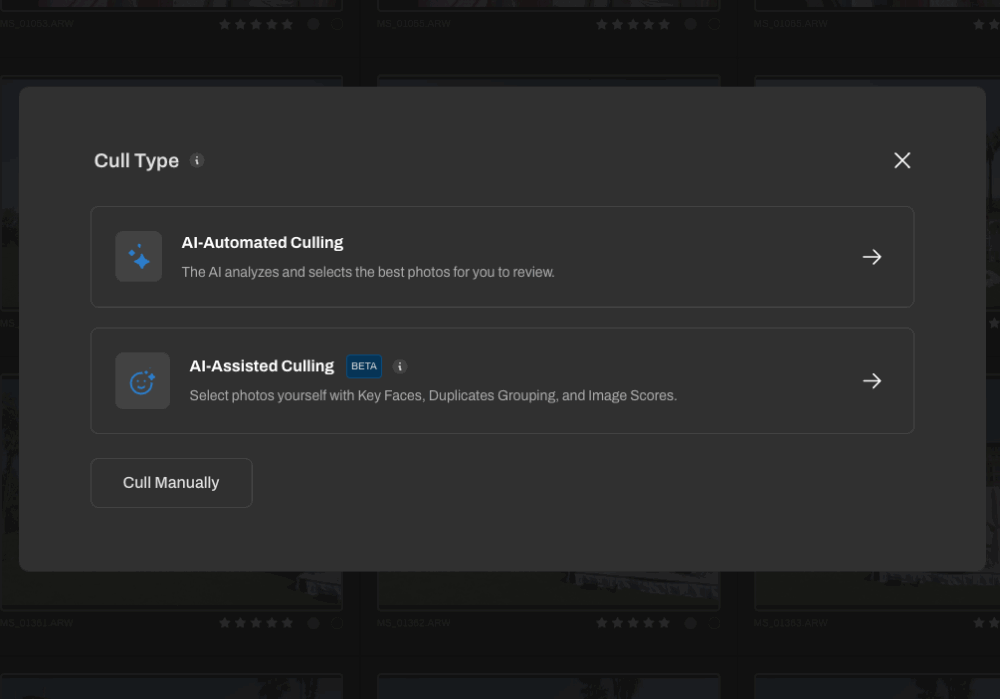
The AI Culling offered by Aftershot is an excellent tool to begin the workflow process. It offers you quite a lot of flexibility in choosing things like the optimal smile in a set of similar portraits, in which subjects aren’t blinking, and/or the sharpness & focus are perfect, etc. You can fine-tune the AI culling parameters to better suit your own general preferences. Then, once the culling AI is done, you can still go through the images and quickly make any changes if you have a slightly different preference compared to what the AI chose to keep/reject.
All in all, the overall time savings is immense, especially when you consider the rest of the process, which we’ll talk about next. (Aftershoot’s own internal studies showed that their users saved an average of 31 full working days in 2024!)
AI Photo Editing In Aftershoot
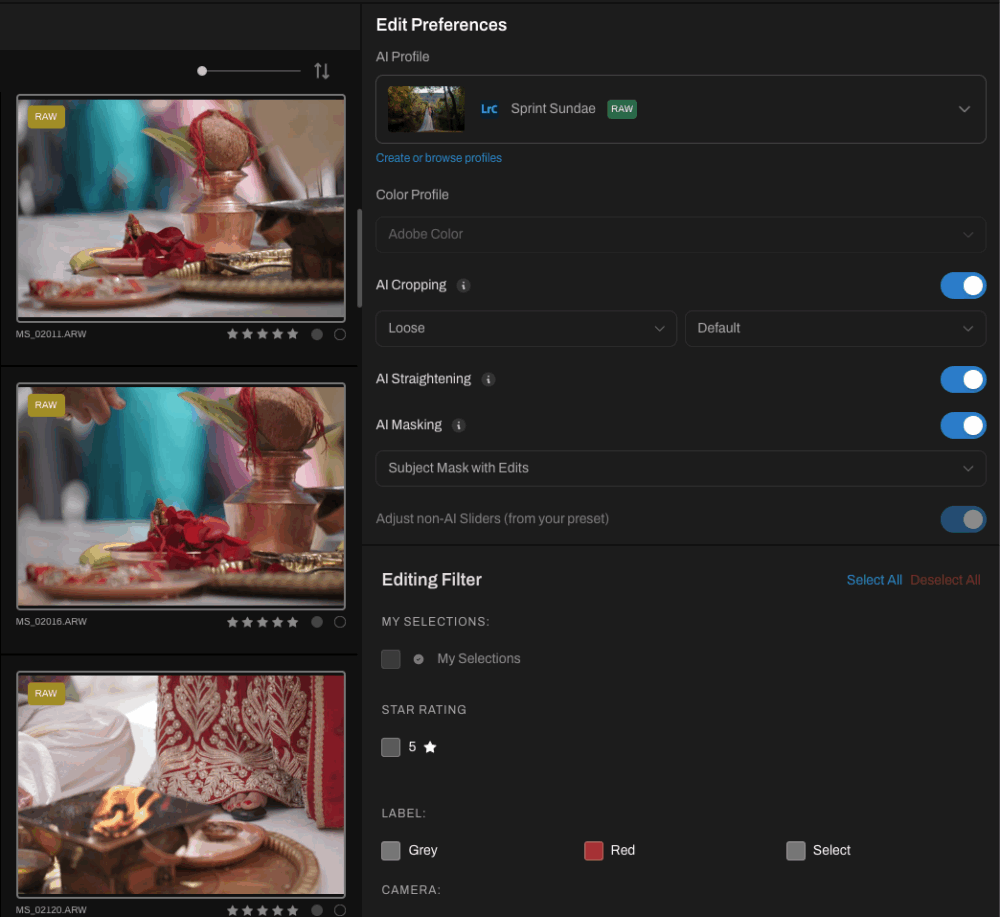
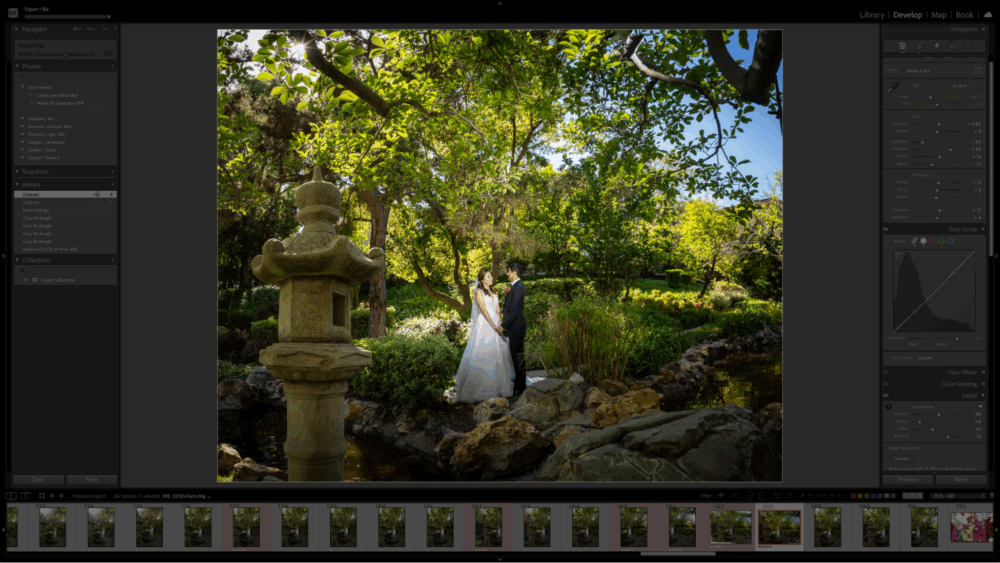
Photo editing is a lot more complex and subjective than culling, for various reasons. Whereas culling is often simply a matter of choosing the best images out of bunches that are nearly identical, the photo editing process is about color, tone, and so many other things that are a direct reflection of your artistic style.
So, how could AI possibly be added to the photo editing process? By training it to learn YOUR artistic style! This is exactly what AI photo workflow tools such as Aftershoot are designed to do. Input your own images that you have edited to your own artistic taste, and it learns how to apply that style to your next batch of photos.
Of course, the AI can learn along with you as your unique style may change slightly over time; simply re-train the AI periodically. Either way, the bottom line is that AI Editing can give you a consistent baseline of color-correction, upon which you can fine-tune your artistic direction.
We see “basic color correction” as the building blocks or the ABC’s of photo editing. Thus, it is another prime candidate for allowing AI to assist with the process; it eliminates repetitive tasks, and affords you more time to focus primarily on your own unique creative eye.
The trick is in having a workflow that seamlessly integrates the automation of that “baseline”, and your own artistry. A fully integrated workflow tool such as Aftershoot offers such an all-in-one solution, when you combine their dedicated app as well as a basic understanding of Adobe Lightroom.
AI Photo Retouching in Aftershoot
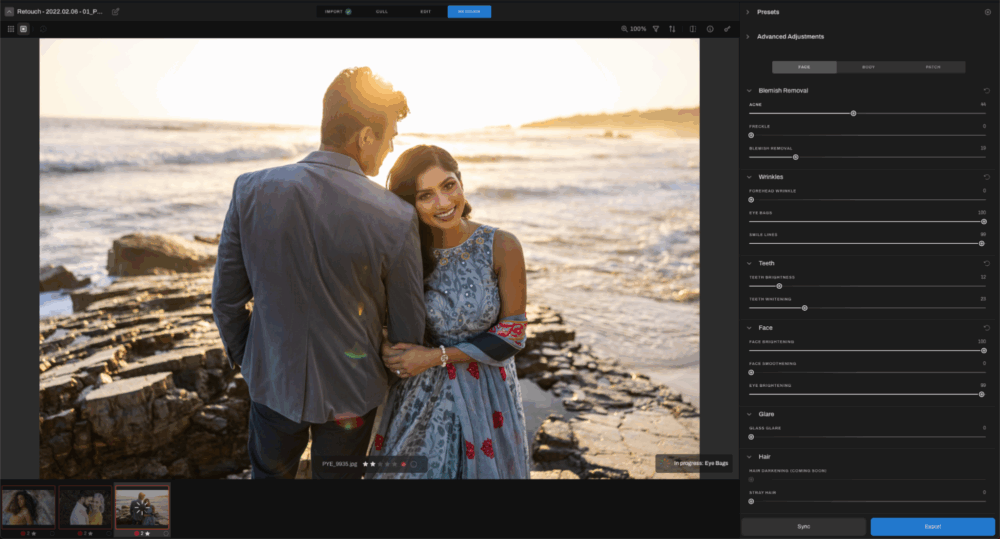
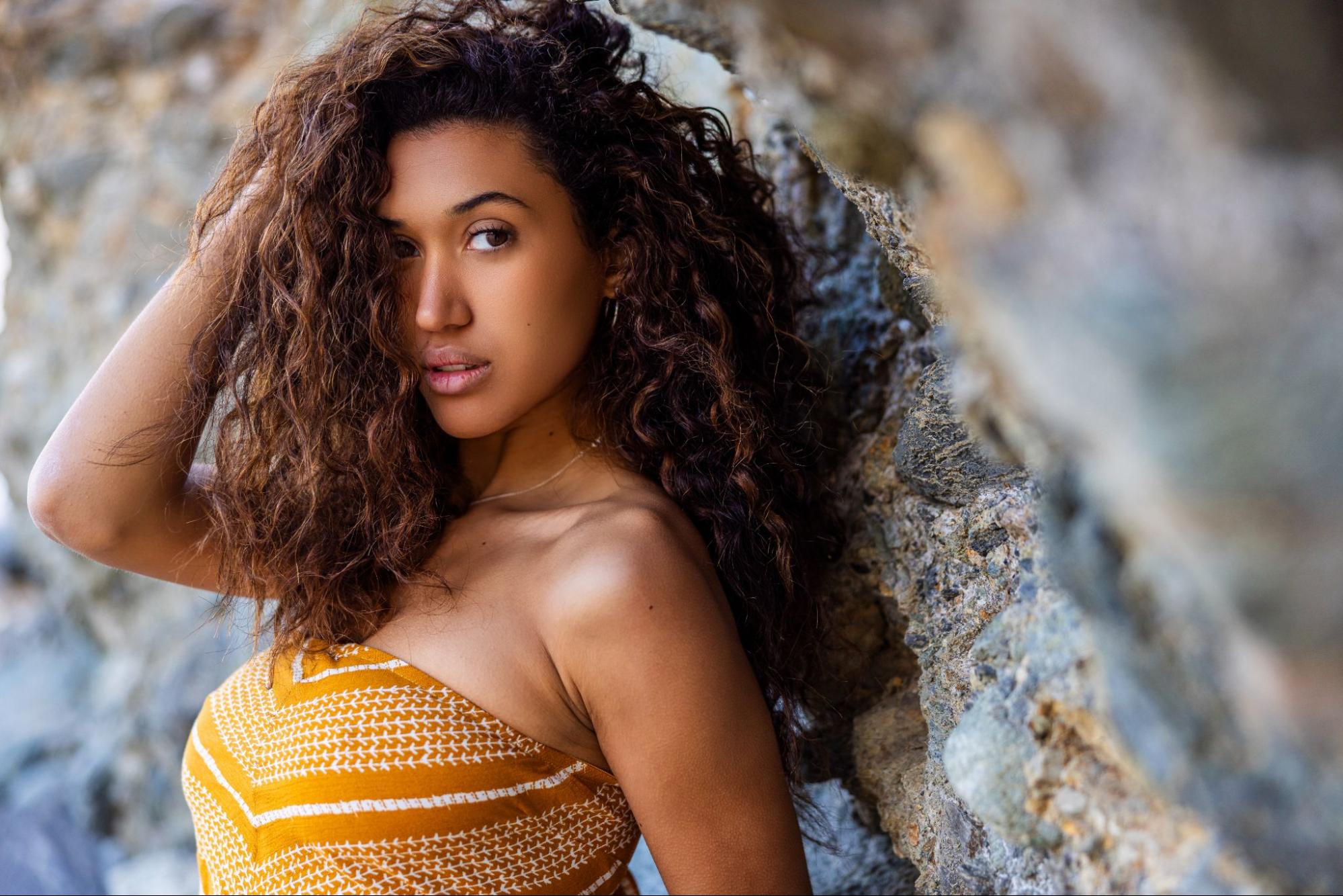
One of the newest and most exciting aspects of photo editing that we as portrait photographers are particularly glad to see is, AI photo retouching. Few things were more tedious than trying to carefully create a selection mask in Photoshop, and then feather that mask just the right way, and perform various “airbrushing” techniques, etc. A professional retoucher will certainly make the process look like an art form all by itself, however, most of us who are everyday portrait photographers are tired of squinting at a computer screen for hours on end.
So, we’re very excited to see how AI is drastically changing the photo retouching process. For example, in both Lightroom and Photoshop, if you still want to manually retouch your images, AI can be used to create selections/masks for facial features, allowing you to whiten teeth, smooth skin, enhance hair, and much more.
AI is going far beyond the simple task of creating a mask, though. In dedicated AI-powered workflow tools such as Aftershoot, the retouching process is getting a revamp. Although it is still currently in its beta form at the time of this writing, we can already see that the many tools available are very powerful.
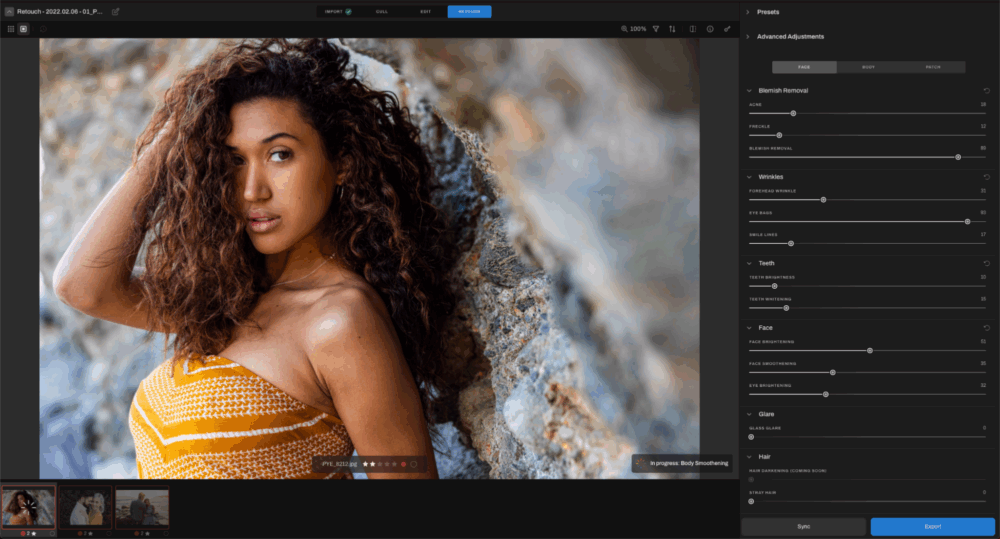
With Aftershoot AI Retouching, many complex retouching tools have become available to more photographers, in simple, effective slider & brush forms. So far, the beta version includes the following:
- Face & Skin Smoothing
- Blemish & Spot Removal
- Stray Hair Removal
- Glare Removal
- Object Removal
We’ve taken the beta software for a test spin, and it’s already quite impressive. The tools are both intuitive and effective, plus, the results speak for themselves! We’re looking forward to the final form of this new tool arriving in a full release version. Also, of course, in the long run we’ll probably see more retouching tools added to the feature list as well.
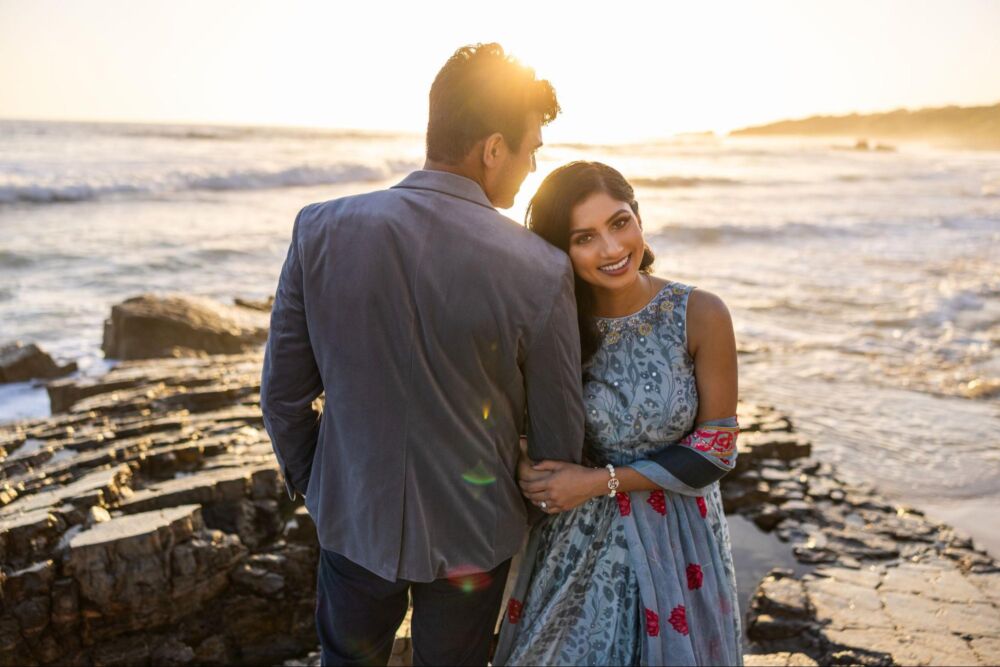
AI In Photography Business | Marketing & Management
Even in our everyday life as professional photographers, when all we’re doing is trying to get through our workday, AI is helping with the little details that add up to a healthier mindset. We can use AI-based scheduling & calendar apps to avoid conflicts and make efficient use of our time.
Also, things like marketing and CRM (Customer Relationship Management) can be enhanced using AI. Once again, we recommend using it as a “baseline” assistant, not necessarily as a total replacement for your own personal, human touch. Let an AI do the mundane or stressful tasks that might leave you emotionally drained, and focus your attention on the personal touches and other things you are passionate about when it comes to talking with brides, grooms, and other clients.
Conclusion | How Photographers Can Use AI
Of course, with all the new technologies in modern society, we would be remiss if we did not strongly advise caution. It’s a good idea to do your homework on how any particular AI is trained, and how much resources it consumes. However, in the right conditions, these tools can help us to simplify our lives, and avoid burnout. As artists, we can have more time & energy to be creative, as well as more time to just be with our families. In our opinion, that is what AI is here for: to give us more time and energy in the real world!
To check out the newest tools being released for AI photo editing, check out the Aftershoot Retouching page here.