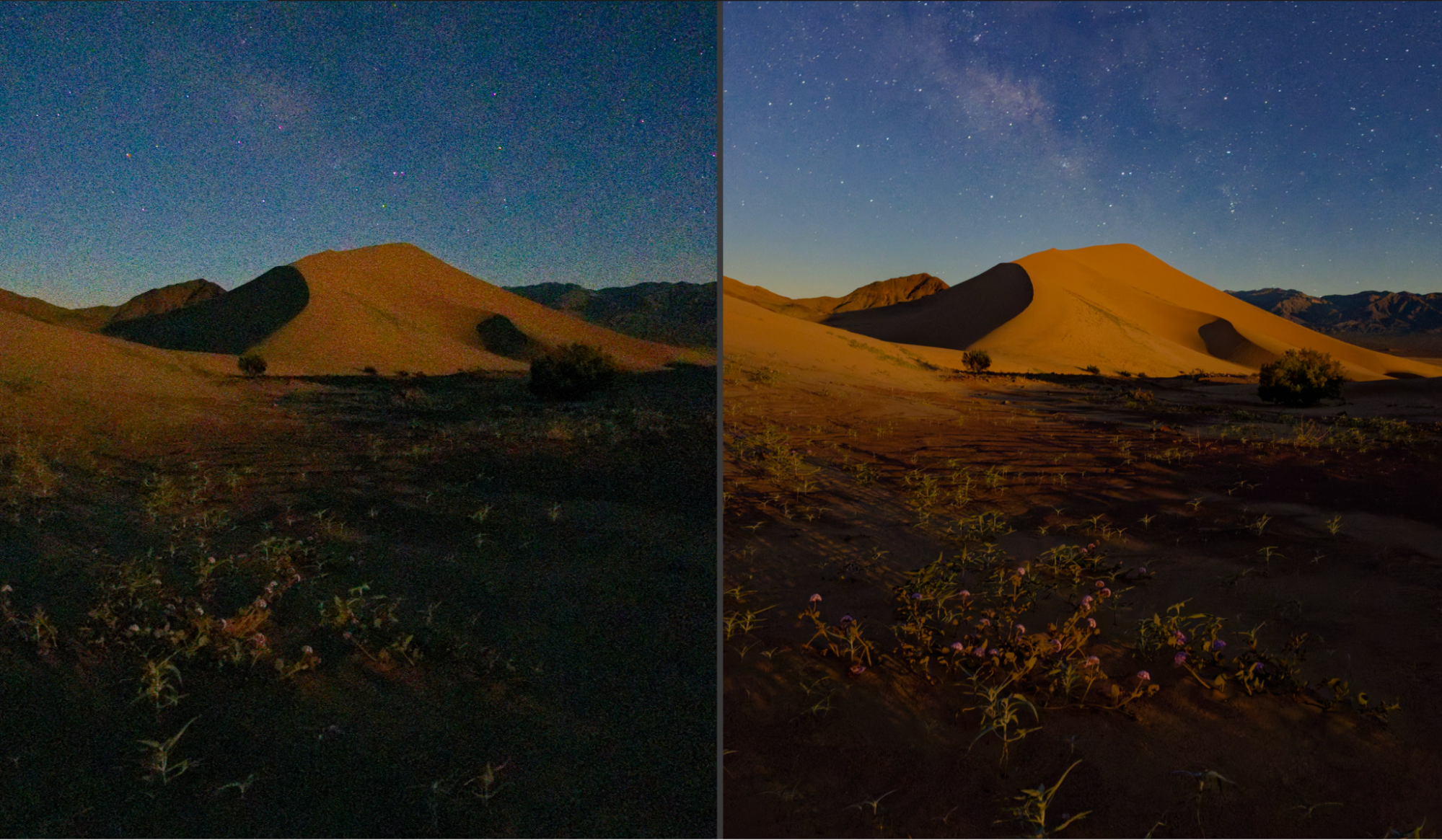
Did you know that when you see a “raw” image, you’re usually looking at a JPG image? What you see is a “conversion” of that raw image data. In fact, most file browsers and photo editing applications either can’t view a raw image at all, or they must process it first before you see it. (Yes, even on the back of your camera; that’s a JPG file!)
The question is, have you ever wondered if you’re really getting the most out of your raw files?
Today, in our review of DxO PureRaw 6, we are going to focus on the most fundamental aspect of raw conversion: “interpreting” the data that has been recorded by the sensor in a way that maximizes image detail, while minimizing noise.
We’ll get into the technical details later, but here is our basic premise for this article: at the very beginning of the raw conversion process, you’re setting the stage for everything else. Before you get creative with your colors, tones, and other edits, you need the best raw data. What does that mean? It means achieving minimal image noise, and maximum detail. Indeed, (spoiler alert!) this is exactly what DxO PureRaw 6 gives us, and quite a few unique new features too. So, let’s dive in!
Note: This review includes a reader discount code, which appears in the pricing section below.
What Is A Raw Image File, And How Do I View & Edit One?
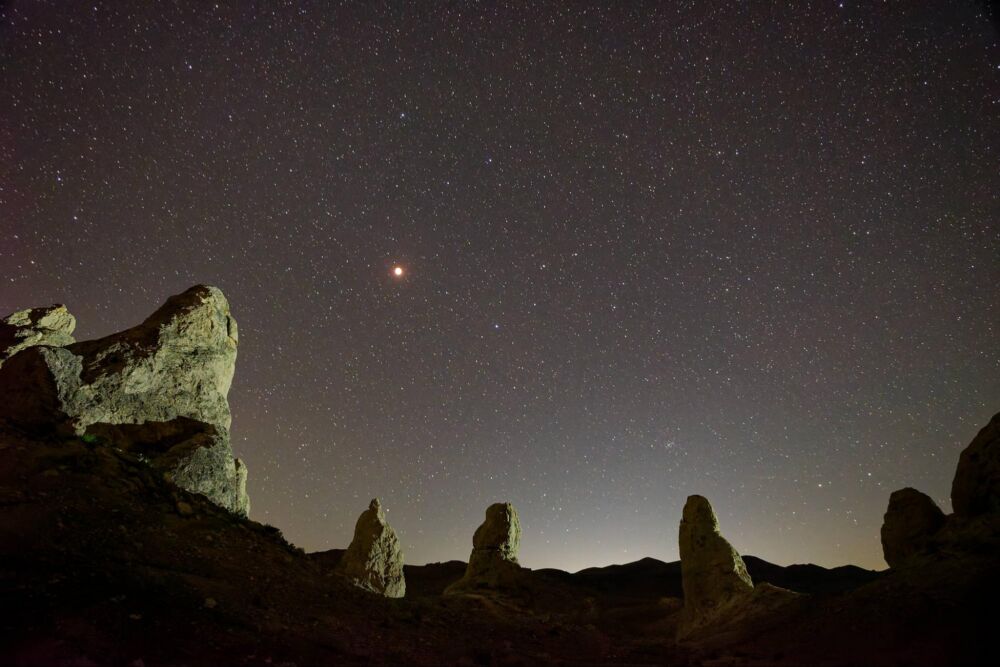
Since raw image data is the un-processed information recorded by a camera sensor, you can do useful things later in editing such as adjust your white balance without worrying about “damaging” the final image. You also have a significant amount of latitude with major adjustments such as exposure, highlights/shadows, LUTs, etc. Raw files are the ultimate “negative” for post-processing!
Of course, most computers and mobile devices can’t easily view a raw image, and that is where raw conversion software comes in. Each camera maker has their own software, and of course there’s Adobe Lightroom, Capture One, and many other apps with raw conversion “engines”.
Also, every camera maker has their own unique raw format, such as Nikon NEF, Canon CR3, Sony ARW, Fujifilm RAF, etc… Lastly, there are numerous third-party raw editing softwares on the market, too.
Unfortunately, not all raw conversions are created equal. You may have already noticed subtle (or dramatic) differences in the colors and tones when using different raw conversion software. Often, photographers strongly prefer one raw conversion versus another. Again, we’re not here to talk about “color response” today; if you want to delve into that, you should check out our review of DxO Film Pack 8. All we want to focus on right now is getting the best possible data to work with.
Raw Image Data | Going “Under The Hood”
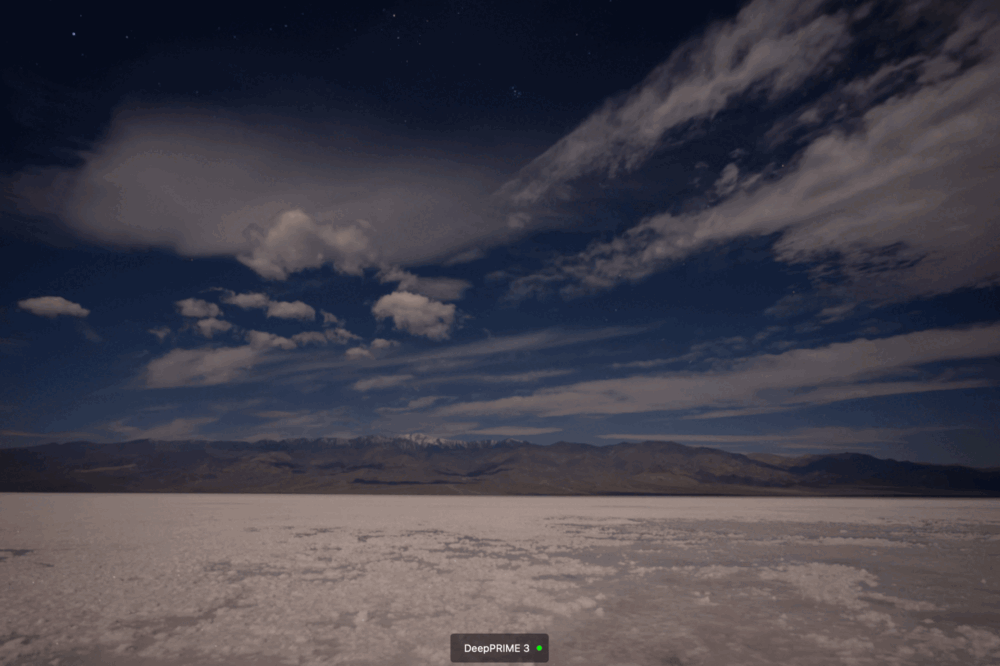
Raw image data is so much more than just colors and dynamic range, indeed. On a deeper level, there are fundamentals of raw conversion that could either “save” or “destroy” your images. I am, of course, talking about image noise, and image detail/sharpness. The technical term for this is the “demosaic and denoise” step of the raw conversion.
Especially in challenging conditions, where you’re raising your camera’s ISO, or pushing the dynamic range (recovering the shadows) of any raw image file, the raw conversion is everything. It is no hyperbole to argue that, sometimes, raw conversion could mean the difference between a stunning final image, and a completely “trash” raw file.
This is why raw conversion is equally important for both professional and hobbyist photographers alike. With PureRaw 6, you’re going to see brand-new ways to interpret the image data captured by your camera’s CMOS RGB (or X-Trans, Foveon, etc) sensor.
DxO PureRaw 6 | What Is It?
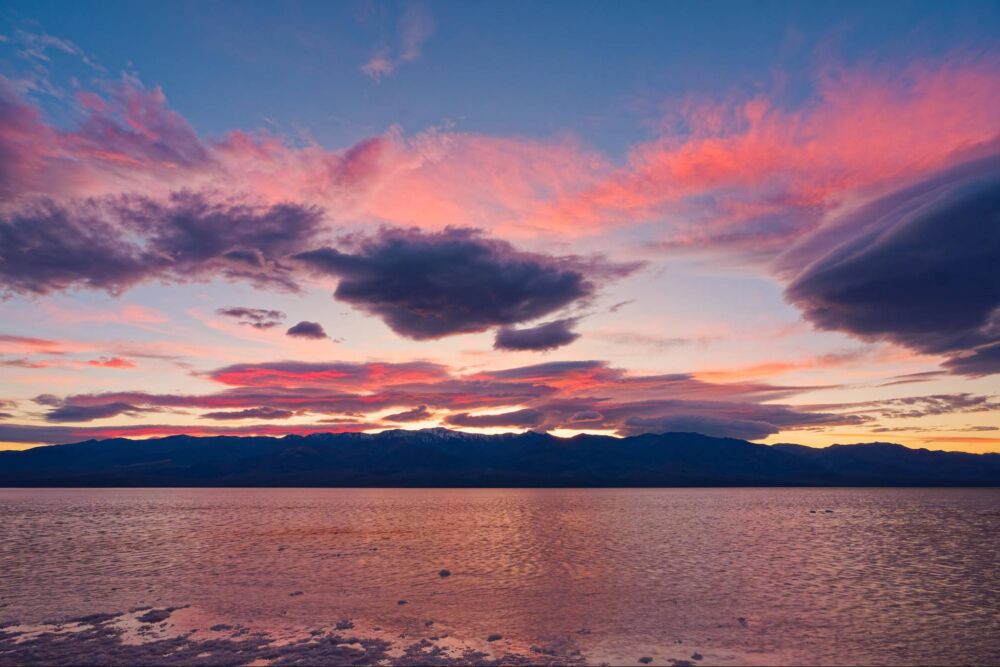
DxO PureRaw is a powerful part of the DxO software suite that focuses on the foundation of the raw conversion: It gives you the best possible tools for managing your images’ noise and details.
Technically, this is known as the demosaic and denoise step of the raw conversion process. Here’s what you need to know, in regular terms: DxO PureRaw 6 isn’t changing the color response of your camera sensor. The colors and tones of your image will appear identical across various (same-generation) DxO raw conversions, but the close-up view will reveal significant differences depending on which raw “engine” you use.
What PureRaw 6 is doing is, converting your native raw files into the highest quality DNG images. It provides a new raw foundation upon which the rest of your editing can be built.
DxO PureRaw 6 offers the most advanced demosaic & denoise algorithms that we’ve seen to date, including both its legendary DeepPrime 3 engine, and the impressive DeepPrime XD3 engine which was previously only available for Fujifilm X-Trans sensors. Now, in PureRaw 6, the XD3 engine is available for all raw types!
Compatibility Check
Before diving deeper, it’s worth confirming that your specific camera and lenses are supported by DxO’s processing modules. You can check full compatibility here:
If your gear isn’t listed yet, DxO allows users to request support:
What’s New in DxO PureRaw 6?
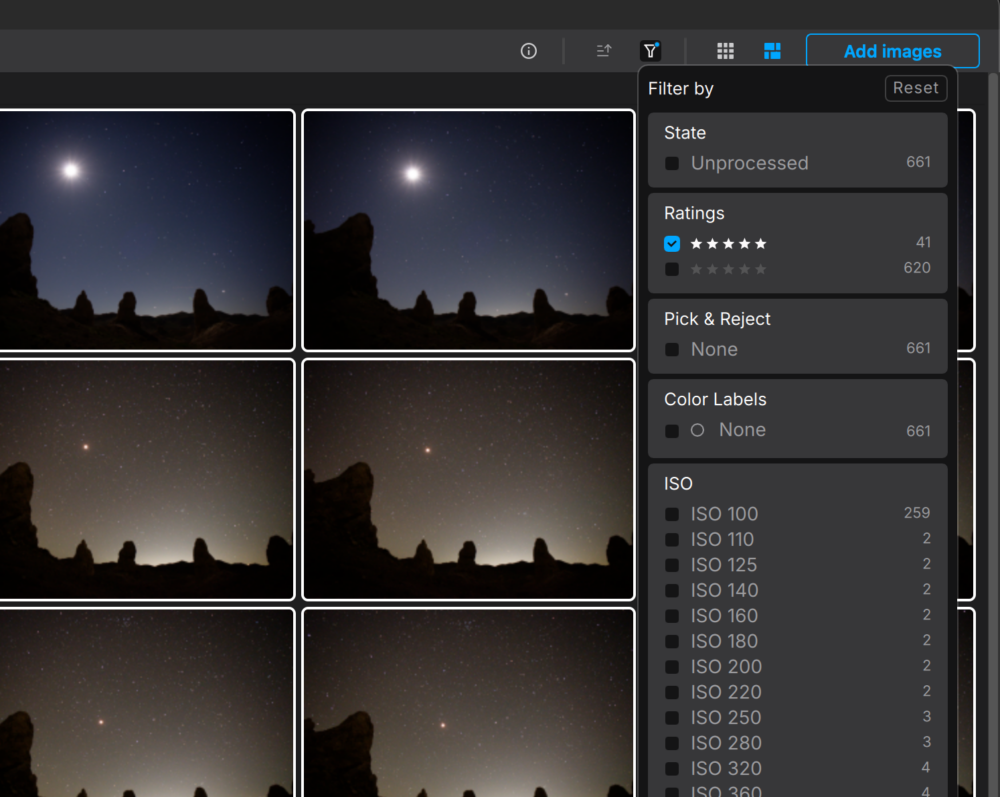
The raw processing of DxO as an ecosystem has been around for years, and it is renowned for offering superior quality raw conversions. If you’re looking for an overall workflow & editing tool, DxO PhotoLab 9 is their full-fledged photo editing software. While other photo editing software hides all sorts of lens flaws and sensor shortcomings within their own raw conversion, that is not the case with DxO.
As I mentioned, the demosaic and denoise steps of the raw conversion are the core of what PureRaw 6 offers. Also, users now have access to both the DeepPrime 3 and DeepPrime XD3 raw engines, for not just Fujifilm but all camera types!
In our testing, both of these raw conversions are truly impressive, and which one we preferred was decided on a case-by-case basis. More on that later.
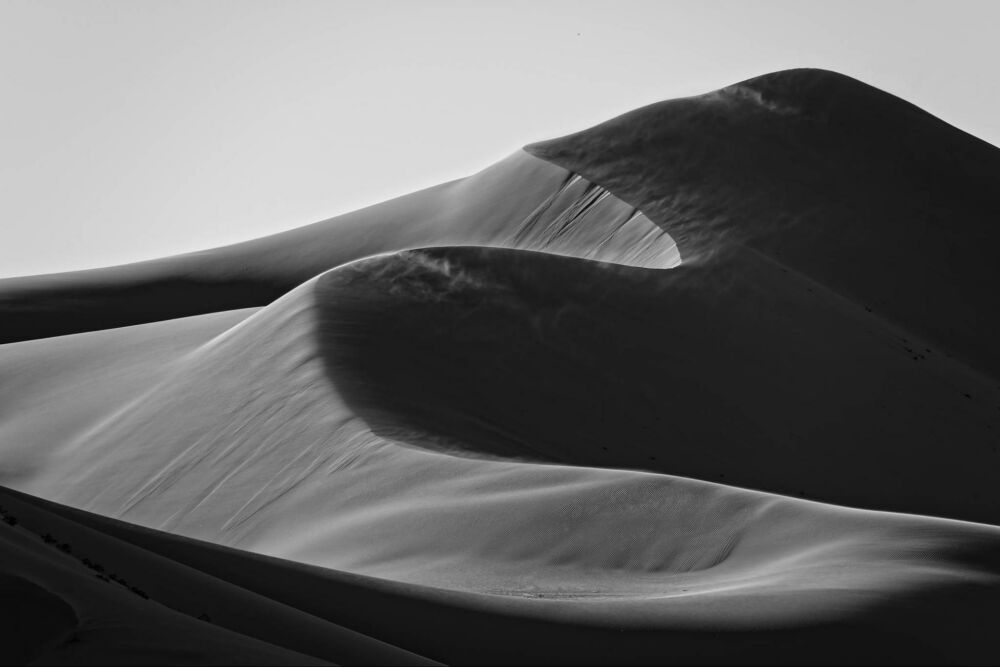
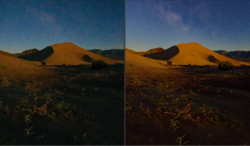
We’ll get into discussing the actual results in a bit, but I want to give a bit of a spoiler: The DeepPrime XD3 results are incredible, there’s no other way to describe them. My tests involved some of the most demanding types of image detail, in my opinion, and as you can see below in the 100% crop, (this is just a 20-megapixel Nikon Z50 ii!) …the fine detail is stunning…
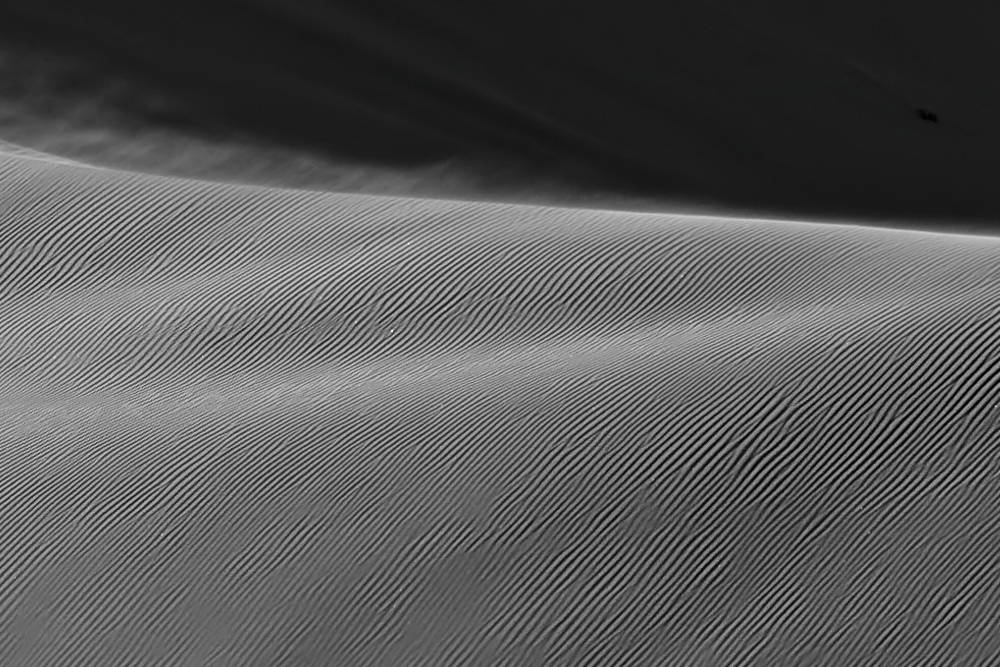
DxO DeepPrime 3 VS DeepPrime XD3
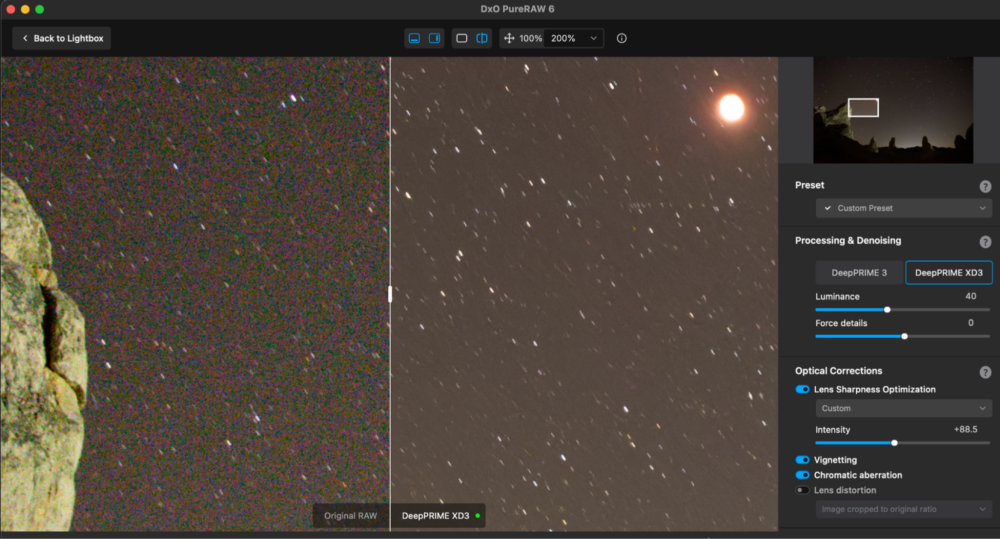
Indeed, the XD3-generated DNG files offer better fine detail; even with my Nikon and Sony cameras. I’ve tested it out with low ISO images in which I’m pushing the dynamic range to extremes, and I’ve tested it with high ISO images that are just noisy all over! Either way, the denoise and demosaic process of XD3 is often better for preserving even the toughest details such as stars in a noisy high ISO image. Once in a while, I still prefer the overall shadow response (noise reduction) of the original DeepPrime raw files.
It’s the subtle differences in the noise levels and detail preservation that make it worth playing with both conversions for your more tricky images. My advice is, focus on the noise VS details of shadow areas in particular, because each camera sensor may behave a little differently, especially at different ISOs.
Either way, having two different, powerful raw conversion algorithms (and ample parameters for fine-tuning the noise reduction, detail sharpening, etc) is a must-have for me now.
The only potential downside is that XD3 is just a little more processor-hungry than regular Deep Prime 3, because this raw conversion is really doing some heavy lifting. On my older 2019 Macbook Pro, it was no problem to process files 1-2 at a time, though, so there shouldn’t be much of a difference at all on the latest computers.
High-Fidelity Compression DNG files
Another major improvement in PureRaw 6, and an overall benefit to raw conversion pre-workflow, is the possibility of having smaller DNG files compared to your camera’s raw file format. The highlight here is the new “High-Fidelity Compression” setting. It’s virtually indistinguishable from lossless compression, and yet it actually results in an even smaller file size!
This will depend on exactly what file settings you have in your camera. Most cameras have a “lossless compressed” option, and a few cameras have an “uncompressed” option. We generally recommend “lossless”, and for most of these types of images, the High Fidelity Compression may generate a slightly smaller DNG image file than your original raw file, even though we absolutely cannot tell the difference in quality!
This is important to know because in the past, DNG files in general could be absolutely massive if you wanted good quality. In fact, what used to be a 25 MB raw file could end up being a 100 MB DNG file! Ouch. Now you can understand why such small DNG files are a game-changer.
(Side note: Nikon cameras allow you to set both the bit rate and three types of compression. So, you can set 12-bit lossy compression, and get 24-megapixel files that are ~12 MB. DxO’s new compression algorithm is almost this good, but not quite.)
One last thing to note is, of course, these DNG files are indeed compatible with all other types of raw editing software, not just DXO. This is huge, because it means you’re never locked into one particular photo editing software later on.
AI Dust Removal During Raw Conversion?
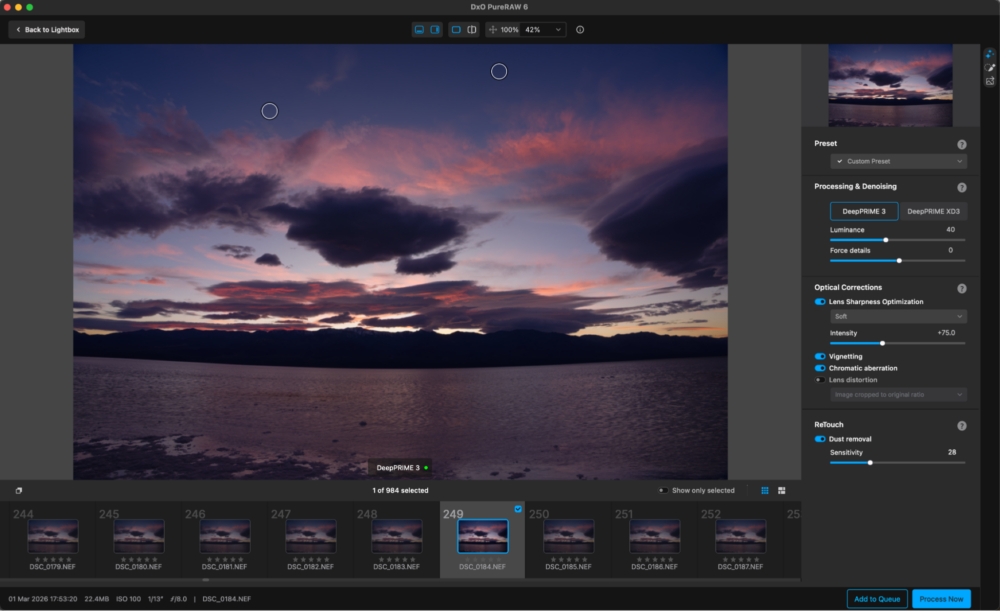
Here’s something that I was quite honestly skeptical about! Automatic dust removal has been around for a while, and I’ve tried it but it never worked. The idea of performing dust removal during a raw conversion process? I was scared…
Simply put, it works! I tested it on a rather dirty sensor, and in some pretty challenging situations. The results were impressive: It got virtually all the dust, AND just as impressively, it didn’t add anything “weird”, either! I’ll be using the new dust removal feature on quite a few of my old favorite portfolio images as I revisit the raw files for archival purposes.
Oh, and we feel that it’s important to mention that although DxO is citing artificial intelligence as being used in this dust removal tool, I made sure that it works offline. Dust removal is one step of the process that I’m happy to let a pre-trained AI handle, but I don’t want to support a growing, constant need for giant data centers.
Faster Processing (And Batch Processing) in DxO PureRaw 6
One final improvement overall in DxO PureRaw 6 is something that everyone will appreciate. That is, faster processing; specifically, multiple raw files are now processed “in parallel” instead of one at a time. If you do find yourself in a scenario where you need to convert dozens or even hundreds of files at once, this update alone is worth the investment.
DxO PureRaw 6 Review | Performance & Results
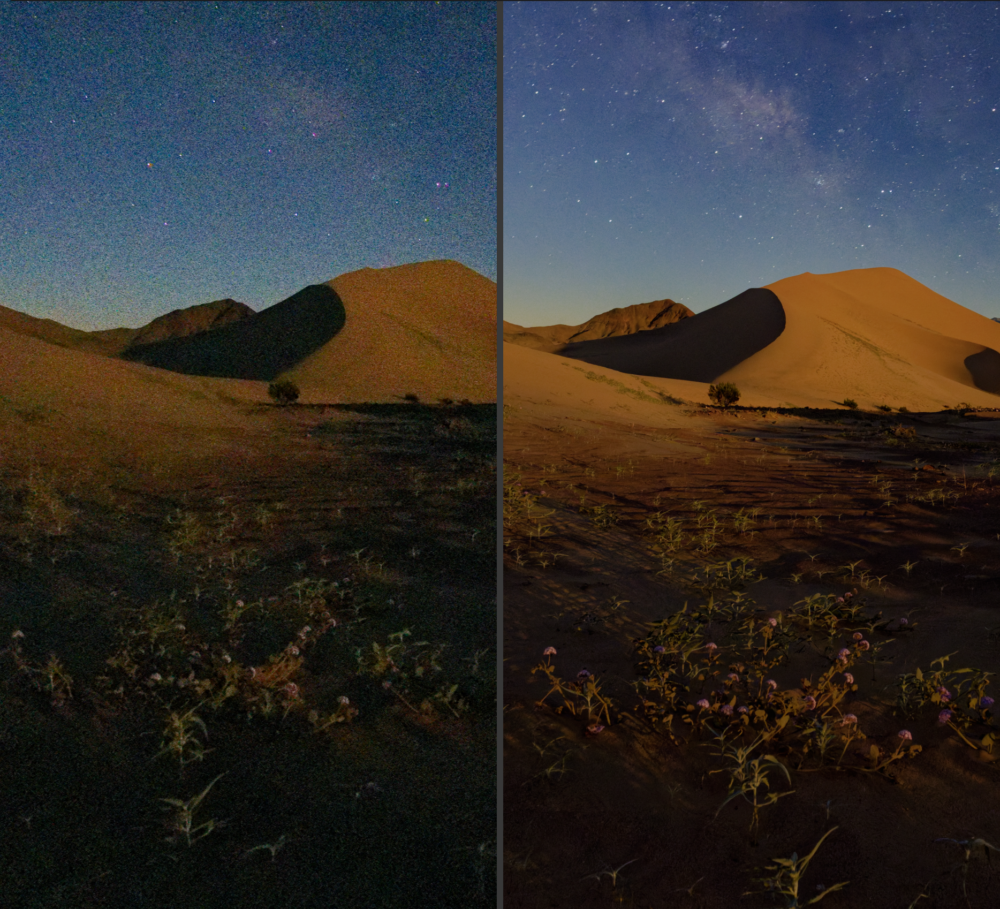
The results speak for themselves; DeepPrime delivers stunning images. Both the DeepPrime 3 and DeepPrime XD3 raw engines are impressive; again, it’s just a matter of testing out which one looks the best for a particular scene, a different camera, etc.
I tested both raw conversions on all manner of image files, including Nikon NEF, Sony ARW, Canon CR3, and Fujifilm RAF. As I mentioned, I looked at various ISOs too, images which pushed my cameras to their limits.
In every instance, I saw beautiful results, and in my opinion, the technical aspects of detail enhancement & noise management are indeed superior to other raw converters that I am familiar with.
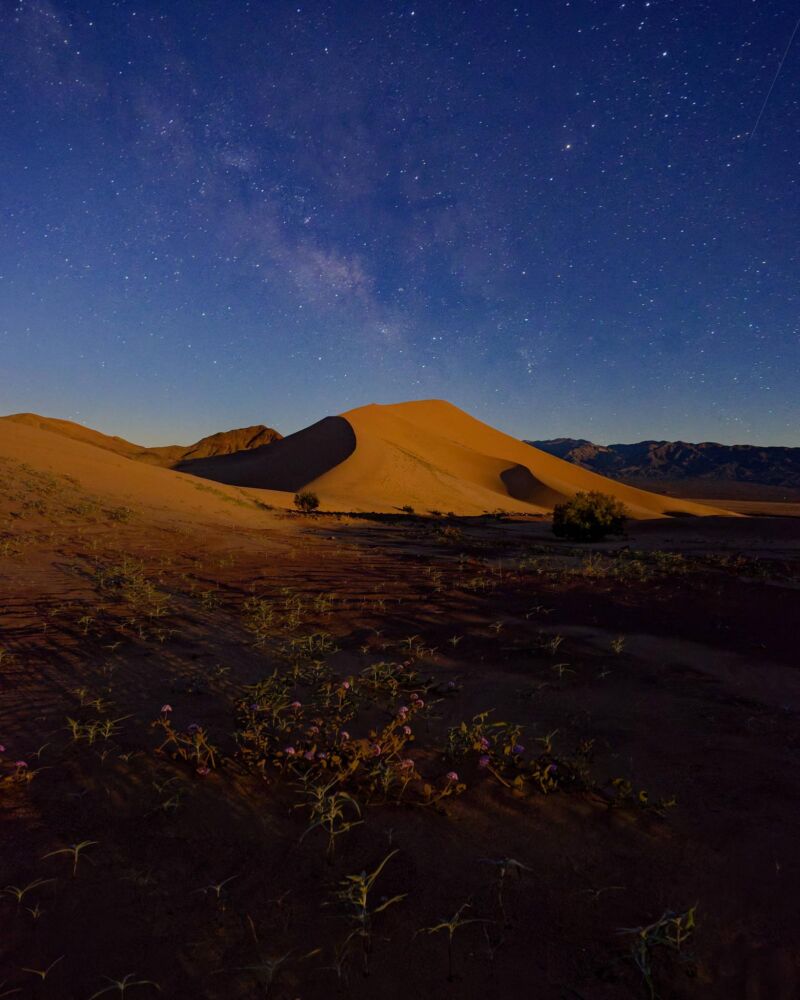
The bottom line is this: the results are worth the effort, and the performance of the software (speed & reliability) are good enough to handle a moderate workload. For those portfolio images, the potentially award-winning captures, this is a must-have tool.
DxO PureRaw 6 VS The Competition | Lightroom, Capture One, Etc
Here’s where things get difficult to quantify: it’s hard to compare PureRaw 6 against, say, Adobe Lightroom, because they’re not designed for the same purpose. Furthermore, any DNG file that you create with PureRaw 6, you can edit in those competitor’s raw workflow tools!
PureRaw 6 is a preparation step of the workflow process, and then you will open your images in a management & editing tool such as DxO PhotoLab 9, or another.
With that in mind, I can answer one question: If we only look at the denoise and demosaic step of the process, and see how Lightroom, Capture One, or other raw editing applications handle original raw data, I honestly believe that PureRaw 6 does a better job. I routinely found that especially with the DeepPrime XD3 raw conversion, I was seeing a whole new level of clean, crisp detail in my raw files. And, of course, I can still open the DNG files in those other apps, if I want to utilize their various workflow & color-correction features.
DxO PureRaw 6 Review | Final Pros & Cons
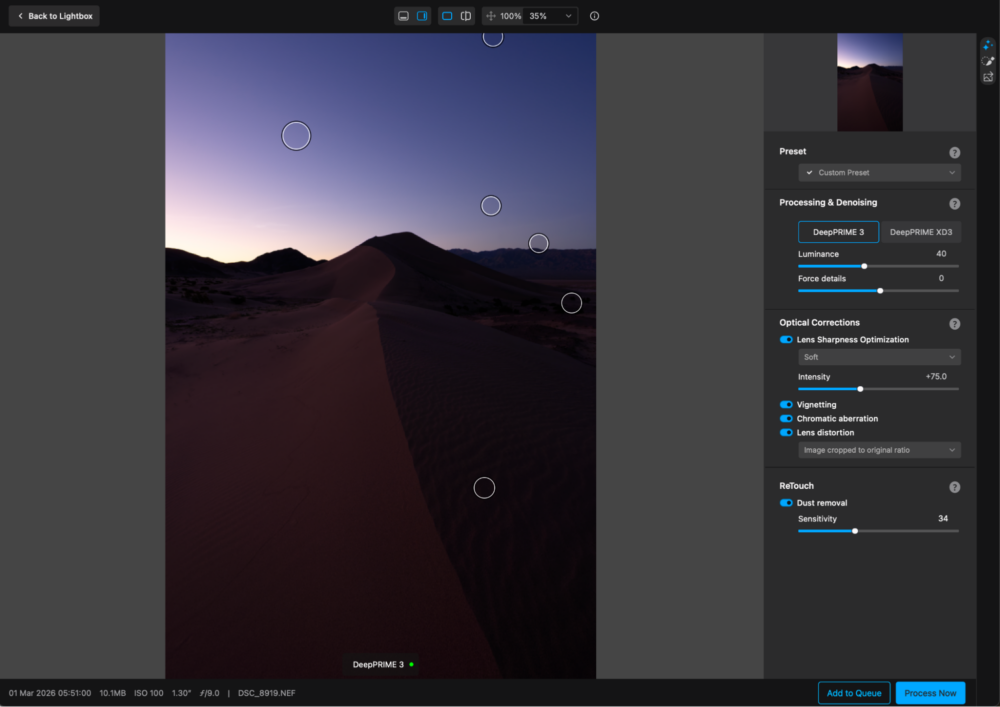
Let’s get right to the key aspects you should consider when thinking about DxO PureRaw 6. Simply put, we love the results, and the superior quality is undeniable. On the other hand, adding this step to your workflow is going to add a bit of time to your workflow, and could be demanding of your computer processor…
Pros
- The best quality for clean, crisp details, especially in challenging conditions
- Both DeepPrime 3 and XD3 raw engine options for all camera raw file types
- Effectively breathe life into raw files that push the limits of your camera’s abilities
- Incredibly useful dust removal tool
- Improved speed for batch processing
Cons
- Computer processor-intense additional step of your workflow (ties up your computer for a while)
- Limited interface tools (file organization, tricky workflow, etc)
- Additional cost (money and time) to your existing workflow
Honestly, I feel like I really have to nit-pick to come up with anything critical. One of the only minor suggestions I had was to add the “Process with Preview” button to the gallery/loupe interface; I did lament its absence, and I didn’t see much use in the “Show only selected” toggle…
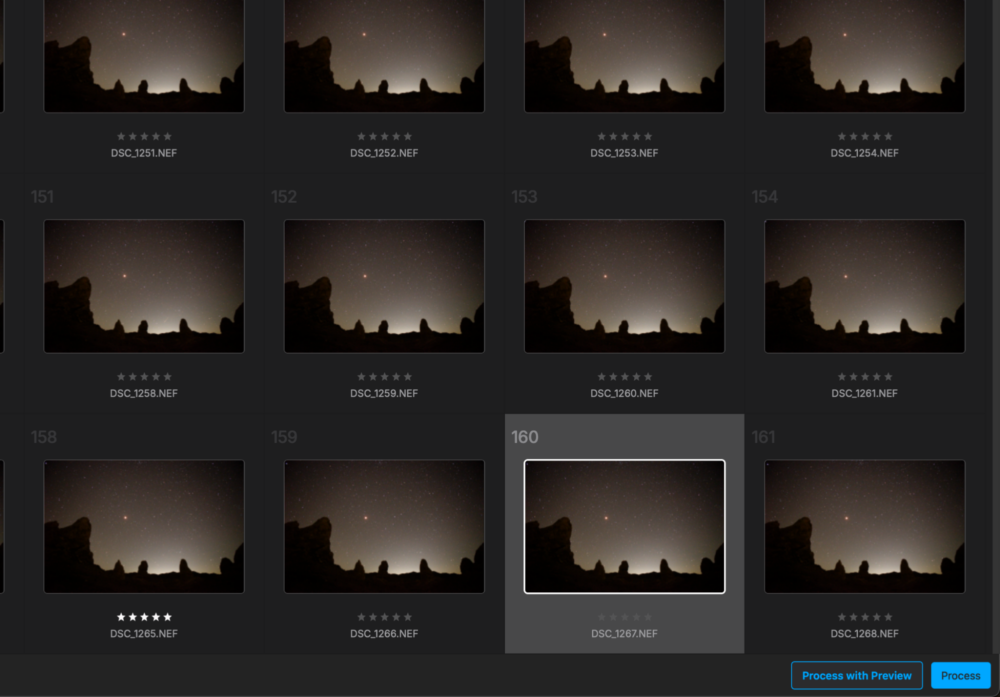
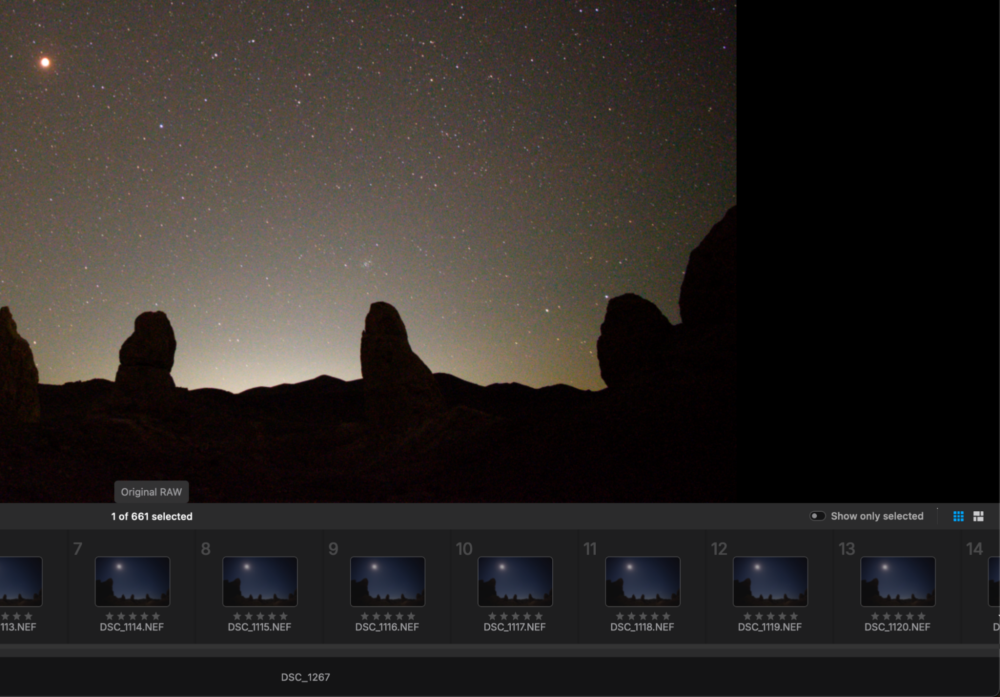
Either way, it’s impossible for us to argue that any of these cons are a deal-breaker, especially for the types of photographers who this software is made for. In other words, if you want what DxO PureRaw offers, it’s absolutely worth it.
DxO PureRaw 6 Review | Pricing & Value
DxO offers its software as perpetual licenses, which means you’ll never pay a monthly subscription. You buy the software, and then you own it for life, or until you choose to upgrade.
A new license costs $139.99, or an upgrade from DxO PureRaw 4 or 5 will cost $89.99. (The discount code “SLRLounge” will get you 15% off!)
It might seem difficult to measure the value of this investment, since it is separate from the cost of your main color-correction & editing software. What it comes down to is the fact that DxO PureRaw 6 offers the best raw image quality on the market; it’s relatively peerless for what it provides.
For us, the value is undeniable; as serious photographers who frequently push the limits of our raw files, it’s a tool we must have in our toolbox. We might not use it for every single photo we take, but it rapidly becomes a must-have for critical images where every bit of image data matters.
DxO Film Pack 6 Review | Conclusion
All in all, here’s the bottom line for you: to get the absolute best image quality from any raw file, you need to pay close attention to the technical basics of the conversion process. Before you even think about color-correction, you should focus on the foundation, that is, the demosaic and noise reduction steps.
If this is your goal, then DxO PureRaw 6 is above and beyond the alternatives. Its raw conversions are the best in the business, and the latest new options make it a worthy upgrade/addition to your existing workflow.
First-time buyers can acquire a perpetual license for $139.99, and SLR Lounge readers can take 15% off that using this discount code: SLRLounge.
For those who are upgrading from DxO PureRaw 4 or 5, the perpetual license upgrade is $89.99, and the 15% discount code can apply to that, too!