If you’ve ever dug through old videos of friends or family, maybe some low-light travel footage, or any sort of cherished moment that was captured on an old phone, camera, or video camera, then you know the struggle: oftentimes, it’s just grainy, fuzzy, or too low-resolution to share on your modern devices. Those amazing memories are trapped in poor quality purgatory. That’s where Aiarty Video Enhancer steps in: it’s an AI toolkit that upscales, restores, and revitalizes your videos with cinematic clarity.
This isn’t just another video app for adding trendy filters or other effects; Aiarty video enhancer is powered by GPU-optimized hybrid AI models that are built for speed and precision. In other words, it’s a serious tool for creators, editors, and anyone looking to breathe new life into video footage.
Today, in this Aiarty Video Enhancer review, we’re going to dive into exactly what this software can do, and how well it performs at those tasks. Also, we’re going to let you in on a giveaway that Aiarty is offering for the debut of this new app, as well as a discount on the lifetime software license.
Special Limited-Time Offer from Aiarty
Before we get into it, we mentioned in the title that Aiarty is currently offering new users an opportunity to claim a Free License code to use all features instantly, with no watermark. If you decide that Aiarty’s software suits your needs, you also have an opportunity to save 36% on the Lifetime License (for use on 3 computers), which requires a one-time payment and free updates forever.
With that said, let’s dive into the review!
Aiarty Video Enhancer | Key Features
4K Upscaling with Stunning Detail
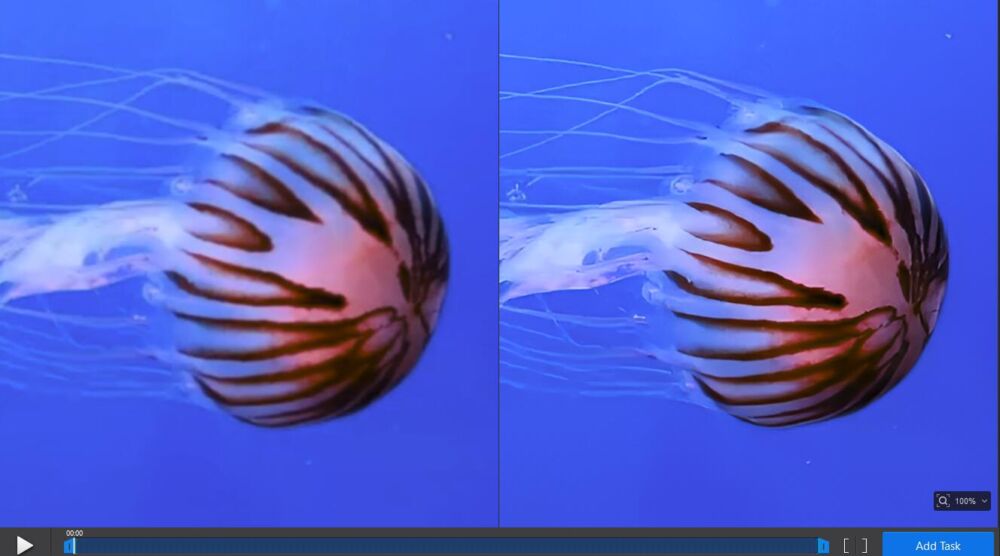
Aiarty’s AI models can take old, blurry, or stuttering footage and transform it into smooth, vibrant 4K. Going beyond just pixel stretching, the AI actually rebuilds missing detail for results that look authentically sharp, not artificially crispy.
Silky Smooth Slow Motion
With AI frame interpolation, you can “stretch” a video into 8X or even 16X slow motion, without the jittery ghosting that ruins the effect. Every generated frame is high-quality, making slo-mo content feel like it was shot that way in the first place.
AI-Powered Audio Restoration
Bad video can be forgiven; but bad audio? Now that can be un-bearable… Aiarty’s Audio Denoise module analyzes your tracks to strip away background noise, hums, and distortion, while boosting vocal clarity. In many cases, you can go from muffled to crisp audio in just one click.
Turbo Mode
Compared to the competition, Aiarty offers up to 3X faster 4K upscaling processing speeds. This is thanks to the optimal usage of your GPU, (95% utilization) and native support for CoreML on Mac, as well as NVIDIA, AMD, and Intel processors on Windows.
Batch Processing
Of course, for many of us, once we dial in the processing settings we like, there are almost always multiple clips we would like to process! Thankfully, Aiarty supports batch task processing. Basically, your computer will use its processing hardware to its maximum capability, processing & exporting as many files as it can, as swiftly as possible.
Offline Editing
One of the things we’ve disliked about anything related to AI these days is that you often need a (fast) internet connection in order to get any work done. Also, it can be disconcerting to have to load your private memories into a cloud, even when security is assured by the software maker.
In the case of Aiarty Video Enhancer, however, there is great news: it works locally, on your computer, without an internet connection required. This allows the app to maximize its performance using every bit of your GPU/CPU, instead of being throttled by an internet speed! Also, the privacy is a huge bonus for those who want peace of mind.
Aiarty Video Enhancer | AI Models
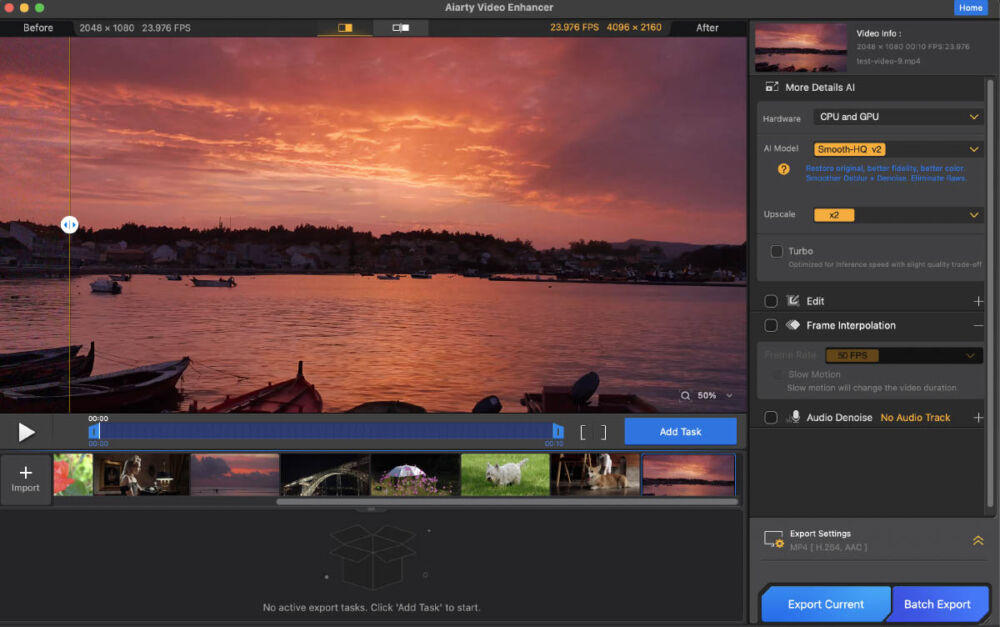
Since every AI model is uniquely trained, we’re going to give this aspect its own section. Having the right AI model for the type of video you’re working with is very important!
moDetail-HQ V2
This AI model uses a technology called Diffusion+GAN to perform tasks such as Deblur or Denoise, creating realistic details with clarity and sharpness. It works great for subjects like hair, skin, plants, or similar fine textures.
Smooth-HQ V2
Using a more natural approach, this AI model generates smoother details, realistic colors, and deblurring and/or denoising that is good for general scenery. If you want to modernize your old video footage while letting it appear as faithful as possible, this option works well.
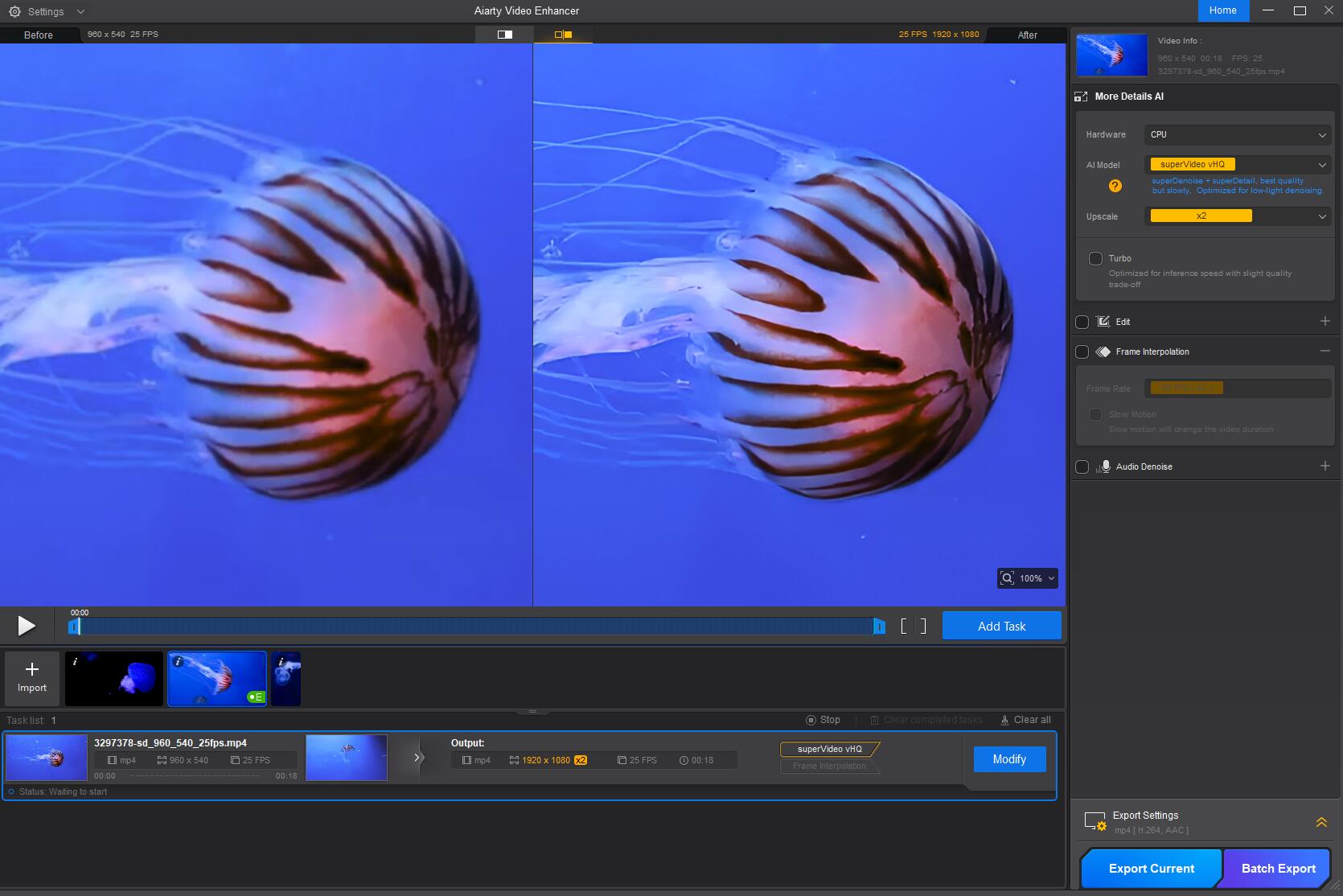
superVideo vHQ
When there’s severe low-light (under-exposure) video footage that is grainy, blurry, or just “mushy”, this AI model does some heavy lifting to save the day. It’s a hybrid Diffusion+GAN model, with an emphasis on dark, grainy imagery. (And we all have some of those old videos that we never thought would “see the light of day” again!)
Aiarty Video Enhancer Review | Real-World Usability
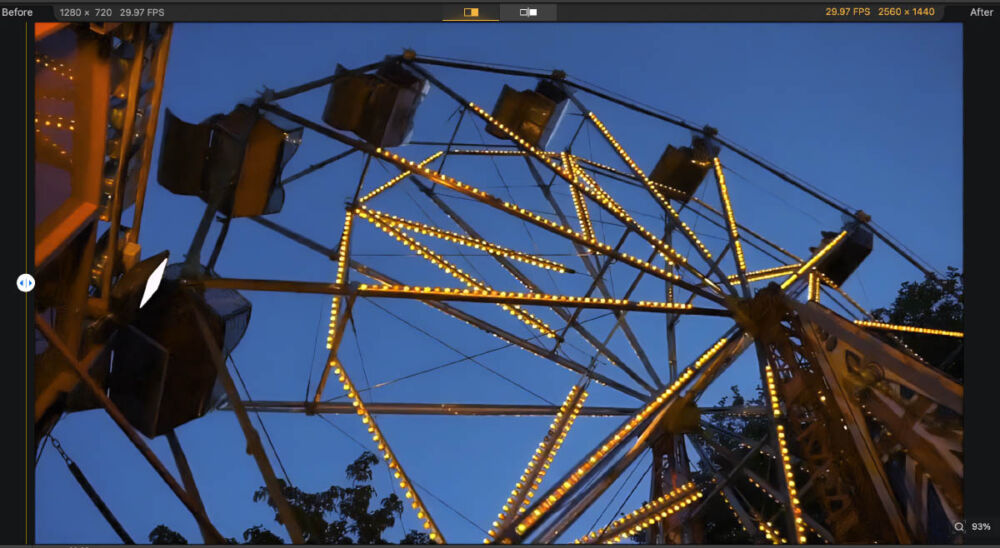
What makes Aiarty stand out to us is how streamlined it is. First and foremost, simply put, the interface is user-friendly, and the workflow goes smoothly.
You don’t need to fumble through endless sliders, or become a master of technical jargon. Simply load your video, pick the enhancements you want from the various modules available, …and let the AI handle the heavy lifting of one or multiple video clips all at once!
Thanks to GPU optimization, even large projects render surprisingly fast. This makes it a very practical, effective workflow for professionals with deadlines, as well as casual users fixing a large archive of personal footage.
In short, how well does it work? Simply put, the results are indeed incredible.
Aiarty Video Enhancer Review | Who It’s For?
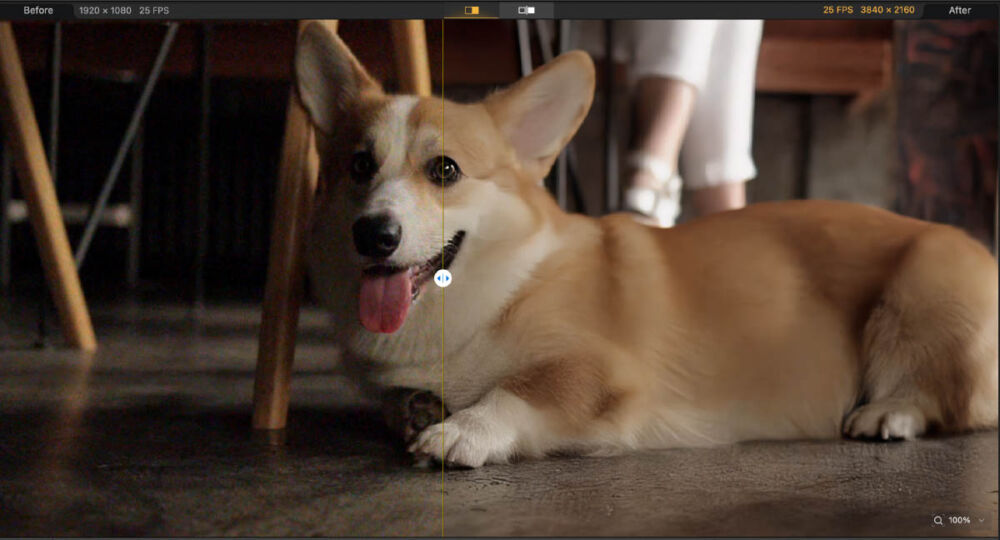
Since the whole world is filled with digital video content; some of which might be decades old, and private, others which might be relatively recent professional work… we ought to clearly define exactly who should be considering an app like Aiarty Video Enhancer. Here is a quick list of how we would break down our recommendations:
- Content Creators, who are working with modern social media platforms such as Youtube, Instagram, and/or Tiktok.
- Videographers, who are restoring archival footage for a client, or working on a larger project that involves source footage of various ages.
- Personal Social Media Users, who simply wish to clean up their past vacation videos, family memories, etc, before sharing privately with friends or family…
- Modern filmmakers who have demanding, specialized needs such as slow motion clips, without having to re-shoot old scenes, or without having to purchase expensive specialized equipment.
Aiarty Video Enhancer Review | Final Verdict
The Aiarty Video Enhancer isn’t just an upscaler — it’s a complete AI-driven restoration suite for both video and audio. Whether you’re turning shaky 720p into buttery 4K, salvaging noisy audio, or adding cinematic slow motion, Aiarty delivers pro-grade results without a steep learning curve.
For anyone serious about preserving or upgrading their video library, this is one of the most capable and accessible AI video tools available right now.