DxO PhotoLab has always occupied a slightly different lane than Lightroom or Capture One. Instead of focusing first on catalog management or creative presets, DxO’s reputation has been built on something more fundamental: getting the best possible image quality out of every camera and lens you own. Specifically, noise reduction, demosaicing, and lens correction have long been the company’s core strengths.
With DxO PhotoLab 9, DxO is making a clear statement that image quality alone is no longer enough. That is, in addition to their raw processing engine that still provides some of the best results on the market, this latest release introduces cutting edge tools: AI-powered masking, expanded local adjustments for noise reduction and sharpening, and a collection of workflow-related upgrades. Together, these updates aim to make DxO PhotoLab a complete, modern editing environment. Indeed, to be clear: they’re doing this without abandoning the technical precision that has defined the software for over two decades.
In this review, we’ll take a closer look at what PhotoLab 9 brings to the table, who it’s best suited for, and where it fits in a professional photographer’s workflow today.
Note: This review includes a reader discount code, which appears in the pricing section below.
DxO PhotoLab 9 Review | What Is DxO PhotoLab 9?
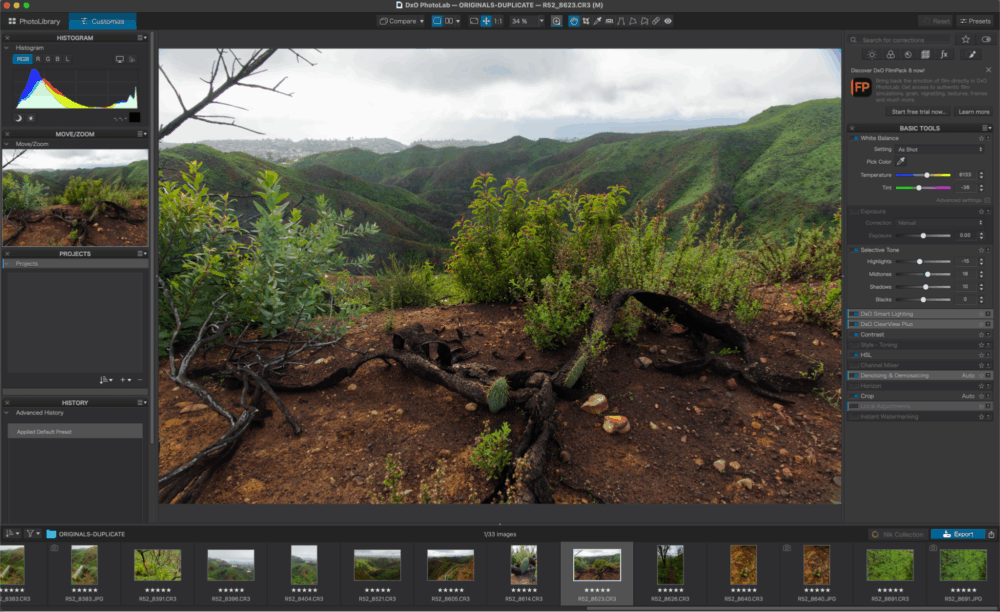
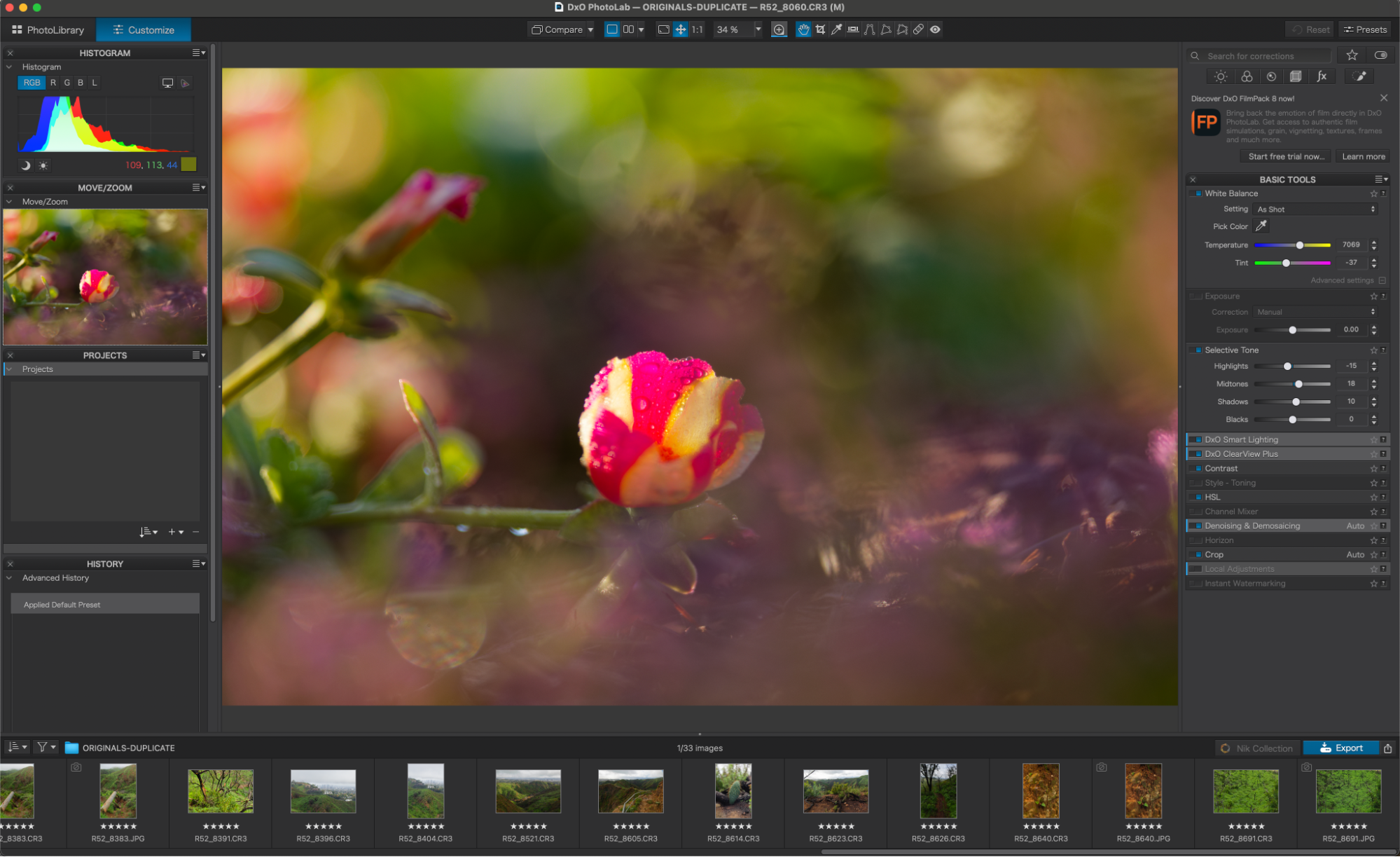
DxO PhotoLab 9 is a standalone, end-to-end RAW photo editor available for macOS and Windows. Unlike DxO PureRAW, which focuses purely on preprocessing, PhotoLab handles the entire post-production workflow: RAW conversion, local and global adjustments, optical corrections, noise reduction, and export.
At the heart of PhotoLab is DxO’s extensive database of camera- and lens-specific correction modules, developed through lab testing. These profiles automatically correct distortion, vignetting, chromatic aberration, and softness with a level of precision that remains one of DxO’s defining advantages.
PhotoLab has traditionally appealed most to photographers who prioritize:
- Maximum image quality
- High-ISO performance
- Accurate optics correction
- A perpetual license instead of a subscription
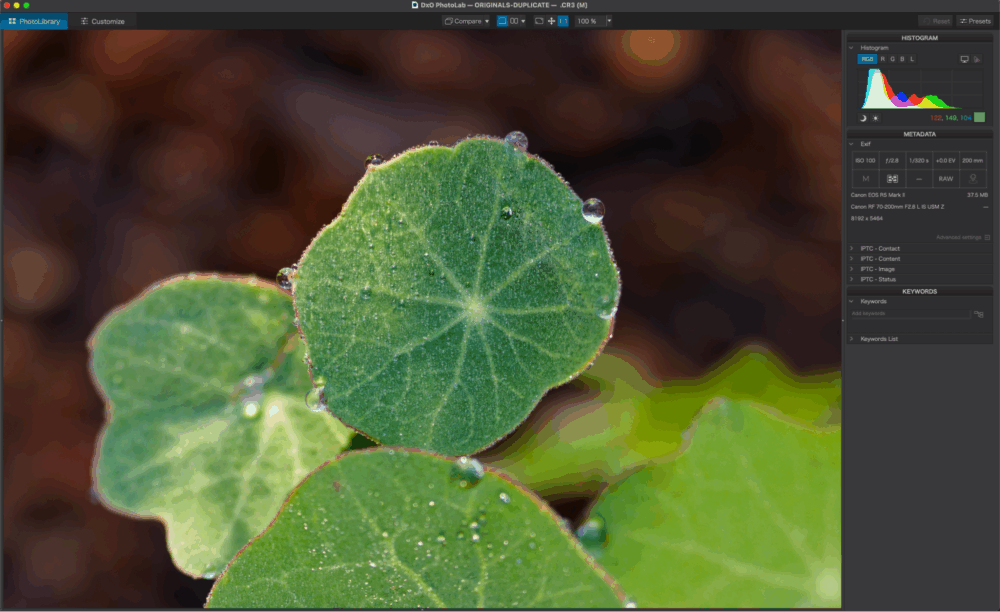
As a highly technical photographer (with a lot of friends who are engineers and architects, etc.), I have always known DxO to “run towards” one thing which most other photo editors preferred to sweep under the rug and hide in the closets of their raw engines: The ability to see “the truth” of a lens’ optical performance, without profile corrections.
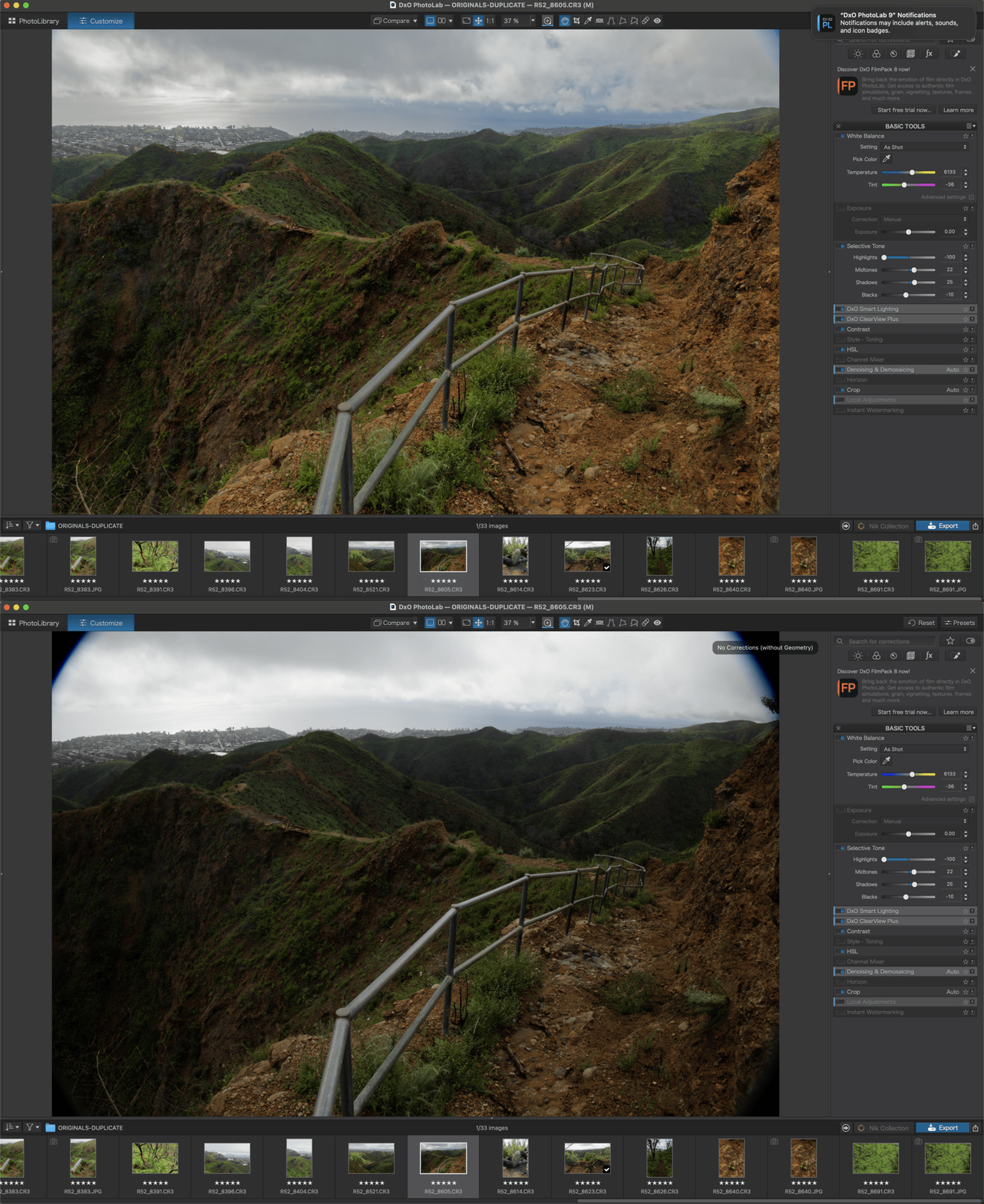
In the above example, you can see that this particular lens actually has totally vignetted corners. Why? Because it’s easier to just take the images from this optical formula, and then “fix it in post”. Most photographers are going to be happy to just let their camera & lens keep these secrets, however, the more discerning photographers have always wanted to know the truth. Then, once they know the truth, they want to be able to extract the absolute best image quality from their lens; applying the perfect distortion corrections, vignetting correction, corner sharpening, etc.
Now, DxO PhotoLab 9 is offering this legendary raw processing power with a modern workflow interface, with modern tools that make it your one-stop-shop for everything. That is, version 9 expands to address one of the biggest gaps in prior releases: modern AI-driven local adjustments.
DxO AI Masks | Intelligent Selections Without the Guesswork
The most significant addition in PhotoLab 9 is DxO AI Masks, a new masking system designed to deliver fast, accurate, object-based selections. Simply put, it’s powerful, it’s fast, and the results are very impressive.
Instead of relying exclusively on manual brushes or control points, users can now create masks in three primary ways:
- Hover-and-click selection
- Drawing a bounding box around an object
- Choosing predefined subject types such as sky, people, faces, or hair
In practice, this allows photographers to isolate complex elements, like hair or facial features, without spending time manually refining edges. The system is context-aware, meaning selections such as “Hair” can be copied, pasted, or saved as presets and intelligently applied across multiple images.
What you want to know is, does it actually work, and how easy is it to use? Because for us as professional photographers (and you, trusting us by reading this review)…we know that results and user interface are EVERYTHING.
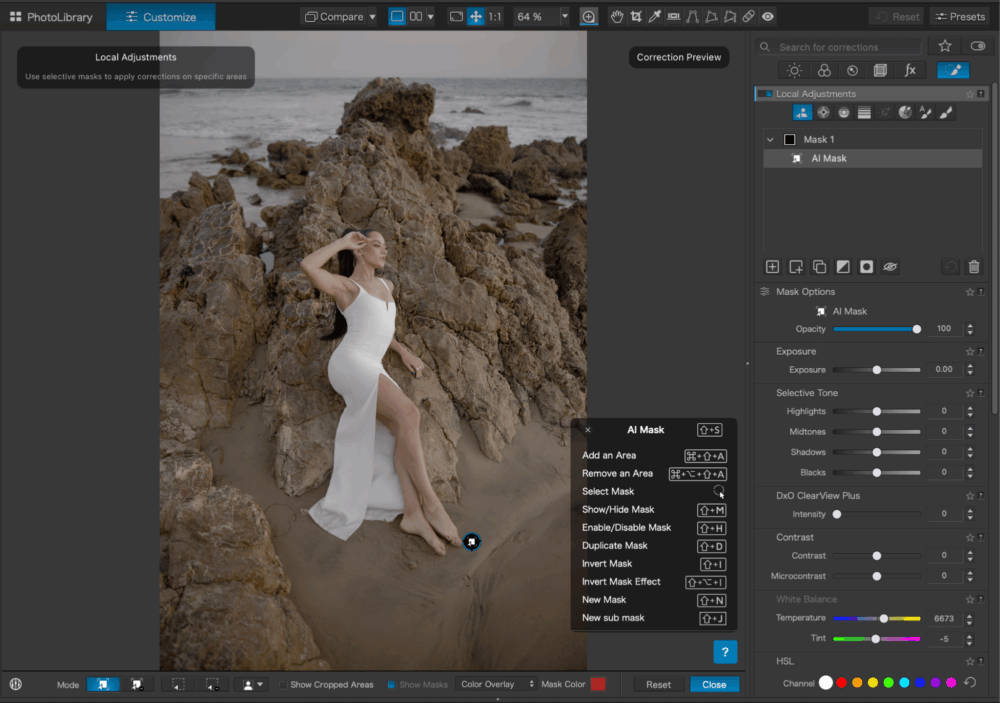
At first glance, there is just a faint bit of trepidation because the interface is meant for slightly more advanced use. However, after that fleeting moment of a learning curve, you realize just how effortless it actually is to work with!
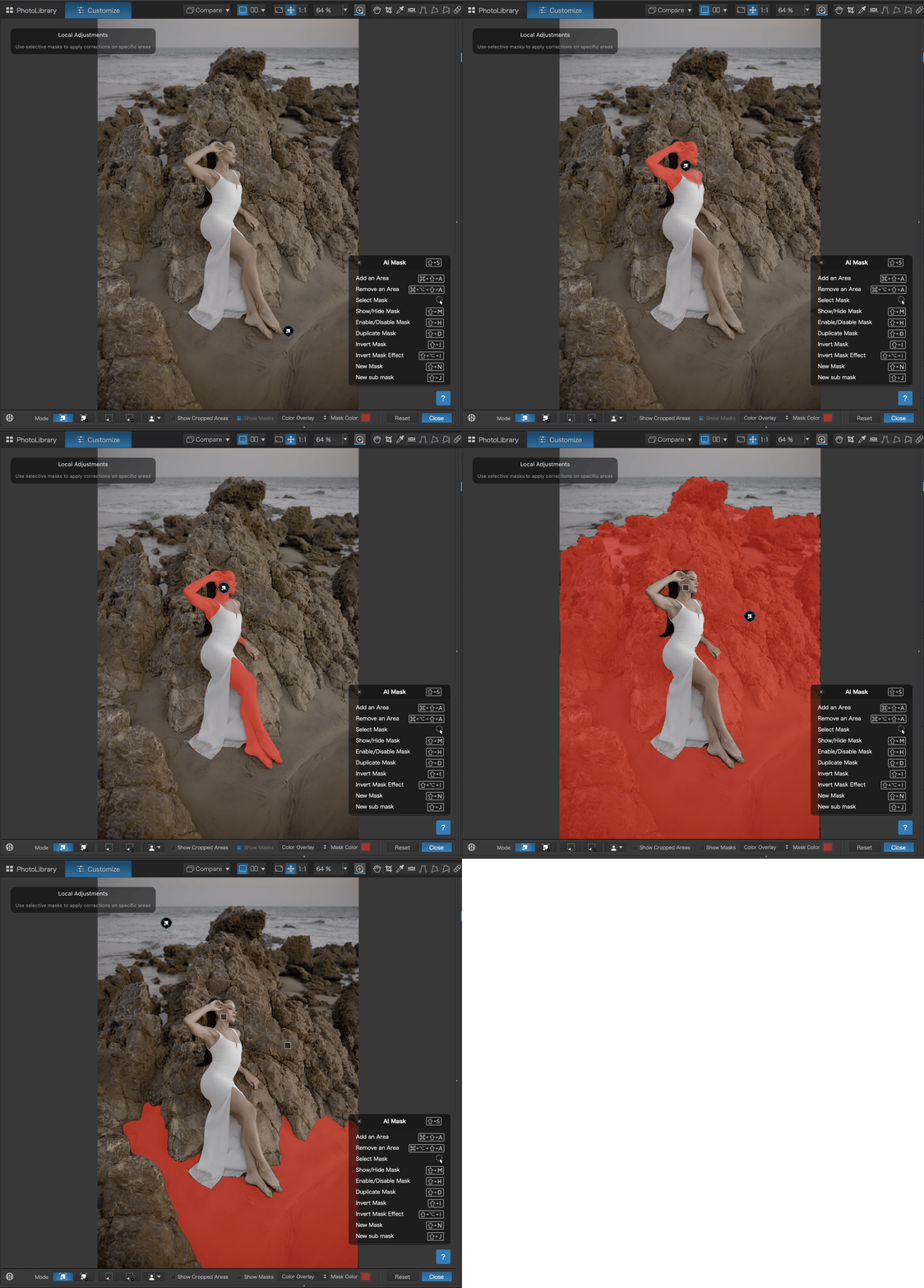
Creating new masks is as easy as hovering over a part of your image. Then, you can organize different masks into different categories; it’s as easy as drag-and-drop to, say for example, individually select all the areas of skin in a portrait, then select various aspects of a background or foreground. You can edit these entire ares in a unified way, but also, you can get precise and perform slightly different adjustments for total control. Oh, and as mentioned, you can copy and paste (synchronize) AI masks across multiple images.
The results are up to our high quality standards, too. The masks themselves are precise and easy to adjust. The copy+paste system works beautifully well, too, for editing multiple poses within a given scene.
This is especially valuable for portrait and wedding photographers, because you need consistency across large batches of images without redoing intricate masking work each time. All in all, as you can already imagine, using AI masking and virtually never having to delicately outline an edge ever again will, without exaggeration, save you hundreds of hours of monotonous labour throughout your photography career/hobby.
Combining AI Masks With U Point™ Technology
One area where DxO users will gain a unique advantage compared to all others is how AI integrates with existing tools. In this case, we’re seeing that AI Masks work seamlessly alongside DxO’s U Point™ technology. These are things like Control Lines, Graduated Filters, and traditional brushes. This hybrid approach allows photographers to build highly refined selections that go beyond what automated masking alone can handle.
Rather than being locked into a single AI-generated mask or layer, users can refine selections and combine different layers of tools to an almost surgical degree. Which, again, really matters to the discerning photographer. For photographers who often find themselves fighting AI tools in other software when dealing with complex scenes, this flexibility gives a meaningful advantage.
Local Adjustments for DeepPRIME Denoising & Lens Sharpness
DxO’s DeepPRIME noise reduction has long been regarded as one of the best in the industry, particularly for high-ISO and low-light images. With PhotoLab 9, DxO takes this further by allowing DeepPRIME denoising and Lens Sharpness Optimization to be applied locally.
This opens up new creative and technical possibilities:
- Apply stronger noise reduction only to shadow areas
- Preserve fine detail in subjects while smoothing backgrounds
- Fine-tune sharpening based on lens characteristics within specific regions of an image
For photographers who demand absolute control over how noise reduction and sharpening are applied, this is one of PhotoLab 9’s most compelling upgrades.
DeepPRIME XD3 X-Trans | A Big Win for Fujifilm Shooters
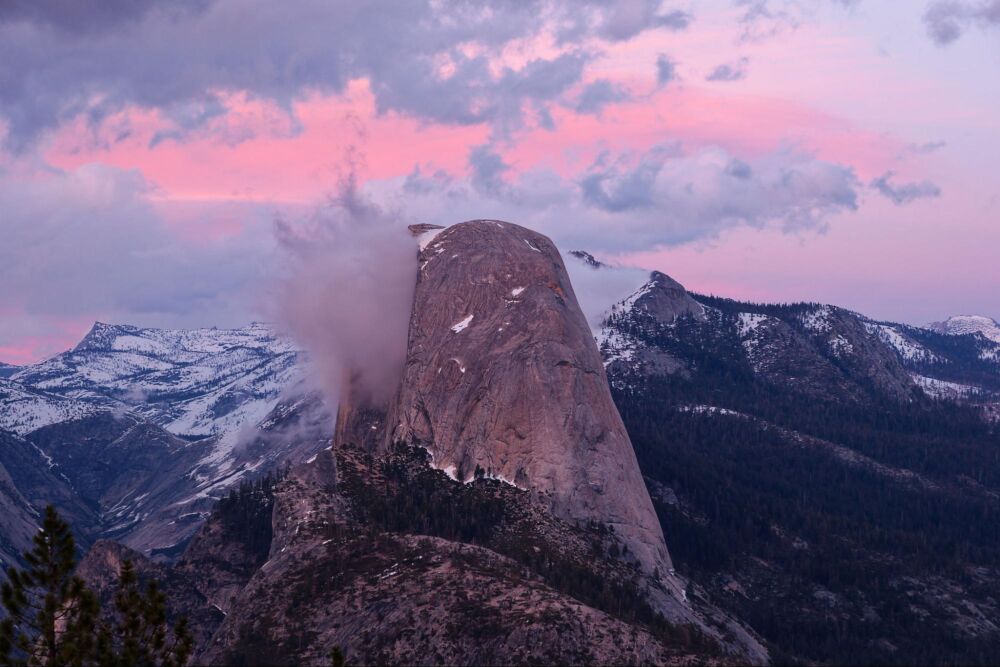
Fujifilm users, in particular, will want to take note here, because DxO PhotoLab 9 has something just for you! DxO has officially brought DeepPRIME XD3 out of beta, which means, extending full support to all Fujifilm X-Trans sensors. (Historically, X-Trans files have been challenging for many RAW converters, especially at high ISO.)
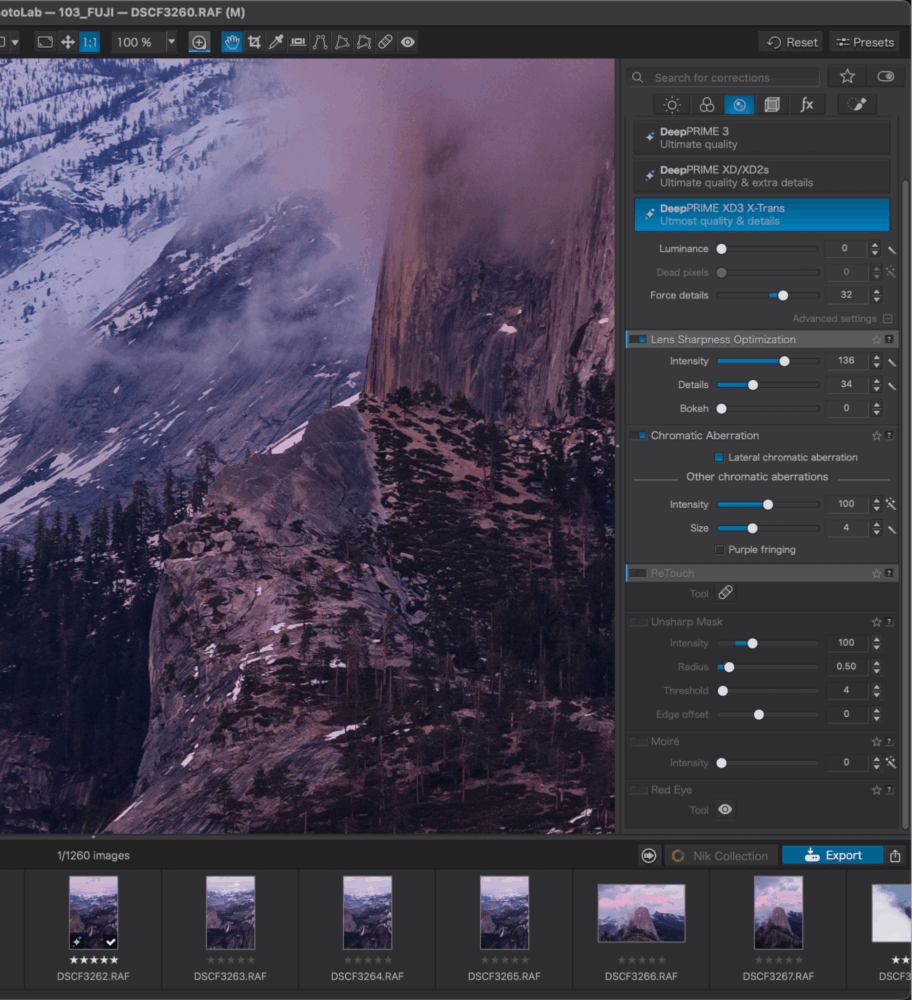
Now, according to DxO, DeepPRIME XD3 X-Trans delivers improved detail recovery and noise suppression for extreme low-light images, making it one of the most advanced demosaicing solutions currently available for Fujifilm cameras.
For photographers who routinely shoot concerts, events, or nightscapes on Fujifilm cameras, this feature will definitely justify a serious look at PhotoLab 9!
Workflow Improvements That Actually Matter
Beyond image quality, PhotoLab 9 introduces several practical workflow upgrades. Which is very important, because as much as we love the stunning results we get from the DxO raw conversions, in the long run it really is all about the overall workflow. Here are the key new features/tools to notice:
- Image stacking for organizing similar shots
- Favorites for folders and projects
- Direct access to the Project palette from Customize mode
- Smarter handling of relocated folders
- Powerful batch renaming using metadata, EXIF data, or custom text
Personally? I’m just always a huge fan of a workflow system that feels as convenient as a “catalog system”, but also allows me to just browse my actual hard drives without ever having to “import” images before I can see them. Call me oldschool, but this is a huge plus for me.
With that said, for our readers who are likely either portrait or wedding photographers, one of the biggest ways to save time with editing hundreds or thousands of photos per week is, of course, batch tools. In this case, it goes beyond the batch AI masking, too. The batch renaming system and other batch editing features, collectively, are particularly useful for photographers delivering large jobs or maintaining strict naming conventions across clients and archives. Also, batch presets can be saved and reused, ensuring consistent file organization throughout an entire workflow.
HEIC, HEIF, and ProRAW Support for iPhone Shooters
To get into some of the nitty-gritty details that help this software stay at the forefront of universal compatibility: PhotoLab 9 now supports Apple HEIC/HEIF formats and ProRAW. This makes it easier to integrate iPhone images into a professional workflow. (NOTE: a few high-end flagship pro mirrorless cameras use such HEIF formats, too!)
While this may not be critical for every photographer, it’s a welcome addition for those using iPhones as secondary cameras, behind-the-scenes tools, or even primary capture devices for certain types of work.
DxO PhotoLab 9 Review | Performance & Reliability
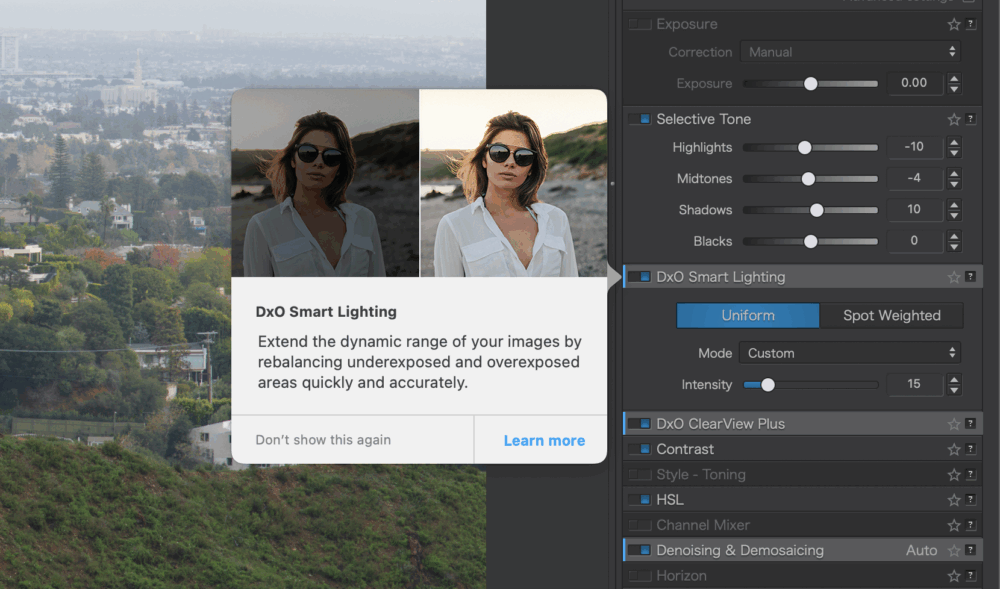
Last but not least, as the days and weeks turn into months and years as a photographer, the final deal-maker (or breaker) is performance and reliability. Does the app crash a lot? (Even the biggest name in the photo editing software industry cannot always answer with a certain “no!”)
DxO PhotoLab 9 is heavily optimized for GPU acceleration, particularly when using DeepPRIME technologies. While performance will depend on your system’s hardware, PhotoLab has generally proven to be stable and reliable, even when handling demanding high-megapixel RAW files. In short, PhotoLab 9 is consistently stable, and quite fast under day-to-day workloads. Some of our testing was done on an “ancient” 2019 Macbook Pro, and even then it was an incredibly smooth, fast user experience!
Of course, as with all photo/video software, photographers using older systems should look into OS compatibility, and potentially expect slightly longer processing times when applying advanced denoising. Still, the image quality gains will justify the wait.
One final aspect of user experience is this: the initial learning curve, and, how helpful is the software itself when it comes to teaching you? On this subject, we found DxO PhotoLab in general to have very useful tips, and a simple interface for either “Learn more” or “Don’t show this again”.
DxO PhotoLab 9 Review | Pros & Cons
Pros
- Industry-leading noise reduction and detail recovery
- Highly accurate AI-powered masking
- Local control over denoising and sharpening
- Exceptional lens and sensor correction profiles
- Perpetual license option (no subscription required)
- Strong support for Fujifilm X-Trans cameras
Cons
- Catalog and DAM tools remain more basic than Lightroom
- No built-in cloud sync or mobile workflow
- Advanced features benefit most from modern GPUs
Pricing & Value
DxO PhotoLab 9 is available as a one-time purchase, which remains a major differentiator in today’s subscription-heavy software landscape.
- New license: $239.99
- Upgrade from PhotoLab 7 or 8: $119.99
- 30-day free trial available
For photographers who value ownership and long-term use over recurring fees, PhotoLab continues to offer strong value, especially when image quality is the top priority.
You can also get 15% off DxO PhotoLab 9 or any other DxO software using discount code “SLRLounge” (valid for new customers): https://shop.dxo.com/en/
DxO PhotoLab 9 Review | Conclusion
DxO PhotoLab 9 represents one of the most significant updates in the software’s history. By pairing its industry-leading image processing with modern AI-powered masking and smarter workflow tools, DxO has made PhotoLab more versatile without compromising what it does best.
This isn’t software designed to replace every workflow for every photographer, and it doesn’t try to be. Instead, PhotoLab 9 excels for photographers who demand maximum image quality, precise control, and freedom from subscription pricing.
For landscape, event, night, and Fujifilm shooters in particular, DxO PhotoLab 9 is not just an incremental update. It’s a compelling reason to reconsider what a modern RAW editor can be.