SEO is arguably the most sustainable and consistent form of lead generation for photographers (and most other small businesses). However, we often “put it off” until later because we don’t know where to start or what advice to follow. To make things simple and cut through the clutter, we’ve created this complete guide to SEO for photographers.
This article will dive into the key concepts and focus on common problems we’ve seen many photographers face based on the hundreds of website reviews and personal consulting sessions we’ve done. Here’s a brief overview of what we’ll cover:
SEO for Photographers: At a Glance
This guide walks through the essential building blocks of a photographer’s SEO strategy, from keyword planning to local visibility and link building.
- Use Keywords with a Plan – Choose and target the right search terms
- Submit Your Sitemap – Help Google crawl and index your site
- Focus on Local SEO – Reach clients in your geographic area
- Create Enough Website Content – More pages means more opportunities to rank
- Balance Text and Images – Give search engines the context they need
- Build Backlinks – Earn links that boost your domain authority
- Link Internally – Connect your pages for better crawlability
- Follow Best Practices with Image Naming – Optimize your files for image search
For more in-depth information, we’ve also created a free guide called “Essential Photographer’s SEO and Website Checklist” that you can download for free.
Use Keywords with a Plan

The first step to SEO is understanding keywords. Think of your keywords as the words or phrases someone is typing into Google to find pages on your site. Are they searching your genre plus the word “photographer” plus your city, like “New Orleans Newborn Photographer?” Are they searching for related terms and stumbling upon your work through venues and locations, like “Marriott Los Angeles Wedding?” The first step in understanding how to rank well is determining what you are trying to rank for. Start your plan with a list of terms you’re trying to rank for.
A good way to get inside your ideal client’s head is to think about how they search at different stages of the planning process. Early on, they might search broadly for “wedding photographers in Austin.” As they narrow things down, they get more specific: “light and airy wedding photographer Austin” or “documentary wedding photography Texas Hill Country.” Targeting a mix of broad and long-tail keywords helps you capture clients at every stage of their decision-making.
Let’s go through a couple of common mistakes with keywords:
- Each page should tackle a single keyword – So, for example, if you’re writing a page on the “wedding first look,” then you should focus on that keyword, using it a few times within the article organically and giving your readers a thorough explanation to satisfy the intent of their search. What happens, though, is that photographers sometimes try to force in other keywords like “Atlanta wedding photographer” into that page, which isn’t helpful and can confuse both readers and Google. Keep your pages clear and organized so that everyone can easily understand the topic of the content.
- Each page should tackle a unique keyword – Related to the above, do not try to create multiple pages that tackle the same keyword. The result could be “keyword cannibalization,” when search engines have a hard time determining which page is most relevant to the user’s query, and as a result, both pages may rank lower than they would if there was only one page targeting that keyword.
Submit Your Sitemap
Sitemaps help Google crawl and understand the content on your site. If you’re using a good website builder like Format or Squarespace, your sitemap is automatically generated. All you have to do is submit it to Google Search Console. If you’re on WordPress, a plugin like Yoast SEO or Rank Math will create and maintain your sitemap automatically. Once you have it, head to Google Search Console, navigate to the Sitemaps section, and paste in your sitemap URL, typically something like yourwebsite.com/sitemap.xml.
While you’re inside Google Search Console, take a few minutes to check the Coverage report. It will show you if any pages on your site have crawl errors, are being indexed, or have been excluded for any reason. This is one of the most useful free tools at your disposal, and most photographers never look at it.
Focus on Local SEO

Many photographers forget to put any effort into local SEO, which means optimizing your website and online presence to appeal to customers in your geographic area and appear in local searches. For small local businesses like photography studios, this is absolutely critical. When a potential client in your city types “wedding photographer near me” into Google, local SEO is what determines whether your name comes up or a competitor’s does.
The process can seem daunting, but it’s actually pretty simple to get started. It includes optimizing your website for local search terms, creating listings on related directories and review sites, and making sure your contact information is up to date and consistent across websites. By taking the time to optimize for local SEO, you can ensure that your business is visible to the people who are most likely to become clients, rather than attracting views from people outside your area.
Set Up and Optimize Your Google Business Profile
If you could only take one action from this entire article, setting up and fully optimizing your Google Business Profile (formerly Google My Business) would be it. A well-optimized profile gives you a strong chance of appearing in Google’s local “map pack,” that cluster of three business listings that shows up at the top of local search results. This placement can generate more inquiries than most other SEO tactics combined.
Getting started is free and straightforward. Here’s what matters most once your profile is set up:
- Complete every section – Fill in your business name, contact information, business description, service areas, categories, and any services you offer. Incomplete profiles rank lower.
- Upload portfolio images regularly – Add high-quality examples of your work and update them often. Profiles with photos receive significantly more engagement than those without.
- Collect and respond to reviews – Reviews are one of the strongest local ranking signals. After each shoot, send clients a direct link to your Google review page. Respond to every review, positive or negative, to show that you’re engaged and attentive.
- Post updates regularly – Use Google Posts to share recent work, promotions, or seasonal offers. This keeps your profile active and signals to Google that your business is current.
- Set up your service area correctly – Most photographers are service-area businesses, meaning you travel to clients rather than having a storefront. Set your service area accordingly and consider hiding your home address to avoid Google compliance issues.
Additional Local SEO Action Steps
- Mention your city and region on your website – On your home page and contact page, reference your city and the surrounding areas you serve. You’d be surprised how many photographers don’t do this.
- Use consistent NAPs (name, address, and phone number) – Use the exact same name, address, and phone number in all of your directory listings. Even small inconsistencies can hurt your local rankings.
- Sign up for recommended directories – Keep your information and images handy and create profiles on photography and wedding directories. It may take a few hours, but the results will pay off over time. See our recommended list here.
From there, continue outranking your competitors with targeted content and high-quality backlinks, which will take time. Just doing the steps mentioned above puts you ahead of many photographers and gives you a great starting point.
Create Enough Website Content
The next most common mistake I see photographers make is simply not having enough content on their website. How can a fisherman catch enough fish if he doesn’t have enough hooks in the water? Similarly, how can you get more organic search traffic without enough web pages to potentially appear in search results?
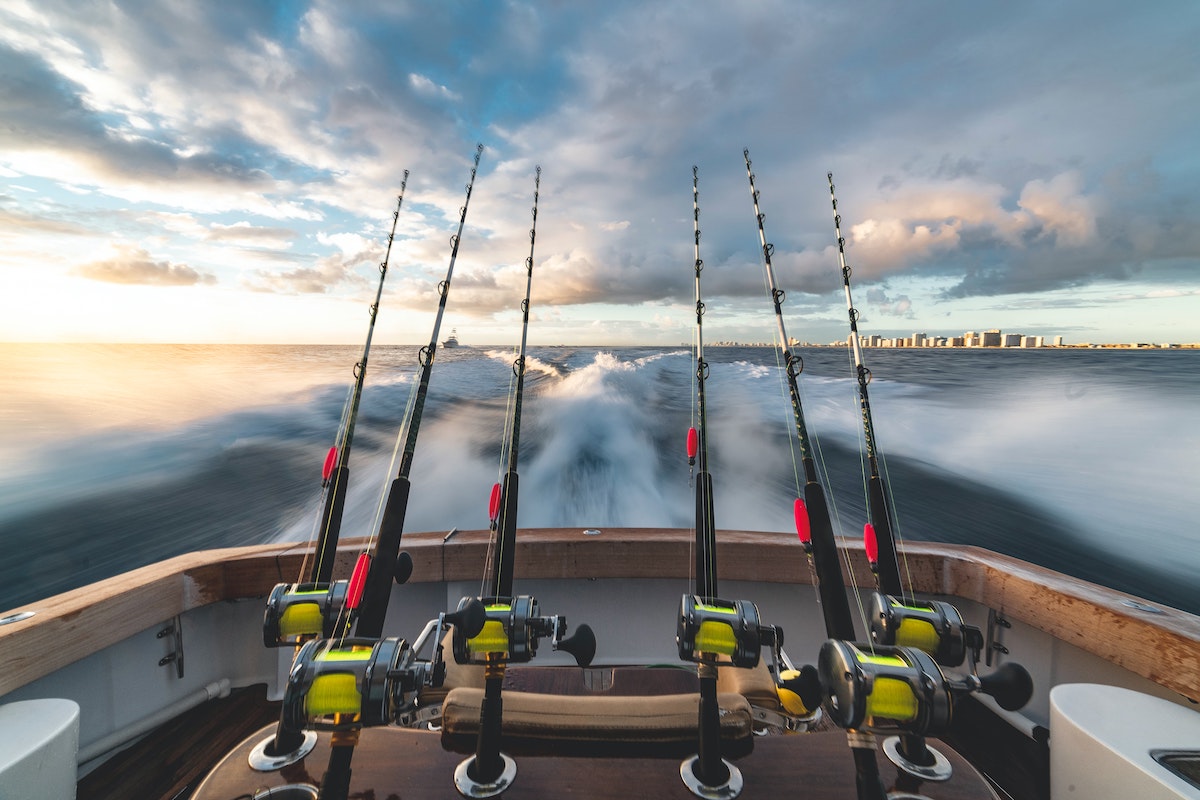
Having enough content is critical to boosting your overall SEO rankings. Each page you publish is another opportunity to show up in search results for a different query. A photographer with 30 pages of useful, well-targeted content will almost always outrank one with a five-page portfolio site, even if the portfolio is stunning.
Content creation is more accessible now than ever. Services like Jasper AI can help you draft initial content quickly, though you should always review and personalize anything AI-generated before publishing. Your unique voice and real-world experience are what clients and Google both respond to. Alternatively, copywriters are more accessible and affordable than most photographers expect. Read more about how to create written content without any writing skills.
Here are some page ideas to get you started:
- Preferred Venues and Shoot Locations (read more about these)
- Preferred Vendors (read more about these)
- Makeup and Wardrobe Guide
- Gear and Equipment List
- Answers to FAQs your clients ask during consultations
- (We have a full list inside of our Business Training)
Balance Text and Images

The next common mistake in SEO for photographers is one built into many popular website templates and themes. Many of the most beautiful, image-heavy themes and templates don’t leave much space for text content. Without enough text, it’s difficult to rank a page for a keyword. Search engines rely on signals to understand the page content and determine which search terms to rank the page for. Among others, these signals include the title of the page, the image names on the page, the URL of the page, and the text on the page. While it is possible to rank a page without much text, it’s an additional challenge that you have to overcome.
Action Steps
Try to include at least 500 words of text on your home page and on all other pages on your website. Within that text, include the keyword you’re trying to rank the page for in an organic way, a few times throughout. Don’t force it. If the text reads awkwardly, the keyword density is probably too high.
If the website theme or template you chose doesn’t allow for enough text on your homepage, consider switching themes or templates. A beautiful design that Google can’t read is holding your business back. Also make sure your site is mobile-friendly and loads quickly. Google uses mobile-first indexing, which means it primarily uses the mobile version of your site to determine rankings. A slow or poorly formatted mobile site can drag down your visibility regardless of how good your content is.
Build Backlinks
Not actively working to build backlinks is one of the most common SEO mistakes photographers make. Backlinks are links from other websites pointing to yours. Search engines treat these as votes of confidence: the more quality backlinks you have, the more authoritative your site appears, and the higher it tends to rank. While it’s not reasonable to expect most busy photographers to cold-pitch guest posts and pursue link-building campaigns, there are simple things you can work into your existing workflow that will help you earn backlinks naturally over time. For more information, see our complete article on link building for photographers.
- Send your images to related vendors and venues after each shoot – By providing the images, you will get some social media mentions, and every now and then you’ll also get a link back if they decide to showcase your work on their website. Just be clear about your requirements for using your images.
- Create Preferred Venue and Vendor Pages – Creating these pages on your website helps the venues and vendors you include, and every once in a while they’ll return the favor by including and linking to you as well.
- Get your best shoots featured – Try to get your best work featured in relevant online publications for your photo niche or your local area.
- Seek ambassadorships with brands you use – Go through your list of gear and software and research ambassador opportunities with each of them, from your camera bags and straps to your Lightroom presets and other digital tools. Most brands will list and link to their ambassadors.
- Become a writer – If writing interests you, consider applying to contribute to a photography publication like SLR Lounge, Fstoppers, DIY Photography, and others. Some have paid writing opportunities as well, so you can earn income while building your website authority with backlinks.
- Consider Wedding Maps – Shameless plug alert! We started Wedding Maps to help photographers build their online presence and reputation. Wedding Maps takes the images submitted by their members and creates articles for websites around the web based on those images, mentioning and linking to their photographers’ websites.
Link Internally
As you write your content, be sure to reference and link related pages on your own site. Besides being good for the user experience, internal linking allows Google’s bots to crawl your site and discover pages they might not otherwise find. Using the target keyword of the linked page as your anchor text (the clickable words in the link) further reinforces to Google what that destination page is about. As with everything else in SEO, keep your internal linking modest and natural. Linking to every other page you’ve ever written, on every page, looks spammy and dilutes the value of each link.
Follow Best Practices with Image Naming

Not renaming images before uploading them is a missed opportunity that many photographers overlook. While Google’s AI is improving at understanding image content without textual clues, it still relies heavily on file names, alt text, and surrounding text to determine what an image shows and whether it should rank in image search results. Giving Google clear signals here is easy and takes only a few extra seconds per image.
- Ideal format: best-keyword.jpg
- Example: wedding-first-look.jpg
When you have more than one image, start using keyword variations. See these examples:
- wedding-first-look-bride-groom.jpg
- first-look-before-wedding-ceremony.jpg
Also include alt text with every image you upload. Alt text is a short description that tells both search engines and visually impaired users what the image contains. It’s a simple step that most photographers skip entirely. You can learn more about writing good alt text here. And if you’re uploading a lot of images regularly, consider compressing them before you upload. Faster-loading pages rank better, and a gallery page full of uncompressed files can significantly slow your site down.
Frequently Asked Questions About SEO for Photographers
How long does SEO take to work for photographers?
SEO is a long game. Most photographers start to see meaningful movement in their rankings after three to six months of consistent effort, and it can take up to a year to rank competitively for higher-volume keywords. The upside is that rankings earned through SEO are far more durable than paid ads. Once you’re ranking, you often stay there with relatively little ongoing effort.
Do social media profiles help my SEO?
Social media does not directly affect your Google rankings, but it plays a supporting role. A strong Instagram or Pinterest presence can drive traffic to your website, and if others discover your work through social and link to it, those backlinks do help. Having active social profiles also reinforces your brand’s credibility, which matters when potential clients research you before booking.
What’s the difference between local SEO and regular SEO for photographers?
Regular SEO focuses on ranking in national or global search results, while local SEO targets searches with geographic intent, such as “wedding photographer in Nashville.” For most photographers, local SEO is where the highest-value clients come from. It involves your Google Business Profile, local directory listings, consistent NAP information, and location-specific content on your website.
Should I use AI to write my website content?
AI writing tools can be useful for generating a first draft or overcoming writer’s block, but they should not be published as-is. Google prioritizes content that demonstrates real experience and expertise, and unedited AI content tends to read generically. Use AI as a starting point, then rewrite and personalize the content in your own voice with your own insights and client experiences woven in.
How many keywords should I target on one page?
Focus on one primary keyword per page, then naturally support it with a handful of closely related secondary keywords. For example, a page targeting “maternity photographer Los Angeles” might also naturally include phrases like “pregnancy photos LA” or “outdoor maternity session Southern California.” Trying to rank a single page for too many unrelated terms dilutes your focus and makes it harder to rank well for any of them.
More Info
The information in this article is just the tip of the iceberg when it comes to SEO, but the actionable steps will yield positive results over time if you start taking action. For a more comprehensive plan, be sure to check out our Complete Photography Business Training System in SLR Lounge Premium. And for help with building your online presence, links, and mentions, be sure to check out Wedding Maps.