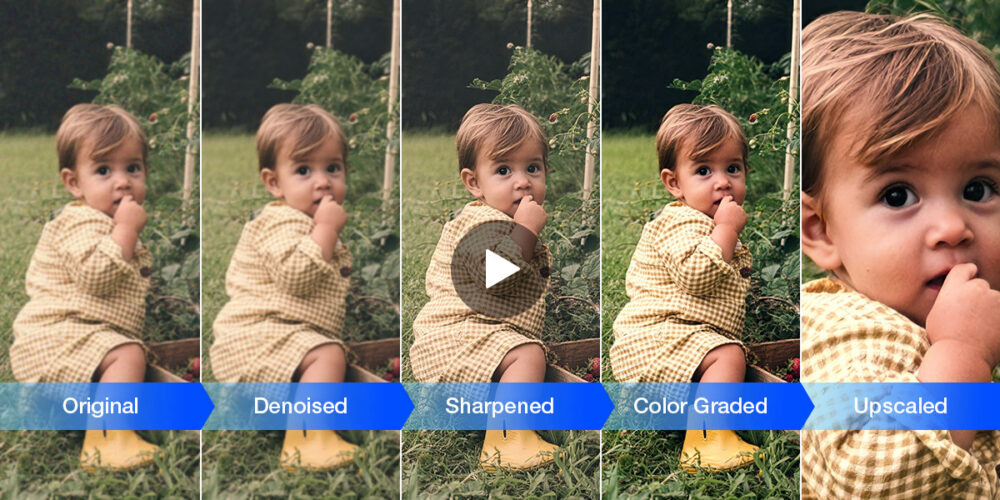
Aiarty has announced version 3.5 of its AI-powered image enhancement tool for Windows and macOS, adding precise control over sharpening, integrated color correction, and native support for NVIDIA’s new RTX 50-series GPUs. The update targets photographers, content creators, and artists looking for quick, high-quality results—without needing to bounce between multiple apps or endure overly processed output.
The standout addition in Aiarty Image Enhancer v3.5 is a new Super Resolution Strength slider. This lets users fine-tune how aggressively the software enhances details, giving them more control over the final look. Instead of applying a one-size-fits-all upscale, the slider allows users to strike a balance between sharpness and natural texture—addressing one of the most common frustrations with AI-based enhancement.

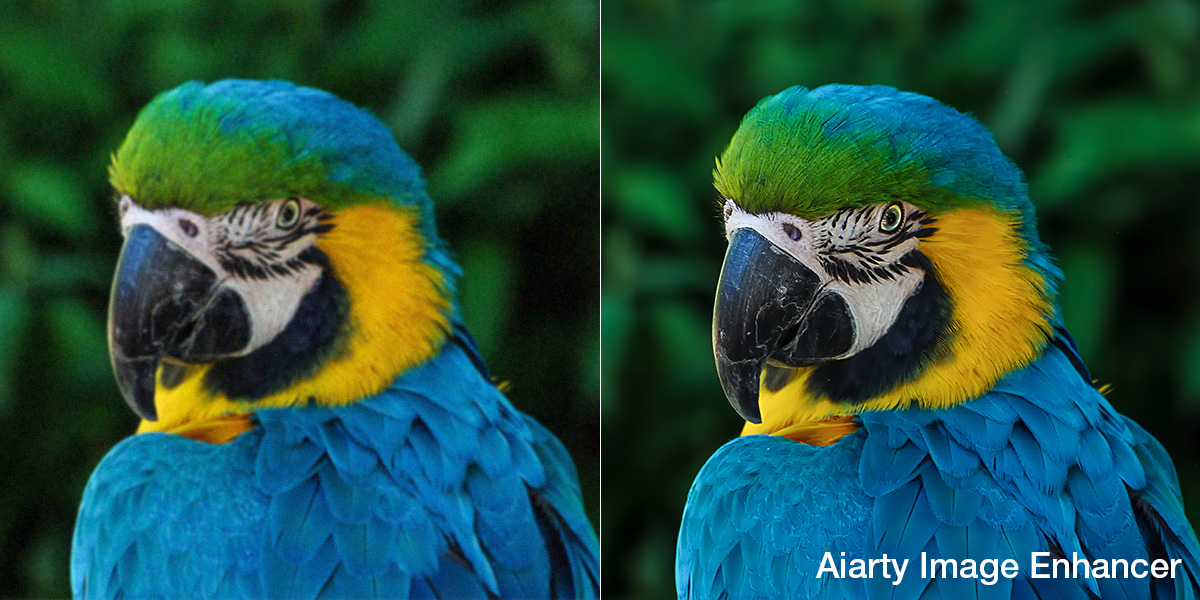
The same Strength adjustment is now available across denoising, deblurring, and artifact removal tools. In practice, this allows users to soften JPEG compression without smearing detail, or recover motion blur while avoiding halos or edge artifacts. For anyone restoring old scans, retouching low-res internet photos, or prepping AI-generated artwork for print, this is a useful layer of finesse.

Also new in version 3.5 is a built-in Color Correction module. Users can now adjust temperature, tint, exposure, contrast, and saturation directly within the Aiarty interface. This is particularly helpful when working with archival images, mixed lighting, or AI-generated content where tonal balance may be off. By integrating these adjustments natively, Aiarty cuts out the need to export files to a second app just to fix color—saving time and preserving non-destructive flexibility.
Performance also gets a meaningful boost. Aiarty now includes TensorRT optimization for RTX 50-series GPUs, dramatically reducing processing times on supported hardware. According to internal benchmarks, loading times for Face Restoration models have been cut by over 12 seconds on some systems—translating to a snappier experience right from the first use. The update also includes full optimization for Apple Silicon, including the latest M5 chips.
Other features include:
- Face Restoration: Improves skin texture and corrects facial blur
- Upscaling: Options for 2×, 4×, 8×, or direct export to 4K, 8K, or up to 32K resolution
- 2-pass enhancement: Ideal for refining AI-generated images without erasing prompts or detail
- Batch processing: Process multiple images at once, all done locally
- Local AI processing: No cloud uploads—everything runs on your device
- Custom export settings: Save as JPG/PNG (8- or 16-bit), with DPI and quality controls
Aiarty says version 3.5 is a direct response to user feedback—and it shows. The new controls don’t reinvent the workflow but instead refine it, bringing more editorial-style flexibility into what was previously a fairly automated process. For users who want speed but still care about nuance, that’s a welcome change.
Pricing and Availability
Aiarty Image Enhancer 3.5 runs on both Windows and macOS and is compatible with a wide range of GPUs and CPUs, including newer Apple Silicon systems.
Download or learn more:
Pricing:
- $75/year (regularly $85)
- $99 Lifetime License (normally $155)
Each license covers up to three devices and includes two bundled tools: Aiarty Image Matting (background removal) and an All-in-One Video Toolkit (conversion, compression, editing).
More Before and After Examples