
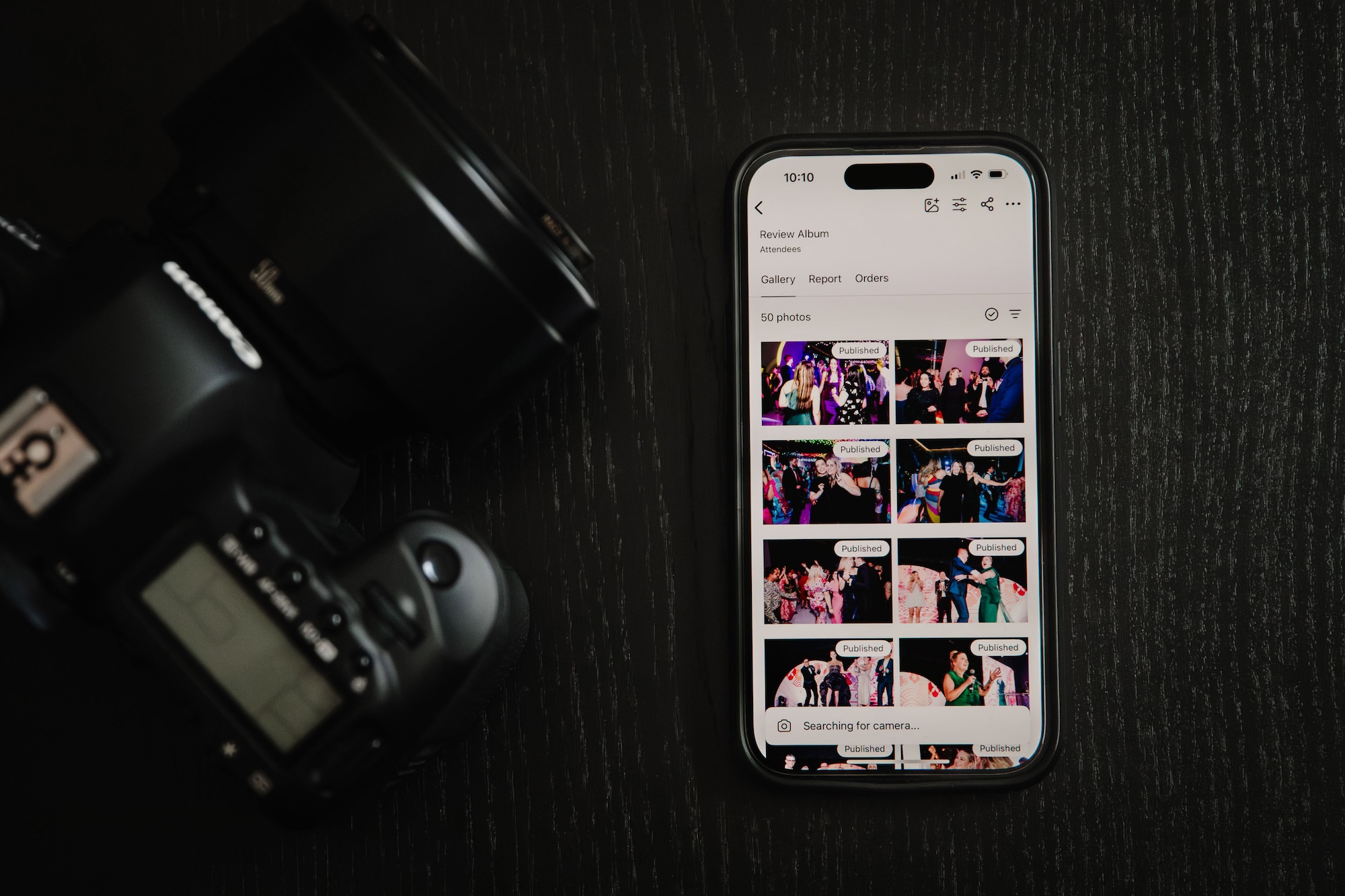
Let’s be honest. If you’ve ever shot a conference or wedding with hundreds of guests, you know the actual photography is the fun and easy part. It’s in the aftermath where things get complicated: spending hours sorting through thousands of nearly identical shots, batch editing until your eyes blur, uploading everything to multiple galleries, and then there’s the waiting. By the time clients finally see their photos, many of them have already moved on mentally. That is where the Honcho app comes in handy. Honcho is a camera-to-cloud system that aims to flip this entire process on its head. It handles the sorting, basic editing, and delivery automatically, even while you’re still at the event! And here’s something really interesting: this app makes it possible to start selling your photos before you’ve even packed up your gear.
Why Timing Actually Matters (More Than You’d Think)
Before, making same-day delivery for big events seemed more like a bonus, if it could be done at all. It turns out, however, that having the ability to do this is a big deal.
Think about it: a guest steps out of a packed conference keynote, energized, networking badge still swinging, or a newlywed couple shares their first dance, surrounded by friends and family; that’s when the emotional impact is highest. It’s in those moments, not days later, when people are most excited to see and share images. Honcho lets photographers deliver while the moment is still unfolding. Guests scan a QR code at the venue or receive a link on their phones, instantly see photos of themselves, and can purchase or share images before the day is even over.
The sales difference between same-day and next-week delivery will vary by photographer and event, but it’s highly likely you’ll see a boost in sales with same-day delivery. The emotional high people have just after an event for a photo shoot is worth money.
Who This Actually Works For
Honcho started in events and weddings before recently entering the race and marathon space. The point being that the tech works great for photographers in a wide array of genres. Really, anywhere you’ve got lots of people, limited time, and the need to move fast, that’s Honcho’s sweet spot.
- Event and wedding photographers can wow clients by showing them photos during the reception. Want to upsell albums or prints? Nothing works better than seeing yourself on screen while you’re still in your tux (or running attire). If you’ve ever seen a same-day edit for a wedding video, you know how the newlyweds and guests react, pointing at the screen and looking at one another with their mouths agape. Honcho also has a Live Slideshows feature that allows you to share images on any screen and create more excitement around the same-day photos.
- Sports and school photographers already know the pain of sorting thousands of nearly identical shots. Honcho’s face recognition handles that potential nightmare automatically, and you can sell packages on the spot instead of waiting weeks for order forms to come back.
- Brand and PR shooters working live events can turn around social-ready images in minutes. Your client wants photos posted before the event’s even over? Done.
What Honcho Actually Does
The basic idea behind the Honcho app is simple: eliminate every annoying step between taking a photo and selling it. This includes tasks like manual sorting, exporting files, uploading batches until late in the evening. Everything happens automatically while you’re shooting, and it all actually works together so smoothly that you barely think about it.
Here are some key features that make this possible:
- Camera-to-Cloud Workflow – Your camera connects to your phone, uploads happen automatically. No computer needed anywhere in this process.
- AI Face Recognition – People take a selfie and the system finds all their photos. You never have to manually tag or sort anything.
- Automated Editing – Set your look once (exposure, contrast, color, whatever you want), and every photo gets processed automatically as it uploads.
- Built-In Online Store – People can buy single images, packages, or everything. You set the prices, Honcho handles the checkout.
- Privacy Controls – Photos stay blurred until someone identifies themselves. Great for public events where privacy actually matters.
- Multi-Device Management – Start on your phone, switch to a tablet or laptop if you want. Everything syncs.
How It Actually Works in Real Life
We tested this app across a number of shoots, and we were very impressed with how easy the setup is. The first time might take you ten minutes. After that, you can expect to be shooting and uploading in under two.
Getting Started
Plug your camera into your phone. The Honcho app recommends using a “USB-A cable and an adapter to convert from USB-A to Lightning, for iPhone 14 and earlier models.” Or, if you have an iPhone 15 or later model, you can use USB-C cables. Next, open the Honcho app. That’s it. They connect instantly. You won’t need to worry about WiFi passwords, Bluetooth pairing, or any of that. Every time you take a photo, it starts uploading in the background. It takes maybe 3-4 seconds per image. You can just keep shooting like normal.
If you happen to capture images while not tethered to the app, you can always add those later by dropping the image files into a gallery at a later time.
The Editing Magic
Here’s where it gets interesting. Honcho has editing tools built right into the app, including sliders for all the usual stuff like exposure, contrast, saturation, white balance. But instead of editing each photo individually (nobody wants to do that), you create a preset. Dial in your look once, save it, and every photo that uploads gets automatically edited to match.
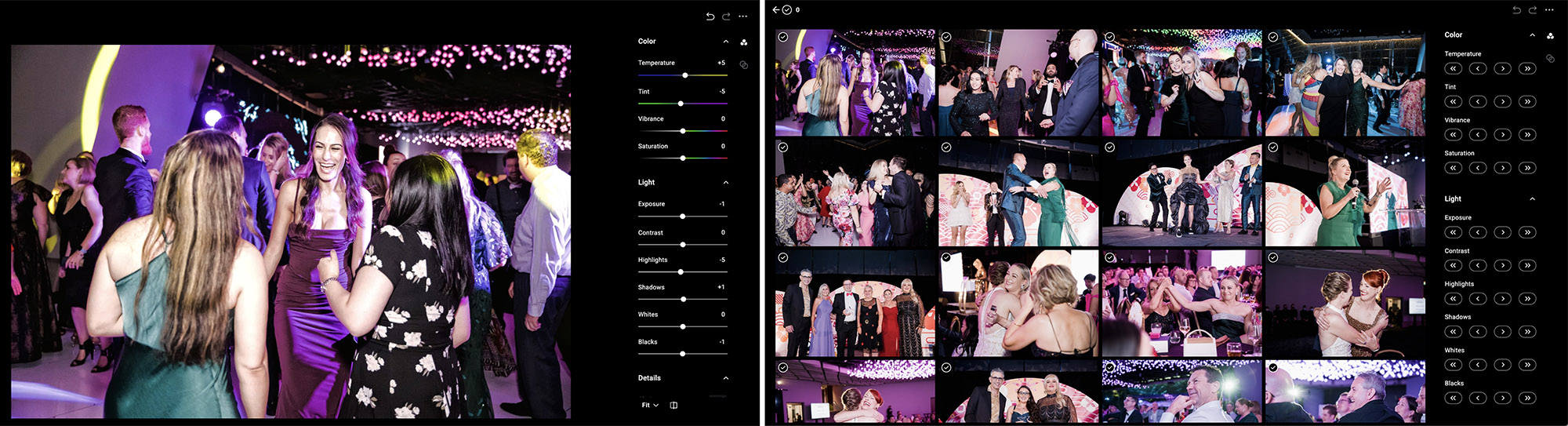
You don’t have to jump between apps. It just happens while you’re shooting. And if you need to tweak something mid-event? Adjust your preset and reprocess the whole gallery in about ten seconds with Honcho’s batch editing capabilities.
Galleries Go Live Immediately
Photos hit the gallery within seconds of being taken and edited. Print out a QR code and stick it at the finish line (or wherever makes sense for your event). People scan it, land on their gallery page, and start browsing immediately.
Face Recognition That Actually Works
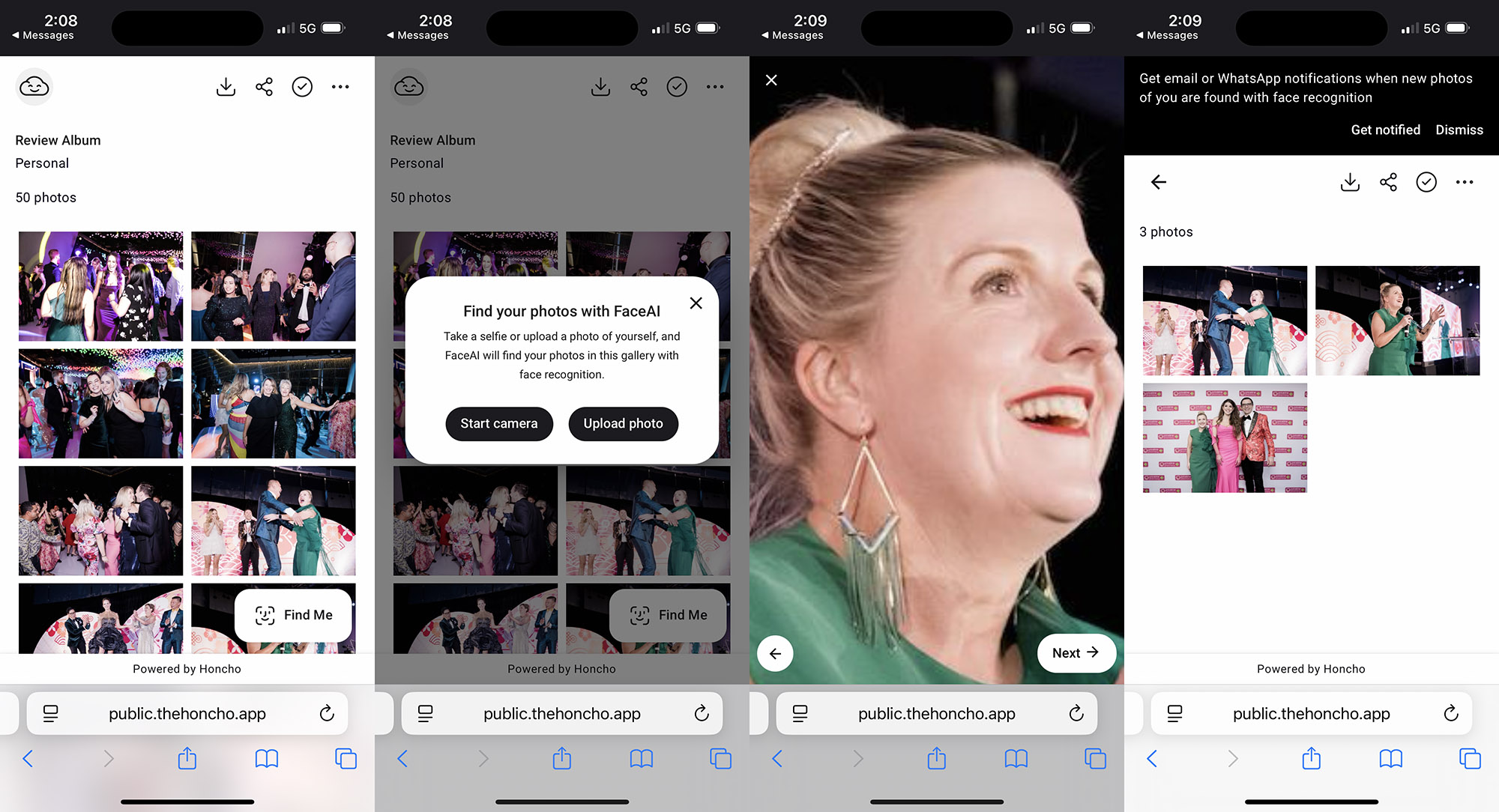
This was the part I really wondered about. Face recognition has been around for some time now, but it can be inaccurate, sometimes wildly so! I was relieved to find out that Honcho’s version works.
After you share a QR code with the person who is looking for their photos, they can tap “Find Me,” snap a selfie, and the system pulls up every photo they’re in. You can also select the images yourself (say if it’s a single-client shoot) and share the QR code with the subject.
I’ll share more about this later, but the Face Recognition seems to work well whether the person is backlit, photographed from the side, or even if they’re partly out of frame. it still finds them. This cuts down on false matches or disappointed emails from people who can’t find themselves.
Sales Happen Automatically
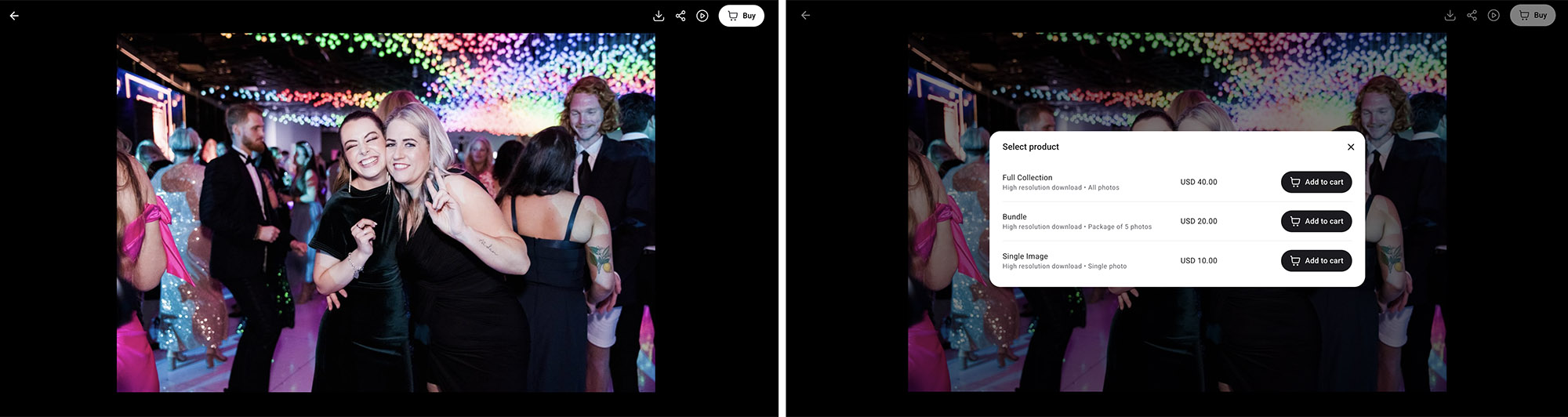
Photos can be sold individually, as packages, or as the full gallery, using whatever pricing structure makes sense for you. Payment processing is built in. Someone buys a photo, you get paid, they get a download link. Fortunately, it is surprisingly simple to set up your online store to streamline the buying process for customers.
Privacy That Makes Sense
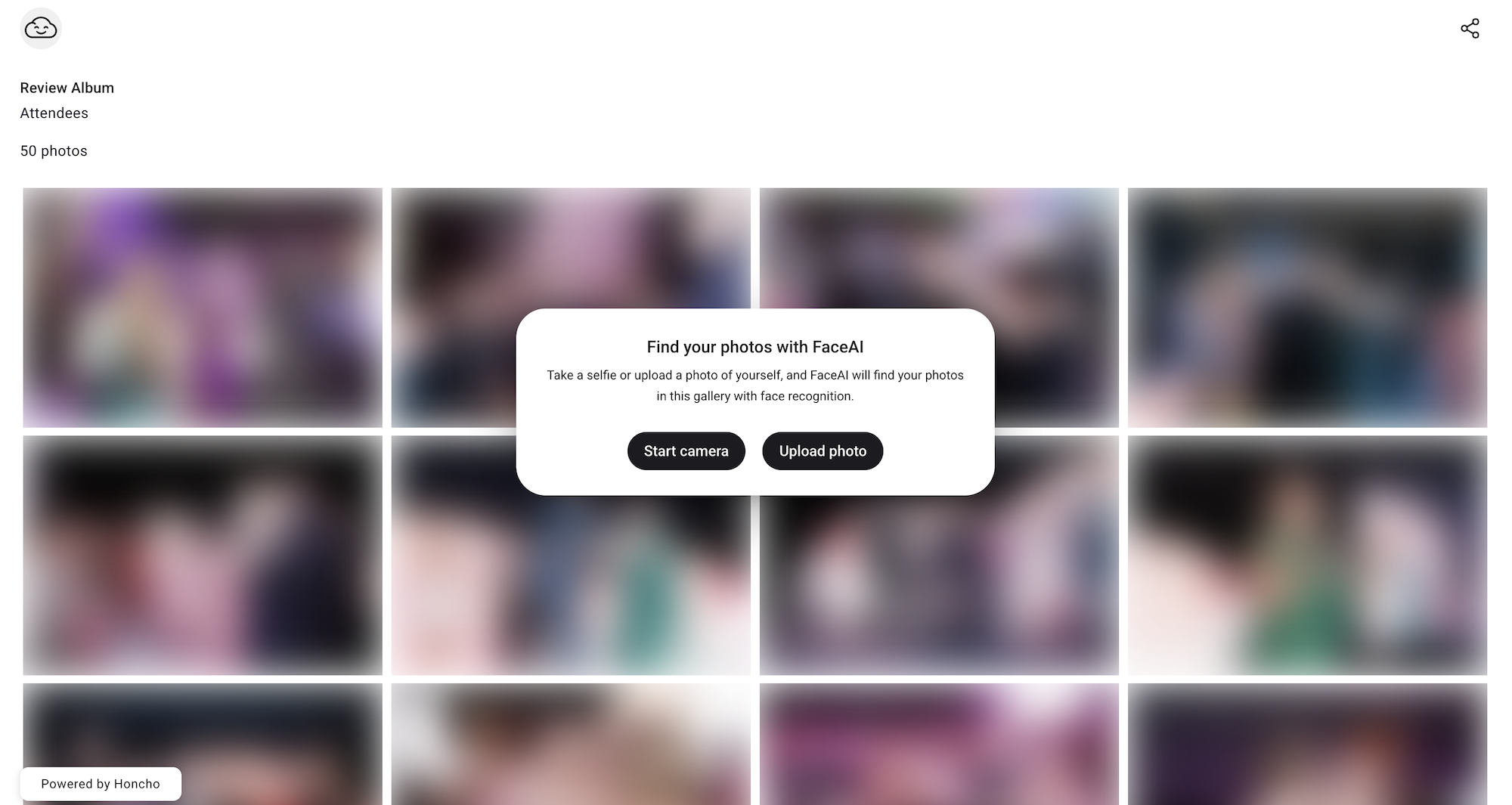
If you’re shooting something public where not everyone wants their photo online, Honcho has a smart workaround: everything stays blurred until someone face-matches it. So you can have a completely open, searchable gallery, but individual images stay private until the actual person identifies themselves. This helps alleviate worrying about random people downloading photos of strangers.
What Actually Surprised Me
After having photographed events for years, my bar for “impressive new tech” is pretty high at this point. I’m happy to report that Honcho cleared it, and not just because of the obvious stuff.
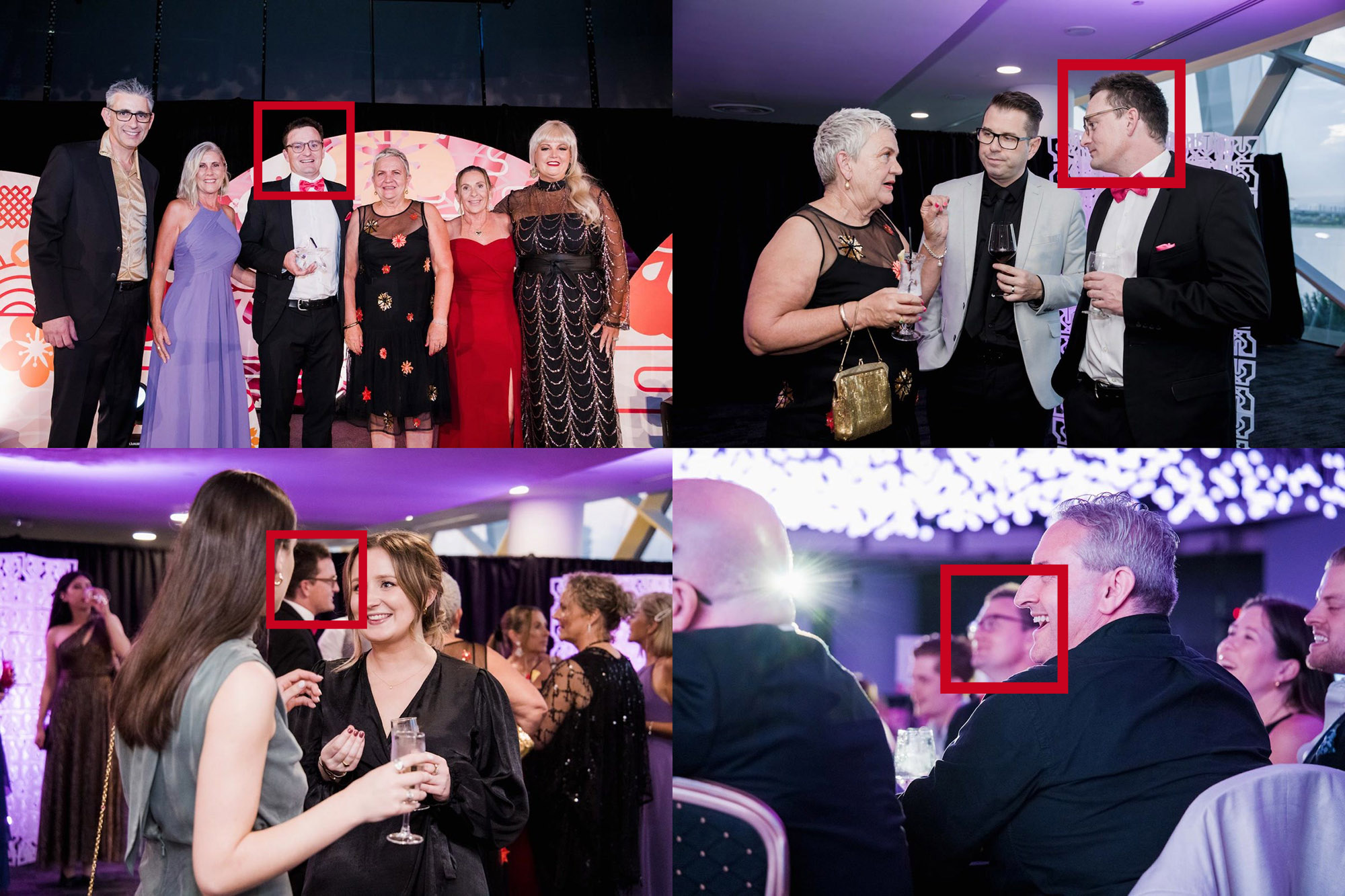
The face recognition accuracy is legitimately impressive. I mentioned this earlier, but it also correctly identifies people in crowd shots where their face takes up only a sliver of the frame. As illustrated in the image above, side profiles, people mid-turn, even partially obscured faces, it’s all covered. For high-volume events where you might shoot 3,000+ photos, this alone can save hours of manual work.
The editing tools were another pleasant surprise. Everything runs through the mobile app, which usually means “limited” or “slow.” While the tools are currently limited (Honcho has stated that they expect to include more advanced editing tools in future updates), I can run basic batch adjustments on hundreds of images in no time, including exposure, contrast, saturation, white balance, and so on. And because everything’s cloud-based and non-destructive, my phone doesn’t turn into a space heater, and I can always go back and change things later.
Lastly, there’s also something satisfying about making mid-event adjustments. If you encounter lighting changes or weather shifts, for example, you’ll just need to tweak your preset and reprocess. The whole gallery updates in under a minute.
What This Actually Means for Your Business
The real story here is more about what happens after you finish shooting. Specifically, nothing happens. You pack up your gear and you’re done. No sorting. No all-night, rush editing. No exporting files to three different formats.
For solo shooters especially, this changes everything. The traditional bottleneck in event photography is post-production. You can only shoot so many events if each one requires 6-10 hours of follow-up work and you’re not outsourcing the task (which can really eat into your profit). Honcho works very well to help remove that bottleneck.
And then there’s the money side. It is not far-fetched to expect to see higher conversion rates from same-day delivery, impulse purchases while people are still excited, and social sharing that drives more traffic to your galleries. Honcho reports that their users typically see more upsells and bookings after adopting the Honcho app. The platform isn’t free, but it basically pays for itself after one decent-sized event. Many clients will likely willingly pay extra for instant sharing, and word of mouth happens when guests experience the quick turnaround that the app offers. Furthermore, you can design simple contact forms, which customers will see when they open the gallery, to build your mailing list and generate more leads.
Room for Growth: Current Limitations Worth Knowing
No platform is perfect out of the gate, and Honcho is no exception. While the core functionality works exceptionally well, there are a few areas where the platform is still catching up to its potential. The good news? The development team is actively working on most of these issues, with several updates already in the pipeline. Here’s what you should know before committing.
- Internet Required: Honcho requires a stable internet connection for uploads, which can be problematic at venues with spotty WiFi or weak cellular coverage. If you’re shooting somewhere remote or in a building with thick walls (looking at you, old churches and convention centers), you might experience slower uploads or need to wait until you’re back in range. This isn’t a dealbreaker, but it’s worth testing connectivity before you commit to same-day delivery at a new venue.
- No Portfolio Gallery (Yet): Currently, there’s no public-facing portfolio page where you can showcase your work or let potential clients browse sample galleries. For photographers who rely on their event galleries to attract new business, this is a notable omission. The Honcho team has confirmed this feature is launching later this month, which should address the gap.
- Digital Downloads Only (For Now): The online store handles digital downloads smoothly, but print fulfillment isn’t available yet. If your clients frequently order physical prints, packages, or albums, you’ll need to handle those orders separately through your existing lab. Print lab integrations are planned for the next 2-3 months, which will make the platform significantly more valuable for photographers who generate meaningful revenue from print sales.
- Basic Editing Tools: The built-in editor handles exposure, contrast, saturation, and white balance well, perfect for quick event adjustments. But if you’re used to more advanced tools like selective masking, gradient filters, or detailed color grading, you’ll find it limited. For most event work, the basics are sufficient, but complex edits still require exporting to Lightroom or Photoshop. The team has indicated that more advanced editing features are coming in future updates.
- JPEGS Only: As noted in the app, Honcho only imports and uploads JPEG files. Professional photographers typically capture images using some variation of a RAW format. The good news is the app is compatible with RAW + JPEG mode, so if extensive retouching is required, you can still capture RAW files for more advanced editing down the line.
Final Take
It might seem funny to those working outside of the industry, but getting access to new, productive workflow tools can be pretty exciting. This is one of those times. Most tools promise the world and deliver something slightly helpful. After testing out this app, I can say that Honcho actually delivers, and it does so reliably enough that you can potentially build your business around it.
Will it replace Lightroom for your portrait sessions or editorial work? Of course not. But that’s not really what it’s designed for. Honcho excels in exactly the scenarios where traditional workflows fall apart: high-volume events where speed matters and delayed delivery kills sales.
If you’re shooting races, tournaments, large weddings, school events, or anything else with hundreds (or thousands) of participants, this is worth trying. They offer a 7-day free trial, which is more than enough time to test it at a real event and see if it works for how you shoot. The question isn’t really whether or not Honcho works. It does. The question is more about whether or not you’re shooting the kind of events where this workflow actually makes a difference. If you are, you should probably already be testing it. SLR Lounge readers can use the promo code “SLR15” to get 15% off their first month.









