Photographers lose more potential bookings to a disorganized inbox than they care to admit. A bride emails on a Tuesday afternoon, they’re on a shoot, and by the time they circle back three days later, she’s already signed with someone else. Sound familiar?
This isn’t a problem you solve with better time management or more discipline. When inquiry volume picks up, especially during engagement season or back-to-school portrait rush, manual tracking falls apart. You need a system that captures every lead, prompts timely follow-ups, and moves people through your sales process without you constantly checking spreadsheets or starred emails.
That system is a CRM, and choosing the right one matters more than most photographers realize. The wrong CRM sits unused after two weeks. The right one becomes the backbone of how you run your business.
What Actually Counts as a CRM for Photographers?
Let’s clear up some confusion first. A CRM, Customer Relationship Management system, tracks and manages your interactions with potential and existing clients. For photographers, that means handling the business side of client relationships from first contact through final delivery.
The core functions photographers need from a CRM include:
- Lead capture and organization – Every inquiry gets logged automatically, whether it comes through your website contact form, Instagram DM, or email
- Communication tracking – You can see the entire conversation history with each client without digging through email threads
- Pipeline management – Visual boards that show where each potential client sits in your booking process (inquiry, sent proposal, awaiting contract, booked, etc.)
- Automated follow-ups – Scheduled emails and reminders that trigger based on client actions or inaction
- Contract and invoice management – Digital contracts with e-signatures and payment processing
What CRMs don’t typically handle well:
- Photo editing workflows or integration with Lightroom/Capture One
- Gallery creation and client proofing (though some blur this line)
- Album design and print fulfillment
- Detailed production timelines for complex shoots
Those features live in dedicated gallery software or comprehensive studio management platforms. Some tools try to do everything, which brings us to an important distinction.
CRM vs Studio Management Software: Understanding What You Actually Need
I see photographers struggle with this decision constantly in our SLR Lounge community. They sign up for a comprehensive studio management platform when they really just need better lead tracking, or they choose a simple CRM and then feel frustrated when it can’t handle their entire workflow.
Here’s how to think about it:
Choose a dedicated CRM if: Your biggest pain point is inquiry management and booking clients. You’re losing leads in email, forgetting to follow up, or feeling overwhelmed during busy seasons. You already have separate systems for galleries and editing that work fine. You’re solo or have a small team that doesn’t need complex role management.
Choose studio management software if: You want a single platform for everything from inquiry to final delivery. You’re managing higher volume with multiple photographers or assistants. You need integrated production workflows, not just client communication. You’re willing to pay more for the convenience of one system.
The middle ground: Several tools we’ll discuss, particularly Pixieset Studio Manager and Sprout Studio, offer CRM functionality with integrated gallery delivery and client experience features. These work well for photographers who want more than lead tracking but less than full enterprise software.
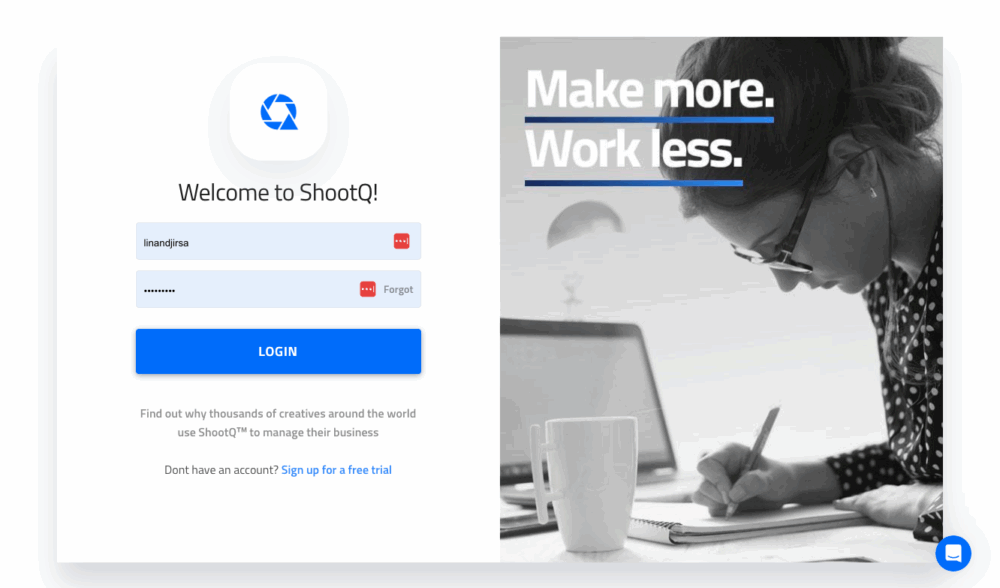
If you’re looking for true all-in-one platforms that handle production workflows and team management, our Photography Studio Management Software guide breaks down those options in detail. That article covers tools like ShootProof, ShootQ, and Iris Works that take a different approach than what we’re discussing here.
How We Evaluated These CRM Tools
I didn’t just compile marketing claims or affiliate program offerings for this list. We polled the SLR Lounge community to see which CRMs photographers actually use, and more importantly, why they chose them and how they’re working in real-world photography businesses.
The evaluation criteria that emerged as most important:
Ease of adoption – How long before a photographer is actually using the system consistently? Some CRMs feel intuitive immediately. Others require weekend setup sessions and tutorial binging. Neither is inherently better, but the learning curve needs to match the value you’re getting.
Inquiry-to-booking workflow – Does the CRM match how photographers actually sell? Wedding photographers have long consultation cycles with multiple touchpoints. Volume portrait photographers need fast responses and streamlined booking. The CRM should support your specific sales process, not force you into someone else’s.
Automation without feeling robotic – The best CRMs automate the administrative work while keeping client communication personal. Automated reminders to follow up? Excellent. Automated response emails that sound like chatbots? Terrible.
Flexibility vs complexity – This is the hardest balance to strike. More customization means more power, but also more setup time and decision fatigue. The question isn’t which CRM is most flexible. It’s which gives you the right flexibility for your business model.
Price relative to booking value – A CRM that costs $400/year makes sense if it helps you book two additional $3,000 weddings. It’s a terrible investment if you’re shooting $300 family sessions and the CRM only marginally improves your booking rate.
What Working Photographers Actually Use: Community Poll Results
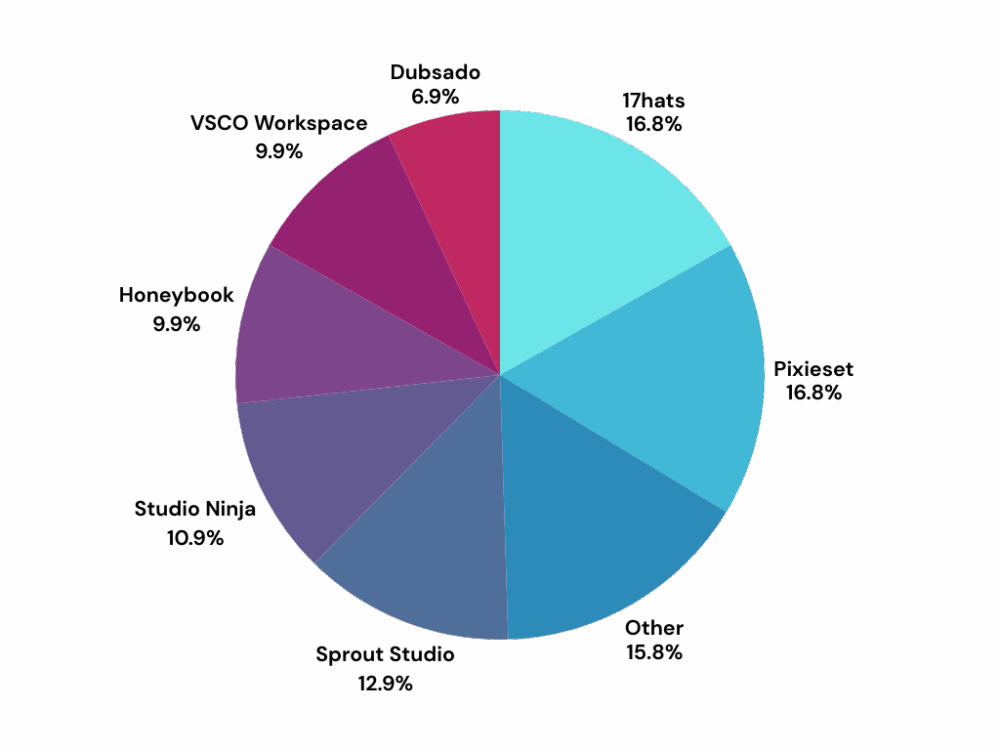
We polled the SLR Lounge Facebook community to understand which CRMs photographers are actually using in their businesses. While the sample size of 173 responses isn’t statistically representative of all photographers, the results reveal interesting patterns about CRM adoption and satisfaction.
The Results:
17hats and Pixieset Studio Manager tied for highest adoption at 17% each, followed closely by Sprout Studio at 13% and Studio Ninja at 11%. HoneyBook and VSCO Workspace each captured 10%, while Dubsado came in at 7%.
Notably, 15% of respondents use “Other” solutions, including platforms like Cloudspot, Light Blue, Notion, Flowlu, Fotosudio, and Pic-Time. This “Other” category tied for second-highest adoption, suggesting significant fragmentation in the CRM market for photographers.
Bloom, the newest platform in our poll, captured just 1% (2 votes), indicating it hasn’t achieved mainstream adoption despite being discussed in photography circles.
Key Insights from the Comments:
Price and grandfathered rates matter significantly. Multiple photographers mentioned staying with their current CRM specifically because they’re locked into lower pricing from early adoption. Mediha A. noted getting 17hats “at a time when they had the highest tier for $300 for 2 years, and now I’m grandfathered in at that rate.” Benny C. similarly mentioned his founding account for 17hats keeping him from switching “especially with all the client data that has been in there the last 10+ years.”
Switching CRMs is common but painful. Several photographers described trying multiple platforms. Kris P. summed it up: “17Hats by process of elimination. I think I’ve used them all at this point and run into various deal breakers with each…so I’ve settled on 17hats because it has the fewest issues.” MaryBeth Bryant “used Sprout for years… swapped to 17 hats this fall,” while Alessandro F. tried HoneyBook and ShootQ before settling on Studio Ninja six years ago.
Integration and ecosystem matter. Multiple photographers mentioned staying with platforms because they’re already using other products in that ecosystem. Aleks Jakobsons noted using Pixieset Studio Manager for contracts while adding Pic-Time for galleries because “I kept only one product, studio manager (contracts and documents), and added pic-time for the galleries.” Andy M. expressed frustration that Pixieset’s products “operate in silos…that DO NOT FULLY talk to each other.”
Customization creates both satisfaction and overwhelm. The most detailed testimonials came from photographers using highly customizable platforms. Aske Martinus provided an extensive breakdown of Sprout Studio workflows, noting “it takes a long time to set up, but when it’s done you don’t have to think about it again.” Conversely, several photographers mentioned choosing simpler platforms specifically to avoid complexity.
Mobile access and email integration are critical. Alyssa Lynne Bohr specifically mentioned that “having an app and two-way email capabilities is a MUST for me since I do a lot of emailing on the go” as a key reason for staying with HoneyBook despite price increases.
Poll Limitations:
This poll reached photographers already engaged with SLR Lounge’s community, which may skew toward more established businesses. The sample size is small relative to the total photographer population. Results reflect current usage, not necessarily satisfaction or recommendation rates. Several photographers noted using platforms due to inertia or grandfathered pricing rather than active preference.
Despite these limitations, the poll reveals that CRM adoption among photographers is highly fragmented, with no single dominant platform. The gap between marketing claims and actual user experience appears significant, with many photographers settling for “the least problematic option” rather than finding a platform they love.
Detailed CRM Breakdowns: Real Features, Real Trade-offs
Rather than declaring any single CRM as “best overall,” we’re breaking down what each platform does well, where it falls short, and which photographers will find it most valuable. The quotes throughout come from working photographers in our community poll.
17hats

When workflow customization and value matter most
17hats tied for the highest adoption in our poll at 17%, with particularly strong sentiment from photographers who invested time in setup and now appreciate the customization depth.
What 17hats does well:
The workflow customization capabilities are the primary reason photographers choose and stay with 17hats. Beth Boudreau highlighted “the workflow customizations and invoicing is great. They are continually adding features and ways to make workflows more seamless.” You can build detailed automation sequences, create custom pipeline stages, and configure the system to match your specific business processes.
The customer support consistently gets high marks. Mediha Ayub praised the “phenomenal” help, while Gail VanMatre noted “I kept swinging by the 17 hat booth with all of my questions” at Imaging before committing. For photographers who need hand-holding during setup, this matters.
The invoicing and financial tracking go deeper than simpler CRMs. Multiple photographers mentioned appreciating the invoicing capabilities specifically, suggesting 17hats handles payment workflows and financial documentation well.
The company actively develops new features. Several photographers mentioned 17hats “continually adding features,” which suggests ongoing product improvement rather than stagnation.
Where 17hats struggles:
The setup requires real time investment. Stephanie S. noted it was “a little overwhelming getting everything set up,” though online tutorials help. Language limitations are a genuine issue for non-English markets—Mylène C. had to stop using it when her business legally required French language support.
Best fit for: Process-oriented photographers willing to invest setup time for long-term efficiency. Studios that want detailed workflow control without enterprise pricing. Photographers who value customer support during implementation. Businesses that can benefit from grandfathered pricing (though new users pay current rates).
Honest assessment: 17hats rewards photographers who enjoy configuring systems. As Kris P. noted, choosing it was “by process of elimination…it has the fewest issues” after trying multiple platforms. That’s not exactly a ringing endorsement, but it reflects the reality that every CRM involves trade-offs. If you’re willing to work through the setup phase, 17hats provides solid long-term value.
Pixieset Studio Manager
When you’re already in the Pixieset ecosystem
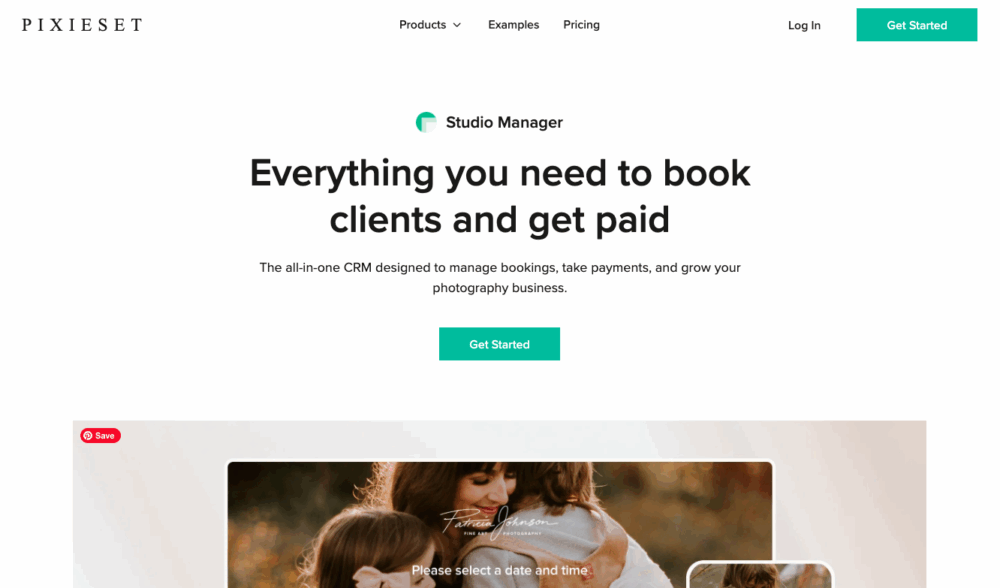
Pixieset Studio Manager tied with 17hats for highest adoption at 17%, though the sentiment around it was more mixed than the vote count might suggest.
What Studio Manager handles well:
The integration advantage is clear if you’re already using Pixieset for galleries or websites. Having inquiry management, contracts, and client communication in the same platform as delivery reduces friction. You’re not switching between systems or wondering where specific client information lives.
The interface is clean and approachable. Photographers familiar with Pixieset’s gallery and website tools will find Studio Manager intuitive. The learning curve is minimal compared to more complex CRMs.
For photographers wanting CRM basics without overwhelming features, Studio Manager provides core functionality, i.e. lead tracking, contract management, invoicing, client communication, in a straightforward package.
Where it falls short:
The products don’t integrate as seamlessly as expected. Andy M. noted they “operate in silos…that DO NOT FULLY talk to each other.” Customer support, while friendly, sometimes struggles with deeper issues. Feature depth lags behind dedicated CRMs, with Aleks Jakobsons finding it wasn’t “the best fit for me in terms of quality versus price.”
Best fit for: Photographers already delivering galleries through Pixieset who want to add CRM functionality without introducing another platform. Portrait photographers needing straightforward booking workflows. Studios prioritizing simplicity over customization depth. Businesses already paying for upper-tier Pixieset plans (where Studio Manager is included).
Honest assessment: Pixieset Studio Manager works adequately if you’re already committed to the Pixieset ecosystem and your needs are relatively simple. But the product integration issues and feature limitations mean photographers with growing businesses or more complex workflows often migrate to dedicated CRMs. It’s a reasonable starting point, not necessarily a long-term solution.
Sprout Studio
When integrated client experience and deep customization both matter
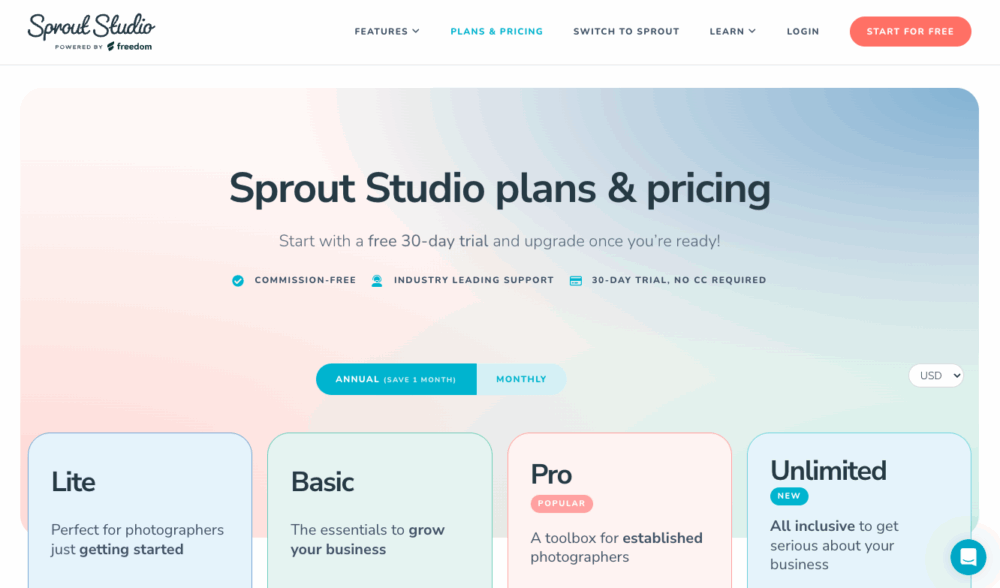
Sprout Studio captured 13% adoption in our poll, but generated the most detailed and enthusiastic testimonials. The photographers using it tend to be deeply invested in the platform.
What Sprout Studio excels at:
The workflow automation depth stands out as exceptional. Aske Martinus provided extensive detail on how Sprout Studio automates his entire client journey: “When a lead comes in, I receive a notification to contact them. If no meeting is booked, I’m automatically reminded when to follow up…Once the wedding is booked, I receive notifications for every step in the client journey.” He emphasized: “It takes a long time to set up, but when it’s done you don’t have to think about it again. I don’t need to track anything in my calendar, I simply open Sprout Studio each morning, spend about 15 minutes, and complete the required tasks with a few clicks.”
The platform integrates galleries, scheduling, contracts, invoices, and email marketing in one system. Philip Warren noted that “having the ability to merge my galleries, album proofing, meeting scheduling and email marketing into one CRM not only saved me a bunch of money but also improved the client experience.” This integration means fewer separate tools and subscriptions.
The business analytics go deeper than most photography CRMs. Aske Martinus mentioned tracking “booking trends, booking conversion percentages, reasons for not closing inquiries,” plus “expense tracking” with the ability to “send clear income and expense reports directly to my accountant.” For photographers who want data-driven business insights, this matters.
The customization adapts to your workflow rather than forcing predetermined processes. Aske Martinus emphasized: “The main reason is how deeply customizable it is, it adapts to my way of working instead of forcing me into a fixed system.” Multiple photographers mentioned trying other CRMs but returning to Sprout Studio specifically for this flexibility.
Founding members and long-term users show remarkable loyalty. Tara Graham identified as a “founding member with Sprout Studio, and can’t imagine my business without it,” while Amy Haberland mentioned having a “founding membership.” The retention among early adopters suggests strong product-market fit for certain photographers.
Where Sprout Studio creates challenges:
The setup requires substantial time investment, and the learning curve extends beyond initial configuration. The comprehensive feature set comes at higher pricing, which may not justify itself for photographers with simpler workflows.
Best fit for: Wedding photographers and boutique portrait photographers with involved client experiences. Studios wanting integrated galleries, CRM, and email marketing in one platform. Data-driven photographers who use business metrics for decision-making. Photographers willing to invest significant setup time for long-term workflow efficiency. Anyone frustrated by having client information scattered across multiple platforms.
Honest assessment: Sprout Studio rewards photographers who fully commit to the platform and invest the setup time. The enthusiasm from users who’ve done that work is notable. Several specifically mentioned trying to switch away and coming back. But it’s not a casual adoption. As Aske Martinus put it, you need to spend time building workflows, but “when it’s done you don’t have to think about it again.” That’s compelling if you have that time to invest upfront.
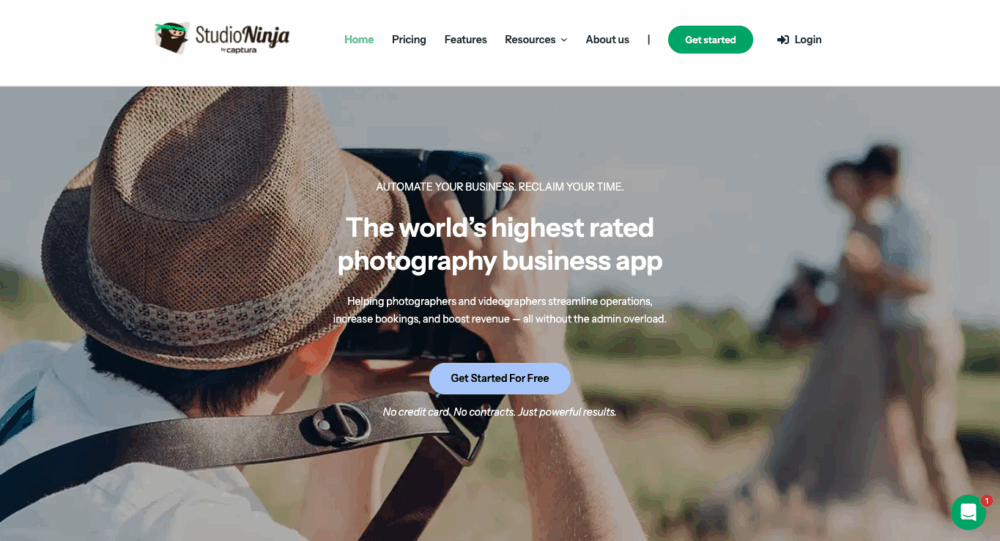
Studio Ninja
When wedding-specific workflows and clarity matter
Studio Ninja captured 11% adoption, with particularly strong representation from wedding photographers who appreciate the niche focus.
What Studio Ninja does well:
The wedding-specific pipeline structure resonates with photographers in that niche. Patricia Parrales noted it “keeps me organized and lots of templates. It’s perfect for my business and not too overwhelming.” Daria Endresen highlighted “its simplicity, it’s user / budget friendly and has everything I need” for adventure elopements.
The balance between structure and simplicity is a recurring theme. Wedding photographers juggling multiple concurrent bookings appreciate the organization Studio Ninja provides without feeling overwhelmed by excessive customization options.
Long-term user retention appears strong. Alessandro Fanghella has used it “from 6 years now” after trying HoneyBook and ShootQ, finding it “easy to use and well organized.” The automation features get positive mentions without being described as complex or difficult to implement.
The pricing is accessible compared to some competitors. Daria Endresen specifically mentioned it’s “budget friendly,” making it viable for photographers at various business stages.
Where Studio Ninja has limitations:
The wedding-specific optimization creates constraints for other photography types. Some photographers with larger studios eventually need more advanced team features, with Sean L. noting that for complex operations, “VSCO has more features.”
Best fit for: Wedding photographers and elopement photographers with typical booking workflows. Photographers who want organization without complexity. Studios prioritizing ease of use over maximum customization. Budget-conscious photographers needing solid CRM functionality without premium pricing. Anyone who’s found other CRMs either too simple or too complicated.
Honest assessment: Studio Ninja occupies a sweet spot for many wedding photographers—more organized than entry-level options, less overwhelming than enterprise platforms. Sean L.’s assessment that he’d “recommend Studio Ninja every time” for 90% of photographers captures the broad applicability. It’s not the most powerful CRM, but for photographers whose needs align with what it does well, that power isn’t necessary.
HoneyBook

When ease of use and mobile access matter most
HoneyBook captured 10% adoption in our poll, lower than its market visibility might suggest, with mixed sentiment from users about pricing versus value.
What HoneyBook does well:
The ease of use remains its strongest selling point. The interface is polished, the learning curve is minimal, and photographers can start using it productively quickly. For photographers who want to reduce administrative friction without becoming system administrators, this matters.
The mobile app and two-way email integration are critical for photographers working on the go. Alyssa Lynne Bohr specifically emphasized this: “Having an app and two-way email capabilities is a MUST for me since I do a lot of emailing on the go. It seemed like switching CRMs would mean sacrificing something important, no matter which one I went with.”
The multi-brand pipeline capability works for photographers managing different service lines. Alyssa Lynne Bohr runs “two different brands under one business, and HoneyBook lets me create two separate pipelines, which is incredibly helpful to keep me organized. One for weddings and one for proposals.”
The new AI features are gaining traction. Alyssa Lynne Bohr mentioned “the new AI features on HoneyBook like the Zoom call note taker and project overview summaries, have also been surprisingly useful.” For photographers willing to experiment with AI-assisted workflow, HoneyBook is actively developing in this direction.
Where HoneyBook creates frustration:
Recent price increases have prompted reconsideration from users. Alyssa L. noted their “price hike last year made me consider alternatives (like Sprout Studio).” Some photographers feel limited by customization constraints, with Riley-Payton P. mentioning feeling “held back by honeybook.”
Best fit for: Wedding and portrait photographers who prioritize ease of use over customization depth. Photographers who do substantial work from mobile devices. Studios managing multiple service lines or brands. Anyone currently losing leads due to disorganization who needs a solution they can implement immediately.
Honest assessment: HoneyBook remains a solid choice for photographers who value usability and polish over flexibility. The pricing concerns are real. You’re paying for that ease of use and mobile experience. For established photographers with higher booking values, the ROI justifies the cost. For photographers with lower average booking values or those who enjoy system customization, other options may deliver better value.
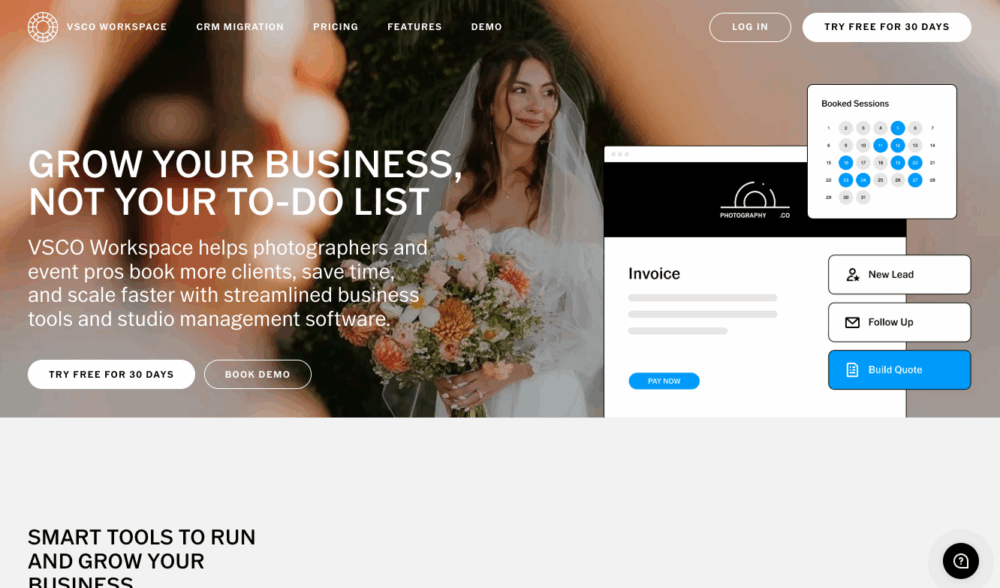
VSCO Workspace (formerly Táve)
When you’re managing complexity that simpler CRMs can’t handle
VSCO Workspace captured 10% adoption, with notably different usage patterns than other CRMs, primarily photographers running larger or multi-brand operations.
What VSCO Workspace handles:
The multi-brand and complex operation capabilities are unmatched. Thomas L Stewart uses “High level completely customized for my use case” but noted he’s “previously…used and tested VSCO (formerly tave), studio ninja, sprout studio, bloom.io, Moxy, and odoo.” The fact that he tested VSCO Workspace alongside enterprise-grade platforms like Odoo suggests it handles sophisticated needs.
Sean Lara‘s usage pattern is telling: “I currently use VSCO for my associate company, and Studio Ninja for my personal brand.” He explained: “For 90% of photographers, I’d recommend Studio Ninja every time. For those with a large studio and multiple photographers, VSCO has more features, but is also more complicated to use.” This captures VSCO Workspace’s positioning as powerful but complex.
The feature depth supports operations that have outgrown simpler CRMs. Photographers managing multiple brands, large teams, or complex workflows find capabilities here that don’t exist in more streamlined platforms.
Where VSCO Workspace creates challenges:
The complexity creates a genuine barrier for most photographers. Setup and learning investment is substantial, requiring real team training rather than quick onboarding.
Best fit for: Multi-brand photography studios. Operations managing multiple photographers with different workflows. Studios handling high volume across diverse service types. Businesses with teams large enough to need detailed permission controls and collaboration features. Photographers who’ve outgrown simpler CRMs and know exactly what features they need.
Honest assessment: Sean Lara’s framework makes sense: “For 90% of photographers, I’d recommend Studio Ninja every time. For those with a large studio and multiple photographers, VSCO has more features.” If you’re in that 10% running complex operations, VSCO Workspace provides capabilities you can’t get elsewhere. If you’re in the 90%, the complexity doesn’t justify the learning curve.
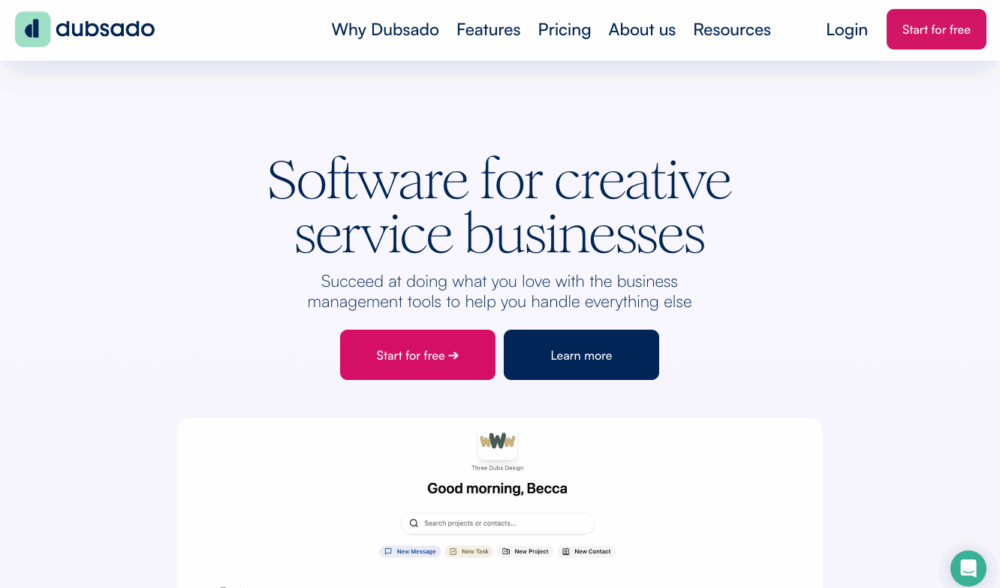
Dubsado
When you want customization without enterprise complexity
Dubsado captured 7% adoption, lower than expected given its visibility in photography circles, but with notably different positioning in actual usage versus marketing.
What Dubsado offers:
The customization depth between simple and enterprise platforms creates a specific niche. Photographers who’ve outgrown HoneyBook but don’t need VSCO Workspace’s complexity often land here.
The workflow automation capabilities are robust without being overwhelming. You can build detailed sequences and conditional logic without enterprise-level complexity.
The branding control throughout the client journey appeals to photographers emphasizing brand experience. Every client touchpoint can be customized to match brand identity.
The one-time payment option exists, though it’s a substantial upfront cost. For established photographers planning long-term usage, the economics can work better than perpetual subscriptions.
Where Dubsado faces challenges:
The adoption rate in our poll (7%) was lower than expected given its market visibility. Sean L. noted “I used to have Dubsado, didn’t like it,” without elaborating. The setup time investment is real, though our poll generated no enthusiastic testimonials about the payoff.
Best fit for: Photographers who’ve used simpler CRMs and know exactly what they wish they could customize. Studios wanting brand consistency throughout the client journey. Photographers willing to invest setup time for long-term workflow efficiency. Anyone who prefers one-time purchases over subscriptions.
Honest assessment: Dubsado occupies interesting theoretical territory, more flexible than HoneyBook, simpler than VSCO Workspace, but the modest poll adoption and lack of enthusiastic user testimonials suggest something doesn’t click for many photographers. It may be that the photographers who want deep customization choose 17hats or Sprout Studio, while those prioritizing simplicity go with HoneyBook or Studio Ninja, leaving Dubsado’s middle ground less compelling than it appears on paper.
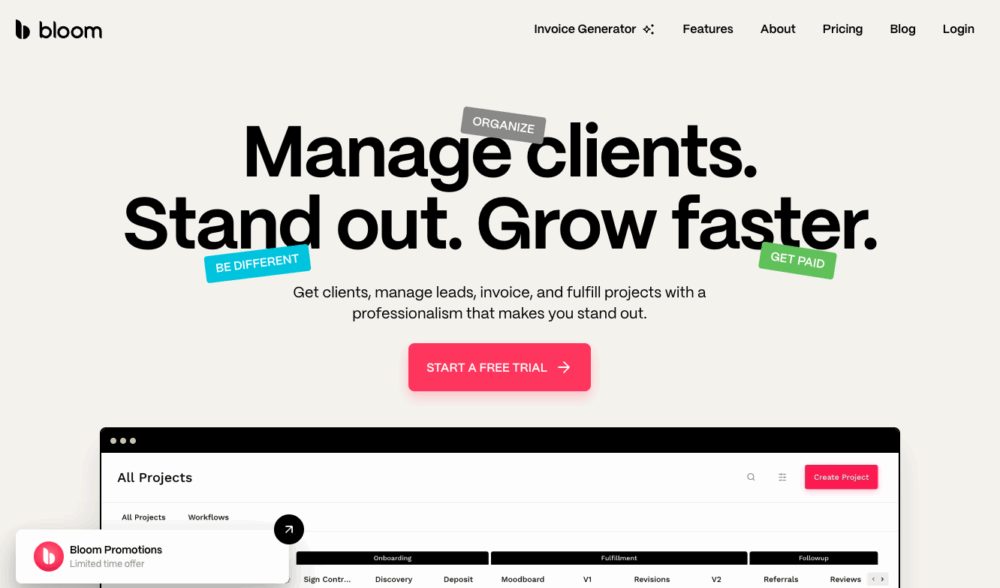
Bloom
The newest option with limited adoption
Bloom captured just 1% (2 votes) in our poll, indicating it hasn’t achieved meaningful traction despite being discussed in photography communities.
Thomas L Stewart mentioned testing it alongside other platforms, but provided no assessment of strengths or weaknesses. No other poll respondents offered opinions on Bloom.
Current reality: With minimal adoption and no user testimonials in our community poll, it’s difficult to assess Bloom’s actual value for photographers. Being new doesn’t automatically mean inferior, but the lack of photographer uptake suggests either limited awareness or product-market fit questions.
Best approach: Photographers interested in Bloom should trial it directly and compare to established platforms. The minimal adoption means fewer photographers can provide informed comparisons or workflow examples.
Other CRMs and Alternative Approaches
The fragmented 15%
Perhaps the most revealing poll result: 15% of photographers (26 votes) selected “Other”—tied for second-highest adoption. This fragmentation suggests no single CRM dominates photography, and many photographers either use non-photography-specific tools or have highly specific needs.
Platforms mentioned in “Other”:
Light Blue – Paul Phipps-Williams is “in the middle of transferring back to Light Blue from Studio Ninja” specifically for “integrated financial reports which let you track profit and expenses per job, linked contacts, and…integrated scheduling that checks several calendars and automatically sends a zoom link.” This suggests Light Blue excels at financial tracking and calendar integration that wedding/event photographers with complex scheduling need.
Pic-Time – Multiple photographers mentioned using Pic-Time for galleries while using other platforms for CRM. Aleks Jakobsons uses “Pic-Time for the galleries” alongside Pixieset Studio Manager, appreciating Pic-Time’s “marketing automations, and global network of print labs.”
Cloudspot, Notion, Flowlu, Fotosudio – Mentioned but without detail. The fact that photographers use general business tools like Notion as CRMs indicates either budget constraints or frustration with photography-specific options.
HubSpot – Gary Stafford simply stated “Hubspot.” While HubSpot is enterprise-grade CRM software, it’s not photography-specific. Commercial and branding photographers sometimes choose general business CRMs over photography-focused platforms, particularly if they’re managing broader business operations beyond photography.
Custom solutions – Michael A. mentioned “we use our own CRM based on the GHL platform” (GoHighLevel). Some photographers with technical capability or specific needs build custom solutions rather than using off-the-shelf photography CRMs.
The significance of fragmentation: That 15% of photographers use non-mainstream options suggests the current CRM landscape doesn’t serve everyone well. Photographers are either finding cheaper alternatives, building custom solutions, or choosing general business software over photography-specific platforms. This fragmentation also means less community knowledge-sharing—when you’re one of few photographers using a particular platform, you can’t easily find tutorials or ask colleagues for advice.
The CRM Mistakes That Cost Photographers Bookings
Based on our poll responses and community conversations, these patterns emerge repeatedly:
Choosing complexity too early based on future needs. Photographers sign up for highly customizable CRMs because they want to “start with the right system,” then spend weeks building elaborate workflows instead of booking clients. The setup complexity creates analysis paralysis. As our poll showed, photographers who succeed with complex platforms like Sprout Studio or 17hats explicitly acknowledge the substantial setup time investment, but they’re typically established businesses that can afford that time. Starting photographers are better off with simpler platforms, learning what they actually need, then migrating if their business outgrows the basics.
Staying with platforms due to inertia rather than fit. Multiple poll respondents mentioned remaining with their current CRM primarily because they’re grandfathered into lower pricing or have years of client data in the system. Benny C.’s comment—”I currently have a founding account for 17 hats so that’s really what’s keeping me from switching especially with all the client data that has been in there the last 10+ years”—captures this. While switching has real costs, staying with a platform that no longer fits your needs has ongoing costs that compound over time.
Over-automating the relationship-building phase. CRM automation is incredible for administrative tasks like sending contract reminders, follow-up nudges for leads that go quiet, payment confirmations. It becomes problematic when it replaces genuine human connection during sales conversations. Aske Martinus’s Sprout Studio workflows are impressive precisely because he automates notifications to himself (ensuring he doesn’t forget tasks) rather than automating away client interaction.
Choosing based on feature lists rather than actual workflow fit. The CRM with the most features isn’t necessarily best for your business. Daria Endresen explicitly chose Studio Ninja because it “has everything I need” for adventure elopements, not because it has the most features overall. The question isn’t “what can this CRM do?” but “does this CRM handle my specific workflow well?”
Underestimating the importance of integration with existing tools. Several poll respondents mentioned frustration when their CRM doesn’t integrate well with other essential tools. Andy M.’s complaint that Pixieset products “DO NOT FULLY talk to each other” captures how integration gaps create ongoing friction. Before choosing a CRM, map your entire workflow, like gallery delivery, email marketing, accounting, scheduling; and ensure your CRM plays well with tools you’re already using successfully.
Switching CRMs too frequently without fully learning the current platform. The opposite problem: photographers who change CRMs every six months because they hear about a “better” tool. Kris P. noted trying “them all at this point” before settling on 17hats as having “the fewest issues.” While that’s honest, constantly switching means you never develop deep proficiency with any platform. Every CRM has limitations; the question is whether those limitations actually constrain your business or if you just haven’t learned how to work within them effectively.
How to Actually Choose the Right CRM for Your Photography Business
Start with lead volume and booking complexity, not business aspirations. Handling 5-10 inquiries monthly? You don’t need a sophisticated CRM yet. Gmail with labels works fine. Handling 20-40 inquiries monthly during peak seasons? You need real CRM functionality or leads will fall through the cracks. Handling 50+ inquiries across multiple photographers? You need robust pipeline management and team features. Choose based on current reality, not projected growth.
Match the CRM to your actual sales cycle. Wedding photographers have longer cycles with consultations and multiple touchpoints. Studio Ninja and Sprout Studio handle these well. Volume portrait photographers need fast responses and streamlined booking. Patricia Parrales chose Studio Ninja because it’s “perfect for my business and not too overwhelming,” recognizing that excessive features would create friction.
Honestly assess your technical comfort. Some photographers enjoy configuring systems. Platforms like Sprout Studio, 17hats, or VSCO Workspace will feel empowering. Others find technical setup tedious—HoneyBook or Studio Ninja will actually get used. Mediha Ayub mentioned being “Autistic and ADHD so it was easier for me to understand and work with my way of thinking” regarding 17hats, acknowledging that cognitive fit matters alongside features.
Consider your existing tool ecosystem. If you already use Pixieset for galleries, Studio Manager makes sense despite limitations because integration reduces friction. Paul Phipps-Williams moved back to Light Blue specifically for “integrated scheduling that checks several calendars and automatically sends a zoom link.” The best CRM fits your existing workflow with minimal disruption.
Factor in where you are versus where you’re realistically going. Sean Lara‘s framework is helpful: “For 90% of photographers, I’d recommend Studio Ninja every time. For those with a large studio and multiple photographers, VSCO has more features.” Most photographers overestimate how much they’ll scale and would be better served choosing a CRM one level above where they currently are, not three levels above where they hope to be.
Evaluate price relative to your booking value. A CRM costing $400-600 annually makes sense if you’re booking 30+ weddings at $3,000-5,000 each. It’s harder to justify for $300 family sessions. Several poll respondents mentioned pricing as a decision factor, not because they’re cheap, but because every expense needs to generate return.
Actually trial the platform before committing. Set up real workflows with actual client scenarios. Send yourself proposals as if you were a client. Check the mobile experience. Gail VanMatre mentioned “I kept swinging by the 17 hat booth with all of my questions” before committing, thorough evaluation served her well. You’ll learn more from hands-on testing than from feature comparison charts.
Talk to photographers in your specific niche. Our poll revealed clear patterns: wedding photographers gravitate toward Studio Ninja and Sprout Studio, photographers wanting customization choose 17hats or Dubsado, photographers prioritizing simplicity pick HoneyBook or Pixieset Studio Manager. Find photographers shooting similar work at similar volume and ask what they use and why.
Final Thoughts: The CRM That Actually Gets Used Wins
After reviewing our community poll, one clear pattern emerges: photographers who succeed with CRMs aren’t using the “best” platform. They’re using platforms that match their workflow, cognitive style, and business reality.
Aske Martinus’s extensive Sprout Studio workflows work brilliantly for him, but would overwhelm photographers who want simpler operations. Patricia Parrales chose Studio Ninja because it’s “not too overwhelming.” Both made correct decisions for their situations. The difference isn’t that one CRM is objectively better; it’s that each photographer understood what they actually needed.
The 15% of photographers using “Other” platforms (tied for second-highest adoption) is perhaps the most telling result. It suggests the current CRM landscape doesn’t serve everyone well. Some photographers need financial tracking depth that photography-specific CRMs don’t provide. Others need simpler tools. Some need better integration with existing software ecosystems. And some, like Michael A., conclude “they all suck” and build custom solutions.
If your biggest problem is inquiry management and you’re losing leads to disorganization, almost any established CRM will help substantially. Start with something approachable like HoneyBook, Studio Ninja, or Pixieset Studio Manager if you’re already in that ecosystem, and use it consistently for three months. You’ll quickly learn whether you need more customization (explore 17hats or Sprout Studio), more team features (look at VSCO Workspace), or if simpler is actually better.
If you’re already using a CRM but feeling limited, the decision gets more nuanced. Before switching platforms, honestly assess whether your current tool’s limitations are genuine functional gaps or incomplete setup. As Kris P. discovered after trying “them all,” sometimes it’s less about finding the perfect CRM and more about accepting that all platforms have trade-offs and choosing one with “the fewest issues” for your specific situation.
The goal isn’t finding the perfect CRM. It’s finding a CRM that removes friction from your booking process without adding complexity to your day. When a lead inquires at 9 PM and you’re having dinner, your CRM should capture that inquiry, send an appropriate response, and ensure you’ll follow up at the right time. That’s invisible administrative support that lets you focus on relationships and creative work.
Choose based on your actual business needs today, implement it properly, and give it time to become part of your workflow. The best CRM is the one you’ll still be using consistently six months from now, not the one with the most features, the slickest marketing, or the most enthusiastic testimonials from photographers whose businesses look nothing like yours.