
Mastering Adobe Lightroom
(an Fstoppers + SLR Lounge Collaboration)
We've partnered with the Fstoppers team for our latest Lightroom Workshop! Like our previous Lightroom Tutorials, we'll teach you a comprehensive, real-world approach focused on mastering raw image development, speed + workflow, and advanced editing techniques.
UNLIKE previous workshops, this one will dive into the new powerful features in Lightroom Classic, CC, and Mobile.
Course Overview
Mastering Adobe Lightroom is designed for both absolute beginners and seasoned professional photographers. The course begins by learning the fundamentals of raw image editing, but Pye quickly ramps up the complexity and teaches advanced editing techniques that simply could not be done until Adobe's latest Lightroom update. Some of these techniques utilize automated masks, slider hacks, AI automation, and multi-level color corrections that are sure to blow your mind! Here's a list of just some of the topics that Pye covers:
- Lightroom Software Overview
- Mastering raw + jpeg image development
- Color Panels and Advanced Color Grading
- How to Build One-Click Lightroom Presets
- Creating Cohesive Imagery via Color Theory
- How to Simulate Film and Cinematic Looks
- How to Fix Common Issues Like Mixed Lighting
- Advanced Tone Curves and HDR Development
- Sky Enhancement and Replacement
- Retouching without Photoshop
- Lightroom Dodging and Burning
- Faking Flash in Post-Production
- Brenizer Effect in Lightroom
- Advanced Layered Masks via AI
- High-Speed Culling
- Batching Facial Retouch via Lightroom AI
- Optimizing Lightroom's Speed
- Lightroom CC vs Mobile vs Classic
- Shooting + Editing with Lightroom Mobile
Follow Along for Engaged Learning!
You'll follow along and work through every image you see in this tutorial from start to finish. We've included all of the raw exercise files so you can follow along step-by-step. Practice and hands-on experience are essential to building good Lightroom habits.
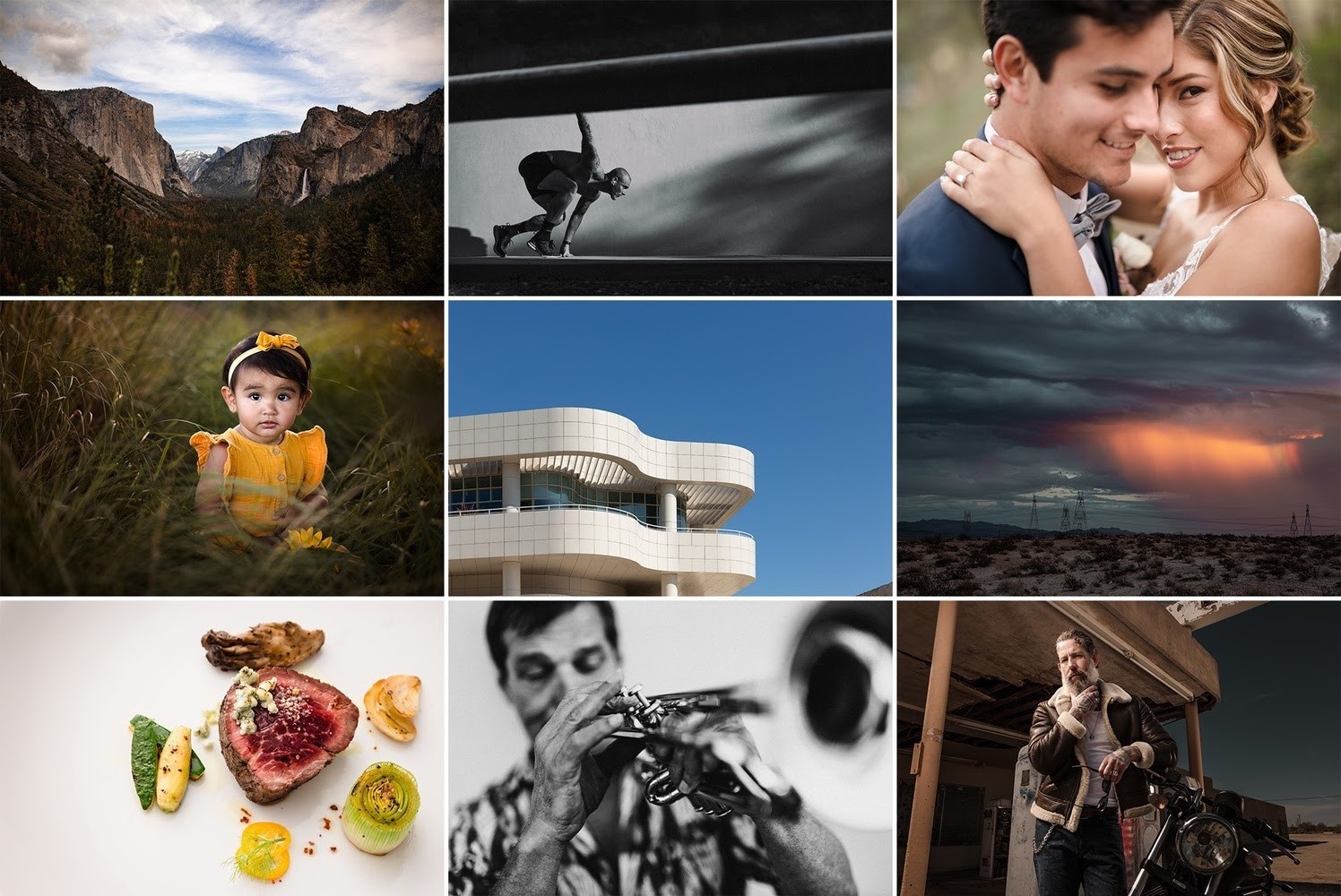
Key Concepts
In addition to advanced image development techniques, here are a few more key lessons within the course.
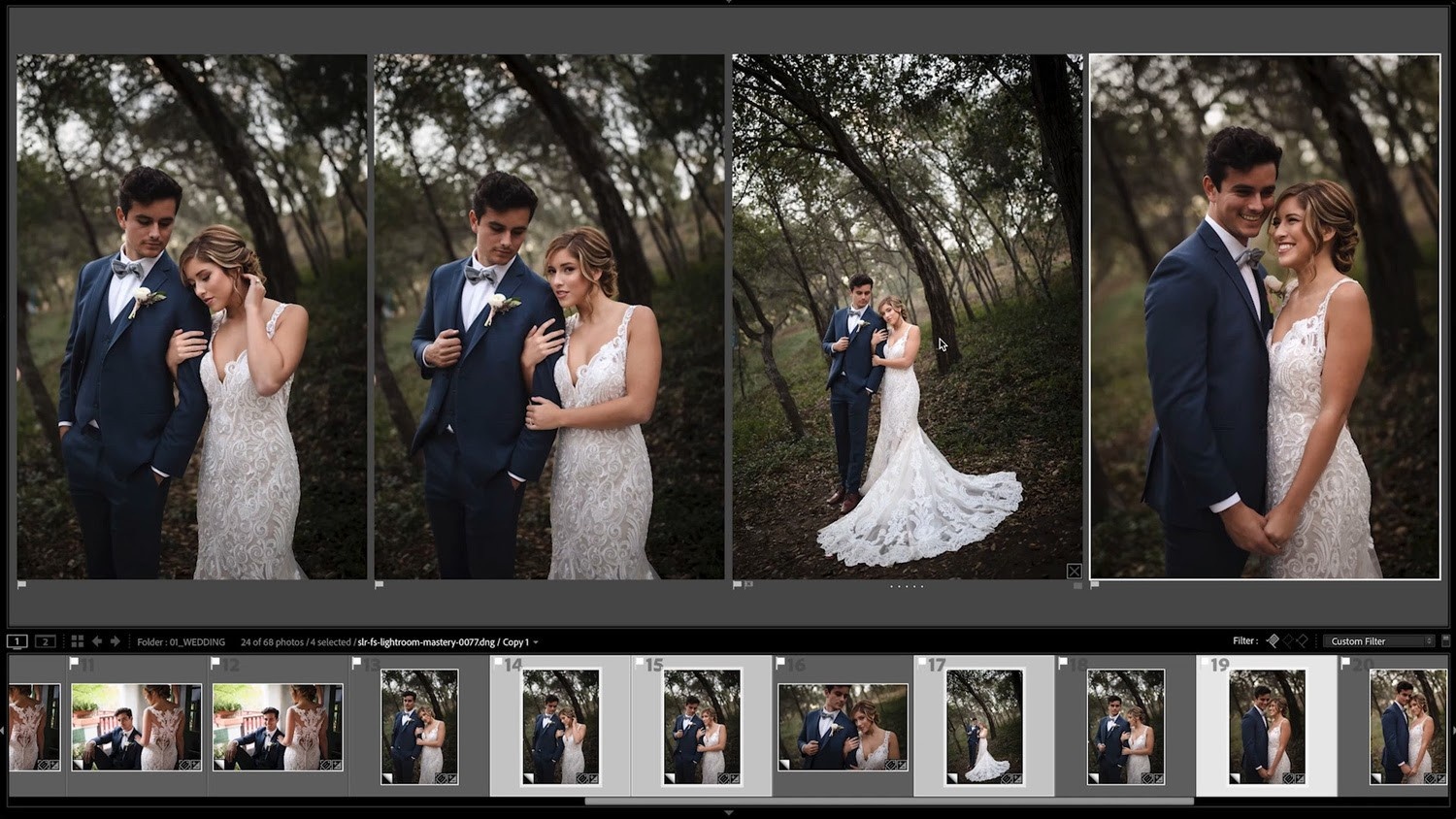
Fast, Lightroom Retouching Workflow!?
Pye showed us how to do a multi-image Lightroom retouch in under 60 seconds. What!? Not only does he teach this technique for a single image, but Pye also shows how to batch retouch by taking advantage of the newest AI masking and selection features in Adobe Lightroom's latest updates. With a few clicks, Pye edits eight images from the same scene, makes color adjustments, burning, and local adjustments, all in 68 seconds. That's start-to-finish complex edits in an average of 8.5 seconds per image!
The Power of Presets
A well-designed preset can save you a huge amount of time, and when created correctly, it can work for just about any image you apply it to. Along with the purchase of this tutorial, you will receive some of Pye's favorite "one-click" professional presets that he uses on a daily basis (and many are sold separately on his online education platform). On top of that, he will teach you the best concepts and approaches he uses when building his own presets so you too can create your own "one-click" presets that work consistently and effectively over hundreds of completely different images. Applying these lessons will help you speed up your workflow and bring a more cohesive look to your portfolio.
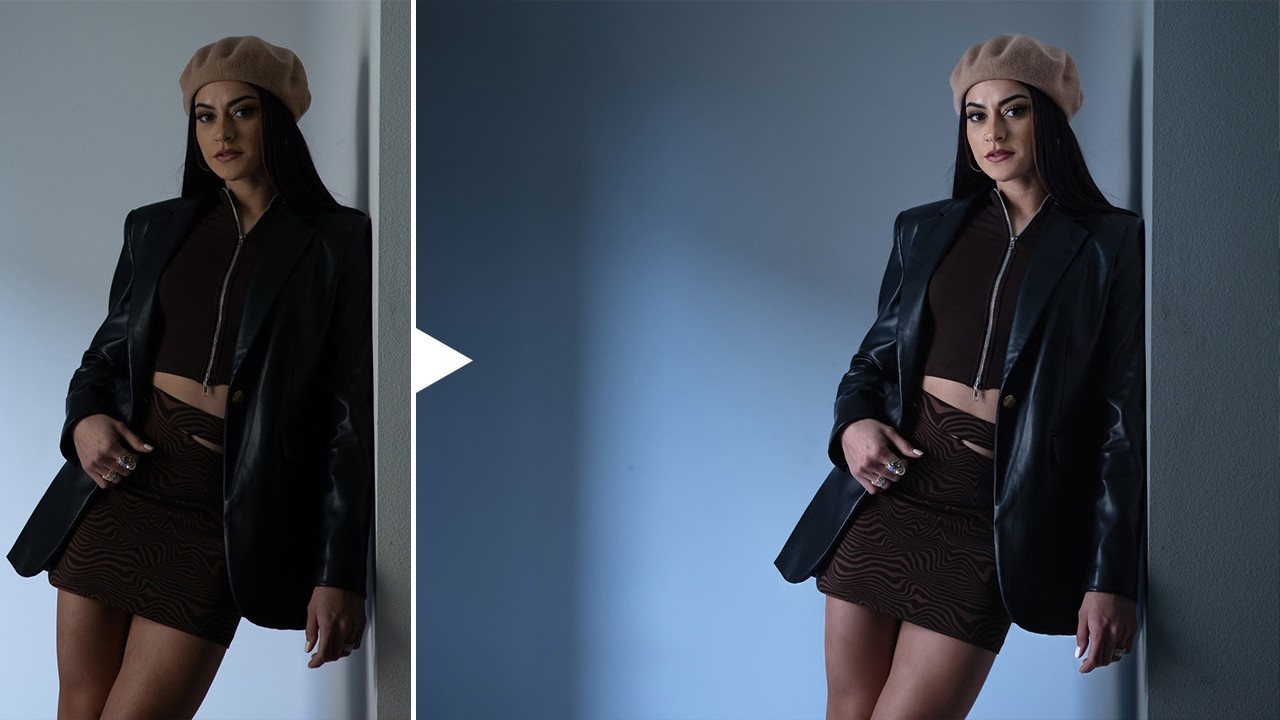
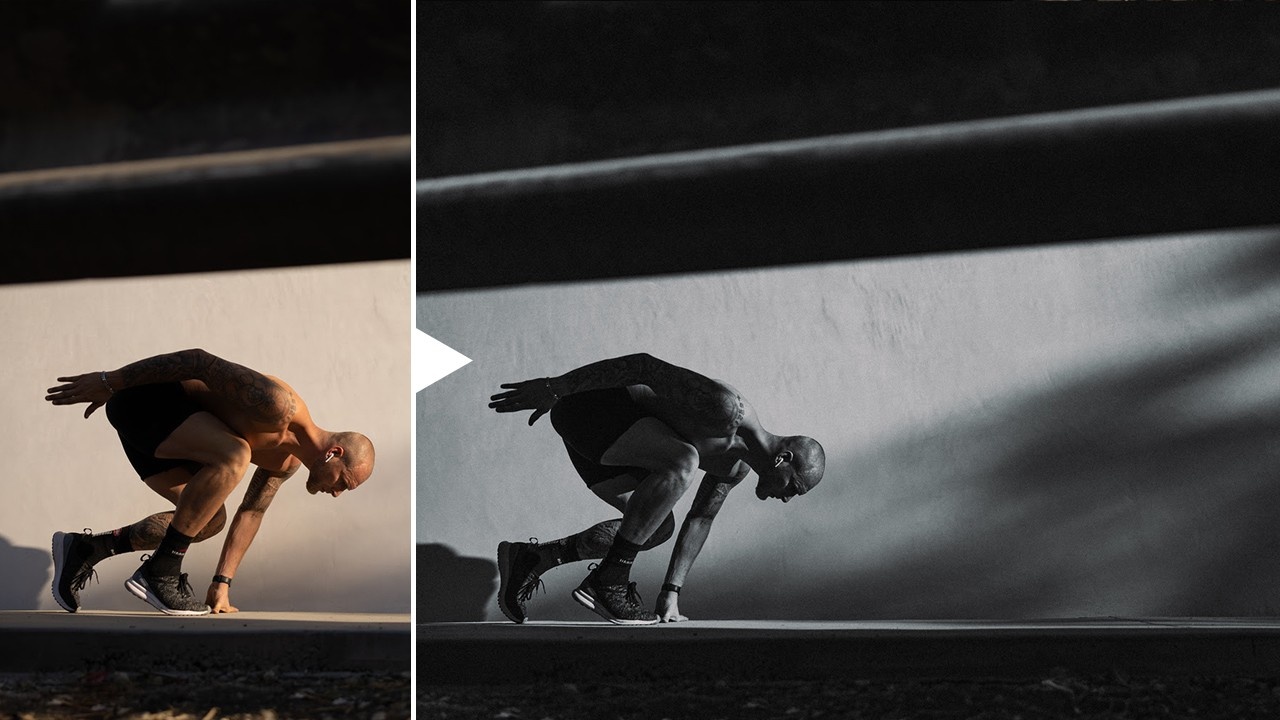
Faking Flash in Post-Production
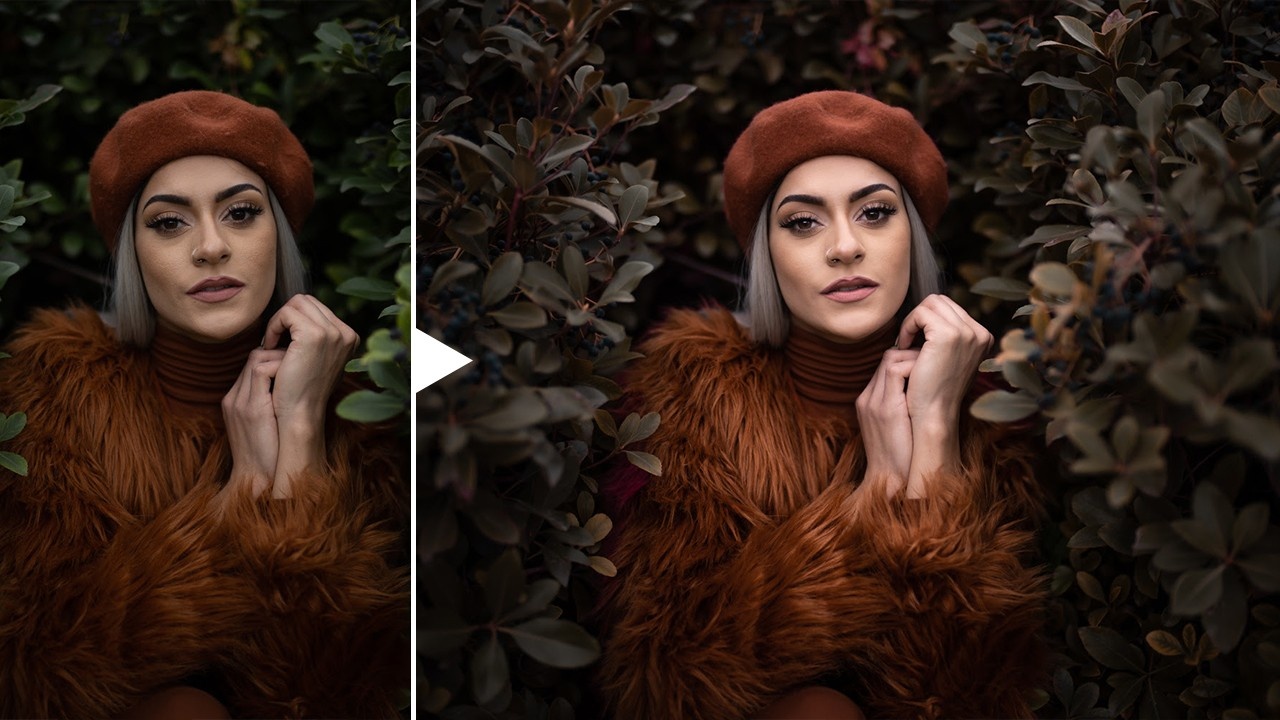
When you look at this before/after image, what are your first thought? Flash was added? It was edited heavily in Photoshop with some complicated masking? Both assumptions would be wrong, but many other people probably were likely fooled as well.
Pye's going to show you creative masking techniques that you can use to add flash (seen here), enhance skies, lift out detail, create sunflares, and more.
Retouching Without Photoshop
When a photographer talks about "retouching an image," most people immediately think of Adobe Photoshop. However, learning how to casually edit in Photoshop usually takes quite a bit of time, and once those edits are made, it can be nearly impossible to apply those same editing techniques to dozens or hundreds of images from the same session without having inconsistent results across each individual image. With Pye's "retouch without Photoshop" techniques, you can clean up skin, dodge and burn, and whiten eyes and more in Lightroom without anyone ever being able to spot the difference.
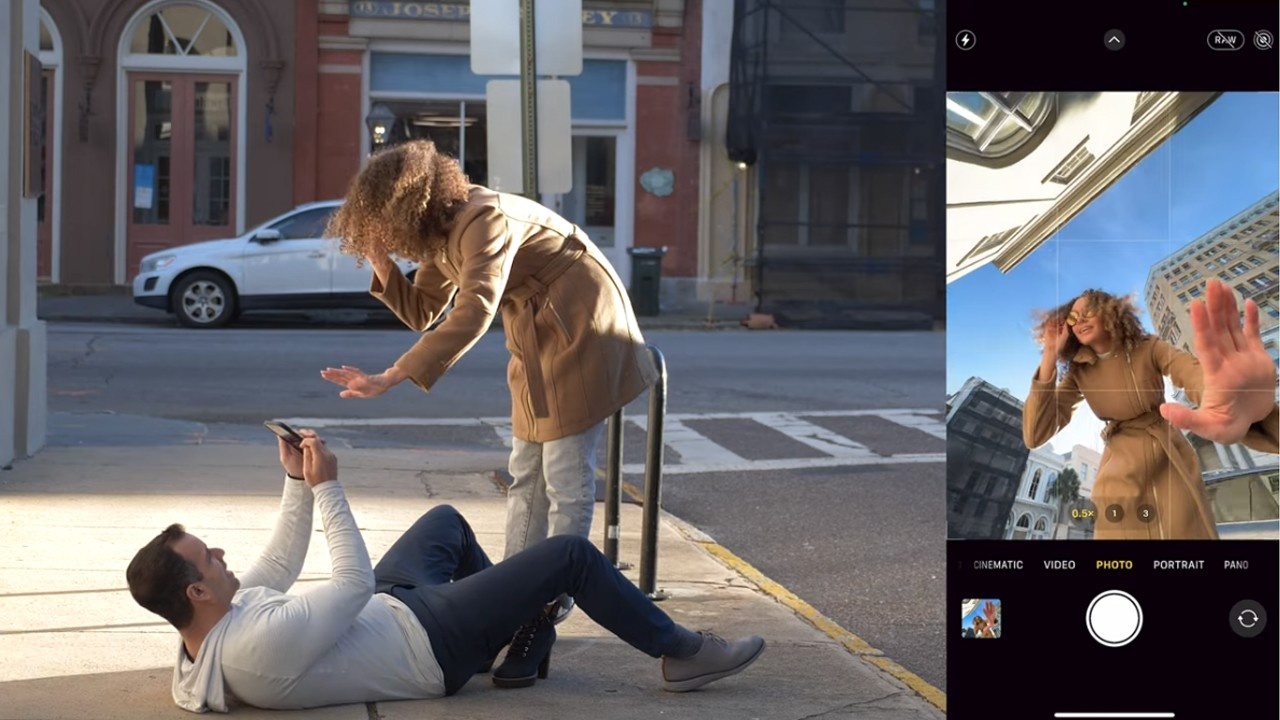
On-Location Shooting + Editing!
To demonstrate the power of editing when brought into the shooting process, Pye will take you on location around the streets of Charleston. Using just his phone, along with the concepts you've learned, he's going to demonstrate how to capture and edit landscapes, portraits, and architecture for stunning results.
Pricing Options
This workshop is available exclusively for purchase through the Fstoppers Store and made available for SLR Lounge Premium Members. See the pricing options below:
Purchase Workshop
$199
- 10+ Hours of Video Lessons Categorized by Specific Topic
- 49 Lessons That Build in Complexity
- 147 Exercise Images to Edit Yourself
- Pye's Start-to-Finish Lightroom Workflow
- Mobile Shooting and Editing
- Pye's Favorite Professional Lightroom Presets
- Instant Download: Viewable on Any Device, Anytime
You can also access this workshop in SLR Lounge Premium.