
If you’re at all into photo scanning or printing, in all likelihood you’re aware of LaserSoft Imaging. The company and its products are well known to be amongst the best for scanning software, so even if you don’t have it, you’ll likely want it.
That being said, there’s a good chance you already have it, and even if you don’t, they’ve just released a new printer calibration service that should bring sage nods from all. ‘Printer calibration,’ doesn’t sound sexy, but the rewards for doing it can bring tears to your eyes.

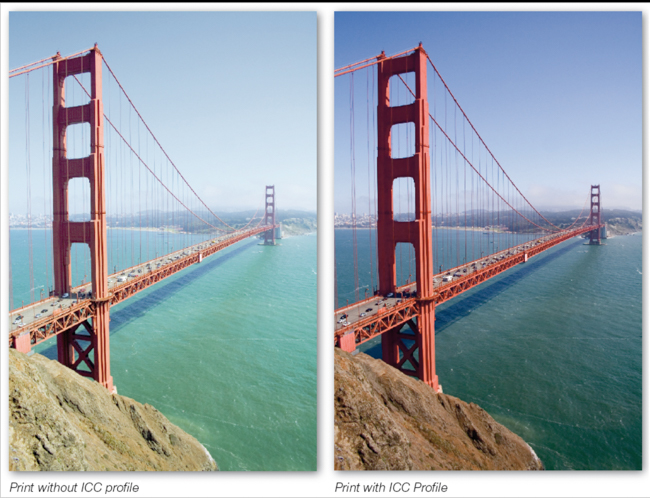
While as photographers, we are all aware of screen calibration and most of us concern ourselves with it, calibrating your printer typically doesn’t get the same attention, though frankly if you’re going so far as to calibrate your monitor, you should be calibrating your printer, so your prints match what you see on your screen.
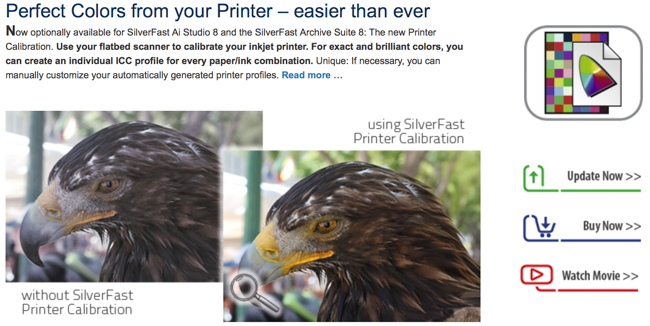
Not only does printer calibration make the most of your prints, and thus your photos, by ensuring the tangible product matches what you shot, but it has the added benefit of allowing you to use a paper selection of a much wider gamut, despite what your printer manual suggests. The trouble is, it has often been a technical and boring endeavor, and many have resorted to ignoring it – sadly.
Lasersoft’s new calibration system, SilverFast 8.5, is aiming at removing the pain and replacing it with a set-up and system that’s effective and painless. It appears to be as appropriate for pros as it is for novices. The company says that this system will allow you to achieve prints of the highest color fidelity and accuracy, and all that’s required is a supported flatbed scanner and SilverFast’s 8 AI Studio scanning software package.

I’ll be the first to admit that the combo isn’t exactly what many will call cheap, as the calibration system is $99 and the software is $299, but as mentioned above, this is near the best out there, and if you make or sell your own prints, this is likely a worthwhile investment. Also, keep in mind that this software comes bundled with many scanners so you may already have it anyway.
[REWIND: Datacolor Releases Spyder5 To Perfect Your Color Calibration With 3 Variants]

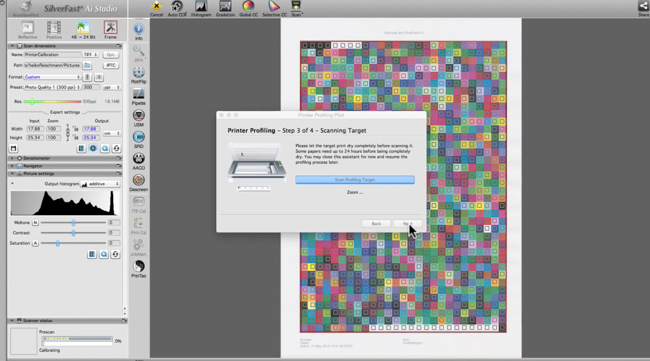
The program will scan test prints with more than a thousand watches to generate an ICC profile for your specific printer, and do it in a flash. This negates the need to manually generating all of this with a spectrophotometer and matching. But since color is a subjective perception,
SilverFast offers the option of editing the generated profile according to the user’s desires. This inherently complex task of color space adaptation is very easy to handle. Based on the generated ICC profile a new target is printed, in which the user can select the most neutral tonal values according to his perception. After this, SilverFast computes a personal user profile and saves it.
So what you end up with are prints that are meticulously correct each time, and a simple process to achieve this.
Find out more on their site.



Get Connected!